Transparency Note: This post contains affiliate links. As an Amazon Associate, we earn from qualifying purchases at no extra cost to you.
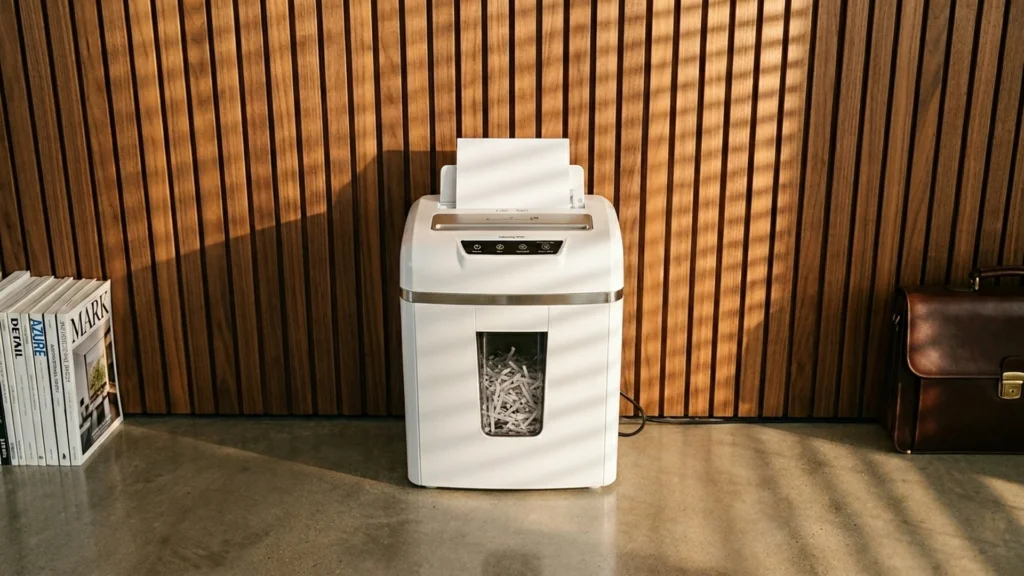
Auto feed paper shredders are built for hands-off shredding. You load a stack, and the machine pulls sheets in on its own. For this sub-category, you need clear shred output, dependable feed performance, and a setup that lets you shred sensitive paper without babysitting every pass.
Picking one is harder than it looks. Auto feed models depend on smooth feeding and consistent throughput. If a shredder takes too long to cool down, jams often, or has a weak bin and pickup system, the convenience can disappear fast. You also have to balance shred type and security level against real capacity and daily reliability.
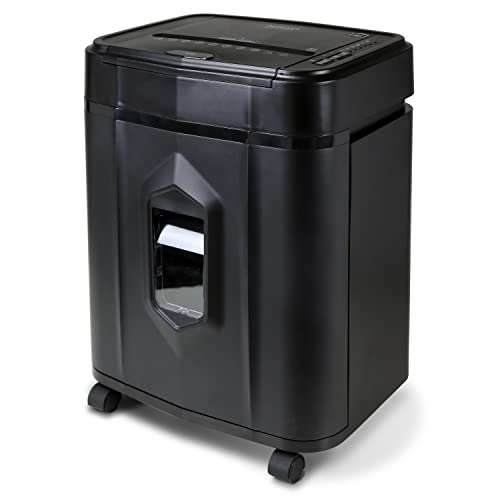
Aurora AU120MA is notable in auto feed paper shredders because it pairs automatic batch feeding with Micro-Cut security at P-4. That means you are not just saving time. You are also getting finer shred pieces for documents that need real privacy. With a 120-sheet capacity per pass and a 5 gal bin, it is built for steady office or home workflows where papers keep coming.
The trade-off is that you may still need to watch the feed when stacks contain mixed or odd paper. Occasional jams can break the flow, which defeats the point of automatic shredding for some users. Also expect a larger footprint, so it fits best in a dedicated workspace rather than a tight desk setup.
This Dahle ShredMATIC SM 300 stands out in the auto feed shredder lane because it targets higher privacy needs with a P-4 cross-cut pattern. It is built for busy paper runs, handling up to 300 sheets in the auto feed cycle and storing waste in an 11 gal bin. That combination matters when you shred daily office documents like statements, HR files, and anything that should not be readable after processing.
The main trade-off is user verification. If you want maximum control over when shredding starts, you may need to pay closer attention to how the shred cycle is triggered and monitored. This model fits best for users who shred often and prefer steady, hands-off throughput, rather than occasional use with lots of manual checking.
The Bonsaii EverShred 200 is notable in auto feed paper shredders because it pairs micro-cut privacy with a fairly long 60-minute continuous run. That makes it a solid fit when you need to process batches without standing by the machine. With P-4 security, it targets sensitive documents and turns sheets into much smaller pieces than strip-cut models.
The main trade-off is reliability under heavier loads. Users should expect more feeder-jam risk if the shredder is pushed near its 200-sheet capacity, and it can jam under sustained input. This is best for steady, paced runs rather than dumping large stacks all at once.
In the auto-feed paper shredder category, this Amazon Basics model stands out for how hard it is to piece back together. It uses cross-cut shredding at a P-4 security level, turning 200-sheet loads into much smaller fragments than typical strip-cut designs. That makes it a solid fit for routine document disposal when you want the output to stay truly hard to read, even after a busy shredding session.
The main trade-off is downtime. The shredder runs for 60 minutes but needs a 45-minute cool-down, so it is not ideal for long, nonstop batches. It is also fairly large, so it needs a dedicated spot near your auto-feed area. If you mostly shred in scheduled runs and value stronger security, it fits the auto-feed workflow well.
What to Look For
Shred Type and Security Level: Auto feed is only useful if the output is unreadable. Look for Micro-Cut for smaller pieces or Cross-Cut for tighter privacy than strips. Then verify the security rating as a P-level, since it signals how hard it is to reconstruct.
Sheet Capacity per Pass: Capacity tells you how many sheets the machine can start with. Higher capacity usually means fewer reloads during a shredding session. Stay realistic about your typical stack size and choose a model that matches it.
Run Time and Cool Down Time: Auto feed can run through stacks, but heat limits still apply. Compare continuous run time to cool down time. A longer run time with a shorter cool down keeps your workflow moving.
Entry Width: The throat width should fit your paper format and how you load stacks. A tight entry can cause feeding issues. Make sure the opening matches the kind of documents you shred most often.
Bin Capacity: Auto feed increases volume quickly. A larger bin reduces how often you stop mid-task. Check bin capacity in gallons so you know how long it will last before emptying.
How We Picked
Products were identified through broad research across review sites and buyer forums, then filtered to only those that qualify as Auto Feed Paper Shredders.
Scoring used the same objective pillar framework as the main Paper Shredders post, allowing direct comparison of products within this sub-category.
Frequently Asked Questions
What is an auto feed paper shredder, and how is it different from a manual feed shredder?
An auto feed shredder pulls paper in by itself after you place a stack in the tray. You usually only push a button and monitor the process. A manual feed shredder requires you to insert sheets one at a time. Auto feed models often work better for larger batches of paper.
How much paper can an auto feed shredder handle at once?
Use the sheet capacity rating as your main guide. It usually means how many sheets it can take in one pass. For best results, start below the maximum, especially with thick paper or heavy cardstock. This reduces jams and keeps shredding smooth.
Why does my auto feed shredder jam even when I stay under the sheet limit?
Jams often happen with mixed paper thickness, stapled pages, or crumpled sheets. Also check that the entry width matches your paper size. Empty the bin before it gets too full, since back pressure can trigger clogs. If it still jams, reduce the stack size and let it run until it finishes before adding more.
How often should I oil an auto feed paper shredder?
Check the manual for your model, since schedules vary. Many auto feed shredders need oil every few uses or when you notice slower cutting. Use shredder oil and run it through the blades with a sheet guide or oil sheet. This helps reduce wear and improves cut quality.
When should I choose a different type of paper shredder instead of auto feed?
Choose a manual or smaller desktop shredder if you only shred a few pages at a time. Auto feed models help most when you shred many sheets in one session. If you need portability or have limited space, a smaller shredder can be easier. Also, if you often shred small scraps, manual feed may feel more convenient.
How do auto feed paper shredders compare to other paper shredders in shred security and run time?
Auto feed models can offer strong security with cross cut or micro cut settings. Many also support longer run time per cycle, which matters for bulk shredding. Manual feed models can still be secure, but they often work slower for large batches. If you shred weekly or monthly records, auto feed run time helps you finish faster.