Transparency Note: This post contains affiliate links. As an Amazon Associate, we earn from qualifying purchases at no extra cost to you.
Cross-cut paper shredders chop sheets into small, crisscross pieces. This matters when you shred anything more sensitive than junk mail, such as bank statements, tax documents, or old IDs. In this sub-category, you should expect models built for clear, repeatable cross-cut output, not mixed shred patterns.
Picking one is harder than it sounds because security and workflow rarely come together. Higher security usually means finer cutting, which can reduce sheet capacity or raise the chance of jams if you overload. Office-ready models also need strong continuous run time and fast cooldown, so they keep up during bulk cleanups.
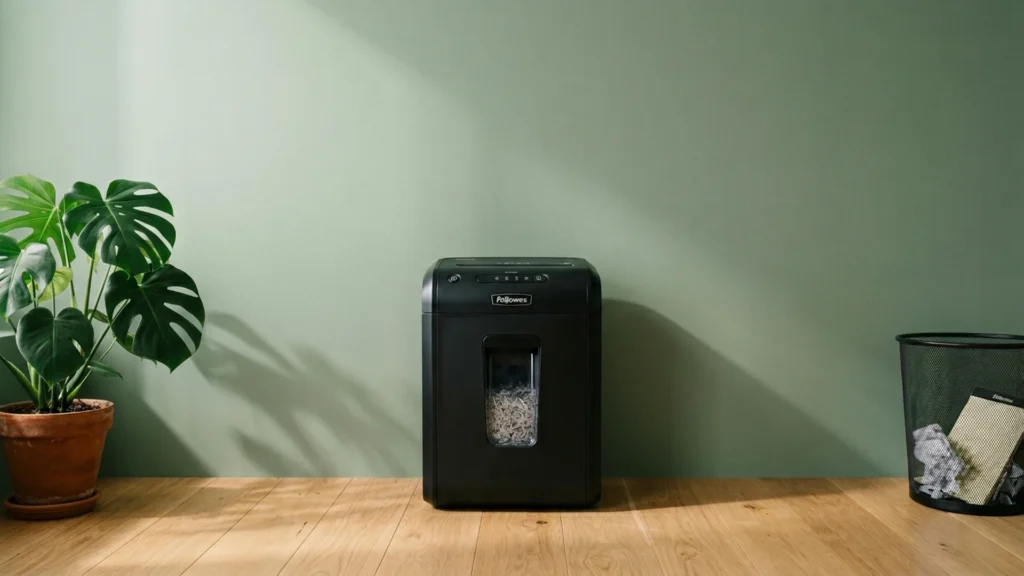
In cross-cut shredders, the Fellowes Powershred 79Ci stands out for its strong privacy level: P-4 cross-cut shredding. The result is noticeably harder to reconstruct than strip-cut output, which matters for bills, HR paperwork, and anything you do not want readable again. It also supports daily use with a 16-sheet capacity and a 20-minute run time, so you can process a normal work pile without constant start-stop cycles.
The main trade-off is heat management. It needs a 30-minute cool-down, and the machine monitors overheat risk, which can interrupt longer sessions. This makes it best for home offices or small teams that shred in batches, not for long, continuous streams of paper.
In the cross-cut shredder space, this Fellowes model stands out for privacy. Its P-4 cross-cut pattern turns paper into pieces that are extremely hard to piece back together. For cross-cut users dealing with tax forms, bank statements, or other sensitive paperwork, that kind of shred resistance matters more than anything else. It is also built for everyday volume, so routine use is not slowed down by frequent stopping.
The main trade-off is physical. The unit is heavy, and the caster setup can be a bit fiddly. The lid is also not the easiest to handle during frequent emptying. If you want top cross-cut privacy and steady throughput, this fits well. If you prefer light, simple setup and one-handed maintenance, you may find the handling steps slightly annoying.
#3. Fellowes Powershred 99Ci 18-Sheet Cross-Cut Paper Shredder
Fellowes Powershred 99Ci stands out among cross-cut paper shredders thanks to its P-4 security level. That matters when you shred tax forms, HR documents, or old statements that you want to keep unreadable. It also takes up to 18 sheets per pass, which is a strong fit for handling day-to-day batches without constant refeeding.
The main trade-off is runtime planning. It lists a 30-minute continuous run, but the cool-down duration is not specified, so you may need a break during longer sessions. It also is not the easiest model to move. If you want a cross-cut shredder for a mostly fixed home office or small office spot, this one fits well.
For cross-cut shredding, this Dahle model is notable mainly because it targets higher privacy with a P-4 rating. That matters for everyday confidential work like invoices, bank statements, and HR documents, where strip cuts can feel too easy to piece back together. It is also built for steady output, with a 300-sheet feed capacity and an 11 gal bin, so it fits the rhythm of regular office shredding rather than rare, small batches.
The main trade-off is control and verification. The spec list notes limited user verification, so you may want to watch the feed closely and confirm safe operation during longer sessions. It is best for buyers who want cross-cut security and high-capacity batch handling, and who are comfortable with hands-on monitoring instead of relying on many guided checks.
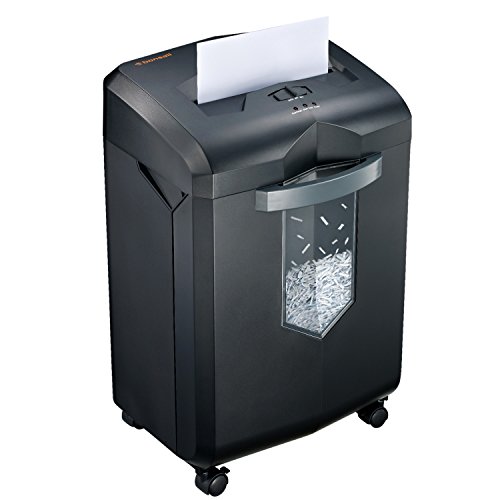
This Bonsaii cross-cut shredder stands out for privacy and steady output. It is rated at P-4 security and cuts each sheet into cross-cut pieces meant to be hard to piece back together. The 18-sheet capacity and 60-minute continuous run time make it a better fit for day-to-day batch shredding, like monthly statements and recurring office paperwork.
The trade-off is durability and first-use comfort. Some owners report faster wear, and there can be a new-unit odor when you start using it. If you need a cross-cut shredder for regular use but do not want to push it beyond its limits, this is a solid pick. For very heavy, nonstop shredding every day, plan on doing shorter cycles and expect more attention to maintenance.
This Fellowes LX85 is a strong pick for cross-cut shredding when document privacy matters. It targets a P-4 level outcome, turning sheets into small, hard to piece back together scraps. With a 12-sheet maximum and a 20-minute continuous run time, it fits day to day batches better than many smaller cross-cut models. The 5 gal bin also helps reduce how often you stop to empty it.
The main trade-off is heat management and long-term wear. Expect a 30-minute cool-down if you push it hard, and some users note faster wear over time. This makes it best for people who shred sensitive paperwork regularly but do not plan to run it nonstop for long stretches.
#7. Amazon Basics 200-Sheet Cross-Cut Paper Shredder
This cross-cut shredder stands out for privacy. It is rated P-4 and turns documents into pieces that are extremely hard to piece back together. In a cross-cut category where many models still feel less secure with mixed feeding, this one stays focused on making paper truly unreadable, which is a big deal for tax forms, bank statements, and other sensitive paperwork.
The trade-off is day-to-day stamina. It has a 60-minute run time but needs a 45-minute cool-down, so long sessions require breaks. It also tends to be bulkier, so it takes more floor space than smaller cross-cut units. Best fit is someone who shreds in batches and prioritizes security over nonstop throughput.
#8. Aurora AU1802XA 18-Sheet Cross-Cut Paper Shredder
Aurora AU1802XA stands out among cross-cut shredders thanks to its P-4 security rating and 18-sheet capacity. In practice, that means you get finer cross-cut output for sensitive papers while keeping throughput high for busy home offices or small teams. With a 6 gal bin, it also supports longer sessions before you have to empty it.
The main trade-off is operational fit. The 8.7 in entry width is narrower than many cross-cut models, so larger stacks and wider sheets may need careful alignment. Also, the unit is noted as wearing out faster, so it is best for steady, moderate use rather than heavy, daily volume if you want the cutters to last.
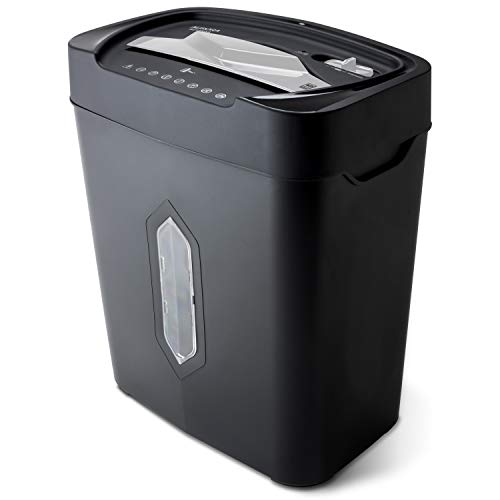
For cross-cut shredders, the Aurora AU1230XA stands out with a P-3 security rating and a true 12-sheet cross-cut pattern. It turns a full-sized stack into unreadable pieces, which matters when you need to destroy bills, statements, or other sensitive paper. Practical use is helped by an angled feed entry and an anti-jam auto-reverse mode, so it is less likely to stall when you load a paper stack.
The trade-off is durability and feed consistency. Some users report faster wear over time, and credit-card shredding can be inconsistent. Emptying the 5.2 gal bin is also a bit awkward, so plan for frequent checks if you shred regularly. This model fits best for home or small office users who want solid cross-cut privacy most days, but do not treat it like heavy commercial equipment.
#10. Amazon Basics 15-Sheet Cross-Cut Paper Shredder
This cross-cut shredder stands out for its P-4 cross-cut result, which targets better document privacy than strip-cut models. It also uses clear status LEDs, so you know when it is ready, running, or needs attention. For everyday use, the 15-sheet entry and 6 gal bin keep the workflow moving without constant stops to empty the bin.
The main trade-off is handling consistency. Its max throughput can feel uneven, and the manual jam recovery process adds friction if you overfeed or run mixed stacks. Durability is another weak spot, with signs that the cutters may wear faster than you would expect, so it fits best for light to moderate shredding rather than heavy, frequent batches.
What to Look For
Shred Type: Verify the shred pattern is Cross-Cut. Avoid listings that describe strip-cut or vague “diamond” wording that does not clearly match cross-cut output.
Security Level (P-level): Match the P-level to what you shred. Choose higher P-level ratings for documents that you do not want reconstructed, and lower ones only for low-risk paperwork.
Sheet Capacity Per Pass: Look for a realistic sheet rating for your typical loads. If you often shred full printer pages, a higher sheet capacity reduces the number of passes and lowers the risk of overfeeding.
Run Time and Cool Down Time: Check continuous run time minutes and cooldown minutes. Cross-cut units can heat up during bulk shredding, so a longer run time and shorter cooldown keep your workflow moving.
Jam-Proofing and Entry Width: Prioritize models with jam-reduction design and an entry width that fits standard paper sizes. A wider throat helps smooth feeding, especially when you shred paper stacks quickly.
How We Picked
Products were identified through broad research across review sites and buyer forums, then filtered to only those that qualify as Cross-Cut Paper Shredders.
Scoring used the same objective pillar framework as the main Paper Shredders post, allowing direct comparison of products within this sub-category.
Frequently Asked Questions
What does cross-cut shredding do differently than strip shredding?
Cross-cut shredders cut paper both across and down the sheet. This makes the pieces much harder to read and harder to reassemble. Strip-cut shredders make long strips, which can still be easier to sort and reconstruct.
How do I choose the right cross-cut security level for my documents?
Higher P levels usually mean smaller pieces and stronger privacy. For things like bank statements or medical paperwork, you will want a higher P level. For less sensitive mail, a mid P level can still work well.
How should I load paper into a cross-cut shredder to avoid jams?
Feed one sheet at a time if you are near the shredder's rated sheet capacity. Keep the paper straight and do not push it harder if you feel resistance. If the shredder has a jam-proof or auto-reverse feature, use it when the light signals a problem.
Do cross-cut paper shredders need oil, and how often should I do it?
Most cross-cut shredders need shredder oil to keep the cutters moving smoothly. Check the manual, but many run oil on a regular schedule or after a heavy work period. Oil helps reduce noise, slows wear, and can improve jam resistance.
When should I pick a micro-cut shredder instead of a cross-cut model?
Pick micro-cut if you shred highly sensitive data or want the smallest possible pieces. Cross-cut is a strong choice for everyday confidential mail. Micro-cut gives extra protection when you shred things like tax documents or identity-related records.
What matters most for performance in cross-cut paper shredders?
Look at sheet capacity, run time, and cooldown time. A higher capacity helps you shred faster, while longer run time supports bigger batches. Cooldown time matters because it tells you how long you must wait between heavy shredding sessions.