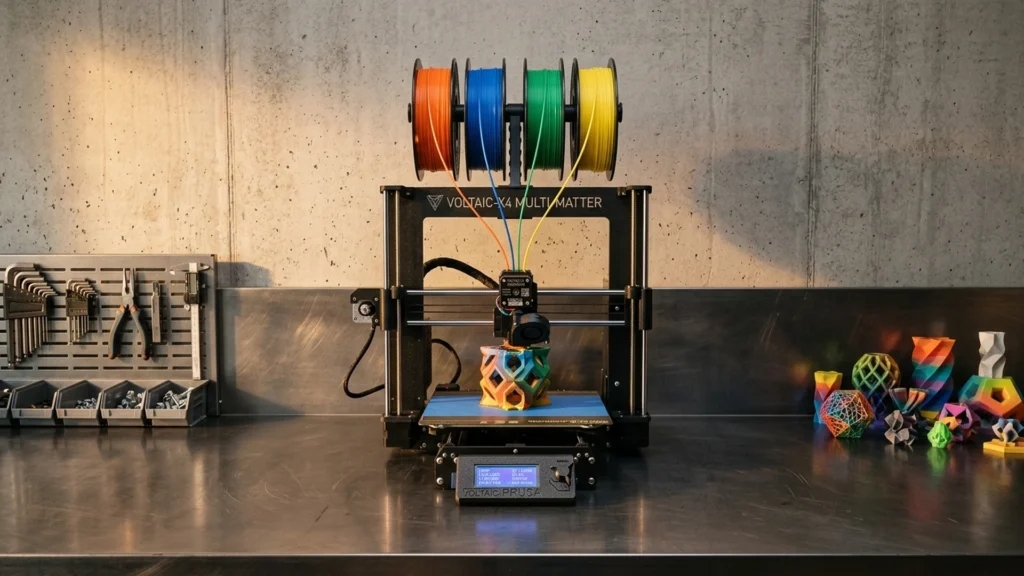
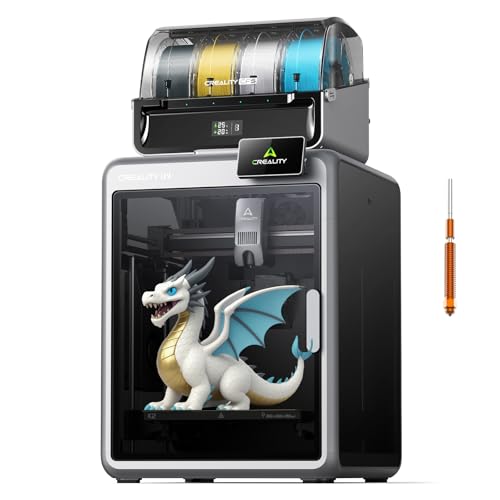

Multi-Color 3D Printers create parts using more than one color in the same print job. Buyers in this category usually want two things: stable, color-consistent layers and a process that does not turn every swap into a repair session. This guide focuses on printers that support reliable multi-color output, so you can plan projects around repeatable results.
Choosing one is harder than it sounds. You trade speed and convenience against print stability, clog risk, and the time needed to dial in purge and wipe behavior. Many “multi-color” machines also depend on good calibration and careful material handling, so the best option depends on how much setup you are willing to do and how often you print for full-color results.
If you want recommendations across every 3D printing style and use case, not only multi-color builds, check this out: Looking for all types? See our Best 3D Printers.
Quick Overview
Our Top Picks
#1. Bambu Lab P1S 3D Printer

Specifications
| Brand | BAMBULAB |
|---|---|
| Printing Technology | FDM |
| Build Volume | 256 x 256 x 256 mm³ |
| Max Print Speed | 500mm/s |
| Max Nozzle Temperature | 300 °C |
| Supported Materials | PLA, PETG, TPU, PVA, PET ABS, ASA, PA, PC |
Pros
- Sharp layers, accurate dimensions
- Stays calibrated, rarely fails
- Smart convenience features, helpful extras
Cons
- Basic-detail limited
- Firmware authorization friction
- Occasional filament jamming
For a multi-color 3D printing setup, the Bambu Lab P1S stands out because it produces clean, repeatable prints with sharp layer lines. FDM prints look consistent, and parts come out with accurate dimensions, so color changes and multi-part projects do not turn into a guessing game. It also tends to stay calibrated, so long runs and color-series prints are less likely to drift over time. Convenience is part of the reason it fits this sub-category, with helpful smart controls and extras that reduce the busywork around switching and re-running jobs.
The main trade-off is that fine surface detail can be limiting, especially if you expect very crisp, highly detailed miniatures after a quick color swap. Also, occasional filament jamming can interrupt a color workflow, so you may want to keep an eye on filament loading and pause behavior during long multi-color prints. Finally, firmware authorization can feel like friction if you prefer a fully open, tinkerer-friendly experience.
#2. Bambu Lab A1 Mini 3D Printer

Specifications
| Brand | BAMBULAB |
|---|---|
| Printing Technology | FDM |
| Build Volume | 180 x 180 x 180 mm³ |
| Max Print Speed | 500 mm/s |
| Max Nozzle Temperature | 300 °C |
Pros
- Sharp layers, accurate dimensions
- Simple leveling, smooth workflow
- Strong results, reasonable costs
Cons
- Small build capacity
- Basic-detail limited
- Messy poop system
The Bambu Lab A1 Mini stands out for people who want cleaner multi-color looking results without spending most of their time tuning a machine. With sharp layers and accurate dimensions, color changes tend to look more crisp and less messy than on many similar hobby FDM printers. Setup also stays simple, which matters when you are juggling more than one color and need repeats that come out similar.
The main trade-off is size and the kind of multi-color work it suits. Its build area is small at 180 x 180 x 180 mm, so bigger signs, cosplay parts, and large multi-color prints may not fit. It also can be limited in very fine surface detail, and the poop system can get messy during ongoing jobs, so plan for extra cleanup time if you run frequent multi-color prints.
#3. Flashforge AD5X 3D Printer

Specifications
| Brand | FLASHFORGE |
|---|---|
| Printing Technology | FDM |
| Build Volume | 220 x 220 x 220 mm |
| Max Print Speed | 600 mm/s |
| Number Of Extruders | 4 |
| Max Nozzle Temperature | 300 °C |
| Max Bed Temperature | 110 °C |
Pros
- Sharp layers, accurate dimensions
- Large build capacity
- Multi-material capability
Cons
- Occasional clogs or poor adhesion
- Basic-detail limited
- Firmware regressions
Multi-color work often means juggling lots of steps, but the Flashforge AD5X keeps the focus on output. It uses a 4-extruder setup and a 220 x 220 x 220 mm build area, so you can run more than one color for big signs, character parts, and two-tone functional models. Print quality stays strong for an FDM multi-material printer, with sharp layers and accurate dimensions that need less cleanup than many budget multi-extruder machines.
The main trade-off is consistency. Some users may see occasional clogs or weaker bed adhesion, which can ruin a multi-color job that takes hours. Firmware behavior can also be a bit unpredictable, so it is best for buyers who are comfortable troubleshooting and who plan to dial in settings before committing to long, multi-color prints.
#4. Creality K2 3D Printer

Specifications
| Brand | Creality |
|---|---|
| Printing Technology | FDM |
| Build Volume | 260 x 260 x 260 mm |
| Max Print Speed | 600 mm/s |
| Max Bed Temperature | 100 °C |
| Supported Materials | PLA, PETG, ABS, PLA-CF, PET |
Pros
- Large build capacity
- Fast printing speed
- Strong heated bed
Cons
- Occasional clogs or poor adhesion
- Basic-detail limited
- Support back-and-forth
The Creality K2 stands out in the multi-color 3D printer space mainly because it focuses on big, fast FDM prints. With a 260 x 260 x 260 mm build area and a max speed listed up to 600 mm/s, you can run larger color-block parts and prototypes without shrinking your design to fit the bed. The heated bed up to 100 C also helps keep multi-material style parts stable when you switch between common filament types like PLA, PETG, and ABS.
The trade-off is not everything stays equally clean across colors. You may see occasional clogs or weaker adhesion, which can ruin a multi-color attempt if you do not catch it early. It also tends to be a bit basic on fine details, and support work can take extra back-and-forth, especially for prints that rely on complex overhangs between color sections. This is best for multi-color users who want size and speed first, and who are willing to tune settings to get consistent results.
#5. Creality K2 Plus 3D Printer

Specifications
| Brand | Creality |
|---|---|
| Printing Technology | FDM |
| Build Volume | 350 x 350 x 350 mm |
| Max Print Speed | 600 mm/s |
| Max Nozzle Temperature | 350 °C |
| Supported Materials | PLA, PETG, TPU, ABS, ASA, PC, PA |
Pros
- Sharp layers, accurate dimensions
- Smart convenience features, helpful extras
- Large build capacity
Cons
- Occasional clogs or poor adhesion
- Assembly inconsistency
- Firmware version tuning
For multi-color printing, the Creality K2 Plus stands out with solid, sharp FDM output at a large 350 x 350 x 350 mm build size. Details stay crisp, and parts tend to come out dimensionally accurate. That matters when you are switching colors often or making larger multi-color models that must line up cleanly across separate sections.
The main trade-off is day-to-day consistency. Some users may run into occasional clogs or weaker bed adhesion, and assembly can be less uniform than expected. If you like tuning firmware and dialing in settings, you will get more reliable results. If you want a hands-off multi-color printer with minimal troubleshooting, you may find it a bit demanding.
#6. Creality K2 Combo 3D Printer

Specifications
| Brand | Creality |
|---|---|
| Printing Technology | FDM |
| Build Volume | 260 x 260 x 260 mm |
| Max Print Speed | 600 mm/s |
| Max Nozzle Temperature | 300 °C |
| Max Bed Temperature | 100 °C |
| Supported Materials | PLA, ABS, PETG |
Pros
- Large build capacity
- Fast printing speed
- Strong heated bed
Cons
- Occasional clogs or poor adhesion
- Touchscreen issues
- Chamber heater problems
The Creality K2 Combo stands out for multi-color style printing thanks to its large 260 x 260 x 260 mm build area and fast max print speed of 600 mm/s. In a multi-color workflow, that big space helps you fit bigger multi-part models and reduce the number of color runs. The heated bed reaching 100 °C and hotend up to 300 °C also make it easier to stick with common PLA, ABS, and PETG when you switch filaments for different colors.
Still, multi-color printing punishes any weakness in consistency, and this is where the trade-offs show. Users report occasional clogs or poor adhesion, plus touchscreen and chamber heater issues. It is best for people who already understand how to dial in temperatures and first-layer settings, and who are willing to do some troubleshooting if a swap between colors starts to cause jams or lift.
#7. Flashforge AD5X IFS 3D Printer

Specifications
| Brand | FLASHFORGE |
|---|---|
| Printing Technology | FDM |
| Build Volume | 220 x 220 x 220 mm |
| Max Print Speed | 600 mm/s |
| Number Of Extruders | 4 |
| Max Nozzle Temperature | 300 °C |
Pros
- Sharp layers, accurate dimensions
- Strong results, reasonable costs
- Multi-material capability
Cons
- Occasional clogs or poor adhesion
- Firmware calibration regression
- Awkward OrcaSlicer workflow
The Flashforge AD5X IFS stands out in multi-color FDM printing thanks to its 4-extruder setup, which makes it practical to switch colors within the same build. In real prints, you get sharp layers and good dimensional accuracy, so multi-color parts tend to line up cleanly instead of looking soft at the edges. With up to 300°C at the nozzle and a 220 x 220 x 220 mm build area, it is a solid option for bigger color runs, keycaps, and patterned functional parts that need different materials or colors.
The main trade-off is that reliability and tuning can be uneven. Some users may run into occasional clogs or adhesion issues, and firmware calibration can shift over time. It also can feel less beginner-friendly because the OrcaSlicer workflow can be awkward, even when the printer itself produces strong-looking results once dialed in. This is best for people who already like tinkering a bit for multi-material accuracy, not for users who want a fully hands-off multi-color experience.
#8. Anycubic Kobra X 3D Printer

Specifications
| Brand | ANYCUBIC |
|---|---|
| Printing Technology | FDM |
| Build Volume | 260 x 260 x 260 in |
| Max Print Speed | 600 mm/s |
| Number Of Extruders | 1 |
| Supported Materials | PLA, PETG, TPU, PVA, ABS |
Pros
- Strong results, reasonable costs
- Fast printing speed
- Wide material compatibility
Cons
- Occasional clogs or poor adhesion
- TPU failures
- Basic-detail limited
For people shopping in the multi-color 3D printer space, the Anycubic Kobra X is notable because it stays practical while printing multiple common filament types. It uses FDM with a large 260 x 260 x 260 in build area and can run PLA, PETG, TPU, PVA, and ABS. That makes it a solid option for projects where you want to swap colors often, or batch parts in different materials for the same print.
The trade-off is that this is still a single-extruder FDM setup. You will not get true multi-color in one run, and TPU can be temperamental, with occasional clogs or weak bed adhesion. Expect the best results when you take calibration seriously and keep filament dry, especially if you plan to print many color changes back to back.
What to Look For
Color Change Reliability: In multi-color printing, failures often happen during filament switching or purging. Look for designs that reduce missed transitions and prevent partial clogs on color changes, especially if you plan long prints or frequent color swaps.
Print Quality Under Switching: Ask how clean the surface stays after swaps. Strong multi-color output means sharp layer lines, low stringing around color boundaries, and consistent bridging and overhangs even when the printer changes material mid-job.
Calibration and Adhesion Stability: Multi-color prints magnify small bed issues. Favor machines that keep calibration tight over time and that make it easy to maintain bed adhesion, so you do not lose hours to warping, corner lift, or sensor related interruptions.
Multi-Extruder Setup That Makes Sense: Prefer printers with the right number of extruders for your expected workflow. One extruder cannot do true multi-color without pauses and manual steps, while multi-extruder designs reduce manual work but still require stable profiles per material and color.
Value From Less Waste and Fewer Fixes: Multi-color printing can burn filament during purging. Choose printers whose workflow limits purge waste and avoids frequent maintenance, so the ongoing costs stay predictable as your color library grows.
How We Picked
Products were identified through broad research across review sites and buyer forums, then filtered to only those that qualify as Multi-Color 3D Printers. The goal was to keep options that can produce multi-color parts in real use, not just machines that can technically pause for manual color changes.
Scoring used the same objective pillar framework as the main 3D Printers post, allowing direct comparison of products within this sub-category. Print Quality, Reliability, Ease, Features, and Value were applied to how well each printer handles color swapping in daily printing, with extra attention to repeatability and how much post-processing you still need after the colors finish.
Frequently Asked Questions
What does a multi-color 3D printer actually change during a print?
It switches filament colors while the same model keeps printing. Many setups handle this by changing tools or feeding multiple filaments. Expect pauses during color changes so the printer can purge and restart cleanly. Good printers reduce waste by purging less filament.
How do I avoid color blobs and messy transitions when switching colors?
Start with a printer that supports controlled purge or smart filament switching. Use the slicer setting for wipe and prime when available. Keep temperatures stable, and dry filament if the color change looks stringy. Doing a small test print helps you dial in purge settings before a big job.
Do multi-color printers need special maintenance compared to single-color printers?
Yes, they need extra cleaning around the toolhead or nozzle path. You may also spend more time managing filament storage and keeping spools dry. If the printer uses multiple feeders, check tension and drive gears for consistent feeding. Regular nozzle cleaning and proper purge settings reduce clogs.
What build size and feature differences matter most between multi-color models?
Look at the build volume first, since color parts often include multiple sections. Next, check how many filaments it can use at once and whether it uses a single nozzle or multiple extruders. Auto leveling, heated bed, and good connectivity also change how often you babysit prints. Higher-end models usually offer smoother color switching with fewer errors.
When should I choose a different type of 3D printer instead of a multi-color FDM printer?
Choose another type if you need very smooth surface quality or tiny details. Resin printers often produce cleaner detail than filament for miniatures. Also pick a different approach if you need full-color textures, not just filament color changes. Multi-color FDM works best for functional parts and bold color blocks.
How do multi-color 3D printers compare to standard single-color printers in cost and effort?
Multi-color printers usually cost more upfront and may use more filament during purges. They also ask for more setup for filament routing and switching. In return, you get color designs without manual painting. If you print multi-color parts often, the time saved can outweigh the extra waste.


