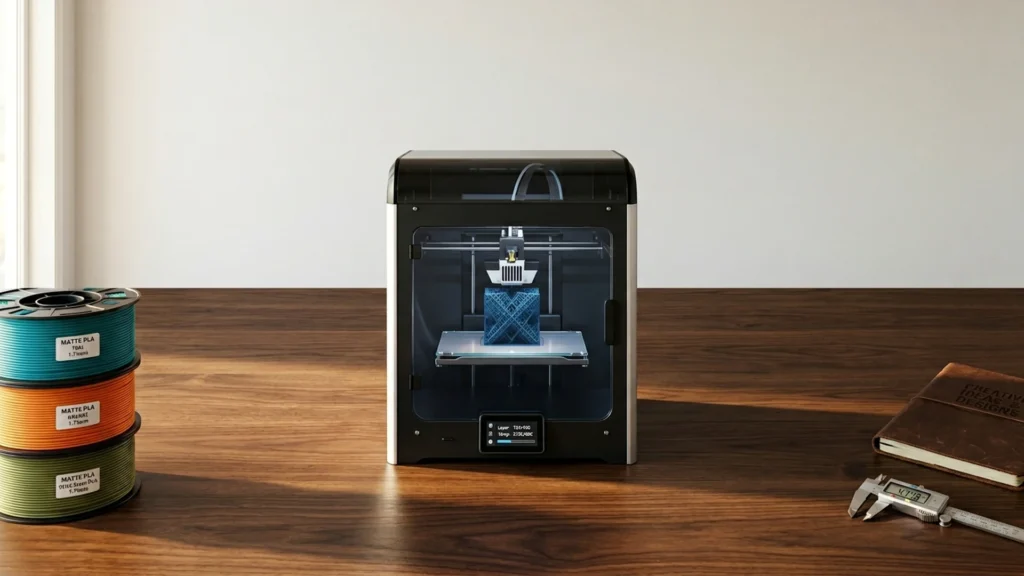

FDM 3D printers build parts by melting plastic filament and laying it down in lines. For buyers, the practical focus is simple: sharp layer details, stable first layers, and parts that keep their shape from print to print. This guide targets FDM models that can handle common jobs like brackets, jigs, and functional prototypes.
Choosing the right FDM printer gets hard fast because trade-offs show up in daily use. Faster machines can add ringing and stringing. Larger build areas can feel less rigid. Auto leveling and filament handling reduce setup, but they still do not fix poor material settings or weak cooling. The best choice comes down to your tolerance for calibration, support removal, and failed prints.
Looking for all types? See our Best 3D Printers as you compare FDM against other printing methods.
Quick Overview
Our Top Picks
#1. Bambu Lab P1S 3D Printer

Specifications
| Brand | BAMBULAB |
|---|---|
| Printing Technology | FDM |
| Build Volume | 256 x 256 x 256 mm³ |
| Max Print Speed | 500mm/s |
| Max Nozzle Temperature | 300 °C |
| Supported Materials | PLA, PETG, TPU, PVA, PET ABS, ASA, PA, PC |
Pros
- Sharp layers, accurate dimensions
- Stays calibrated, rarely fails
- Smart convenience features, helpful extras
Cons
- Basic-detail limited
- Firmware authorization friction
- Occasional filament jamming
The Bambu Lab P1S stands out in the FDM 3D printer category because it pairs fast printing with consistently accurate results. Layers come out sharp, and parts tend to measure close to the model. In day to day use, it stays calibrated well enough that long prints usually finish without the constant babysitting many FDM printers demand.
There are trade-offs. Fine surface detail can be hit or miss on very delicate textures, and firmware authorization can add a small amount of friction before you print. Some owners may also see occasional filament jams, so you will still want to watch first prints and keep filament path and feed clean. This is a strong pick for people who want reliable FDM prints quickly, not a machine to tinker with all weekend.
#2. Bambu Lab A1 Mini 3D Printer

Specifications
| Brand | BAMBULAB |
|---|---|
| Printing Technology | FDM |
| Build Volume | 180 x 180 x 180 mm³ |
| Max Print Speed | 500 mm/s |
| Max Nozzle Temperature | 300 °C |
Pros
- Sharp layers, accurate dimensions
- Simple leveling, smooth workflow
- Strong results, reasonable costs
Cons
- Small build capacity
- Basic-detail limited
- Messy poop system
The Bambu Lab A1 Mini is notable in the FDM space because it makes strong, clean prints feel easy. Layers look sharp and lines stay consistent, with accurate dimensions when you print smaller parts. Setup is also simpler than most FDM printers, since leveling and the day to day workflow are straightforward, so you spend less time fixing the printer and more time testing designs.
The trade-off is size and finishing time. Its build volume is limited to 180 x 180 x 180 mm, and fine text or delicate features can look a bit basic compared to higher-end machines. There is also a messy poop system, so you will want a plan for filament waste and cleanup, especially if you run prints back to back.
#3. Bambu Lab A1 3D Printer

Specifications
| Brand | BAMBULAB |
|---|---|
| Printing Technology | FDM |
| Build Volume | 256 x 256 x 256 mm³ |
| Max Print Speed | 500 mm/s |
Pros
- Sharp layers, accurate dimensions
- Simple leveling, smooth workflow
- Strong results, reasonable costs
Cons
- Firmware instability reports
- Printhead cable snagging
Sharp, repeatable FDM prints are the headline here, especially for makers who want details without a lot of tweaking. The Bambu Lab A1 makes that easier with simple setup and smooth daily workflow, including straightforward bed leveling. When you dial in a filament profile, the results stay consistent, with clean surfaces and accurate parts that need less cleanup than many entry-to-mid range printers.
The main trade-off is software and hardware quirks. There are reports of firmware instability, and the printhead cable snagging can interrupt jobs if you do not route it carefully. This is best for users who want strong print quality fast, and who are comfortable updating, troubleshooting small issues, and watching cables during longer runs.
#4. QIDI Q2 3D Printer

Specifications
| Brand | R QIDI TECHNOLOGY |
|---|---|
| Printing Technology | FDM |
| Build Volume | 270 x 270 x 256 mm |
| Max Print Speed | 600 mm/s |
| Max Nozzle Temperature | 370 °C |
| Supported Materials | PLA, ABS, PETG, TPU, PA, PC |
Pros
- Sharp layers, accurate dimensions
- Large build capacity
- Fast printing speed
Cons
- Extrusion skipping
- Pause ignored
- Qidi Box unreliability
The QIDI Q2 stands out in FDM 3D printing for balancing a big build area, 270 x 270 x 256 mm, with sharp, accurate results. Prints tend to show crisp layers and good dimensional control, with less cleanup than you often need from budget machines. It also targets practical speed, listing up to 600 mm/s, so larger functional parts do not feel painfully slow.
The main trade-offs are consistency-related. Reports mention extrusion skipping and that a pause can be ignored, which can ruin multi-part or interrupted prints. There is also a reliability concern around the Qidi Box. This makes the Q2 a better fit for people who already know how to tune FDM settings and troubleshoot than for total beginners who want hands-off printing.
#5. Creality K2 Plus 3D Printer

Specifications
| Brand | Creality |
|---|---|
| Printing Technology | FDM |
| Build Volume | 350 x 350 x 350 mm |
| Max Print Speed | 600 mm/s |
| Max Nozzle Temperature | 350 °C |
| Supported Materials | PLA, PETG, TPU, ABS, ASA, PC, PA |
Pros
- Sharp layers, accurate dimensions
- Smart convenience features, helpful extras
- Large build capacity
Cons
- Occasional clogs or poor adhesion
- Assembly inconsistency
- Firmware version tuning
The Creality K2 Plus stands out for clean results and strong dimensional accuracy in the FDM space. Prints show sharp layer definition and good detail, so parts usually need less sanding than many entry and midrange machines. It also gives you a big 350 x 350 x 350 mm build area for larger functional prints, making it a solid option when you want to go beyond small test models.
The main trade-off is consistency. Some users report occasional clogs and bed adhesion issues, and assembly can feel less uniform from one unit to another. Firmware tuning may also take time, which can slow you down if you want a fully hands-off experience. This printer suits makers who like to dial in settings for materials like PETG, TPU, ABS, or ASA, and who can troubleshoot when things do not go perfectly.
#6. Anycubic Kobra X 3D Printer

Specifications
| Brand | ANYCUBIC |
|---|---|
| Printing Technology | FDM |
| Build Volume | 260 x 260 x 260 in |
| Max Print Speed | 600 mm/s |
| Number Of Extruders | 1 |
| Supported Materials | PLA, PETG, TPU, PVA, ABS |
Pros
- Strong results, reasonable costs
- Fast printing speed
- Wide material compatibility
Cons
- Occasional clogs or poor adhesion
- TPU failures
- Basic-detail limited
The Anycubic Kobra X stands out in the FDM category for balancing speed and print size in a way that still feels practical for everyday makers. It uses a single extruder and targets a 260 x 260 x 260 in build volume, which makes it easier to run larger projects without changing printers. Print quality is solid for the typical demo range of parts, with sharp enough edges for functional prints, but it can still need some cleanup on fine detail.
The main trade-off is reliability with tougher jobs. Users can run into occasional clogs or bed adhesion issues, and TPU has a higher failure rate than PLA or PETG. That makes it a better pick for people who mainly print rigid plastics and want fast results, not for those who plan to spend most of their time dialing in flexible filament or chasing the smallest surface details.
What to Look For
Layer Consistency and Surface Finish: Check how well the printer keeps layer lines even. Look for low stringing and controlled overhangs, plus less ringing on visible edges. If you often print with minimal sanding, this matters more than peak speed.
First-Layer Stability: A great FDM print starts on the bed. Prioritize models with proven bed leveling (manual or automatic) and strong adhesion with a heated bed. Your goal is fewer interrupted prints due to warping or lifted corners.
Long-Print Reliability: Evaluate whether the machine completes multi-hour jobs without clogs, sensor errors, or heat creep. Reliability also includes how often you need to tune Z offset, update profiles, or re-seat components.
Ease of Setup and Ongoing Maintenance: Look for quick leveling, simple filament loading, and software that helps you start printing with fewer steps. If maintenance regularly interrupts your workflow, that is a hidden cost.
Practical Features for FDM: Pay attention to heated bed capability, nozzle temperature range for your target plastics, and a realistic build volume for your typical parts. Bonus features like camera monitoring and power-loss recovery can save prints, especially when you print overnight.
How We Picked
Products were identified through broad research across review sites and buyer forums, then filtered to only those that qualify as FDM 3D Printers. The list focuses on complete, real-world desktop printers aimed at everyday filament printing, not industrial systems.
Scoring used the same objective pillar framework as the main 3D Printers post, allowing direct comparison of products within this sub-category. We weighted print quality, reliability, ease, and feature usefulness, then balanced those results against typical price and ongoing costs for common filament workflows.
Frequently Asked Questions
What is the biggest factor for print quality in an FDM 3D printer?
Layer height and nozzle size drive most of the visible detail. Stable cooling and good filament feeding reduce stringing and blobs. A stiff frame and solid calibration also help keep dimensions accurate.
Do I need to manually level the bed on most FDM printers?
Many FDM models use auto bed leveling to reduce or remove manual work. You still need to make sure the bed is clean and the first layer is dialed in. Expect a quick check of Z offset before long prints.
How do I prevent clogs on an FDM 3D printer?
Use the right nozzle temperature for your filament and keep filament dry. Stop prints that show grinding or sudden extrusion changes. Also clean the nozzle tip during routine maintenance and replace worn nozzles when flow drops.
Which matters more for reliability on long prints: the printer or the filament?
Both matter, but filament quality often decides the outcome. Moist filament can cause bubbling, stringing, and weak layers. A printer with good calibration and stable extrusion helps, especially during multi-hour jobs.
When should I choose a resin or other type of 3D printer instead of FDM?
Choose resin if you need very smooth surfaces or tiny details. Resin often handles fine text and miniatures better. Choose FDM when you want larger parts, lower running costs, and easier material handling.
How does the build volume affect what you can print with an FDM printer?
Build volume limits the largest single piece you can print. If your part is bigger, you must split it into sections and glue or align them. Check X, Y, and Z sizes before you buy, since tall parts can also run into height limits.


