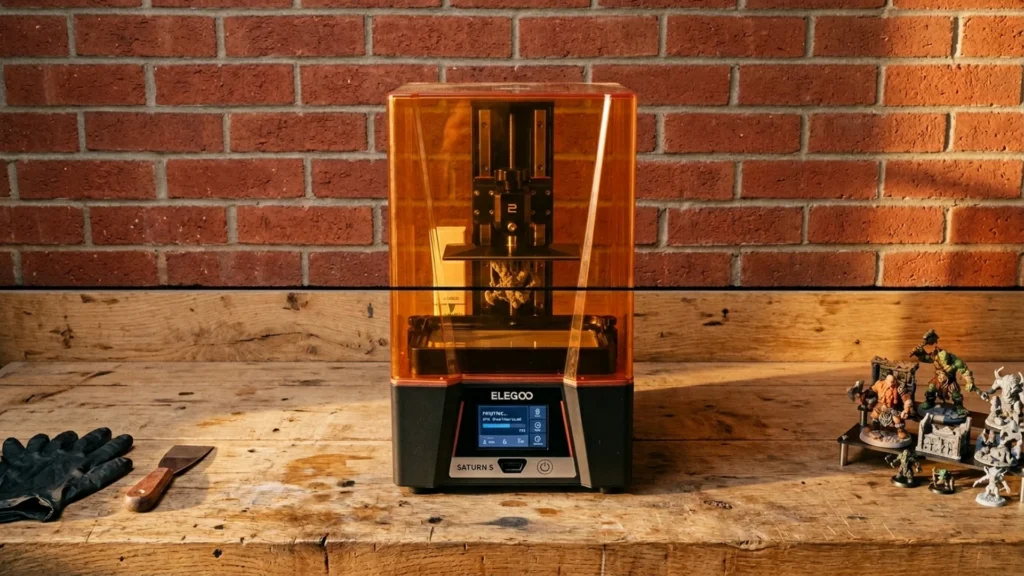
Resin 3D printers use a light source to cure liquid resin into solid parts layer by layer. Buyers care about fine detail, accurate shapes, and a repeatable finish after washing and curing.
This category is harder than it looks. You trade print speed for cure stability. You balance build size against setup time. You also manage resin odors, mess, and extra steps like supports, drainage, and post curing.
If you want one guide that covers all printer types, see our Best 3D Printers.
Quick Overview
Our Top Picks
#1. ELEGOO Saturn 4 Ultra 3D Printer

Specifications
| Brand | ELEGOO |
|---|---|
| Printing Technology | MSLA |
| Max Print Speed | 150 mm/h |
| Supported Materials | Resin |
Pros
- Sharp layers, accurate dimensions
- Stays calibrated, rarely fails
- Strong results, reasonable costs
Cons
- Firmware update failures
- Accessory workflow pitfalls
For resin printing, the standout strength here is repeatable results. The ELEGOO Saturn 4 Ultra delivers sharp layers and clean surface detail, with accurate dimensions that hold up from one print to the next. It also tends to stay calibrated, so long jobs are less likely to fail mid-run. When you want dependable miniatures, functional prototypes, or detailed parts that need minimal sanding, this is a strong fit.
The main trade-off is workflow friction around updates and accessories. Some users report firmware update hiccups, and the setup routine with resin handling can feel awkward at first. If you are new to MSLA, plan on learning the basics of calibration and resin management before expecting effortless outcomes.
#2. ELEGOO Saturn 3 Ultra 3D Printer

Specifications
| Brand | ELEGOO |
|---|---|
| Printing Technology | MSLA |
| Build Volume | 218.88 x 122.88 x 260 mm |
| Max Print Speed | 150 mm/h |
| Supported Materials | Resin |
Pros
- Sharp layers, accurate dimensions
- Simple leveling, smooth workflow
- Large build capacity
Cons
- Limited material compatibility
The ELEGOO Saturn 3 Ultra stands out in the resin category for one practical reason: it turns digital models into crisp, detailed parts with accurate shapes. In everyday use, that means cleaner edges on small features and less time sanding and reworking compared with many entry-level MSLA printers. It also has a large work area for resin printing, so you can fit bigger miniatures, display parts, or batch jobs without shrinking everything to make it fit.
The trade-off is material fit. It is designed around resin, and compatibility depends on the specific resin you choose, so you cannot treat it like a universal maker machine for every resin type. This is a strong match for people who want consistent results from one resin workflow, and who are ready for the normal resin routine: careful cleaning, good ventilation, and periodic maintenance to keep prints stable.
#3. Anycubic Photon Mono M7 Pro 3D Printer

Specifications
| Brand | ANYCUBIC |
|---|---|
| Printing Technology | MSLA |
| Layer Height | 0.1 mm |
| Max Print Speed | 170 mm/s |
| Supported Materials | Resin |
Pros
- Sharp layers, accurate dimensions
- Simple leveling, smooth workflow
- Smart convenience features, helpful extras
Cons
- Auto-feed uncertainty
- Resin handling requirements
The Anycubic Photon Mono M7 Pro stands out for its sharp, repeatable resin prints with accurate dimensions. At a 0.1 mm layer height, it tends to produce clean details with minimal roughness, so you often spend less time sanding and fixing surface defects. It also stays fairly straightforward to run thanks to simple leveling and a smooth day-to-day workflow, which matters for resin printers where setup mistakes can quickly ruin parts.
The main trade-off is resin handling. You still need good workspace habits, proper cleanup, and careful part removal to avoid mess and failed prints. Also, the auto-feed resin system can feel less certain than a manual approach, so new users may want to watch early prints more closely until they learn the machine’s rhythm.
#4. ELEGOO Mars 5 Ultra 3D Printer

Specifications
| Brand | ELEGOO |
|---|---|
| Printing Technology | MSLA |
| Max Print Speed | 150 mm/h |
Pros
- Sharp layers, accurate dimensions
- Stays calibrated, rarely fails
- Strong results, reasonable costs
Cons
- Resolution expectations gap
- Auto-repair inconsistency
- Workaround-dependent control
What stands out with the ELEGOO Mars 5 Ultra for resin printing is how consistent it stays once dialed in. Prints show sharp layers and clean surface detail, with accurate dimensions that are helpful for small parts and repeatable prototypes. It also tends to hold calibration, so you spend less time re-checking settings between jobs. For an MSLA printer in this sub-category, that blend of detail and repeatability makes it a solid daily driver for resin workflows.
The main trade-off is that it can be easy to expect too much from resolution alone. You may still need post-processing to get truly smooth results, especially on edges and fine features. Also, power-loss recovery and auto-repair can be a bit hit-or-miss, so do not rely on them as a safety net. This printer fits best if you can manage resin basics well, run test prints early, and accept that cleanup is part of the process.
What to Look For
Print Quality: Prioritize stable cured layers with clean edges. Look for consistent detail, low stringing between parts, and fewer surface defects that force heavy sanding.
Reliability Over Time: Resin prints fail in specific ways. Check for steady exposure behavior, solid part release, and good handling of long prints without mid-run failures.
Ease of Use and Workflow: Choose a printer that minimizes setup friction. Pay attention to leveling, how you start the first print, and how consistently the printer guides resin loading and screen handling.
Build Size That Fits Your Parts: Resin can be slow, so larger builds help only if you actually print bigger models. Make sure your typical part height and footprint fit without awkward orientation or cramped layouts.
Value After You Buy: Budget for more than the printer. Consider the cost of replacement parts, wasted resin from test prints, and how much cleanup you will do per successful run.
How We Picked
Products were identified through broad research across review sites and buyer forums, then filtered to only those that qualify as Resin 3D Printers.
Scoring used the same objective pillar framework as the main 3D Printers post, allowing direct comparison of products within this sub-category.
Frequently Asked Questions
What is the biggest difference between resin and filament printing?
Resin printers cure liquid resin with a UV light. Filament printers melt plastic and lay down lines. Resin usually delivers finer details and smoother surfaces. Filament is easier to run with less cleaning.
How often do I need to clean and filter resin during a print run?
You should filter resin before each new batch or when you see debris. Stir resin gently if your printer uses a resin vat. You may need more cleaning for many long prints. Always keep resin covered to reduce curing and mess.
Do I need to do a lot of post processing after every resin print?
Yes, most resin prints need washing and curing. You typically rinse parts in isopropyl alcohol, then cure them under UV. You also remove supports and handle cleanup. These steps can take time, but they improve surface finish and fit.
How do resin printers handle long prints without failures?
Long prints can fail from bad adhesion or stuck cured resin on the film. Use correct exposure settings and keep your resin level stable. Many resin models include power-loss recovery, which helps. Still, you should plan for monitoring your first print.
When should I choose a different type of 3D printer instead of resin?
Choose filament if you want simpler day to day use and fewer chemicals. Choose resin when you need small parts with sharp details. Also choose filament for large builds and for rough durability tests. If you cannot handle washing, curing, and ventilation, resin may be a poor fit.
How does the print size compare between resin and other 3D printers?
Resin printers often have a smaller build volume than filament printers. Many resin models focus on detailed small to medium parts. Filament printers can fit bigger projects more easily. If you need large items like cosplay helmets, filament usually makes more sense.


