




Paper shredders turn paper into small pieces so others cannot read sensitive content. They fit home offices, shared workplaces, and anyone handling bills, tax documents, or client files.
Picking one is harder than it looks. Shred type and security level matter, but many listings blur the details. Sheet capacity can be inflated by optimistic assumptions. Run time and cool down time often get ignored until the first long session, then the machine slows down or stops. Auto feed can help, but only if the capacity and bin size match real use.
This guide breaks the category down into clear, checkable criteria. You will learn what to prioritize, what numbers to trust, and which trade-offs make sense for your workload. It also explains how we compare models so you can match the right shredder to your documents.
Quick Overview
Top Picks
Best Overall

Specifications
| Brand | Fellowes |
|---|---|
| Shred Type | Cross-Cut |
| Security Level | P-4 |
| Sheet Capacity | 16 sheets |
| Run Time | 20 minutes |
| Cool Down Time | 30 minutes |
| Entry Width | 9 in |
| Dimensions | 21.5 x 12.2 x 17.8 in |
Pros
- High P security
- Handles daily volume
- Cutters stay reliable
Cons
- Overheat-related monitoring
- Run-time interruptions
- Long cool-down
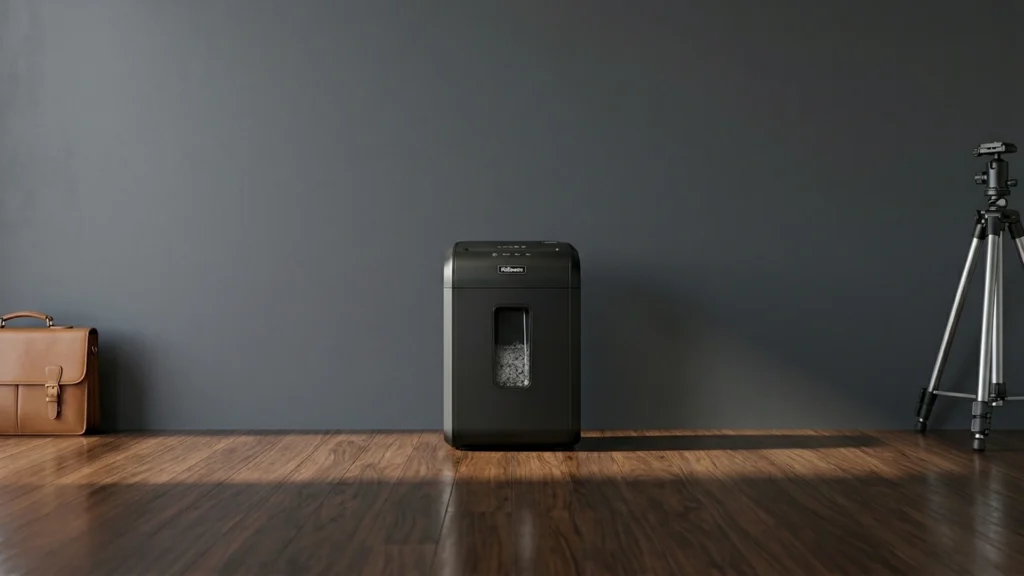
This cross-cut shredder fits the Best Overall slot because it targets sensitive documents with strong P-4 security. If you want more than basic shredding, the finer cut pattern helps keep paper unreadable.
In everyday use, it is built for steady volume, with a 16-sheet input and a 20-minute run time. It also earns high marks for consistency, with cutters that stay reliable and fewer slowdowns when you feed paper at a normal pace.
The main trade-off is heat management. You may need to pause for overheat-related monitoring, and it has a 30-minute cool-down after its 20-minute run. If you need strong security and solid daily throughput without constant babysitting, this is a good choice for home offices or small teams.
Also ranked #1 in: Cross-Cut Paper Shredders
Best for Home Office

Specifications
| Brand | Fellowes |
|---|---|
| Shred Type | Cross-Cut |
| Security Level | P-4 |
| Sheet Capacity | 18 sheets |
| Run Time | 30 minutes |
| Bin Capacity | 9 gal |
| Entry Width | 9 in |
| Dimensions | 11.4 x 17.3 x 25.19 in |
Pros
- High P security
- High sheet capacity
- Long continuous run
Cons
- Long cool-down duration
- Stair mobility difficulty
This Fellowes Powershred 99Ci is a strong match for a home office because it delivers high-security cross-cut shredding with a practical 18-sheet pass. The P-4 rating helps turn everyday paper, statements, and sensitive mail into pieces that are harder to read.
In day-to-day use, it keeps output steady with a 30-minute continuous run and a long enough window to finish larger batches. It also has solid capacity, a wide 9 in entry, and an easy 9-gal bin for less frequent emptying. Build quality feels geared toward regular use, and its usability supports smooth feeding when you stay within the sheet limit.
The main drawback is the long cool-down period, which can slow you down if you plan back-to-back shredding sessions. If you need frequent, secure cross-cut shredding for a home office and you can plan around downtime, this is the one to get.
Best Micro-Cut

Specifications
| Brand | Fellowes |
|---|---|
| Shred Type | Micro-Cut |
| Security Level | P-4 |
| Sheet Capacity | 20 sheets |
| Run Time | 30 minutes |
| Cool Down Time | 15 minutes |
| Bin Capacity | 8 gal |
| Dimensions | 23.2 x 11.8 x 16.5 in |
Pros
- High P security
- Micro-Cut shredding
- Handles daily volume
Cons
- Large footprint
- Limited durability evidence
- Noise-unclear operation
This Fellowes Powershred LX22M fits the Best Micro-Cut spot because it turns documents into very small pieces. With Micro-Cut shredding and a P-4 security rating, it is designed for sensitive paper like bank statements, IDs, and other private files.
For day to day use, it is built for real workloads. It takes up to 20 sheets per pass and runs for 30 minutes before needing a 15 minute cool down. The machine is also straightforward to operate, with simple controls and an 8 gal bin that is large enough for frequent sessions without constant emptying.
The main downside is practical, not security. It has a large footprint, and operation can feel a bit noisy, with the exact noise level unclear. If you want strong micro-cut privacy for home or small office use and you do not mind taking up counter or floor space, this is a solid choice.
Best Auto Feed

Specifications
| Brand | Aurora |
|---|---|
| Shred Type | Micro-Cut |
| Security Level | P-4 |
| Sheet Capacity | 120 sheets |
| Run Time | 30 minutes |
| Bin Capacity | 5 gal |
| Dimensions | 19.7 x 14.4 x 11.3 in |
Pros
- High P security
- Micro-Cut shredding
- High sheet capacity
Cons
- Large footprint
- Occasional paper jams
- Workflow disruptions
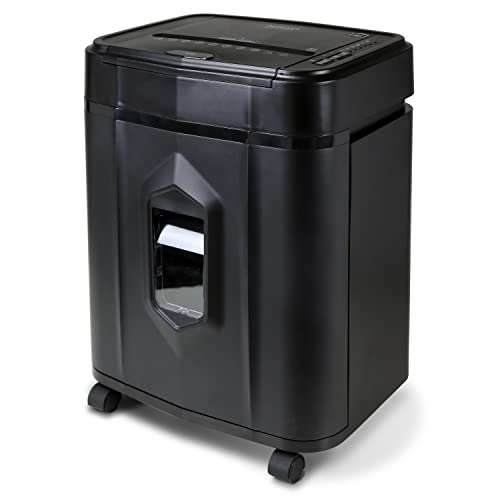
This Aurora AU120MA fits the Best Auto Feed role because it is built for hands-free shredding once you load it. Its standout trait is Micro-Cut shredding with a P-4 security level, so documents turn into much harder-to-read pieces than strip-cut models.
You get strong security for sensitive paperwork, paired with a 120-sheet capacity for heavier batches. It also runs up to 30 minutes before needing a break, which helps keep office or home workflows moving. Usability is solid for an auto-feed style shredder, too, with a 5-gal bin that means fewer trips to empty.
The main drawback is that it can suffer occasional paper jams, which can interrupt auto-feed flow. The unit is also a bit bulky, with a large footprint for smaller spaces. If you shred regular batches of confidential paper and want P-4 Micro-Cut results without constant manual feeding, this is a good match.
Best P-4

Specifications
| Brand | Dahle |
|---|---|
| Shred Type | Cross-Cut |
| Security Level | P-4 |
| Sheet Capacity | 300 sheets |
| Bin Capacity | 11 gal |
| Dimensions | 14 x 16 x 27.5 in |
Pros
- High P security
- High sheet capacity
- Handles daily volume
Cons
- Limited user verification
This cross-cut shredder fits the Best P-4 role because it targets strong privacy with a P-4 security rating. If you need cross-cut output that is hard to piece back together, Dahle is built for that level of document protection.
It is a good match for daily office use, with a 300-sheet capacity per pass and an 11-gallon bin. The cross-cut design supports reliable throughput without forcing you to stop often for basic clearing. Across the pillars, it scores well for performance and usability, with smooth day-to-day operation and straightforward handling.
One drawback is limited user verification, which matters most if your workplace requires tighter access control around secure destruction. If you want dependable P-4 cross-cut shredding for high-volume, everyday paper without constant interruptions, this is a solid choice.
Also ranked #1 in: CD and Credit Card Paper Shredders
Best 60-Minute

Specifications
| Brand | bonsaii |
|---|---|
| Shred Type | Cross-Cut |
| Security Level | P-4 |
| Sheet Capacity | 18 sheets |
| Run Time | 60 minutes |
| Cool Down Time | 10 minutes |
| Bin Capacity | 6 gal |
| Dimensions | 11.2 x 14.2 x 21.5 in |
Pros
- High P security
- High sheet capacity
- Long continuous run
Cons
- Wears out faster
- New-unit odor
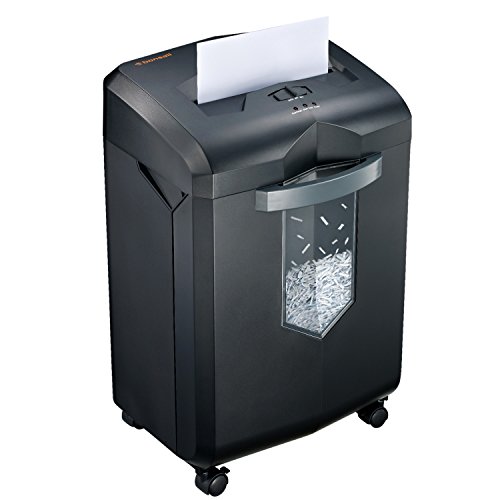
This cross-cut shredder fits the Best 60-Minute role because it is built for longer sessions, with a 60-minute continuous run time and a 10-minute cool-down. That makes it a better fit for weekend cleanups or steady office use than short-burst shredders.
Privacy is a strong point here, with a P-4 security rating and a cross-cut pattern that produces smaller, harder-to-read pieces. It also has an 18-sheet capacity per pass and a 6-gallon bin, so you can run more paper before emptying. In everyday use, those numbers translate into fewer interruptions, assuming you feed within the listed capacity.
The main drawback is that it can wear out faster than sturdier models, and some buyers note a new-unit odor at first use. If you want a P-4 cross-cut shredder that can handle extended runs, this is a good match for home offices and light small-business document cleanup, where you accept a bit less long-term ruggedness.
Best for Small Spaces

Specifications
| Brand | Amazon Basics |
|---|---|
| Shred Type | Micro-Cut |
| Security Level | P-4 |
| Sheet Capacity | 8 sheets |
| Run Time | 5 minutes |
| Cool Down Time | 30 minutes |
| Bin Capacity | 4 gal |
Pros
- Micro-Cut shredding
- High P security
- Worth the investment
Cons
- Wears out faster
- Low sheet capacity
- Long cool-down
This compact micro-cut shredder fits the small-space role because it delivers P-4 security in a home-office size footprint. The standout trait is its Micro-Cut shredding, which breaks paper into much harder-to-read pieces than strip-cut models.
Security is a strong point, with a stated P-4 rating and micro-cut output for better document protection. Performance stays practical for everyday use, with an 8-sheet max feed and a 5-minute run time. Controls are straightforward for quick drop-in shredding, and the 4 gal bin helps reduce how often you empty it.
The main trade-off is durability and throughput under heavier runs. It has a 30-minute cool-down and reviewers note it can wear out faster, plus the low sheet capacity limits batch shredding. If you need solid Micro-Cut security for light, frequent personal or office use in a tight space, this is the one to get.
Best High Capacity

Specifications
| Brand | bonsaii |
|---|---|
| Shred Type | Micro-Cut |
| Security Level | P-4 |
| Sheet Capacity | 200 sheets |
| Run Time | 60 minutes |
| Bin Capacity | 8.1 gal |
Pros
- Micro-Cut shredding
- High P security
- Long continuous run
Cons
- Wears out faster
- Feeder-jam risk
- Jams under load
This Bonsaii model fits the Best High Capacity role because it is built for frequent, heavier shredding, with micro-cut output and a 200-sheet max paper load per pass. The Micro-Cut pattern and P-4 security level make it a strong match for documents you do not want readable again.
In everyday use, the long continuous run time of 60 minutes supports big batch jobs. It also pairs that throughput with a sizable 8.1 gal bin, so you spend less time stopping to empty it. The security focus is the real win here, since finer cuts plus the P-4 rating reduce the chance of reconstruction.
The main drawback is reliability under stress, with feeder-jam risk and jamming under load listed as concerns, plus notes that parts can wear out faster. If you plan to shred in large batches and you want Micro-Cut with P-4 security, this is a solid pick, but it is best for users who can feed carefully and watch for jams.
Best with CDs

Specifications
| Brand | Aurora |
|---|---|
| Shred Type | Cross-Cut |
| Security Level | P-4 |
| Sheet Capacity | 18 sheets |
| Run Time | 60 minutes |
| Bin Capacity | 6 gal |
| Entry Width | 8.7 in |
| Dimensions | 14.41 x 11.02 x 20.87 in |
Pros
- High P security
- High sheet capacity
Cons
- Wears out faster
- Narrow entry width
This cross-cut shredder is a good pick for the Best with CDs label because it matches well with users who need strong privacy protection for mixed office trash, not just everyday paper. The AU1802XA uses a P-4 cross-cut pattern, which makes it harder to read documents after shredding. That makes it practical when you are also clearing out sensitive desk items along with other media.
On daily output, it handles up to 18 sheets per pass and has a 6 gal bin. That helps if you are doing batch cleanups instead of short, single-sheet runs. The pillar scores reflect that blend of security and throughput, with above-average performance and value, plus steady day-to-day usability.
The main trade-off is durability. It tends to wear out faster than expected, and the 8.7 in entry width is narrow if you plan to feed bigger stacks or bulk items. If you want P-4 cross-cut shredding for regular office use and do not mind a tighter feed opening, this is for you.
Best Value

Specifications
| Brand | Aurora |
|---|---|
| Shred Type | Cross-Cut |
| Security Level | P-3 |
| Sheet Capacity | 40 sheets |
| Bin Capacity | 1.32 gal |
| Dimensions | 9.9 x 9.5 x 6.9 in |
Pros
- Worth the investment
- High sheet capacity
- Compact footprint
Cons
- Slower, occasional clogs
- Wears out faster
- Small shred bin
This Aurora desktop cross-cut model fits the Best Value slot for one simple reason, it balances a high sheet-per-pass count with practical desk size. Its P-3 cross-cut pattern aims to keep everyday documents from being easily read back together.
In day-to-day use, it stands out for handling up to 40 sheets per pass, and it does not take much space at 9.9 x 9.5 x 6.9 in. For a compact unit, the bin capacity at 1.32 gal is also usable, so you are not emptying it every few minutes. The trade-off is that cross-cut shredders need steady feeding, and this one can be a bit slower when you push it hard.
One notable downside is slower, occasional clogs, and owners may notice faster wear than on heavier-duty models. If you shred common paperwork occasionally, want cross-cut security around P-3, and prefer a smaller footprint without getting a larger office shredder, this is a solid pick.
What to Look For
Security: Check the shred type and the P-level rating together. Higher P-levels and finer cuts make paper harder to reconstruct. Favor models that consistently produce unreadable pieces, not just “hard to read” sizes.
Performance: Look at sheet capacity and run time. A bigger entry for more sheets per pass helps only if the motor can keep up. Short run times and long cool downs force you to pause work, which adds friction.
Durability: Prioritize shredders with strong motors and good jam resistance. Frequent jams usually point to weak feed control or cutters that struggle under load. If the unit needs constant resets, it will wear out faster.
Usability: Make sure the entry width matches your paper type and your routine. Easy bin emptying also matters, because a full bin stops shredding. Check dimensions so the shredder fits where you plan to store it.
Bin Capacity: A larger bin reduces how often you empty it. For steady shredding, bin capacity often matters as much as sheet capacity. Smaller bins can make even a strong shredder feel slow.
Run Time and Cool Down Time: Use both numbers to plan your sessions. If a shredder lists a modest run time with a long cool down, it works better for short batches. If you need longer runs, choose a model with a longer run time and a realistic cool down.
Shred Type: Choose Cross-Cut or Micro-Cut based on what you shred. Cross-cut targets privacy for general office use. Micro-cut provides finer pieces for more sensitive material and more cautious document handling.
How We Selected These Products
We found products through broad web searches across review sites, buyer forums, and best-of roundups. Then we read a large volume of real customer reviews to learn what buyers actually struggled with, such as jams, slowdowns, overheating, and bin fill speed.
Next, we verified availability and key specs directly against Amazon listings. Each shredder was scored using an objective framework tied to the pillar names from this guide, with emphasis on Security, Performance, and Durability. We used the listed shred type, P-level security rating, sheet capacity, run time, cool down time, bin capacity, entry width, and dimensions.
Final curation focused on role based picks, not a single overall winner. That means you get models that make sense for distinct needs, like small spaces, home office use, higher security, longer sessions, or auto feed workflows.
Frequently Asked Questions
Which paper shredder is best for a home office that shreds often?
Choose a cross-cut model with a solid sheet capacity and a longer continuous run time. In this guide set, the Fellowes Powershred 99Ci 18-Sheet Cross-Cut Paper Shredder ranks as best for home office use. It combines an 18-sheet pass with strong real-world throughput. That helps you finish batches without constant pauses.
What is the main difference between cross-cut and micro-cut paper shredders?
Cross-cut shredders create small crosswise pieces, usually at a P-4 level in this segment. Micro-cut shredders create even smaller fragments, which usually improves privacy. Micro-cut is typically better for very sensitive documents. Cross-cut is often easier to run and a bit faster for everyday needs.
Why do some shredders need cool-down time, and how should I plan around it?
Most desktop shredders limit how long they can run to prevent overheating. You will see a continuous run time, then a required cool-down period. For example, the Fellowes Powershred 79Ci 16-Sheet Cross-Cut Paper Shredder runs about 20 minutes, then needs cooling. If you shred faster than the duty cycle, performance drops and you can get interruptions.
Is a higher price always better for paper shredders?
Not always. You can get good security and smooth use at mid-range prices, like with several Fellowes models near the top score. Higher price often buys higher capacity, auto-feed, or better jam prevention. But some higher-cost units still show usability issues like occasional jamming.
Why do many paper shredders lose points for durability or performance?
The most common weakness is heat and jam handling during heavier use. Many models work well up to their stated sheet limits. Overloading or running beyond the duty cycle increases jams and may cause overheating. That reduces both performance consistency and long-term confidence.
Do auto-feed paper shredders shred better than manual-feed models?
Auto-feed models can be more convenient for large batches, especially when you want hands-free shredding. In this guide, the Aurora AU120MA 120-Sheet Micro-Cut Paper Shredder stands out for auto-feed. However, higher capacity also means you must avoid overfilling to reduce jams. Manual-feed models can still perform well for smaller, more controlled loads.


