




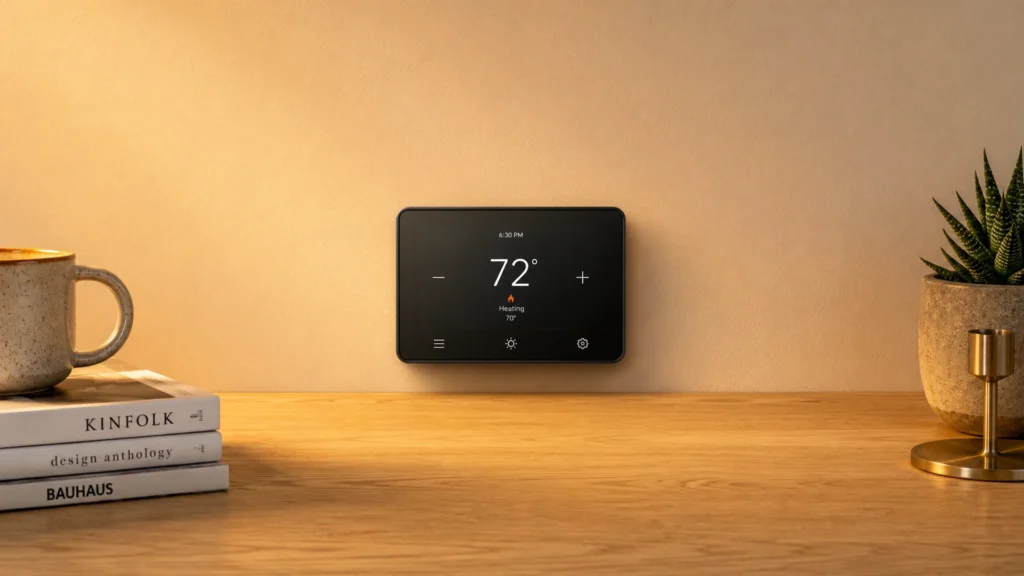
Smart thermostats replace a basic wall thermostat with schedules and phone control. They also use sensors and learning rules to keep your home at the temperature you want.
The challenge is that “smart” can mean very different things. Some units only work well with certain wiring setups or HVAC types. Others look packed with features, but the day to day impact is mostly the same comfort control loop. You will also run into trade-offs like C-wire requirements, Wi-Fi stability, and how well the thermostat handles heat plus cool staging.
This buying guide explains what separates strong models from weak ones. It covers HVAC compatibility, connectivity, voice support, power requirements, real control stages, and display usability. You will also get a clear research method so the recommendations reflect how these thermostats perform over time.
Quick Overview
Top Picks
Best Overall

Specifications
| Brand | Sensi |
|---|---|
| Connectivity | Wi-Fi |
| Voice Assistant Compatibility | Amazon Alexa |
| Power Requirement | C-wire Required |
| Display Type | Color Touchscreen |
| Dimensions | 0.8 x 5.6 x 3.2 in |
Pros
- Tight, steady control
- Automation stays on track
- Strong features, fair price
Cons
- Single/limited voice support
- Dual-fuel edge issues
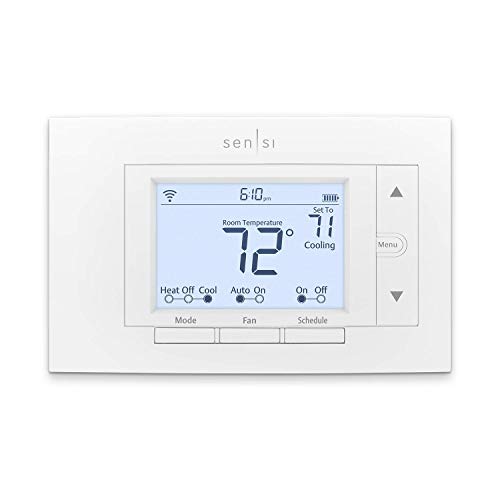
This is a strong pick for the Best Overall spot because it keeps comfort steady while handling daily control in a simple way. The standout trait is tight, stable temperature regulation, so your home does not swing from hot to cold as much as with less steady thermostats.
In real use, that balance shows up as tight, steady control and automation that stays on track. Scheduling feels straightforward in the app, and the thermostat responds smoothly when you change the setpoint. Reliability also holds up well, with consistent Wi-Fi performance and schedules that keep running as expected.
The main drawback is limited voice support, with Amazon Alexa only. Also, dual-fuel setups can be a little touchy. If you want stable temperature control with dependable scheduling and simple day-to-day use, this is the one to get, especially if Alexa is your voice platform and you can handle a C-wire install.
Also ranked #1 in: Alexa Compatible Smart Thermostats · Smart Thermostats with Room Sensors · Touchscreen Smart Thermostats
Best for AC Control

Specifications
| Brand | Sensibo |
|---|---|
| Connectivity | Wi-Fi + Bluetooth |
| Voice Assistant Compatibility | Amazon Alexa, Apple HomeKit, Google Assistant, Siri |
| Power Requirement | Plug-in |
| Dimensions | 0.7 x 2.6 x 2.6 in |
Pros
- Tight, steady control
- Strong features, fair price
- Multiple voice assistants
Cons
- Thermostat override limits
- App state feedback gaps
- Subscription feature gating
This controller is a strong pick for AC control because it helps manage comfort with tight, steady temperature behavior. Instead of feeling like it cycles randomly, it keeps the room close to your setpoint. That stability matters most when you want the AC to respond quickly but not swing hot and cold.
The app and routines support day-to-day comfort goals. You can set schedules, adjust goals from your phone, and rely on automation that stays consistent over time. It also fits into many smart home setups, with Wi-Fi plus Bluetooth and support for Amazon Alexa, Apple HomeKit, Google Assistant, and Siri.
One drawback is that the thermostat override has limits, which can frustrate households that want full manual control at all times. There are also some app state feedback gaps, so you may not always get a clear answer about what the system is doing. If you have an AC-focused home setup and want stable control with broad voice assistant support, this is a good choice, especially when you are comfortable managing behavior through the app.
Best Learning

Specifications
| Brand | |
|---|---|
| Hvac Compatibility | Forced Air, Heat Pump, Boiler |
| Connectivity | Wi-Fi + Bluetooth |
| Voice Assistant Compatibility | Amazon Alexa, Apple Siri, Google Assistant |
| Power Requirement | C-wire Required |
| Heat Cool Stages | 4 Heat / 4 Cool |
| Display Type | LCD |
| Dimensions | 3.9 x 1.1 x 3.9 in |
Pros
- Tight, steady control
- Works with most setups
- More HVAC stage support
Cons
- Non-touch LCD
- Setup friction
- Reliability regression
This thermostat fits the Best Learning role because it learns how you live and then keeps your home comfortable with tight control. In day to day use, that means fewer temperature swings and stable setpoint behavior, even when your routine changes from week to week.
Comfort control is its strongest area. It supports multiple HVAC stages, with up to 4 Heat / 4 Cool, and it has worked well across common system types like forced air, heat pump, and boiler setups. The app and on-device experience also feel fairly straightforward, with clear guidance for schedules and day to day adjustments.
One real downside is setup friction, and there have also been reliability regression reports over time. If you want a learning thermostat that targets consistent temperatures across more complex HVAC systems, this is a solid choice, especially if you can handle the installation steps and want stable day to day control.
Best with Ring

Specifications
| Brand | Honeywell Home |
|---|---|
| Hvac Compatibility | Heat Pump, Forced Air, Boiler |
| Connectivity | Wi-Fi |
| Voice Assistant Compatibility | Amazon Alexa, Google Assistant, Apple HomeKit |
| Power Requirement | C-wire Required |
| Heat Cool Stages | 3 Heat / 2 Cool |
| Temperature Range | 40°F to 90°F (Heating) |
| Display Type | Touchscreen |
| Dimensions | 3.5 x 1 x 5.2 in |
Pros
- Schedules are simple
- Works with most setups
Cons
- C-wire install dependency
- Limited performance metrics
If you want a smart thermostat that fits well with the Ring ecosystem, Honeywell Home Smart Thermostat X8S is a strong match thanks to its wide smart home control options, including Amazon Alexa and Apple HomeKit. That makes it easier to keep your daily routines in one place, even if your home setup mixes brands.
Day to day, it focuses on dependable comfort control and easy temperature management. Schedules are simple to set up, and the app and touchscreen make it quick to check and adjust modes. Across common HVAC types like forced air, heat pumps, and boilers, it is also straightforward to work with when your wiring matches the requirements.
The biggest drawback is the C-wire dependency, which can turn installation into a bigger project if you do not already have one. Limited performance metrics also mean you will not get as much detailed insight into how the system is behaving. If you have C-wire power and want a Ring-friendly thermostat experience with simple scheduling, this is a good pick.
Best for Energy Reports

Specifications
| Brand | ecobee |
|---|---|
| Hvac Compatibility | Forced Air, Heat Pump, Boiler, Dual Fuel, Electric Baseboard |
| Connectivity | Wi-Fi |
| Voice Assistant Compatibility | Apple HomeKit, Google Assistant, Amazon Alexa |
| Power Requirement | C-wire Required |
| Heat Cool Stages | 2 Heat / 1 Cool |
| Display Type | Touchscreen |
| Dimensions | 3.6 x 0.9 x 3.6 in |
Pros
- Works with most setups
- Strong features, fair price
- Energy saving reports
Cons
- Settings not sticking
- Temperature drift risk
- Limited manufacturer support
If you want a thermostat that makes it easy to understand where your energy goes, the ecobee Smart Thermostat Essential fits the Best for Energy Reports role. It centers energy saving insights and reporting in a way that helps you spot patterns, not just change the set temperature.
Comfort control is solid in day-to-day use, with dependable scheduling and automation that usually keeps temperatures steady. It also works across common HVAC types like Forced Air, Heat Pump, Boiler, Dual Fuel, and Electric Baseboard, and it pairs well with smart home voice assistants like Amazon Alexa, Google Assistant, and Apple HomeKit. The app experience and on-device touchscreen are also straightforward for checking status and tweaking settings.
The main letdown is that some settings may not stick reliably, and that can be frustrating when you are trying to lock in a routine. There is also a risk of temperature drift, so you may want to double-check accuracy over time. If you care most about clear energy reporting and can manage occasional setup hiccups, this is a good pick.
Best for Cwire Optional

Specifications
| Brand | |
|---|---|
| Connectivity | Wi-Fi |
| Voice Assistant Compatibility | Google Assistant, Amazon Alexa |
| Power Requirement | C-wire Optional |
| Dimensions | 1.1 x 3.3 x 3.3 in |
Pros
- Reliable offline operation
- Stable scheduling behavior
- Works with most setups
Cons
- Extreme cold failures
- Power reset issues
- App history lag
This thermostat fits the Best for Cwire Optional role because it can run without a C-wire. That reduces wiring hassle for many homes, while still keeping smart control in the background. If you want a learning-style thermostat setup, this is a solid match for retrofits where adding a new wire is not realistic.
Control feels steady thanks to reliable offline operation and stable scheduling behavior. It also works with most setups and integrates well with Google Assistant and Amazon Alexa for voice control. In day-to-day use, that means fewer surprises, and your temperature plans stay on track even when the connection is not perfect.
The main downside is a pattern of trouble in extreme cold, plus occasional power reset issues. Some users also report app history lag, which can make recent changes look delayed in the app. If you want easy setup without a C-wire, reliable daily scheduling, and voice support, this is a good choice for most households that do not run HVAC in very low temperatures.
Best Value

Specifications
| Brand | Sensi |
|---|---|
| Connectivity | Wi-Fi |
| Voice Assistant Compatibility | Amazon Alexa, Apple Siri, Google Assistant, Apple HomeKit, Samsung SmartThings |
| Power Requirement | C-wire Required |
Pros
- Strong features, fair price
- Wi-Fi with extras
- Multiple voice assistants
Cons
- Cloud-link friction
- Battery drain events
If you want a Smart Thermostats option that feels practical, Sensi ST55 is a strong Best Value pick. Its big advantage is that it keeps the basics simple, while still adding Wi-Fi control and support across multiple smart home ecosystems.
Day to day, performance and comfort are solid. Scheduling is straightforward in the app, and the thermostat does a good job responding to setpoint changes without obvious temperature swings. Setup and daily use are also manageable, with clear controls and multiple voice assistant options, including Alexa, Google Assistant, Siri, and SmartThings.
The main drawback is cloud link friction. Some users report issues that show up when the internet connection or the service link has problems, and there have also been reports of battery drain events. If you want reliable everyday scheduling with voice control and you can handle occasional internet or service hiccups, this is a good choice for most households that want hands-on comfort control.
What to Look For
HVAC Compatibility: Check that the thermostat supports your exact system type, such as Forced Air, Heat Pump, Boiler, Dual Fuel, or Electric Baseboard. If your system uses multiple stages or special wiring, confirm the thermostat supports those modes before you buy.
Connectivity: Prefer Wi-Fi reliability for remote control and smooth automation. If a model also includes Bluetooth, it can help with setup and local control. For some homes, extra protocol support can matter, but Wi-Fi stability still drives day to day performance.
Voice Assistant Compatibility: Match the thermostat to the voice ecosystem you already use. Support for Amazon Alexa, Google Assistant, or Apple HomeKit determines whether you can adjust temperature by voice and whether routines can trigger correctly.
Power Requirement: Decide based on your wiring. Many models need a C-wire for stable power. If your setup lacks a C-wire, look for C-wire optional models or those designed for battery or hardwired alternatives that fit your HVAC layout.
Heat/Cool Stages: Make sure the heat and cool stage counts match how your HVAC equipment is designed to operate. A system with multi stage heating or cooling typically needs a thermostat that can control each stage without guesswork.
Temperature Range: Confirm the thermostat can handle both your typical heating and cooling seasons. If you live where winter lows or summer highs are extreme, a limited range can stop the thermostat from following your settings.
Display Type: Choose a display you can read at a glance. Touchscreen and LCD options change how fast you can confirm mode, setpoints, and schedule status. If guests or family will use the thermostat, clarity matters more than screen size.
How We Selected These Products
We discovered smart thermostats through broad web searches across review sites, buyer forums, and “best of” lists. This helped us avoid a narrow view of the category and catch common issues that only show up when many people own the same model.
Next, we read a large volume of customer reviews to learn what buyers actually experienced. We focused on comfort control outcomes, schedule behavior, Wi-Fi dropouts, and setup friction like wiring confusion or power problems.
Finally, we verified availability and key specs directly against Amazon listings. Each product was scored against the pillar categories, then the final selection focused on finding models that fit distinct roles, not just the highest overall score.
Frequently Asked Questions
Which smart thermostat should I pick for the best all-around comfort control?
If you want strong day-to-day temperature control and good energy scheduling, choose Sensi Touch 2 Smart Thermostat. It scores highest overall in the reviewed set. Users also report quick response and useful energy tracking. The main reason to avoid it is not comfort control, but occasional app or status tracking lag.
Which smart thermostat is best if I only want to manage my existing AC with smart features?
Sensibo Air Smart AC Controller fits best when your goal is to control an existing AC or mini-split from your phone. It works by learning IR remote commands, so it does not require full HVAC wiring. It also integrates well with major voice platforms. The limitation is that results depend on how your specific AC unit responds to remote commands.
What are the key differences between budget and premium smart thermostats?
Budget options often deliver basic remote control and scheduling, but they may have weaker reliability in certain setups. Premium models usually improve sensing, comfort targeting, and automation quality. In this set, the best overall and best learning picks score higher on performance and reliability than the lowest value options. Premium also tends to cost more, with some features that require better wiring or extra hardware.
Is a higher price always better for smart thermostats?
Not always. Sensi Wi-Fi Smart Thermostat ST55 has the highest value score, yet it costs far less than many premium models. ecobee Smart Thermostat Essential is cheaper than top-tier picks but still ranks well for compatibility and energy reporting. Higher price helps when you need better learning, better sensing, or more stable automation.
Why do some smart thermostats get lower scores for reliability or app performance?
Many reliability complaints connect to Wi-Fi connectivity and app status tracking. Others come from power or wiring requirements, like the need for a C-wire. When setup is off, the thermostat can report incorrect activity, or HVAC control may feel inconsistent. This is why two thermostats can feel equally capable on paper, but one still causes more day-to-day friction.
Do C-wire requirements limit smart thermostat options for older homes?
Yes, C-wire can be a real blocker in older homes. Several scored thermostats require a C-wire for steady power, which can add install cost. Some models offer workarounds, like Nest Thermostat, which supports C-wire optional installs using a power connector. If you cannot add a C-wire, your best bet is to pick a model designed to handle it safely.


