




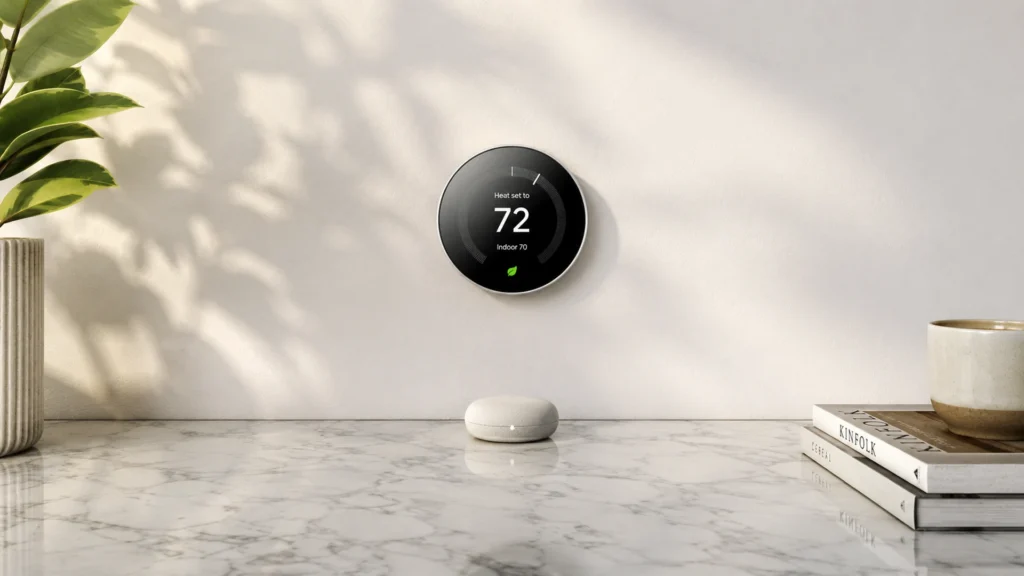
Smart thermostats with room sensors do more than read the thermostat wall location. They use remote sensors in living spaces to set comfort based on the rooms people actually use. If you have hot bedrooms, cold hallways, or sun-baked rooms, this matters for daily comfort and energy use.
Picking one is hard because better sensing usually adds setup steps. You need correct sensor placement, reliable Wi-Fi, and schedules that match real routines. You also trade up-front price for smarter control, not every model handles every HVAC setup the same way, especially multi-stage systems.
Looking for all types? See our Best Smart Thermostats. If you want room-sensor control specifically, use the buying criteria below to narrow to models that will feel stable in day-to-day use.
Quick Overview
Our Top Picks
#1. Sensi Touch 2 Smart Thermostat

Specifications
| Brand | Sensi |
|---|---|
| Connectivity | Wi-Fi |
| Voice Assistant Compatibility | Amazon Alexa |
| Power Requirement | C-wire Required |
| Display Type | Color Touchscreen |
| Dimensions | 0.8 x 5.6 x 3.2 in |
Pros
- Tight, steady control
- Automation stays on track
- Strong features, fair price
Cons
- Single/limited voice support
- Dual-fuel edge issues
In a smart thermostat category where room sensors should prevent hot and cold spots, the Sensi Touch 2 stands out for keeping temperature steady and aligned with what rooms actually feel like. Control is tight, and setpoint changes settle without the bouncing you can notice in some models. Scheduling and automations also stay on track, so daily routines keep working after normal updates or power interruptions.
The main trade-off is ecosystem fit. Voice control is limited, so households that rely on multiple assistants may feel boxed in. It can also be a bit picky for dual-fuel setups, so it is best for standard HVAC wiring and users who want dependable comfort first, with room-sensor style balancing done quietly in the background.
#2. Nest Learning Thermostat

Specifications
| Brand | |
|---|---|
| Hvac Compatibility | Forced Air, Heat Pump, Boiler, Dual Fuel, Electric Baseboard |
| Connectivity | Wi-Fi + Bluetooth |
| Voice Assistant Compatibility | Amazon Alexa, Google Assistant |
| Power Requirement | C-wire Required |
| Heat Cool Stages | 4 Heat / 4 Cool |
| Display Type | LCD |
| Dimensions | 3 x 7 x 7 in |
Pros
- Tight, steady control
- Works with most setups
- Schedules are simple
Cons
- Support end risk
- App pairing issues
Most room-sensor smart thermostats try to solve uneven heating and cooling by reacting to which rooms feel hot or cold. The Nest Learning Thermostat takes a different approach. It focuses on steady whole-home control with tight temperature stability and simple schedules that stay consistent day to day. In practice, that means fewer noticeable swings, and comfort tends to track your setpoints without constant micro-adjustments. It is also a good fit for typical HVAC setups like forced air, heat pumps, boilers, and dual fuel, which makes it easier to use across many homes.
The main trade-off is setup and ongoing support. It requires a C-wire, so installs can be harder if your wiring is older. Some owners also report app pairing issues, which can slow down setup or day to day control when the phone connection acts up. This thermostat is best for people who want reliable, stable control and a straightforward schedule, rather than for those who need the most hands-on room-by-room sensor behavior.
#3. ecobee Smart Thermostat Premium

Specifications
| Brand | ecobee |
|---|---|
| Hvac Compatibility | Forced Air, Heat Pump, Boiler, Fan Coil |
| Voice Assistant Compatibility | Apple Siri, Amazon Alexa, Google Assistant |
| Power Requirement | C-wire Required |
| Heat Cool Stages | 2 Heat / 2 Cool |
| Dimensions | 4.1 x 1 x 4.1 in |
Pros
- Tight, steady control
- Works with most setups
Cons
- Settings not retained
- Support frustrations
This ecobee thermostat stands out in Smart Thermostats with Room Sensors because it uses remote sensing to keep temperatures more even from room to room. In everyday use, that tends to mean fewer hot or cold spots and steadier comfort when schedules change. Control stays tight, and it works across common HVAC setups like forced air, heat pumps, boilers, and fan coils.
The main trade-off is software behavior. Some users report settings not being retained, and support can be frustrating if something goes wrong. If you want the benefits of room-aware comfort and you are comfortable setting things up carefully, it can be a good fit. If you hate troubleshooting or rely on flawless app behavior, consider other options first.
#4. Nest Learning Thermostat (4th Gen)

Specifications
| Brand | |
|---|---|
| Hvac Compatibility | Forced Air, Heat Pump, Boiler |
| Connectivity | Wi-Fi + Bluetooth |
| Voice Assistant Compatibility | Amazon Alexa, Apple Siri, Google Assistant |
| Power Requirement | C-wire Required |
| Heat Cool Stages | 4 Heat / 4 Cool |
| Display Type | LCD |
| Dimensions | 3.9 x 1.1 x 3.9 in |
Pros
- Tight, steady control
- Works with most setups
- More HVAC stage support
Cons
- Non-touch LCD
- Setup friction
- Reliability regression
In the Smart Thermostats with Room Sensors space, the Nest Learning Thermostat (4th Gen) stands out more for how it controls over time than for adding a lot of extra sensing hardware. It keeps temperature steady and responds smoothly as your setpoints change, which matters when you are trying to balance comfort room to room. It also supports several HVAC types, including forced air, heat pumps, and boilers, and it can handle multi-stage systems.
The trade-off is day-to-day friction. Setup can feel involved, and the wall interface is a non-touch LCD, so quick edits are not as effortless as on touchscreen models. Reliability can be hit or miss after certain updates, so this is best for people who want stable day-to-day control and are willing to manage occasional app or firmware quirks.
#5. Honeywell Home Smart Thermostat X8S

Specifications
| Brand | Honeywell Home |
|---|---|
| Hvac Compatibility | Heat Pump, Forced Air, Boiler |
| Connectivity | Wi-Fi |
| Voice Assistant Compatibility | Amazon Alexa, Google Assistant, Apple HomeKit |
| Power Requirement | C-wire Required |
| Heat Cool Stages | 3 Heat / 2 Cool |
| Temperature Range | 40°F to 90°F (Heating) |
| Display Type | Touchscreen |
| Dimensions | 3.5 x 1 x 5.2 in |
Pros
- Schedules are simple
- Works with most setups
Cons
- C-wire install dependency
- Limited performance metrics
In the Smart Thermostats with Room Sensors category, Honeywell Home Smart Thermostat X8S stands out for keeping everyday setup simple and scheduling easy. The touchscreen flow is straightforward, and the system support covers common HVAC types like forced air, heat pump, and boiler. That combination makes it a practical choice if you want room-to-room comfort guidance without spending extra time wrestling menus.
The main trade-off is the C-wire requirement. If you do not have a common wire, installation can become the deciding factor rather than the room-sensor experience. Also, real-time energy or comfort detail is limited, so advanced tuning and deep performance checks may feel less satisfying for people who want lots of metrics.
#6. Honeywell Home Smart Thermostat T9

Specifications
| Brand | Honeywell Home |
|---|---|
| Hvac Compatibility | Forced Air, Heat Pump, Boiler |
| Connectivity | Wi-Fi |
| Voice Assistant Compatibility | Amazon Alexa, Apple HomeKit, Google Assistant |
| Power Requirement | C-wire Required |
| Heat Cool Stages | 3 Heat / 2 Cool |
| Display Type | Touchscreen |
Pros
- Broad system support
- Multiple voice assistants
- Touchscreen display
Cons
- Runaway heating failure
- Settings ignored behavior
- Some temperature drift
The Honeywell Home Smart Thermostat T9 stands out in smart thermostats with room sensors by pairing remote temperature control with broad HVAC and smart home reach. It supports forced air, heat pump, and boiler systems, and it works with Amazon Alexa, Apple HomeKit, and Google Assistant. That combination makes it easier to fit into many homes and smart setups, especially when you want room-by-room comfort rather than a single hallway reading.
The main trade-off is control consistency. Some reviews point to ignored settings behavior and occasional temperature drift, and there are rare reports of runaway heating failure. If you are the type who checks the app and verifies comfort quickly after changes, it can work well. If you want hands-off stability with minimal troubleshooting, you may want to look higher in the lineup.
What to Look For
Room sensor coverage: Check where the sensor samples temperature. Look for support for multiple rooms, plus clear guidance for sensor placement in the hottest and coldest areas you care about most. If your home has one problematic room, make sure the included sensor coverage fits that need.
Performance under normal schedules: For room-sensor models, control should stay steady when the house warms or cools slowly. Favor thermostats that respond predictably to setpoint changes and do not chase short-term temperature swings. The goal is even comfort with fewer manual overrides.
HVAC system fit: Confirm support for your exact system type, such as forced air, heat pump, boiler, dual fuel, or electric baseboard. Also check whether the thermostat supports your stage count for heating and cooling. Wrong stage support can lead to comfort issues and longer run times.
Connectivity that does not break: Prioritize Wi-Fi stability and clean app behavior, since sensor-based logic depends on continuous communication. Look for models that keep schedules active during connectivity hiccups and recover smoothly after power or network interruptions.
Ease of setup and everyday use: Room sensors add setup, so choose a model with straightforward onboarding and simple sensor controls. You should be able to adjust schedules, change modes, and check status without digging through multiple screens.
How We Picked
Products were identified through broad research across review sites and buyer forums, then filtered to only those that qualify as Smart Thermostats with Room Sensors. That means the thermostat uses remote room sensors to influence temperature control, not just a basic thermostat location reading.
Scoring used the same objective pillar framework as the main Smart Thermostats post, allowing direct comparison of products within this sub-category. Performance, usability, compatibility, reliability, and value were evaluated together, with extra attention to how room sensing affects real comfort and energy use day to day.
Frequently Asked Questions
What is the point of a smart thermostat room sensor compared to the thermostat alone?
A room sensor checks the temperature in the room you care about most. This helps the thermostat avoid heating or cooling based only on its own wall location. You can get more even comfort across rooms.
How many rooms can I realistically cover with room sensors?
Most systems let you add at least one remote sensor, and some support multiple sensors. Start with the problem room, like a bedroom or home office. If you need whole-home coverage, plan for more sensors and a clean sensor placement strategy.
Where should I place room sensors for best results?
Place the sensor about 4 to 6 feet off the floor. Keep it out of direct sun and away from drafts. Also avoid spots near vents, heaters, or exterior doors.
Do room sensors improve comfort, or do they just add complexity?
They often improve comfort when there is a big temperature difference between rooms. Think corners, upstairs rooms, or rooms with lots of sun. You still have to place the sensor well and keep it reachable by Wi-Fi if it is wireless.
When should I choose a smart thermostat without room sensors instead?
Skip room sensors if your home stays fairly even in temperature. A central hallway thermostat works well in many apartments and small homes. Choose the simpler option if you want the easiest setup and fewer devices.
How do smart thermostats with room sensors compare to other smart thermostats for energy savings?
Room sensors can reduce waste by targeting the room that actually feels too hot or cold. This can lower runtime when one room drifts from the rest. In steady homes, energy savings may be smaller than expected.


