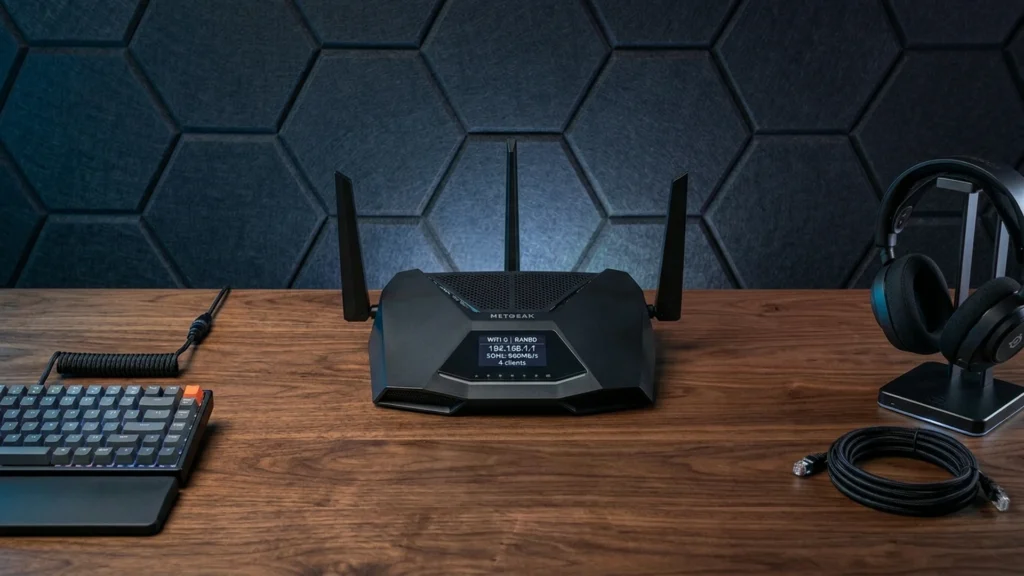
Gaming routers focus on the network conditions that matter in play: low latency, steady Wi-Fi speed, and smart traffic handling when the house gets busy. Buyers usually want a strong 5 GHz or 6 GHz signal, fewer spikes in ping during downloads, and smooth performance for consoles and gaming PCs. Most also benefit from features that help you control device priority and reduce lag when you share bandwidth.
Choosing one is harder than it sounds because the best Wi-Fi paper specs do not always match real rooms and real interference. Range and wall penetration can limit performance even on top models. Many gaming routers also trade coverage for speed, and multi-gig Ethernet options raise costs. Firmware maturity matters too, because disconnects and slow software updates ruin the experience fast.
Use this guide to compare your options by performance, coverage, reliability, and practical extras, then match the router to your home layout and setup. Looking for all types? See our Best Routers.
Quick Overview
Our Top Picks
#1. ASUS ROG Rapture GT-BE98 Pro Router

Specifications
| Brand | ASUS |
|---|---|
| Router Type | Gaming Router |
| Wifi Standard | Wi-Fi 7 |
| Wifi Bands | Quad-Band |
| Max Wireless Speed | 30000 Mbps |
| Coverage Area | 6000 sq ft |
| Ethernet Ports | 2 x 10 Gbps WAN, 4 x 2.5 Gbps LAN |
| Usb Ports | 2 x USB |
| Security Features | VPN Support |
Pros
- Sub-3ms latency
- Broad home coverage
- Latest Wi-Fi support
Cons
- MLO compatibility issues
- Static IP instability
- IoT device dropouts
The ASUS ROG Rapture GT-BE98 Pro is built for players who care about delay as much as speed. It targets sub-3ms latency, and that matters when you are in fast matches where every hitch feels worse than a lower download rate. For a big home, it is also designed to stay usable across a wide area (6000 sq ft) with quad-band Wi-Fi 7 and multiple fast Ethernet connections, including 2 x 10 Gbps WAN and 4 x 2.5 Gbps LAN.
It is not flawless for every setup. Some users report MLO compatibility issues, plus static IP instability and IoT device dropouts. If you run a mix of smart devices, fixed IPs, and newer Wi-Fi client types, test your specific devices early. For gamers who want low-latency play and have the patience to tune networking settings, it is the easiest choice in this category.
#2. ASUS TUF Gaming BE9400 Router

Specifications
| Brand | ASUS |
|---|---|
| Router Type | Gaming Router |
| Wifi Standard | Wi-Fi 7 |
| Wifi Bands | Tri-Band |
| Max Wireless Speed | 9400 Mbps |
| Coverage Area | 2500 sq ft |
| Ethernet Ports | 1 x 2.5 Gbps WAN, 3 x 2.5 Gbps LAN |
| Security Features | Parental Controls, VPN Support, Antivirus |
Pros
- Low-latency, steady speeds
- Consistent multi-room coverage
- Strong results for price
Cons
- RGB-less design
- USB capability uncertainty
ASUS TUF Gaming BE9400 stands out for gaming first because it keeps latency low and speeds steady when you load multiple rooms at once. With Wi-Fi 7 tri-band and a 2500 sq ft coverage rating, it tends to feel responsive for online matches and smoother for big downloads. Add the 1 x 2.5 Gbps WAN and 3 x 2.5 Gbps LAN ports, and you get a fast wired backbone for consoles and PCs, which helps reduce stutters during peak hours.
The main trade-off is practical rather than technical. You do not get RGB lighting, and USB capability is unclear from the available specs, so it may not fit people who want router-attached storage or a USB-based setup. This makes it a better pick for gamers focused on dependable wireless and multi-device performance across an apartment or small house.
#3. ASUS ROG Rapture GT-AX11000 Pro Router

Specifications
| Brand | ASUS |
|---|---|
| Router Type | Gaming Router |
| Wifi Standard | Wi-Fi 6 |
| Wifi Bands | Tri-Band |
| Max Wireless Speed | 11000 Mbps |
| Coverage Area | 5800 sq ft |
| Ethernet Ports | 1 x 2.5 Gbps WAN, 0 x 2.5 Gbps LAN |
| Security Features | WPA3, Parental Controls, Automatic Updates |
Pros
- Low-latency, steady speeds
- Consistent multi-room coverage
- Strong results for price
Cons
- Firmware maintenance gaps
- VLAN feature delays
Steady, low-latency Wi-Fi is the main reason this ASUS ROG Rapture GT-AX11000 Pro stands out for gaming. In day-to-day use it keeps fast throughput while multiple devices stream and play at the same time. You also get consistent multi-room coverage for a typical home, so your connection stays usable when you move between living spaces and bedrooms.
The trade-off is software maturity. Some buyers report firmware maintenance gaps, and VLAN-related capabilities can lag compared with what network power users expect. This makes it a better fit for gamers who focus on smooth, stable wireless play and are willing to stay on top of firmware updates.
#4. NETGEAR Nighthawk RS700S Router

Specifications
| Brand | NETGEAR |
|---|---|
| Router Type | Wireless Router |
| Wifi Standard | Wi-Fi 7 |
| Wifi Bands | Tri-Band |
| Max Wireless Speed | 19000 Mbps |
| Coverage Area | 3500 sq ft |
| Ethernet Ports | 1 x 10 Gbps WAN, 4 x 1 Gbps LAN |
| Usb Ports | 2 x USB 3 |
| Security Features | WPA3, VPN Support |
Pros
- Low-latency, steady speeds
- Latest Wi-Fi support
- Modern security protection
Cons
- IoT pairing failures
- Firmware update confusion
- Premium value concerns
If you care most about staying fast during matches, the NETGEAR Nighthawk RS700S is an easy pick. It is built around Wi-Fi 7 and tri-band setup, and it is the kind of router that keeps latency steady for gaming, even when you have streaming or downloads running at the same time. The 1 x 10 Gbps WAN link also helps when your internet can actually use it, so lag feels less like a bandwidth problem and more like a normal connection issue.
The trade-off is real-world setup details. Some owners report trouble with IoT pairing, and firmware updates can be confusing, so patience helps if you like to tinker. This is best for households that want strong gaming performance and modern security, then want to spend most of their time playing, not troubleshooting.
#5. GL.iNet Flint 2 Router

Specifications
| Brand | GL.iNet |
|---|---|
| Router Type | Gaming Router |
| Wifi Standard | Wi-Fi 6 |
| Max Wireless Speed | 6000 Mbps |
| Ethernet Ports | 2 x 2.5 Gbps WAN, null x null LAN |
| Usb Ports | 1 x USB 3 |
| Security Features | VPN Support, Automatic Updates, Access Control |
Pros
- Consistent multi-room coverage
- High peak wireless speed
- Strong results for price
Cons
- 2.4GHz inconsistency risk
- Multi-2.5GbE needs switch
The GL.iNet Flint 2 Router stands out in the gaming-router lane by focusing on stable real-world Wi-Fi in everyday homes. It delivers strong peak wireless speeds and keeps performance consistent across multiple rooms, which matters when a gaming device and streaming devices share the same connection.
The main trade-off is that 2.4 GHz can be less consistent, so it is best used for less latency-sensitive tasks. Also, its multi-2.5GbE setup expects you to plan around Ethernet. If you run a switch for wired gaming, gaming PCs, and backups, this router fits well; if you need a simple one-box wiring setup, you may find it a bit demanding.
#6. GL.iNet Flint 3 Router

Specifications
| Brand | GL.iNet |
|---|---|
| Router Type | Wireless Router |
| Wifi Standard | Wi-Fi 7 |
| Wifi Bands | Tri-Band |
| Coverage Area | 2000 sq ft |
| Ethernet Ports | 1 x 2.5 Gbps WAN, 4 x 2.5 Gbps LAN |
| Usb Ports | 1 x USB 3 |
| Security Features | Parental Controls, VPN Support |
Pros
- Consistent multi-room coverage
- Latest Wi-Fi support
- Strong results for price
Cons
- Some disconnects over time
- Missing VLAN support
- Heat management
GL.iNet Flint 3 is a strong pick for gaming setups that need reliable home coverage, not just peak speed from one corner of the house. Its tri-band Wi-Fi 7 design and consistent multi-room signal make it easier to keep a stable connection for online play and streaming, even when other devices are active. You also get 2.5 Gbps networking on both WAN and LAN, which helps when you are using a fast modem or running a wired connection to a console or PC.
The main trade-off is stability over long periods. Some disconnects have been reported, so it may take a bit of tuning and firmware attention for the most uninterrupted sessions. It also misses VLAN support, which matters more for advanced home networks than for typical console or PC gaming. If you want solid range with modern Wi-Fi and you can stay on top of updates, it fits well for many apartment and small-house gaming use cases.
What to Look For
Latency stability under load: Look for strong real-world performance when multiple devices stream, download, or update. In games, the router matters most when the network feels busy, not only during quiet hours.
Wi-Fi generation and band strategy: Prefer Wi-Fi 6E or Wi-Fi 7 when you have 6 GHz devices and a setup that benefits from a cleaner band. If you are mostly using older devices, Wi-Fi 6 with a solid 5 GHz setup often gives the best day-to-day results.
Coverage that survives your home layout: Use the coverage area and your wall count as your first filter. Gaming routers can stay fast up close and slow down across floors, so match your router to your room distance and keep an eye on dead-zone risk.
Ethernet ports for consoles and PCs: Prioritize routers with more than one higher-speed LAN port if you run a wired gaming PC, a console dock, or a media server. For gaming, wired backhaul and wired clients often reduce lag spikes.
Security and device control: Choose models that support WPA3, guest network options, and features like VPN support or parental controls. This matters in shared homes because unmanaged devices and unsafe configurations can add congestion and instability.
How We Picked
Products were identified through broad research across review sites and buyer forums, then filtered to only those that qualify as Gaming Routers.
Scoring used the same objective pillar framework as the main Routers post, allowing direct comparison of products within this sub-category.
Frequently Asked Questions
What should I look for in a gaming router to reduce lag?
Focus on fast Wi-Fi speeds and strong real-world performance when many devices connect. Look for good latency handling plus smart traffic features like QoS or gaming traffic prioritization. Also check that it supports the right Wi-Fi generation for your devices, like Wi-Fi 6 or Wi-Fi 7.
Is coverage as important as speed for gaming?
Yes, because lag often comes from weak signal, not just slow internet. Choose a router with strong range for your room size and layout. If you have multiple floors, consider mesh support or a plan for better placement.
What Ethernet setup matters for consoles and gaming PCs?
Check how many ports you have and whether you get multi-gig WAN or LAN options. A wired connection usually gives the most stable ping for online matches. If you plan to connect a PC plus a console, make sure you have enough LAN ports.
How do gaming routers differ from mesh routers or Wi-Fi systems?
Gaming routers often emphasize low-latency tuning and traffic control features. Mesh systems focus more on covering more rooms with consistent Wi-Fi, sometimes at a higher cost. You can pick a gaming router for one strong central location, or a mesh system if coverage gaps are your main problem.
When should I consider a different router type instead of a gaming router?
Consider a simpler or different router type if your home mainly needs general streaming and web browsing. A gaming-focused router helps most when you play online games often or many devices compete for bandwidth. If you mostly game in one room with wired connections, basic features may be enough.