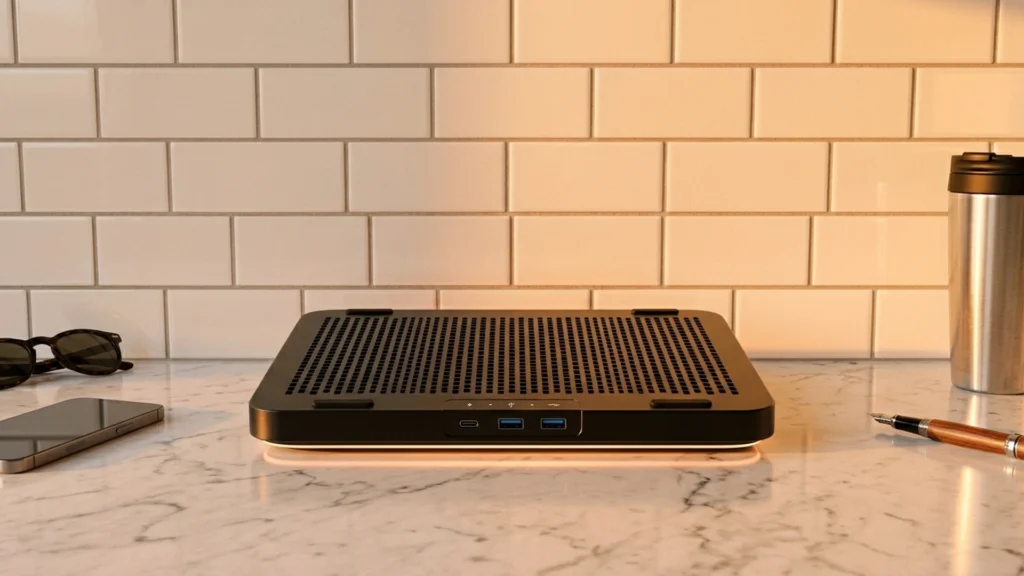
USB Hub Laptop Cooling Pads combine two jobs in one: a cooling base with fans and a built-in USB hub for ports. In this sub-category, you want enough airflow to lower heat under sustained loads, and you also need ports that stay reachable while the laptop rests on the pad.
Picking one is harder than a standard cooling pad. You trade fan performance for space, and hub size for stability. Some pads fit many laptop sizes but still place fans less evenly. Others include more speed control but run louder at higher RPM.
If you want broader guidance across models that do not focus on hub features, use our main guide alongside this one: Looking for all types? See our Best Laptop Cooling Pads.
Quick Overview
Our Top Picks
#1. IETS GT500 13"-17.3" Cooling Pad

Specifications
| Brand | IETS |
|---|---|
| Supported Laptop Size | 13-17.3 in |
| Fan Speed | 5000 RPM |
| Noise Level | 65 dB |
| Weight | 3.5 lb |
Pros
- Consistent temperature drops
- Sturdy construction, clean fit
- Fits more laptops
Cons
- Noticeable fan hum
- Heavy for portability
- Uneven ramp noise
This cooling pad stands out in the USB hub laptop cooling pad category because it keeps laptop temps down during long sessions while also adding practical desk connections. With support for 13 to 17.3 inch laptops and a 5000 RPM fan, it delivers consistent temperature drops instead of just a brief cool-down. The build feels sturdy and the fit stays clean, so the laptop sits evenly on the pad rather than rocking or creating hot spots.
The trade-off is sound and portability. You will notice fan hum, and the startup ramp can be a bit uneven. At about 3.5 lb, it is not ideal if you move it often, but it makes sense for people who mostly keep one setup and want stable cooling while they work, study, or play.
#2. llano V12 15.6"-19" Cooling Pad

Specifications
| Brand | llano |
|---|---|
| Supported Laptop Size | 15.6-19 in |
| Number Of Fans | 5 |
| Fan Speed | 2800 RPM |
| Speed Settings | 3 Settings |
| Adjustable Height Levels | 3 Levels |
| Dimensions | 2.8 x 16.9 x 13 in |
| Weight | 4 lb |
Pros
- Adjustable height
- Quiet low modes
- Intuitive controls
Cons
- Noticeable fan hum
- Noise under load
- Inconsistent thermal drops
The llano V12 stands out as a laptop cooling pad for people who also want a simple USB hub setup. It uses 5 fans and three fan speed settings to keep airflow moving under a wide range of laptops, from 15.6 to 19 inches. The three height levels help you set a more comfortable typing angle, and low modes keep the sound more manageable when you are just working or studying.
The trade-off is noise and consistency under heavier loads. Even in quieter modes there is a noticeable fan hum, and noise rises when the fans run harder. Cooling results can feel a bit uneven, with thermal drops that are not always dramatic during sustained gaming or long CPU-heavy sessions, so it is best for users who want better everyday airflow and comfort rather than maximum temperature reduction.
#3. Razer Adaptive Smart 14"-18" Cooling Pad

Specifications
| Brand | Razer |
|---|---|
| Supported Laptop Size | 14-18 in |
| Number Of Fans | 1 |
| Fan Speed | 3000 RPM |
| Dimensions | 4.5 x 15.6 x 11.5 in |
Pros
- Consistent temperature drops
- Sturdy construction, clean fit
- High RPM cooling
Cons
- Limited height comfort
- Noticeable fan hum
- Single-fan cooling
The Razer Adaptive Smart 14-18 in Cooling Pad stands out in the USB hub laptop cooling pad category because it focuses on steady airflow while you use your ports. In long sessions, it delivers consistent temperature drops, backed by a high 3000 RPM single fan that keeps heat from building up under the base. The build feels solid, and the fit stays clean on desks instead of wobbling when you adjust your laptop.
The main trade-off is comfort and sound. Height comfort is limited, so typing for hours can feel a bit awkward. Fan hum also shows up during normal use, and because cooling comes from a single fan, it is more about overall reduction than targeted hotspot chasing. This is best for people who want simple, reliable cooling while relying on a USB-connected setup, and who can tolerate one-fan airflow and some audible noise.
#4. Targus Chill Mat Plus 17" Cooling Pad
Specifications
| Brand | Targus |
|---|---|
| Supported Laptop Size | 17 in |
| Number Of Fans | 2 |
| Fan Speed | 2500 RPM |
| Adjustable Height Levels | 4 Levels |
| Dimensions | 13.25 x 9.25 x 1 in |
| Weight | 2 lb |
Pros
- Rock-solid, easy adjust
- Stable laptop grip
- Wrist comfort boost
Cons
- Cooling uneven distribution
- Fan noise drift
- Some hotspot reduction
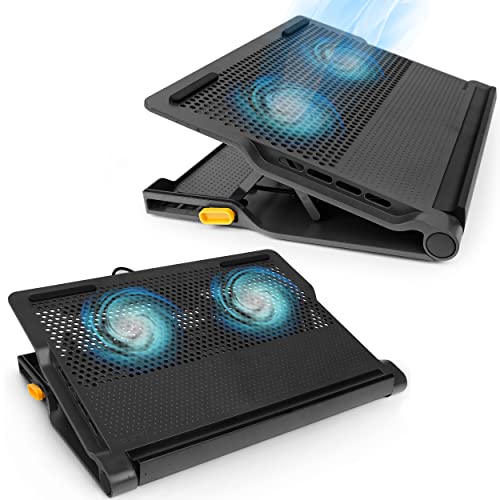
This Targus Chill Mat Plus 17 stands out in the USB hub laptop cooling pad category because it focuses on comfort and desk stability while you work. Four height levels let you lift and angle a 17 in laptop, and the grip is firm. That helps for long sessions, where even a small change in wrist and posture can feel better than a flat pad. When you are also using a hub for mouse, keyboard, or other USB gear, the stable base makes the setup easier to keep in place.
Cooling is not even across the full laptop base. Some hotspot reduction happens, but the results feel uneven under sustained heavy loads. Fan noise also tends to drift as speeds change, which can pull you out of focus during quiet work. If you mainly want a comfortable, stable USB hub style setup with decent cooling, it fits well. If you want the coolest possible, uniform temperature drop, you may need to look elsewhere.
#5. Razer Smart Cooling Pad 14"-18"
Specifications
| Brand | Razer |
|---|---|
| Supported Laptop Size | 14-18 in |
| Number Of Fans | 1 |
| Fan Speed | 2550 RPM |
| Noise Level | 48 dB |
| Dimensions | 4.5 x 15.6 x 11.5 in |
| Weight | 3.5 lb |
Pros
- High RPM cooling
- Software fan control
- Magnetic frame fit
Cons
- Single-fan cooling
- Noticeable fan hum
- Limited height comfort
This Razer cooling pad stands out in the USB hub laptop cooling pad space because it focuses on raw airflow, running at up to 2550 RPM with software fan control. That mix helps during long gaming or heavy work sessions, when laptop fans struggle to keep up. The magnetic frame fit also makes setup quick and keeps the pad aligned on a desk.
The trade-off is comfort and sound. It uses a single-fan design, and the fan hum is noticeable, around 48 dB. Height comfort is limited, so it is less friendly for all-day typing unless your desk height already matches the pad. This is best for people who care more about keeping temps down than about quiet operation or lots of posture adjustment.
What to Look For
Hub usefulness with power and port layout: Check how many USB ports you actually need and where they sit when the laptop is raised. A port layout that gets blocked by the laptop edge defeats the purpose of a USB hub pad.
Supported laptop size and fan coverage: Match the pad range to your laptop width and depth, not just the diagonal screen size. In this sub-category, even cooling matters because hub controls and cables take up space on the top plate.
Fan setup and RPM: Prefer pads with multiple fans when your laptop runs hot, since airflow can cover more of the base. Also compare fan speed RPM values and look for cooling that feels consistent during longer workloads, not just at startup.
Speed settings versus noise: More speed steps can help, but only if high settings do not turn the pad into a distraction. Check reported noise level dB and test whether the quieter settings still drop temperatures enough for your use.
Adjustable height levels and desk stability: Use the adjustable height to create a comfortable typing angle and improve airflow under the chassis. Make sure the stand feels steady at each level, especially when you attach USB devices through the hub.
How We Picked
Products were identified through broad research across review sites and buyer forums, then filtered to only those that qualify as USB Hub Laptop Cooling Pads.
Scoring used the same objective pillar framework as the main Laptop Cooling Pads post, allowing direct comparison of products within this sub-category based on performance, ergonomics, build quality, noise, and value.
Frequently Asked Questions
What does a USB hub on a laptop cooling pad actually add?
It gives you extra USB ports on the pad itself. This helps when your laptop has only a few ports. You can plug in things like a mouse, keyboard dongle, or phone charger without using up other ports.
Does the USB hub run the cooling fans or just power the ports?
In most cases, the hub ports share the same USB connection to your laptop. The cooling fans still run through that USB power, but the hub itself is for your devices. If you use many high power devices, you may get reduced performance.
Will I need to clean the fans differently than a regular cooling pad?
You should still unplug the pad before cleaning. Use a dry brush or compressed air to clear dust from the fan openings. Be gentle near the hub area so you do not loosen the ports or cables.
How do USB Hub cooling pads differ from regular laptop cooling pads?
Regular pads focus only on airflow and comfort. USB hub pads also add extra ports and a built in cable hub design. That can save desk space, but they can add a bit of bulk.
When should I choose a different type of laptop cooling pad instead?
Choose a non hub cooling pad if you want the lightest build or the strongest airflow per dollar. Choose a USB hub pad when you also need extra ports for daily use. If your main goal is gaming performance, prioritize fan power and coverage over the hub features.
How should I compare USB hub laptop cooling pads for size and airflow?
First, match the pad to your laptop size so the fans sit under the vents. Next, check for fan coverage across the base, not just the center. A good fit helps reduce hot spots and makes the airflow feel stronger.