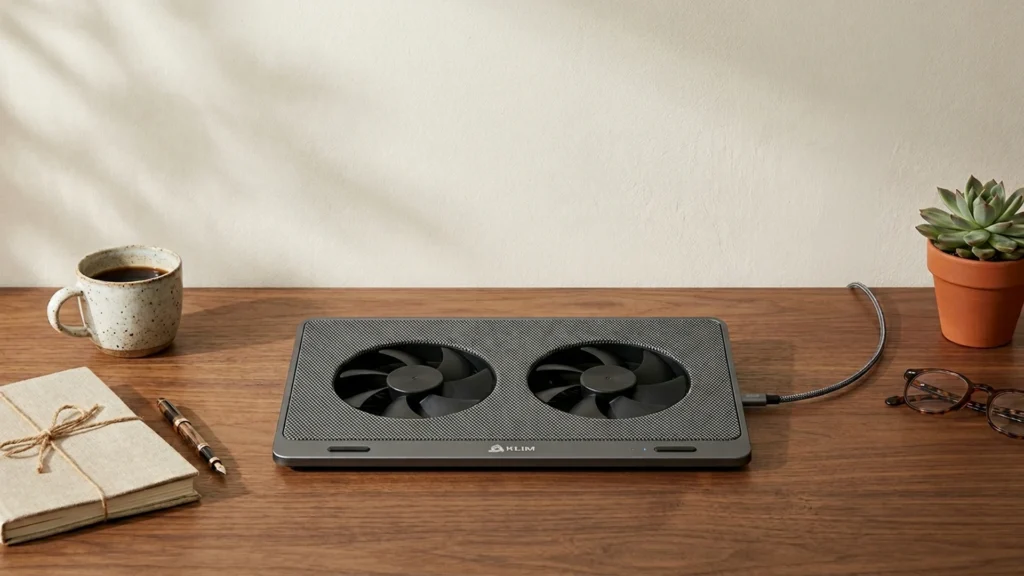
Quiet laptop cooling pads prioritize steady airflow with lower audible fan noise. In this sub-category, that means you want fans that move enough air to reduce heat during long work sessions, and noise that stays calm during typing, calls, and gaming windows.
Choosing the quiet option is harder than it looks. Strong cooling often means higher fan speed. More fans can spread airflow, but not every multi-fan pad keeps the tone smooth. You also have to balance fit for your laptop size, stable adjustable height, and build that does not wobble when you shift positions.
Use the criteria below to narrow your list fast, then compare the top-ranked models in this guide against the same quiet-use priorities; Looking for all types? See our Best Laptop Cooling Pads.
Quick Overview
Our Top Picks
#1. Kootek 5-Fan 12"-17" Cooling Pad

Specifications
| Brand | Kootek |
|---|---|
| Supported Laptop Size | 12-17 in |
| Number Of Fans | 5 |
| Adjustable Height Levels | 6 Levels |
| Dimensions | 11.8 x 15 x 1.4 in |
| Weight | 2.6 lb |
Pros
- Low noise during use
- Smart buy for power
Cons
- No measured temperature data
- Ergonomics not premium
The Kootek 5-Fan 12-17 in Cooling Pad stands out in quiet laptop cooling because its fan sound stays easy to live with during everyday use. Even with five fans spread across the base, the pad keeps the noise at a level that does not pull you out of work sessions. That makes it a good fit for shared spaces, study time, and long typing sessions where fan roar would get annoying fast.
The main trade-off is that you do not get clear, measured temperature results in the available info. Ergonomics are also only solid, not premium, since the height setup uses 6 levels and may not feel as refined as higher-end stands. Still, if you want quieter airflow for a 12-17 in laptop and a stable place to rest your device, this is a strong pick.
#2. LIANGSTAR 6-Fan 12"-17" Cooling Pad

Specifications
| Brand | LIANGSTAR |
|---|---|
| Supported Laptop Size | 12-17.3 in |
| Number Of Fans | 6 |
| Fan Speed | 2100 RPM |
| Speed Settings | 0-max Settings |
| Adjustable Height Levels | 7 Levels |
| Dimensions | 1.1 x 14.2 x 10 in |
| Weight | 1.8 lb |
Pros
- Smart buy for power
- Adjustable fan control
- Improved laptop stability
Cons
- Max-speed noise noticeable
- Cooling may underperform
If you want quieter laptop cooling without giving up airflow, the LIANGSTAR 6-Fan 12-17.3 in Cooling Pad is notable for its adjustable fan control paired with a tall 7-level stand. That matters for this sub-category because many pads run at a single loud speed. With 6 fans and a stated max of 2100 RPM, you can back off the fan speed for everyday work, then push harder only when your laptop needs it.
The trade-off is that the top end can get loud, so it is not a true match for users who want low noise at maximum cooling. Also, cooling results can vary by laptop, so some systems may see more benefit than others. This is a good fit for people who spend long hours typing or studying and want better stability from a raised, tilt-friendly platform, as long as they are okay using lower fan settings most of the time.
#3. TopMate C11 15.6"-17.3" Cooling Pad

Specifications
| Brand | TopMate |
|---|---|
| Supported Laptop Size | 11-17.3 in |
| Number Of Fans | 6 |
| Fan Speed | 2400 RPM |
| Adjustable Height Levels | 5 Levels |
| Dimensions | 1.7 x 16.1 x 11.7 in |
| Weight | 2.4 lb |
Pros
- High RPM cooling
- More airflow coverage
- Fits more laptops
Cons
- USB instability
This TopMate pad stands out for people looking for steadier cooling without constant attention to hot spots. It uses six fans and a 2400 RPM fan speed aimed at moving more air across a wide base, so most laptops in the 15.6-17.3 in range sit over active airflow rather than a narrow blast zone. In daily work, that usually means fewer temperature spikes during long sessions, which helps when you want your cooling routine to feel routine and predictable.
The main trade-off is USB instability. If your laptop has a picky USB port or the connection feels loose, the pad can be less reliable than a model with a sturdier power setup. This is a good fit for larger-screen users who want wide coverage and adjustable height with 5 levels, but you should check your USB port fit before you plan to use it for gaming or heavy, long-running tasks.
#4. TECKNET 3-LED 12"-17" Cooling Pad

Specifications
| Brand | TECKNET |
|---|---|
| Supported Laptop Size | 12-17 in |
| Number Of Fans | 3 |
| Fan Speed | 1200 RPM |
| Adjustable Height Levels | 2 Levels |
| Dimensions | 14.6 x 10.7 x 1.1 in |
| Weight | 1.4 lb |
Pros
- Smart buy for power
- Adjustable fan speed
- Good laptop stability
Cons
- Limited ergonomic adjustability
- Noticeable noise under load
With three fans and adjustable fan speed, the TECKNET 3-LED pad is a practical pick when you want calmer airflow from a cooling pad in the 12-17 in range. Its height tilts to a more work-friendly angle using two levels, and it stays steady on a desk for long sessions. In real use, the fan setup helps keep hot spots down during sustained work, which matters if you run demanding apps for hours.
The trade-off is noise. Under heavier load, the fans get noticeable, so it may not feel truly quiet during gaming or long rendering tasks. If you mainly do everyday work and want better cooling than a flat laptop stand, it is a solid match. If you need a near-silent pad at all times, you may want to look higher in the noise rankings.
What to Look For
Real cooling under sustained load: Look for pads that reduce temperatures during extended use, not just right after startup. In quiet models, that usually comes from well-placed fan airflow across the laptop base, not a single concentrated vent.
Fan count and coverage: Multi-fan pads often cool more evenly across the center and sides. For quiet buyers, favor designs with multiple fans that target hot zones, because uneven airflow can force higher fan speeds to compensate.
Fan speed range and how it affects noise: Check the fan speed rating (RPM) and the speed settings. Higher RPM can mean better airflow, but you want speed settings that let you stay in a lower range for normal typing and browsing.
Noise level in dB at normal use: Compare the stated noise level in dB. Quiet laptop cooling pads should stay around comfortable desk noise, especially on lower settings where you will likely use them most.
Adjustable height and stability: Choose a pad with enough height levels to set a comfortable typing angle. Also confirm the base feels steady when you rest your wrists or move the laptop slightly during use.
How We Picked
Products were identified through broad research across review sites and buyer forums, then filtered to only those that qualify as Quiet Laptop Cooling Pads.
Scoring used the same objective pillar framework as the main Laptop Cooling Pads post, allowing direct comparison of products within this sub-category.
Frequently Asked Questions
What makes a laptop cooling pad feel truly quiet during use?
A quiet pad keeps fan noise smooth at normal speeds. Look for strong airflow without needing the highest speed for every task. Multiple fans can help spread cooling, which often reduces the need for loud max settings.
How many fan speeds and height levels do quiet cooling pads usually need?
Many quiet pads offer 3 to 6 speed settings so you can lower noise for web browsing and emails. Height adjusters also matter because a slight tilt can help airflow and typing comfort. More discrete height levels usually means an easier fit for different desks and lap positions.
How should I set up a quiet cooling pad for best results?
Place the pad flat on your desk and center your laptop on the fan area. Use the lowest speed setting that drops your temps during normal work. If your laptop still runs hot, raise the fan speed one step and keep the laptop base clear of obstructions.
Do quiet cooling pads require special maintenance?
Yes, light cleaning helps keep airflow strong and noise low. Wipe dust from the fan grilles with a dry cloth or a soft brush. Do not let liquid reach the fan housing, and avoid running it in very dusty rooms.
When should I choose a different type of laptop cooling pad instead of a quiet one?
Choose a higher performance cooling pad if your laptop hits extreme temps during long gaming sessions or heavy renders. Quiet pads often prioritize lower noise, so their cooling boost may be smaller at the lowest speeds. If you mainly want maximum temperature drops, a stronger airflow model may be better even if it sounds louder.
How do quiet laptop cooling pads compare to other laptop cooling pads in supported laptop size?
Quiet pads usually cover the common range, like 12 to 17 inches, with adjustable fan zones. Wider support helps you keep good contact between the laptop base and the fan area. Before buying, check the exact supported size range and your laptop thickness so the vents align properly.