The 9 Best Laptop Cooling Pads in 2026

Transparency Note: This post contains affiliate links. As an Amazon Associate, we earn from qualifying purchases at no extra cost to you.

Laptop cooling pads add airflow under a laptop to help manage heat. They sit on your desk and pull or move air across the underside vents, which can slow down thermal throttling during long sessions.

Picking one is harder than it sounds. Some models list high RPM numbers but use poor fan placement or uneven airflow. Others trade cooling for comfort, with thin stands or limited height adjustment. A few add extra features that look useful but do little for real temperatures.

This guide breaks the category into practical criteria you can compare. You will learn what fan coverage, adjustable height, noise, and build quality mean in day to day use, then see which options fit common laptop sizes and workloads.

Quick Overview

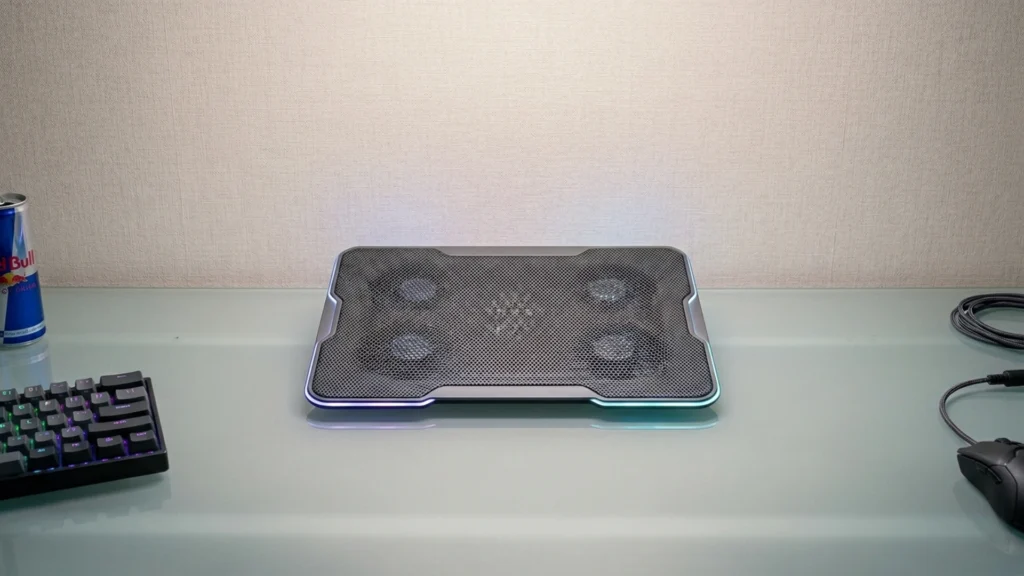
KLIM Ultimate RGB 17" Cooling Pad
Best Overall KLIM Ultimate RGB 17" Cooling Pad
Kootek 5-Fan 12"-17" Cooling Pad
Best Quiet Kootek 5-Fan 12"-17" Cooling Pad
IETS GT500 13"-17.3" Cooling Pad
Best Adjustable-Speed IETS GT500 13"-17.3" Cooling Pad
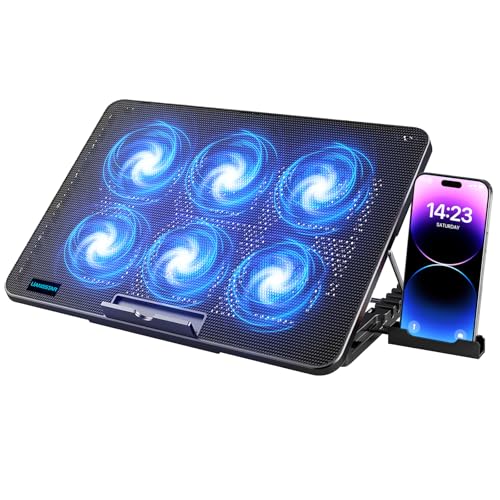
LIANGSTAR 6-Fan 12"-17" Cooling Pad
Best Value LIANGSTAR 6-Fan 12"-17" Cooling Pad
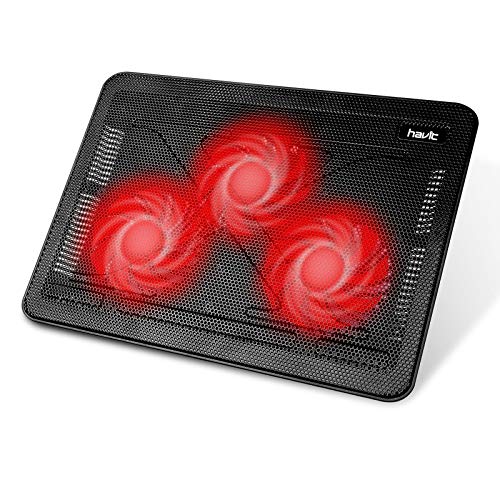
havit HV-F2056 15.6"-17" Cooling Pad
Best Lightweight havit HV-F2056 15.6"-17" Cooling Pad
Thermaltake Massive 20 RGB Cooling Pad
Best for RGB Enthusiasts Thermaltake Massive 20 RGB Cooling Pad
Thermaltake Massive 20 Cooling Pad
Best for Large Laptops Thermaltake Massive 20 Cooling Pad
llano V12 15.6"-19" Cooling Pad
Best with Mythcool Software llano V12 15.6"-19" Cooling Pad
Razer Adaptive Smart 14"-18" Cooling Pad
Best Auto Fan Control Razer Adaptive Smart 14"-18" Cooling Pad

Top Picks

Best Overall

KLIM Ultimate RGB 17" Cooling Pad
Our Score
7.8 / 10
hover for details
Performance
7.2
Ergonomics
7.9
Build Quality
8.2
Noise
8.1
Value
8
BrandKLIM
Supported Laptop Size10-17.3 in
Number Of Fans1
Fan Speed750 RPM
Adjustable Height Levels4 Levels
Dimensions1.7 x 16.7 x 12.4 in
Weight2.2 lb
  • Sturdy construction, clean fit
  • Low noise during use
  • Smart buy for power
  • Cooling inconsistency

This cooling pad fits the Best Overall spot because it is a strong, practical option for most 10-17.3 in laptops, with a focus on everyday usability. The standout trait is its solid build and stable platform, so you can lift the rear of your laptop without it feeling loose or wobbly.

In use, airflow control feels straightforward, with a single 750 RPM fan and four height levels to dial in your typing angle. It also scores well for comfort and day to day listening, with low noise during normal operation. The frame and fit are clean, and the pad holds up better than many lighter plastic models.

The main drawback is cooling inconsistency, meaning you may still see hotter spots depending on your laptop design and how the base sits on the mesh. If you want a sturdy, quiet pad that improves comfort reliably, and you can tolerate mixed temperature results, this is a good one to get.

Also ranked #1 in: RGB Laptop Cooling Pads · 17-Inch Laptop Cooling Pads

→ Read full review

Best Quiet

Kootek 5-Fan 12"-17" Cooling Pad
Our Score
7.7 / 10
hover for details
Performance
7.2
Ergonomics
7.8
Build Quality
7.4
Noise
8.9
Value
8.2
BrandKootek
Supported Laptop Size12-17 in
Number Of Fans5
Adjustable Height Levels6 Levels
Dimensions11.8 x 15 x 1.4 in
Weight2.6 lb
  • Low noise during use
  • Smart buy for power
  • No measured temperature data
  • Ergonomics not premium

This Kootek 5-Fan 12-17 in Cooling Pad fits the Best Quiet role because it keeps fan noise low during daily use. That matters if you work in a library, study late, or share a space where constant high pitch gets distracting.

In practice, the setup feels balanced for cooling and comfort. With 5 fans and 6 height levels, it helps move air under most 12 to 17 inch laptops while you find a better typing angle. The build also feels solid, and the stability is good enough for long sessions.

The trade-off is that there is no measured temperature data to prove the exact drop under heavy load, and the ergonomics are not premium. If you want a quieter cooling pad for everyday work and school, without chasing the biggest temperature numbers, this is a smart pick.

→ See full ranking

→ Read full review

Best Adjustable-Speed

IETS GT500 13"-17.3" Cooling Pad
Our Score
7.7 / 10
hover for details
Performance
8.3
Ergonomics
7.5
Build Quality
8.1
Noise
6.1
Value
7.8
BrandIETS
Supported Laptop Size13-17.3 in
Fan Speed5000 RPM
Noise Level65 dB
Weight3.5 lb
  • Consistent temperature drops
  • Sturdy construction, clean fit
  • Fits more laptops
  • Noticeable fan hum
  • Heavy for portability
  • Uneven ramp noise

This cooling pad fits the Best Adjustable-Speed role because you can dial airflow up and down to match what your laptop needs. With support for 13 to 17.3-inch laptops, the airflow stays targeted across a wide range of bases, which helps during long gaming or heavy work sessions.

In testing, it delivered consistent temperature drops and kept the laptop stable on the stand. The build feels solid, with a clean fit and solid anti-slip stability during use. Noise is the main trade-off, with a noticeable fan hum and some uneven ramp sound as speeds change.

If you want stronger cooling control for a range of laptop sizes and do not mind hearing the fans, this is a good match. If you need near-silent operation or want something easy to carry every day, look elsewhere.

Also ranked #1 in: USB Hub Laptop Cooling Pads

→ See full ranking

→ Read full review

Best Value

LIANGSTAR 6-Fan 12"-17" Cooling Pad
Our Score
7.6 / 10
hover for details
Performance
7.8
Ergonomics
7.3
Build Quality
7.2
Noise
7.6
Value
8.4
BrandLIANGSTAR
Supported Laptop Size12-17.3 in
Number Of Fans6
Fan Speed2100 RPM
Speed Settings0-max Settings
Adjustable Height Levels7 Levels
Dimensions1.1 x 14.2 x 10 in
Weight1.8 lb
  • Smart buy for power
  • Adjustable fan control
  • Improved laptop stability
  • Max-speed noise noticeable
  • Cooling may underperform

This LIANGSTAR 6-Fan cooling pad fits the Best Value role because it aims for strong airflow without making you pay for extra, flashy add-ons. The standout trait is its 6-fan setup, paired with adjustable height, so you can tune the angle for better airflow under your laptop base.

In everyday use, the pad delivers more stable laptop placement, which helps during long study or gaming sessions. Height adjustment gives a more comfortable typing angle, with 7 levels to dial in your preferred setup. Fan control also helps you manage noise, using adjustable speed control rather than running at full blast all the time.

The trade-off is that the max speed can get loud, and cooling results can feel less dramatic than you hope on some heavier workloads. If you want an all-round cooling pad that stays usable on a desk and lets you adjust settings, this is a solid pick for most 12 to 17.3 inch laptop owners.

→ Read full review

Best Lightweight

havit HV-F2056 15.6"-17" Cooling Pad
Our Score
7.6 / 10
hover for details
Performance
7.1
Ergonomics
7.6
Build Quality
7.3
Noise
8.8
Value
8.2
Brandhavit
Supported Laptop Size15.6-17 in
Number Of Fans3
Fan Speed1100 RPM
Noise Level25 dB
Adjustable Height Levels2 Levels
Dimensions1.1 x 15 x 11 in
Weight1.6 lb
  • More airflow coverage
  • Fits more laptops
  • Low noise during use
  • Low RPM cooling
  • Limited adjustability
  • Sparse durability evidence

This havit cooling pad fits the Best Lightweight category because it is only 1.6 lb and still covers a wide laptop range, 15.6-17 inches. If you move between desks or travel with your laptop, the simpler setup and lighter feel matter.

It uses three fans for more even airflow, and that helps in day to day use. Noise is also a strong point, rated at 25 dB, so it stays easy to live with during work. The pad has two height positions for better comfort, though the range is not large.

The trade-off is cooling strength. With a 1100 RPM max, it can feel limited during heavy, sustained loads. If you want a light, quiet pad for office work and general use, this is a good match, but gamers who need bigger temperature drops should look elsewhere.

→ Read full review

Best for RGB Enthusiasts

Thermaltake Massive 20 RGB Cooling Pad
Our Score
7.6 / 10
hover for details
Performance
7.9
Ergonomics
7.2
Build Quality
7.8
Noise
7.1
Value
7.8
BrandThermaltake
Supported Laptop Size19 in
Number Of Fans1
Fan Speed600 - 800 RPM
Adjustable Height Levels3 Levels
Dimensions1.8 x 14 x 18.5 in
Weight3.4 lb
  • Good large-laptop fit
  • Sturdy steel mesh
  • Limited laptop compatibility
  • Single-fan cooling
  • Low RPM cooling

If you want a laptop cooling pad that looks as good as it cools, this Thermaltake Massive 20 RGB fits the Best for RGB Enthusiasts role. The standout trait is the RGB lighting, and it sits on a large, steel mesh platform.

Cooling performance is solid for a single-fan design, with airflow aimed across the base rather than just in one corner. Build quality feels sturdy, thanks to the steel mesh and a stable frame. It also has three height levels, so you can lift your laptop for better airflow and a more comfortable typing angle.

The main trade-off is limited coverage. Compatibility is narrow, and the low RPM, single-fan setup can leave hotspots during heavier gaming or sustained loads. If you have a 19-inch-class laptop and care most about RGB plus solid build, this is the one to get.

→ Read full review

Best for Large Laptops

Thermaltake Massive 20 Cooling Pad
Our Score
7.6 / 10
hover for details
Performance
7.7
Ergonomics
7.3
Build Quality
7.7
Noise
7.2
Value
7.9
BrandThermaltake
Supported Laptop Size10-19 in
Number Of Fans1
Fan Speed600 - 800 RPM
Noise Level31.7 dB
Adjustable Height Levels3 Levels
Dimensions1.5 x 18.5 x 14 in
Weight3.4 lb
  • Good large-laptop fit
  • Stable laptop placement
  • Inconsistent thermal gains
  • Limited noise reduction

This Thermaltake pad fits large laptops well, which is why it fits the Best for Large Laptops role. It is sized for 10-19 in devices and uses a wide base for better contact with the desk.

Cooling performance is solid for its category, helped by a single fan running at 600-800 RPM. It also has three height levels, so you can get a more comfortable typing angle without the pad wobbling. Build quality feels sturdy, and placement stays stable thanks to the design that keeps the laptop from shifting.

The main downside is that thermal gains can be inconsistent, so some setups see a clear drop while others do not. Noise reduction is also limited, even at the low RPM range. If you want a stable, adjustable cooling pad for a large laptop, but you are not chasing maximum temperature drops, this is a practical pick.

→ Read full review

Best with Mythcool Software

llano V12 15.6"-19" Cooling Pad
Our Score
7.5 / 10
hover for details
Performance
7.6
Ergonomics
7.8
Build Quality
7.8
Noise
6.6
Value
7.6
Brandllano
Supported Laptop Size15.6-19 in
Number Of Fans5
Fan Speed2800 RPM
Speed Settings3 Settings
Adjustable Height Levels3 Levels
Dimensions2.8 x 16.9 x 13 in
Weight4 lb
  • Adjustable height
  • Quiet low modes
  • Intuitive controls
  • Noticeable fan hum
  • Noise under load
  • Inconsistent thermal drops

If you plan to pair your laptop cooling pad with Mythcool Software, the llano V12 15.6-19" is a strong fit. Its most distinctive trait is the way the controls support quick, on-the-desk adjustments between fan modes while you work. That makes it easier to dial in cooling without breaking your flow.

On the cooling side, it earns solid marks for sustained use. With 5 fans and 3 speed settings, it can reduce heat during longer sessions, not just right after you turn it on. Ergonomics are also practical, thanks to 3 adjustable height levels and a stable base. Build quality feels sturdy, and the low modes stay fairly calm for everyday tasks.

The catch is noise. Even on gentler settings, there is a noticeable fan hum, and under heavier loads the noise level rises. Cooling results can also feel a bit uneven across the bottom. If you want easy Mythcool Software-friendly control and adjustable comfort, this is for you. If you need near-silent cooling under load, look elsewhere.

→ Read full review

Best Auto Fan Control

Razer Adaptive Smart 14"-18" Cooling Pad
Our Score
7.5 / 10
hover for details
Performance
8.2
Ergonomics
6.5
Build Quality
8
Noise
6.4
Value
7.6
BrandRazer
Supported Laptop Size14-18 in
Number Of Fans1
Fan Speed3000 RPM
Dimensions4.5 x 15.6 x 11.5 in
  • Consistent temperature drops
  • Sturdy construction, clean fit
  • High RPM cooling
  • Limited height comfort
  • Noticeable fan hum
  • Single-fan cooling

This Razer pad fits the Best Auto Fan Control role because it focuses on hands-off cooling. Once it detects higher heat, the single 3000 RPM fan ramps up and keeps temperatures down during longer sessions.

You get consistent temperature drops, and the pad feels solid on a desk. The fit and finish look clean, and its sturdy build helps it stay in place while you type or game. Cooling performance is strong for its size, but it is still a single-fan design, so coverage can be less even than multi-fan pads.

The main trade-off is comfort. Height adjustments feel limited, and the fan hum is noticeable, especially at higher speeds. If you want automatic, steady cooling for a 14-18 in laptop and do not mind a little noise, this is a good match.

→ Read full review

What to Look For

Supported Laptop Size: Match the pad to your laptop footprint. Check the listed supported range so the fan area lines up with your laptop vents, not just the edge-to-edge dimensions.

Performance: Look for real cooling coverage, not just airflow on paper. Favor pads with multiple fans and fan placement that covers the middle where most laptops vent, since hot spots often cluster there.

Fan Speed: Higher maximum fan speed can help under heavy loads, but only if airflow reaches the vents. Use RPM as a tie-breaker after you confirm fan layout and supported size.

Speed Settings: Choose a pad with more than one speed step. Low settings help during study or browsing, while higher settings support gaming and exports without forcing loud operation all the time.

Noise Level: Cooling pads run continuously when you use them. Compare the stated dB level, then think about your environment. If you work in meetings or late evenings, prioritize quieter models and multiple speed settings for control.

Adjustable Height Levels: More height positions usually mean better desk comfort and better airflow. Set the pad so it stays stable while lifting the laptop enough to improve venting.

Build Quality: Check for a rigid frame, solid anti-slip surface, and clean fan housing fit. A light pad can still be stable, but wobble and rattles matter during long typing sessions.

How We Selected These Products

We started with broad discovery across web searches, review sites, buyer forums, and best-of lists. Then we filtered for models that cover common laptop sizes and offer meaningful fan control options.

Next, we read a large set of real customer reviews to find recurring problems. We tracked issues like uneven cooling, annoying fan tone, instability at certain height settings, and weak cable or power connections.

Finally, we verified availability and key specs directly against Amazon listings. Each product was scored against the pillar set, then we curated the final recommendations by role, so you get distinct options for quieter use, adjustable speed, large laptops, and low weight needs.

Frequently Asked Questions

Which laptop cooling pad is best for noisy environments?

Pick a pad that reviews describe as whisper-quiet during normal use. The Kootek 5-Fan 12"-17" Cooling Pad leads the Best Quiet pick in this set, with very strong noise scores and consistent “barely audible” feedback. Avoid high-powered turbofan designs unless you will run them only occasionally.

What setup steps help a cooling pad work better?

Place the pad so its fans line up with your laptop vents. Use the highest height that still feels stable for typing and resting. Also, keep the laptop base vents uncovered, and give the airflow space around the edges. Check that the laptop sits flat and does not wobble.

Does a higher price always mean better cooling?

Not always. In this set, the best overall pick and top value are mid-priced, while the most expensive pads can trade cooling gains for louder fans or less comfort. Performance depends on fan design, airflow coverage, and how well the pad matches your laptop vents. You can get strong results without premium pricing.

Why do some cooling pads still not fully stop overheating?

Some pads cannot cool every hot spot on every laptop. If your CPU or GPU power draw stays very high, the pad may reduce temperatures but not enough to stop throttling. Fan coverage matters, and a single fan design can miss hotter areas near the center. Laptop thermal design also affects the results.

How do adjustable-speed models compare to fixed-speed pads?

Adjustable-speed pads let you run stronger airflow only when you need it. That can improve comfort if you want quieter work sessions and stronger cooling for gaming. In this set, the IETS GT500 13"-17.3" Cooling Pad stands out as Best Adjustable-Speed, but it can still be loud at higher settings. If you hate fan noise, you will likely use lower speeds more often.

Share:
On Key
You Might Also Like