




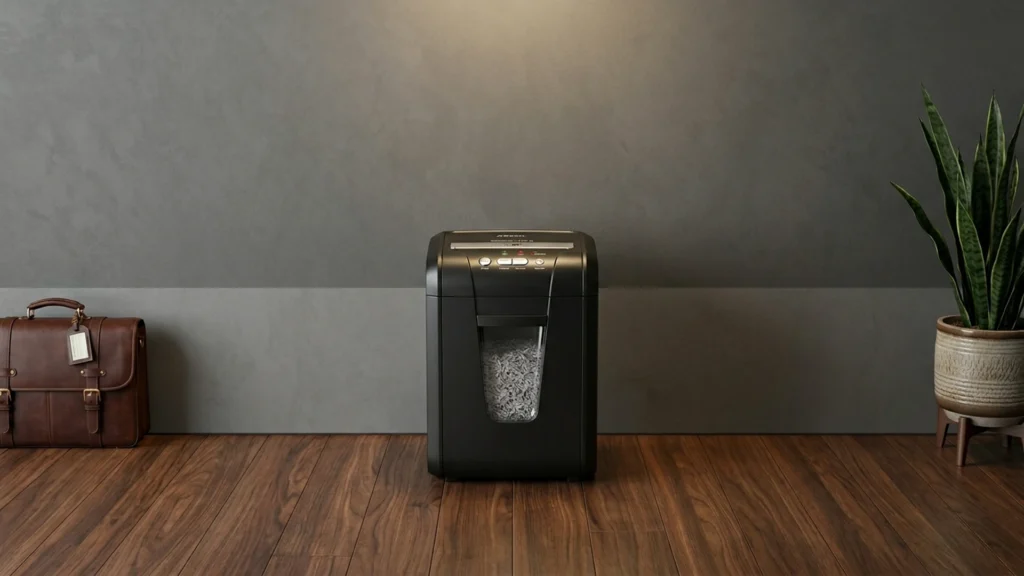
Micro-Cut Paper Shredders turn documents into tiny pieces instead of long strips. That matters when you shred bills, tax forms, bank statements, and ID related paperwork. In this sub-category, you should look for Micro-Cut shredding that keeps pages hard to piece back together.
Picking one is harder than it sounds. Micro-Cut shredders often trade speed for tighter privacy. Many also have lower sheet-by-pass ratings, so jams usually come from trying to push too many sheets. Higher capacities can help, but they must still run without frequent overheating or cooldown delays.
For more context on how shredders fit different security needs and usage styles, read through the rest of our coverage in the main guide. Looking for all types? See our Best Paper Shredders.
Quick Overview
Our Top Picks
#1. Fellowes Powershred LX22M 20-Sheet Micro-Cut Paper Shredder

Specifications
| Brand | Fellowes |
|---|---|
| Shred Type | Micro-Cut |
| Security Level | P-4 |
| Sheet Capacity | 20 sheets |
| Run Time | 30 minutes |
| Cool Down Time | 15 minutes |
| Bin Capacity | 8 gal |
| Dimensions | 23.2 x 11.8 x 16.5 in |
Pros
- High P security
- Micro-Cut shredding
- Handles daily volume
Cons
- Large footprint
- Limited durability evidence
- Noise-unclear operation
This Fellowes LX22M stands out in the micro-cut crowd because it targets higher privacy with a P-4 micro-cut pattern. Those small paper pieces are a better fit for everyday sensitive documents, like financial statements or tax paperwork. It also handles up to 20 sheets per pass and runs for 30 minutes before a 15 minute cool down, so it can keep up with common home or small office workloads.
The main trade-off is practical size. At 23.2 x 11.8 x 16.5 in, it takes more floor space than slimmer models. It also runs with some noise, and the exact sound level is not clear from the specs alone, so consider your shared workspace needs. This is a strong pick for people who prioritize micro-cut privacy and regular shredding over compact storage.
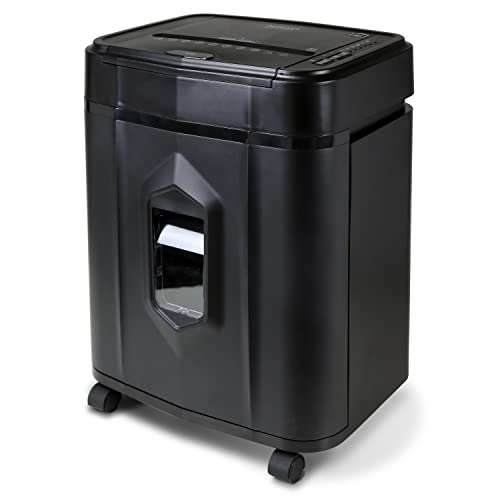
#2. Aurora AU120MA 120-Sheet Micro-Cut Paper Shredder

Specifications
| Brand | Aurora |
|---|---|
| Shred Type | Micro-Cut |
| Security Level | P-4 |
| Sheet Capacity | 120 sheets |
| Run Time | 30 minutes |
| Bin Capacity | 5 gal |
| Dimensions | 19.7 x 14.4 x 11.3 in |
Pros
- High P security
- Micro-Cut shredding
- High sheet capacity
Cons
- Large footprint
- Occasional paper jams
- Workflow disruptions
For micro-cut shredding, the Aurora AU120MA stands out for its P-4 security level and Micro-Cut output. That means it turns documents into much smaller pieces than basic strip-cut models, which helps when you are disposing of sensitive paperwork like financial statements or personal records. With a 120-sheet capacity per pass and a 30-minute run time, it also fits better than small countertop units for heavier shredding sessions.
The main trade-off is day-to-day workflow. It has a larger footprint, and some users report occasional paper jams, which can interrupt batch shredding. This is best for home or small office users who plan around run sessions and do not mind clearing jams when they happen, rather than for quick, frequent, one-sheet jobs.
#3. Amazon Basics 8-Sheet Micro-Cut Paper Shredder

Specifications
| Brand | Amazon Basics |
|---|---|
| Shred Type | Micro-Cut |
| Security Level | P-4 |
| Sheet Capacity | 8 sheets |
| Run Time | 5 minutes |
| Cool Down Time | 30 minutes |
| Bin Capacity | 4 gal |
Pros
- Micro-Cut shredding
- High P security
- Worth the investment
Cons
- Wears out faster
- Low sheet capacity
- Long cool-down
For micro-cut shredders, this Amazon Basics model stands out for how finely it breaks down paper. It uses Micro-Cut shredding and lists a P-4 security level, so you get small, unreadable pieces that work well for sensitive paperwork at home or in a small office. The setup is straightforward, and the shredder is rated for 5 minutes of run time per session.
The main trade-off is throughput and heat management. With an 8-sheet capacity and a 30-minute cool-down, it is best for batches rather than frequent, high-volume use. It also has a reputation risk of faster wear, so it fits users who shred regularly but do not expect long, nonstop sessions.
#4. Bonsaii EverShred 200-Sheet Micro-Cut Paper Shredder

Specifications
| Brand | bonsaii |
|---|---|
| Shred Type | Micro-Cut |
| Security Level | P-4 |
| Sheet Capacity | 200 sheets |
| Run Time | 60 minutes |
| Bin Capacity | 8.1 gal |
Pros
- Micro-Cut shredding
- High P security
- Long continuous run
Cons
- Wears out faster
- Feeder-jam risk
- Jams under load
For micro-cut shredders, Bonsaii EverShred 200-Sheet stands out for its P-4 micro-cut output and longer continuous run time of 60 minutes. That combo matters when you are destroying sensitive papers like tax documents, account statements, and identity paperwork, because the finer pieces lower the chance of readable reconstruction. The 200-sheet capacity per pass also fits busier home offices and small admin tasks, where you want fewer start and stop cycles.
The main trade-off is reliability under heavy load. Reports point to feeder-jam risk and jamming when pushed hard, plus faster wear over time than you would expect from a shredder built for regular volume. This model fits best for users who shred in steady batches and avoid overfilling the feed, rather than people who run it hard back-to-back without breaks.
#5. Staples 12-Sheet Micro-Cut Paper Shredder

Specifications
| Brand | STAPLES |
|---|---|
| Shred Type | Micro-Cut |
| Security Level | P-4 |
| Sheet Capacity | 12 sheets |
| Dimensions | 18.5 x 18.5 x 9.4 in |
Pros
- Micro-Cut shredding
- High P security
Cons
- Wears out faster
- Large footprint
This Staples micro-cut shredder stands out for the one thing most shoppers want from the micro-cut category: stronger privacy. It uses a micro-cut pattern and rates at P-4, which typically turns documents into much smaller pieces than cross-cut or strip-cut models. If you shred payroll, bank statements, or other sensitive paper at home or a small office, this level of cut helps reduce the chance of readable reconstruction.
The trade-off is everyday living. It has a 12-sheet input, but the build can wear faster over time, so it may not suit heavy, continuous use. It also takes up more space than compact shredders, so it is a better fit for users who have a dedicated spot for a micro-cut machine.
What to Look For
Shred type that is truly Micro-Cut: Confirm the product is listed as Micro-Cut in its shred type. Avoid listings that only say cross-cut or microcut variants. Micro-Cut means smaller pieces that reduce the chance of reconstruction.
Security level suited to sensitive paper: Look for a P-level rating such as P-4, P-5, or higher. Higher P-levels generally mean finer output and better privacy for personal documents. If the rating is vague, treat that as a risk when shredding financial or identity paperwork.
Sheet capacity per pass for your document volume: Match the sheet capacity to how you shred. Low capacities can still work for occasional home use, but pushing past the stated number is the fastest path to jams. Higher capacity helps if you shred in batches.
Run time and cooldown time that match your routine: Check continuous run time and cooldown time. A longer run time matters when you shred multiple stacks. Short cooldown times reduce downtime when you need the shredder on more than one cycle.
Entry width and size for your setup: Measure your space and feeding needs. A wider entry supports smoother feeding and fewer partial jams. Also check the overall dimensions so the shredder fits where you plan to use it.
How We Picked
Products were identified through broad research across review sites and buyer forums, then filtered to only those that qualify as Micro-Cut Paper Shredders.
Scoring used the same objective pillar framework as the main Paper Shredders post, allowing direct comparison of products within this sub-category.
Frequently Asked Questions
What does Micro-Cut mean, and how is it more secure than strip-cut?
Micro-Cut shreds paper into much smaller pieces than strip-cut. That makes it harder to piece documents back together. If you handle bank statements, tax papers, or ID copies, Micro-Cut usually fits better.
How do I choose between a low sheet capacity and a higher sheet capacity Micro-Cut shredder?
Sheet capacity tells you how many sheets it can take per pass without clogging. A higher number helps when you shred bigger batches. If you only shred a few pages at a time, a smaller capacity model can still work well.
How often should I lubricate a Micro-Cut shredder, and what happens if I skip it?
Most Micro-Cut shredders need shredder oil every few uses or when performance drops. Signs include louder running and slower shredding. Lubrication helps the cutters stay clean and reduces paper dust jams.
How do you know when a Micro-Cut shredder needs a cool down period?
You should follow the run time and cool down time listed for the model. If the shredder stops or slows after a short burst, it likely needs a break. Let it cool fully before running more paper to prevent overheating.
When should I switch from Micro-Cut to a different type of Paper Shredder?
Switch types if your priority is cost, speed, or batch size more than document privacy. Strip-cut shredders cost less and can work for non-sensitive mail. Cross-cut can be a middle step when you want better security than strip-cut but less than Micro-Cut.
How do Micro-Cut and Cross-Cut compare in shred quality and bin fill rate?
Micro-Cut usually creates smaller pieces, so the bin may fill faster. Cross-Cut also improves security, but pieces are often larger. If you shred often, check bin capacity and plan for more frequent emptying with Micro-Cut.


