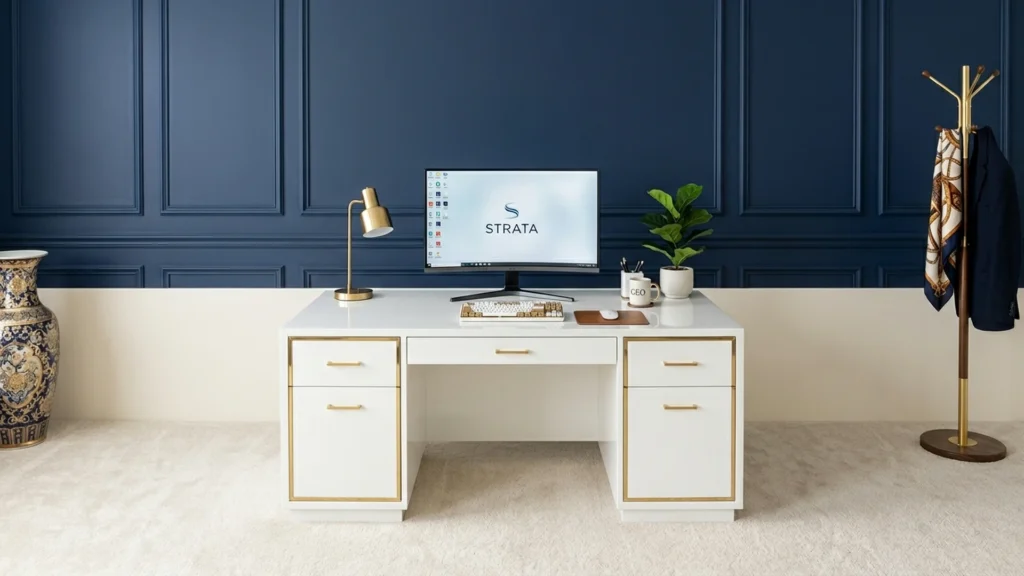
A Computer Desk with Drawers is a work surface that includes pull-out drawer storage as part of the desk frame. For this sub-category, buyers usually want a place for keyboards, notebooks, small office items, and cables. You should expect the drawers to slide smoothly and stay aligned so they close cleanly while you work.
Picking the right one is harder than it sounds. A drawer unit can reduce knee clearance, shrink usable surface space, and make cable routing less convenient. Some desks also use lighter boards to keep costs down, which can increase wobble over time when you load drawers and lean on the desktop.
Looking for all types? See our Best Computer Desks.
Quick Overview
Our Top Picks
#1. OffiGo Electric L-Shaped Standing Computer Desk

Specifications
| Brand | OffiGo |
|---|---|
| Desk Type | L-Shaped Desk |
| Overall Dimensions | 30.7 x 31.5 x 63 in |
| Height Range | 29.9-46.1 in |
| Number Of Drawers | 4 |
| Cable Management | Cable Tray |
Pros
- Wide height adjustability
- Helps keep cords organized
- More desk storage drawers
Cons
- Potential wobble concerns
- Small desk footprint
- Limited finish evidence
This OffiGo L-shaped standing desk stands out for combining a wide height range with drawer storage, which is a rare mix in the computer desks with drawers category. It adjusts from 29.9 to 46.1 in, so you can switch between sitting and standing without swapping setups. The four drawers help hide keyboard clutter, chargers, and small office items, while the built-in cable tray keeps cords from turning into a mess under the corner.
The main trade-off is space. With compact overall dimensions of 30.7 x 31.5 x 63 in, it fits best in smaller home offices where you want an L layout but still need room to move. Some wobble concerns mean you should set it up on a firm, level floor and avoid leaning hard on the outer edge during long sessions.
#2. AODK Electric Standing Computer Desk

Specifications
| Brand | AODK |
|---|---|
| Desk Type | Standing Desk |
| Overall Dimensions | 30.9 x 21.2 x 55 in |
| Height Range | 29.9-46.1 in |
| Weight Capacity | 176.4 lb |
| Number Of Drawers | 2 |
| Cable Management | Cable Tray, Hidden Wire Routing |
Pros
- Worth every dollar
- Wide height adjustability
- Helps keep cords organized
Cons
- Low weight capacity
- No shelf storage
- Limited dual-monitor space
This standing desk is notable in the computer desks with drawers category because it combines two pull-out drawers with real sit-stand range. You get height adjustment from 29.9-46.1 in, which helps you match the desk to your chair and desk setup. The built-in cable tray and hidden wire routing also make a difference when you have a monitor, charging cables, and a few accessories spread across the workday.
The main trade-off is support and layout. The weight capacity is 176.4 lb, so heavier dual-monitor arms or dense setups need a careful balance. There is no shelf storage, and the desk space can feel tighter for limited dual-monitor positioning, so it fits best if you use one monitor plus a small accessory area, or keep your second screen light.
#3. CubiCubi INUC-CD0004-120ANT-03 2-Drawer Computer Desk

Specifications
| Brand | CubiCubi |
|---|---|
| Desk Type | Computer Desk |
| Overall Dimensions | 29.5 x 19.6 x 47 in |
| Height Range | 27.36-46.06 in |
| Number Of Drawers | 2 |
| Number Of Shelves | 1 |
Pros
- Worth every dollar
- Wide height adjustability
- More desk storage drawers
Cons
- Limited legroom
- Some flex noted
- Okay look, dated feel
The CubiCubi INUC-CD0004-120ANT-03 stands out for one reason: it combines two drawers with a wide height range (27.36 to 46.06 in) in a compact desktop size (29.5 x 19.6 x 47 in). In a computer desk with drawers category, that is a practical mix. You get a place for cables, small tools, and office items, while the adjustable height helps you fit the desk to how you work rather than the other way around.
The main trade-off is leg comfort. Reviews note limited legroom, and there can be some flex when you lean or press down while typing. This desk suits people who want built-in storage and adjustable height more than they need lots of knee space or a rock-stable feel for heavy leaning. If you use the drawers often and raise or lower the desk frequently, the layout makes sense.
#4. HOMCOM 836-324BK L-Shaped Glasstop Computer Desk

Specifications
| Brand | HOMCOM |
|---|---|
| Desk Type | L-Shaped Desk |
| Overall Dimensions | 59 x 58 x 69.25 in |
| Weight Capacity | 44 lb |
| Number Of Drawers | 1 |
| Cable Management | Cable Tray |
Pros
- Helps keep cords organized
- Space-saving layout
Cons
- Awkward reach, strained
- Low weight capacity
- Some flex noted
This HOMCOM L-shaped desk stands out for its built-in drawer and under-top cord tray layout, which is a practical combo for a computer desk with drawers. The drawer helps you keep small items like chargers, cables, and office supplies from spreading across the work surface. Meanwhile, the cable tray supports a cleaner setup behind or under the desk corner, which can make a noticeable difference in a shared room or small home office.
The trade-off is comfort and sturdiness. At 69.25 in tall, many users may feel the corner portion of the L is a bit hard to reach during long sessions, especially for frequently used keys and mouse work. It also lists a 44 lb weight capacity and some flex, so avoid heavy monitor setups or pushing down hard when typing. This is best for lighter office or study setups where cable order matters more than maximum rigidity.
#5. Tribesigns HOGA-HL0242 L-Shaped Executive Computer Desk

Specifications
| Brand | Tribesigns |
|---|---|
| Desk Type | L-Shaped Desk |
| Overall Dimensions | 55.1 x 78.7 x 29.5 in |
| Height Range | 29.53-29.53 in |
| Material | Engineered Wood |
| Number Of Drawers | 3 |
Pros
- More desk storage drawers
Cons
- Some flex noted
- Awkward reach, strained
- Limited height adjustment
This L-shaped Tribesigns desk stands out in the computer desk with drawers category because it builds storage directly into the workspace. With 3 drawers, it gives you a place for paper, chargers, and small office items instead of leaving them on the desk surface. The layout also helps separate your main work zone from the corner side, so your keyboard and monitor do not compete with your drawer pulls.
The main trade-off is comfort. The stated height range is essentially fixed at 29.53 in, and some reviewers note strained reach. There is also some flex, which you will feel if you lean hard while typing or using a mouse. This is best for people who want drawer storage more than full ergonomic adjustability, and who can sit back enough to avoid stretching for the far side of the corner.
What to Look For
Drawer usefulness: Check that each drawer fits common items you will store daily, like letter-size folders, small electronics, and office supplies. If drawer sizes vary a lot, make sure the largest one matches your real storage needs.
Build Quality where it matters: Focus on the desk frame and drawer hardware. You want a solid base and drawer slides that do not feel loose or grind. If the desk flexes when you pull a drawer, it will likely feel unstable during typing.
Ergonomic layout and legroom: Verify that the drawer section does not block your knees. Your typical keyboard and mouse reach should not force you to sit too close or too far from the desk. If the desk is L-shaped, ensure the main working zone keeps a clear leg path.
Desktop working space: Measure your monitor size and desk depth needs. Drawers can shorten the usable top area, especially on compact L-shaped models. Aim for a setup where your monitor sits far enough away to keep a comfortable viewing distance.
Cable management with drawers: Look for a grommet, cable cutout, or under-desk cable tray. Without it, cables will run across the drawer front or get pinched when you open drawers. Better cable routing keeps the space usable and reduces wear on cords.
How We Picked
Products were identified through broad research across review sites and buyer forums, then filtered to only those that qualify as Computer Desks with Drawers.
Scoring used the same objective pillar framework as the main Computer Desks post, allowing direct comparison of products within this sub-category.
Frequently Asked Questions
How many drawers should I look for in a computer desk for daily use?
Most buyers do well with 2 drawers. They usually fit office basics like notebooks, pens, and small tools. If you store more items, consider 3 or more drawers for better separation.
Do drawers affect legroom or how I sit at my desk?
They can, depending on the drawer placement. Look for drawers that sit under the desktop without blocking the knee space. Also check the desk width so your chair fits comfortably.
What is the best way to keep desk drawers working smoothly?
Avoid overloading them with heavy items like thick books or large binders. Keep the drawer slides clean and free from dust. If the desk shifts, tighten the hardware and check for wobble.
When should I choose a desk without drawers instead?
Choose a desk without drawers if you mainly need a clear leg area or more open floor space. You may also prefer shelves or a separate storage cabinet for your items. If you keep your workspace very light, drawers may feel unnecessary.
How do computer desks with drawers compare to other computer desks for storage?
Drawers give closed storage for cables, paperwork, and small clutter. Other desks often rely on open shelves, which can look messier. With drawers, you can keep your workspace tidy faster.