





Skip to content

The 5 Best 10-Inch Digital Picture Frames in 2026

October 17, 2026-By The Top Zone

Transparency Note: This post contains affiliate links. As an Amazon Associate, we earn from qualifying purchases at no extra cost to you.

Choosing a 10-inch-class frame means weighing screen features against how you plan to send and keep photos. The listed models have 10- or 10.1-inch screens, and each lists a 1280 x 800 px display. Touchscreen availability and transfer options vary.

For sharing, the Nixplay listing supports its app, web app, and email; the AURA Carver listing includes app, email, text, iCloud, and Google Photos. AEEZO lists 32 GB of internal storage and microSD support up to 64 GB, while the Skylight listing lists 8 GB. These details apply to the selected variants shown here. Looking for all types? See our Best Digital Picture Frames.

Quick Overview

Our Top Picks

#1. Nixplay 10.1" Digital Picture Frame

Nixplay 10.1" Digital Picture Frame
Our Score 8.2 / 10 Score details
Display Quality8.4
Photo Sharing8.4
Ease of Use8.4
Reliability7.6
Design & Build8.1
Value8
How we research & score
BrandNixplay
Photo TransferNixplay app; web app; email
Screen Size10.1 in
Display Resolution1280 x 800 px
TouchscreenTouchscreen
Product Dimensions7.4 x 10.6 x 1.5 in
  • 10.1-inch, 1280 × 800 display; one review reports good brightness and viewing angles
  • Photo transfer via Nixplay app, web app, or email
  • Touchscreen; one review reports easy-to-navigate menus

    For a 10-inch-class frame, the Nixplay pairs a 10.1-inch touchscreen with a 1280 x 800 display. A review summary reports good brightness and viewing angles, though this is not a controlled test. Photos can be sent through the Nixplay app, web app, or email, giving families several listed ways to share without relying on a single method.

    One review summary describes the Nixplay touchscreen menus as easy to navigate. Setup and transfer reliability for this exact model are not established in the available specs.

    → Read full review

    #2. AEEZO 10.1" Digital Picture Frame

    AEEZO 10.1" Digital Picture Frame
    Our Score 8.2 / 10 Score details
    Display Quality8.2
    Photo Sharing8.2
    Ease of Use8.3
    Reliability7.6
    Design & Build7.9
    Value8.5
    How we research & score
    BrandAEEZO
    Photo TransferAiMOR app
    Screen Size10.1 in
    Display Resolution1280 x 800 px
    TouchscreenTouchscreen
    Internal Storage32 GB
    External StoragemicroSD, up to 64 GB
    • 10.1-inch touchscreen display
    • 32 GB of built-in storage
    • Easy setup via AiMOR app
    • microSD expansion limited to 64 GB

    For a 10-inch frame where local photo storage matters, this AEEZO pairs a 10.1-inch touchscreen with 32 GB built in. Its 1280 x 800 resolution gives a clear size-and-resolution reference, while the AiMOR app is the stated sharing method. That mix may suit someone who wants room for photos on the frame and app-based transfers.

    The microSD slot supports cards up to 64 GB, so expansion has a stated capacity limit. If you want more documented ways to send photos, the Nixplay 10.1" Digital Picture Frame lists app, web app, and email transfers, while this AEEZO listing names the AiMOR app.

    → Read full review

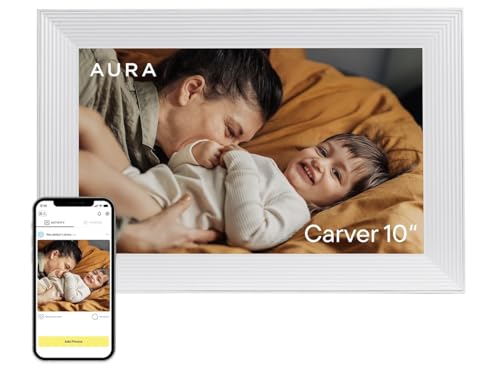
    #3. AURA Carver 10" Digital Picture Frame

    AURA Carver 10" Digital Picture Frame
    Our Score 8.2 / 10 Score details
    Display Quality8.1
    Photo Sharing8.6
    Ease of Use8.3
    Reliability7.5
    Design & Build8.2
    Value7.9
    How we research & score
    BrandAURA
    Wifi Compatibility2.4 GHz Wi-Fi
    Photo TransferAura app; email; text; iCloud; Google Photos
    Screen Size10.1 in
    Display Resolution1280 x 800 px
    Product Dimensions10.5 x 7.3 x 2.1 in
    • 10.1-inch photo display
    • Photo sharing via Aura app, email, text, iCloud and Google Photos
    • Vibrant colors reported in a Carver 10.1-inch review

      For a 10-inch-class frame, the AURA Carver 10 pairs a 10.1-inch, 1280 x 800 display with several ways to share photos: the Aura app, email, text, iCloud and Google Photos. That range may suit households that already use different photo services. A Carver 10.1-inch review reported vibrant colors, though the available evidence does not establish display performance across different rooms or viewing angles.

      The frame uses 2.4 GHz Wi-Fi, so check that your home network supports that band before setup. If touchscreen controls matter to you, the Nixplay 10.1" Digital Picture Frame is listed with a touchscreen and the same 1280 x 800 resolution; touchscreen status for this AURA model is not established here.

      #4. BIGASUO 10.1" Digital Picture Frame

      BIGASUO 10.1" Digital Picture Frame
      Our Score 8.0 / 10 Score details
      Display Quality7.9
      Photo Sharing8.2
      Ease of Use8.1
      Reliability7.6
      Design & Build7.6
      Value8.3
      How we research & score
      BrandBIGASUO
      Photo TransferFrameo app
      Screen Size10.1 in
      Display Resolution1280 x 800 px
      TouchscreenTouchscreen
      Internal Storage32 GB
      External StoragemicroSD
      • Large 10.1-inch display
      • 32 GB internal storage, expandable via microSD
      • On-frame touch controls
      • Wi-Fi required for app-based sharing

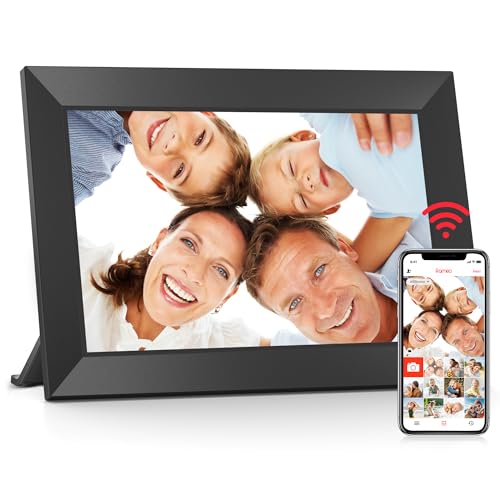
      For a 10-inch-class frame that can keep a sizeable photo library on the device, this BIGASUO model combines a 10.1-inch, 1280 x 800 touchscreen with 32 GB of internal storage and microSD expansion. Its on-frame touch controls let you use the screen directly, while the Frameo app supports phone sharing.

      App-based sharing requires Wi-Fi, so account for a wireless connection when setting up photo transfers. The listing does not specify the Wi-Fi band, so check compatibility if your network has requirements. For more listed ways to send photos, the Nixplay 10.1" Digital Picture Frame supports its app, web app, and email; BIGASUO's listed transfer method is Frameo.

      #5. Skylight 10" Digital Picture Frame

      Skylight 10" Digital Picture Frame
      Our Score 8.0 / 10 Score details
      Display Quality7.8
      Photo Sharing8.3
      Ease of Use8.3
      Reliability7.6
      Design & Build7.8
      Value7.9
      How we research & score
      BrandSkylight
      Photo TransferEmail
      Screen Size10 in
      Display Resolution1280 x 800 px
      TouchscreenTouchscreen
      Internal Storage8 GB
      • Large 10-inch photo display
      • On-frame touch controls
      • 8 GB limits local storage capacity
      • Email is the listed photo-transfer method

      For a 10-inch frame, the Skylight pairs a 10-inch, 1280 x 800 touchscreen with email photo transfer. Touch controls let you adjust the frame on the device, while email suits senders who prefer not to use a photo-sharing app. The resolution is shared by other models in this group, so the useful distinction here is its listed transfer method.

      Its 8 GB of internal storage sets a limit on photos kept locally. If you want app-based sharing and more specified local storage, the AEEZO 10.1" Digital Picture Frame lists 32 GB and the AiMOR app. Choose Skylight if email and on-frame touch controls fit how you plan to send and manage photos.

      What to Look For

      Screen detail and touch: All five listed models have 10- or 10.1-inch screens with 1280 x 800 px resolution. Nixplay, AEEZO, BIGASUO, and Skylight list touchscreens; choose among them if you want on-frame touch controls. The supplied facts do not settle touchscreen status for the AURA Carver.

      Photo sharing: Match the transfer options to who will send pictures. Nixplay lists an app, web app, and email; AURA lists its app, email, text, iCloud, and Google Photos. AEEZO and BIGASUO list the AiMOR and Frameo apps, respectively, while Skylight lists email. BIGASUO's app-based sharing requires Wi-Fi.

      Local storage: AEEZO's selected 10.1-inch black model lists 32 GB built in and microSD support up to 64 GB. BIGASUO's selected 32 GB model lists microSD expansion, with no capacity limit established here. Skylight's selected 10-inch black model lists 8 GB. If keeping more photos on the frame matters, compare these stated capacities rather than assuming all models offer the same storage.

      For practical advice, see How to Load Photos onto a Digital Frame Without Wi-Fi.

      How We Picked

      We identified candidates through broad research across review sites and buyer forums, then filtered the results to models marketed with 10- or 10.1-inch screens. The comparison focuses on display features, photo transfer, and stated local storage for this screen-size group.

      We scored the selected models with the same research-based pillar framework used in the main Digital Picture Frames post. This supports direct comparison within the 10-inch-class group, but the scores are assessments based on research, not physical product tests.

      See Also