




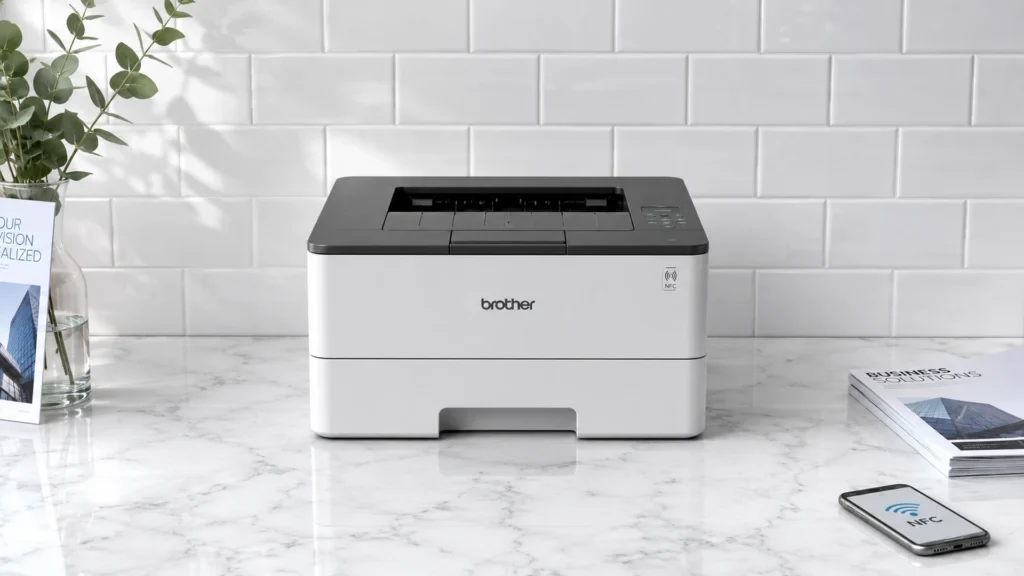
NFC tap-to-print laser printers let you start a job by tapping a phone near the printer. Buyers in this group care about everyday speed, stable wireless printing after the tap, and text that stays sharp on normal office pages.
Picking one is harder than it looks because the NFC feature does not fix the rest. You still need solid pages-per-minute output, dependable duplex printing, and enough paper capacity to avoid frequent reloads. Connectivity also matters since some printers handle Wi-Fi well but can feel slow over multi-page jobs.
Looking for all types? See our Best Laser Printers.
Quick Overview
Our Top Picks
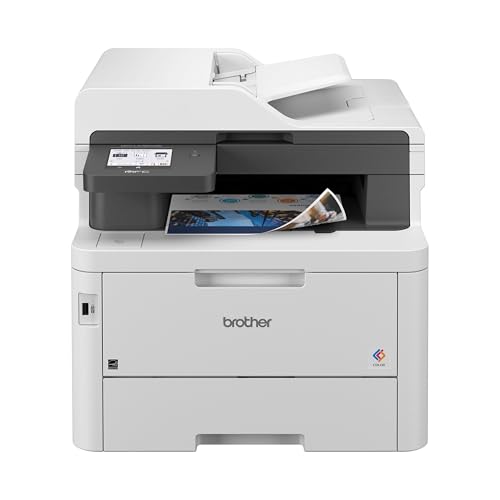
#1. Brother HL-L3295CDW Laser Printer

Specifications
| Brand | Brother |
|---|---|
| Output Color | Color |
| Print Speed | 31 ppm |
| First Page Out Time | Less than 12.5 sec |
| Monthly Duty Cycle | 30000 pages/month |
| Paper Capacity | 280 sheets |
| Duplex Printing | Automatic |
| Connectivity | Mobile & Ethernet |
Pros
- Fast, stable Wi‑Fi printing
- Reliable feeds across sizes
- Strong performance for price
Cons
- Premature toner shutdown
- Toner value concerns
Brother HL-L3295CDW stands out for NFC tap-to-print in this printer class. You can tap a phone to the printer and start a job without menus or long setup steps. Day to day, it also feels quick once it has a connection, with less than 12.5 sec first page out time and up to 31 ppm for steady work.
The main trade-off is in consumables behavior. Some users report premature toner shutdown, which can interrupt print runs sooner than expected. Toner value also seems mixed, so this is best for people who print often enough to keep cartridges moving, and who want color laser speed plus simple tap access when someone needs to print fast.
#2. Brother MFC-L3780CDW Laser Printer

Specifications
| Brand | Brother |
|---|---|
| Output Color | Color |
| Print Speed | 31 ppm |
| Max Resolution | 2400 x 600 dpi |
| Monthly Duty Cycle | 50000 pages/month |
| Paper Capacity | 250 sheets |
| Duplex Printing | Automatic |
| Connectivity | Wi-Fi, Ethernet, Wi-Fi Direct, USB, NFC |
Pros
- Fast, stable Wi‑Fi printing
- Even toner, clean edges
- Automatic double-sided
Cons
- Windows 7 incompatibility
- Driver setup friction
If you want tap-to-print convenience in a color laser, the Brother MFC-L3780CDW is a strong match. It includes NFC for quick phone printing, and it also keeps wireless printing stable with Wi-Fi plus Ethernet. In everyday use, the 31 ppm speed and automatic double-sided printing help it move through multi-page documents without feeling sluggish.
The main trade-off is software friction on older systems, since it has Windows 7 incompatibility and some driver setup friction reported by users. This printer fits best for homes or small offices that mainly print from modern phones and Windows computers, want clean, even toner output, and care about reliable duplex at the same time.
#3. Brother MFC-L8900CDW Laser Printer

Specifications
| Brand | Brother |
|---|---|
| Output Color | Color |
| Print Speed | 33 ppm |
| Max Resolution | 2400 x 600 dpi |
| Monthly Duty Cycle | 60000 pages/month |
| Paper Capacity | 250 sheets |
| Duplex Printing | Automatic |
| Connectivity | USB, Ethernet, Wi-Fi, Wi-Fi Direct, NFC |
Pros
- Even toner, clean edges
- Snappy first page
- Fast, stable Wi‑Fi printing
Cons
- Weak scanning
- Firmware lock-down
Tap-to-print users get a strong day-to-day laser experience from the Brother MFC-L8900CDW, mainly because NFC is backed by solid wireless printing. It moves at up to 33 ppm and feels quick to start sending jobs, with a snappy first page. Color output stays crisp, with even toner and clean edges that work well for office charts and documents that need to look sharp.
The trade-off is mixed scanning performance and a more locked down firmware experience. If you mainly print and use NFC to simplify phone or guest printing, this model fits well. If scanning speed and flexible settings matter as much as printing, you may want to look elsewhere.
#4. Brother MFC-L2750DW Laser Printer

Specifications
| Brand | Brother |
|---|---|
| Output Color | Monochrome |
| Print Speed | 36 ppm |
| Max Resolution | 2400 x 600 dpi |
| Monthly Duty Cycle | 15000 pages/month |
| Paper Capacity | 250 sheets |
| Duplex Printing | Automatic |
| Connectivity | USB, Ethernet, Wi-Fi, Wi-Fi Direct, NFC |
Pros
- Reliable feeds across sizes
- Fast laser prints
- Automatic double-sided
Cons
- First-print defects
- Setup friction
- Router discovery issues
For NFC tap-to-print users, the Brother MFC-L2750DW stands out because it combines NFC with solid everyday laser speed. With up to 36 ppm, jobs feel quick once printing starts, and automatic double-sided printing helps keep multi-page documents moving. It also supports multiple ways to connect, including Wi-Fi Direct, Wi-Fi, Ethernet, and USB, so you are not stuck with one setup.
The main trade-off shows up in first prints and setup. Some buyers report first-print defects, and there can be friction getting wireless running smoothly, including router discovery issues. This printer fits best for home and small offices that want reliable paper handling, duplex on by default, and quick tap-to-print access, as long as you are willing to spend a little time dialing in initial setup.
What to Look For
NFC tap reliability: Check whether NFC tap-to-print consistently triggers printing from the app you use. If the printer needs extra steps every time, the NFC feature will not help in daily use.
Real print speed and first-page-out time: Favor models with quick first-page-out time for short documents. For workgroups, also look for strong pages-per-minute on multi-page print runs so output does not slow down.
Sharp text and clean toner coverage: If you print mostly text, prioritize crisp small fonts and even toner coverage across the page. For color models, watch for banding or uneven darkness on typical business graphics.
Automatic duplex and paper capacity: Choose printers with Automatic duplex printing so you do not need to flip pages. Also confirm the total paper input capacity is high enough for your normal month, since refills interrupt workflows.
Connectivity that stays stable: Make sure you have the connection types you need for tap-to-print plus backups, usually USB and Wi-Fi. Stable Wi-Fi matters when you print from multiple devices in the same space.
How We Picked
Products were identified through broad research across review sites and buyer forums, then filtered to only those that qualify as NFC Tap-to-Print Laser Printers.
Scoring used the same objective pillar framework as the main Laser Printers post, allowing direct comparison of products within this sub-category.
Frequently Asked Questions
What does NFC Tap-to-Print actually do on a laser printer?
NFC lets you print by tapping your phone or card near the printer. Your device shares the print job details to the printer in seconds. You usually still choose the file in an app once, then tap to send it.
Do NFC tap-to-print printers need Wi-Fi to work?
Many NFC printers still use Wi-Fi for the full print path. NFC mainly helps with quick setup and pushing the job. If you want printing without any network, check whether your model supports Wi-Fi Direct or a similar option.
How is NFC tap-to-print different from using a print app on a laser printer?
A print app sends the job over Wi-Fi or USB after you pick the printer. NFC cuts down the steps by pairing and launching the right printer flow with one tap. It also helps when you switch between different phones in an office.
Which feature matters more for buying: NFC or automatic duplex printing?
Automatic duplex printing often saves more time and paper. NFC only speeds up sending the job. If you print many double sided pages, duplex can improve daily use more than NFC.
When should I choose a non NFC laser printer instead?
Choose a non NFC model if you mostly print from one computer at home or use wired USB. NFC adds convenience, but it may not matter if you rarely print from phones. Also compare overall speed, paper capacity, and toner cost before you focus on NFC.
How do NFC tap-to-print laser printers compare to other laser printers in setup time?
NFC models often feel faster to set up for phone printing. You can tap to trigger the right print route instead of digging through Wi-Fi menus. Still, you should expect a one time setup for the app and printer connection.


