




The 9 Best Color Laser Printers in 2026

Transparency Note: This post contains affiliate links. As an Amazon Associate, we earn from qualifying purchases at no extra cost to you.

Color laser printers use toner to print full color pages with crisp text. For buyers in this sub-category, the key needs are consistent output quality, fast everyday speed, and dependable duplex printing for reports, handouts, and office forms.

Picking a color laser is hard because you balance real speed against cost and paper load. The trade-offs often show up as slower first pages, uneven color or banding in graphics, and trays that struggle when you run heavier paper. Connectivity choices also matter, since Wi-Fi can add delays or setup steps compared with USB.

Use the buying checklist below to match your volume, paper types, and connection needs to the printer models in this guide. Looking for all types? See our Best Laser Printers.

Quick Overview

Canon imageCLASS MF665Cdw Laser Printer
#1 Canon imageCLASS MF665Cdw Laser Printer
Canon imageCLASS MF753Cdw Laser Printer
#2 Canon imageCLASS MF753Cdw Laser Printer
Brother HL-L3295CDW Laser Printer
#3 Brother HL-L3295CDW Laser Printer
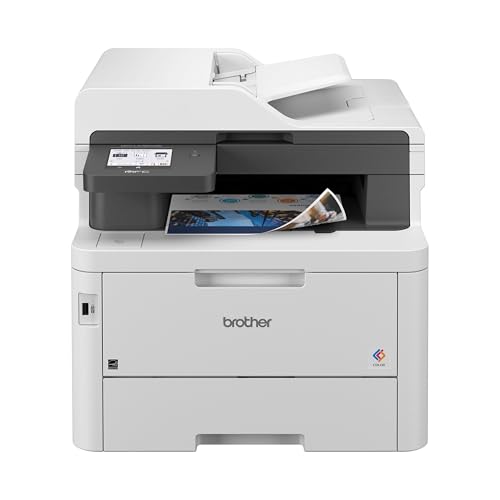
Brother MFC-L3780CDW Laser Printer
#4 Brother MFC-L3780CDW Laser Printer
Brother MFC-L8900CDW Laser Printer
#5 Brother MFC-L8900CDW Laser Printer
Kyocera ECOSYS M8124cidn Laser Printer
#6 Kyocera ECOSYS M8124cidn Laser Printer
HP Color LaserJet Pro MFP 3301fdw Laser Printer
#7 HP Color LaserJet Pro MFP 3301fdw Laser Printer
Lexmark CX331adwe Laser Printer
#8 Lexmark CX331adwe Laser Printer
Ricoh Aficio MP C4504 Laser Printer
#9 Ricoh Aficio MP C4504 Laser Printer

Our Top Picks

#1. Canon imageCLASS MF665Cdw Laser Printer

Canon imageCLASS MF665Cdw Laser Printer
Our Score
8.3 / 10
hover for details
Performance
8.4
Print Quality
8.6
Paper Handling
8.2
Connectivity
8.3
Reliability
7.7
Value
8
BrandCanon
Output ColorColor
Print Speed26 ppm
First Page Out Time10.3 sec
Max Resolution1200 x 1200 dpi
Paper Capacity250 sheets
Duplex PrintingAutomatic
ConnectivityWi-Fi
  • Snappy first page
  • Fast, stable Wi‑Fi printing
  • Strong performance for price
  • Higher toner costs
  • Photo output limits

The Canon imageCLASS MF665Cdw is a standout color laser for people who want quick, everyday printing that stays steady over Wi-Fi. It turns in a snappy first page in 10.3 sec and runs at up to 26 ppm, which helps when you print multi-page documents without long pauses. The 1200 x 1200 dpi output keeps text crisp and color graphics clear enough for regular business use.

The main trade-off is running cost. Toner can be pricey, so it makes more sense for light to moderate color volume than for lots of full-page color every day. It is also not ideal for heavy photo-style printing, since laser output tends to favor sharp text and simple graphics over smooth, continuous-tone images.

→ Read full review

#2. Canon imageCLASS MF753Cdw Laser Printer

Canon imageCLASS MF753Cdw Laser Printer
Our Score
8.2 / 10
hover for details
Performance
8.3
Print Quality
8.5
Paper Handling
8.2
Connectivity
8.2
Reliability
7.7
Value
7.9
BrandCanon
Output ColorColor
Print Speed35 ppm
First Page Out Time7 sec
Max Resolution1200 x 1200 dpi
Paper Capacity250 sheets
Duplex PrintingAutomatic
ConnectivityWi-Fi Direct, Wi-Fi
  • Snappy first page
  • Even toner, clean edges
  • Automatic double-sided
  • Won’t print borderless
  • Quality variability

The Canon imageCLASS MF753Cdw stands out in color laser use because it feels fast right away. It turns around the first page in about 7 seconds and runs at up to 35 ppm, so color documents do not wait around. Text and graphics look clean, with even toner and sharp edges that hold up well for everyday reports and handouts. Automatic double-sided printing also keeps multi-page jobs moving without extra steps.

The main trade-off is color consistency. Some users may see variability in print quality, so it is not the best pick for color that must match perfectly across large runs. It also cannot do borderless prints, so flyers and photo-style layouts need careful margin planning. If you want a solid, responsive color laser for office tasks and scans, this model fits well, but for high-stakes, color-critical output, you may need to test before committing.

#3. Brother HL-L3295CDW Laser Printer

Brother HL-L3295CDW Laser Printer
Our Score
8.1 / 10
hover for details
Performance
8.3
Print Quality
8.5
Paper Handling
8.2
Connectivity
8.3
Reliability
7.1
Value
8
BrandBrother
Output ColorColor
Print Speed31 ppm
First Page Out TimeLess than 12.5 sec
Monthly Duty Cycle30000 pages/month
Paper Capacity280 sheets
Duplex PrintingAutomatic
ConnectivityMobile & Ethernet
  • Fast, stable Wi‑Fi printing
  • Reliable feeds across sizes
  • Strong performance for price
  • Premature toner shutdown
  • Toner value concerns

Brother HL-L3295CDW stands out for hands-on speed and steady wireless use in a color laser setting. It prints up to 31 ppm and gets your first page out in under 12.5 sec, which helps when you print short, frequent jobs. Automatic duplex is also a plus for everyday two-sided work without extra steps, and the 280-sheet input limit keeps reloading interruptions down.

The trade-off is consumable management. Some users report premature toner shutdown, and toner value can feel less predictable than expected. This model fits best for small offices or home setups that need dependable color output, fast startup, and Wi-Fi convenience, while being willing to monitor toner behavior when prints start to drop.

→ Read full review

#4. Brother MFC-L3780CDW Laser Printer

Brother MFC-L3780CDW Laser Printer
Our Score
8.1 / 10
hover for details
Performance
8.1
Print Quality
8.2
Paper Handling
8.3
Connectivity
8.2
Reliability
7.9
Value
7.9
BrandBrother
Output ColorColor
Print Speed31 ppm
Max Resolution2400 x 600 dpi
Monthly Duty Cycle50000 pages/month
Paper Capacity250 sheets
Duplex PrintingAutomatic
ConnectivityWi-Fi, Ethernet, Wi-Fi Direct, USB, NFC
  • Fast, stable Wi‑Fi printing
  • Even toner, clean edges
  • Automatic double-sided
  • Windows 7 incompatibility
  • Driver setup friction

Brother MFC-L3780CDW is notable in color laser printing because it stays quick and steady over wireless. With a 31 ppm rating and automatic double-sided printing, it handles day to day text and charts without the slowdown many office color models get. The output looks crisp, with even toner and clean edges that work well for documents and simple graphics.

The main trade-off is setup friction on older PCs. There is a Windows 7 incompatibility, and some people may find the driver setup process a bit annoying. This printer fits best for small offices or home workgroups that want reliable Wi Fi and Ethernet options, and who print both single and double-sided pages regularly.

#5. Brother MFC-L8900CDW Laser Printer

Brother MFC-L8900CDW Laser Printer
Our Score
8.1 / 10
hover for details
Performance
8.3
Print Quality
8
Paper Handling
8.2
Connectivity
8.2
Reliability
7.9
Value
7.7
BrandBrother
Output ColorColor
Print Speed33 ppm
Max Resolution2400 x 600 dpi
Monthly Duty Cycle60000 pages/month
Paper Capacity250 sheets
Duplex PrintingAutomatic
ConnectivityUSB, Ethernet, Wi-Fi, Wi-Fi Direct, NFC
  • Even toner, clean edges
  • Snappy first page
  • Fast, stable Wi‑Fi printing
  • Weak scanning
  • Firmware lock-down

This Brother MFC-L8900CDW stands out in the color laser space for fast, steady color output over Wi-Fi and solid text clarity. With a rated 33 ppm, it feels quick for everyday printing, and users typically see a snappy first page plus clean toner coverage and even results. Duplex printing runs automatically, and the combo of USB, Ethernet, Wi-Fi, Wi-Fi Direct, and NFC makes it easy to place in a busy office or workgroup.

The main drawback is scanning. The included scanner can feel weak compared to its printing side, so it may not be the best all-in-one for heavy document capture. Another watch-out is firmware lock-down, which can limit how much control you have over device behavior. This is a good pick if you want reliable color laser prints and dependable network printing more than strong scan performance.

#6. Kyocera ECOSYS M8124cidn Laser Printer

Kyocera ECOSYS M8124cidn Laser Printer
Our Score
7.9 / 10
hover for details
Performance
8.1
Print Quality
8.1
Paper Handling
8.2
Connectivity
7.6
Reliability
7.6
Value
7.4
BrandKYOCERA
Output ColorColor
Print Speed24 ppm
First Page Out Time8 sec
Max Resolution1200 x 1200 dpi
Monthly Duty Cycle100000 pages/month
Duplex PrintingAutomatic
ConnectivityUSB
  • Snappy first page
  • Heavy-duty capacity
  • Automatic double-sided
  • Limited connectivity

Kyocera ECOSYS M8124cidn stands out in color laser printing because it feels fast at the start of a job. The first page comes out in about 8 sec, and it keeps steady speed for full duplex work at up to 24 ppm. Combined with 1200 x 1200 dpi output, it suits everyday color documents like reports, charts, and handouts where crisp text and clean graphics matter.

The main trade-off is connectivity. It lists USB only, so it is less convenient for shared offices that rely on Wi-Fi or Ethernet. This makes it a better fit for setups where one computer connects directly, or where you can manage printing through a local workflow rather than over a network.

#7. HP Color LaserJet Pro MFP 3301fdw Laser Printer

HP Color LaserJet Pro MFP 3301fdw Laser Printer
Our Score
7.9 / 10
hover for details
Performance
8.1
Print Quality
8.6
Paper Handling
7.3
Connectivity
7.7
Reliability
7.3
Value
7.9
BrandHP
Output ColorColor
Print Speed26 ppm
First Page Out Timeunder 10 seconds
Max Resolution600 x 600 dpi
Monthly Duty Cycle40000 pages/month
Paper Capacity250 sheets
Duplex PrintingAutomatic
ConnectivityWi-Fi
  • Snappy first page
  • Automatic double-sided
  • Even toner, clean edges
  • Lower resolution output
  • Limited connectivity

HP Color LaserJet Pro MFP 3301fdw is notable in the color laser space for its everyday speed and usable output. It turns around the first page in under 10 seconds and keeps a steady pace at up to 26 ppm, so color documents do not feel delayed. The automatic double sided printing helps too, and toner coverage looks clean with even color and crisp edges for text and simple graphics.

The main trade-off is print resolution at 600 x 600 dpi, which can matter if you print very fine details or graphics. Connectivity is also limited to Wi-Fi, so anyone who wants wired reliability may need to rely on network wireless instead. This makes it a better fit for small teams that print moderate volumes, mostly for clear color documents rather than high-detail color output.

#8. Lexmark CX331adwe Laser Printer

Lexmark CX331adwe Laser Printer
Our Score
7.6 / 10
hover for details
Performance
7.6
Print Quality
8.1
Paper Handling
8
Connectivity
7.2
Reliability
6.6
Value
7.9
BrandLexmark
Output ColorColor
Print Speed26 ppm
First Page Out Time10.6 sec
Max Resolution600 dpi
Monthly Duty Cycle50000 pages/month
Paper Capacity251 sheets
Duplex PrintingAutomatic
ConnectivityWi-Fi, USB, Ethernet
  • Even toner, clean edges
  • Reliable feeds across sizes
  • Lower resolution output

The Lexmark CX331adwe stands out for consistent, clean output in a color laser setting. It delivers even toner and sharp-looking edges, which helps when you print charts, slides, and everyday color documents. It also keeps paper feeding dependable across different sizes, and automatic duplex printing makes two-sided jobs easier to run without extra steps.

The main trade-off is print sharpness. With a max resolution of 600 dpi, text and fine graphics can look less crisp than higher-resolution color lasers. This printer fits best for offices that want reliable duplex color and tidy toner coverage for routine documents, not for users who need the crispest small text and detailed graphics.

#9. Ricoh Aficio MP C4504 Laser Printer

Ricoh Aficio MP C4504 Laser Printer
Our Score
7.6 / 10
hover for details
Performance
7.8
Print Quality
8.1
Paper Handling
7.8
Connectivity
7.1
Reliability
6.9
Value
7.3
BrandRicoh
Output ColorColor
Print Speed45 ppm
First Page Out Timeless than six seconds
Max Resolution1200 x 1200 dpi
Paper Capacity1200 sheets
Duplex PrintingAutomatic
ConnectivityWi-Fi
  • Even toner, clean edges
  • Quick first page
  • Automatic double-sided
  • Reliable-ish, some recurring issues
  • Driver setup friction
  • Magenta TD sensor error

The Ricoh Aficio MP C4504 stands out for color laser output that stays fast and consistent in daily office use. It is rated at 45 ppm and has a first page out time under 6 seconds, so color documents do not feel slow to start. Print results tend to look solid, with even toner and clean edges, and it uses automatic duplex printing for two sided jobs.

The main trade-off is setup and maintenance friction. Some users report recurring issues, including a magenta TD sensor error, and driver setup can be less straightforward than expected. This makes it a better fit for teams that can handle basic printer troubleshooting and want dependable color throughput, rather than for anyone who expects a trouble free plug and print experience.

What to Look For

Performance: Match real job flow to your use. Look for strong ppm for color and quick first-page-out time, especially if you print single pages often. Check for stable duplex and Wi-Fi throughput so multi-page reports do not slow down.

Print Quality: Prioritize crisp text and clean graphics. On color laser models, watch for toner consistency and any signs of banding on gradients. If you print small fonts or charts, choose the printer that keeps edges sharp and colors even across pages.

Paper Handling: Plan for the paper you actually run. Choose higher input capacity when you print often, and confirm automatic duplex support. If you use envelopes, labels, or heavier stock, you want fewer misfeeds and predictable tray behavior.

Connectivity: Make setup painless and keep printing steady. Look for the connection mix you need: USB for direct control, Wi-Fi for shared use, and Ethernet if you want the most stable network printing. Mobile printing support can also reduce friction for shared offices.

Value for Color Toner: Think beyond the purchase price. Color lasers can cost more per page due to toner and drum replacement. Compare models by expected output performance and how likely the printer is to run without jams, since downtime raises the real cost.

How We Picked

Products were identified through broad research across review sites and buyer forums, then filtered to only those that qualify as Color Laser Printers. Each model in the list sits in the same usage lane: color toner output for home offices and small workgroups.

Scoring used the same objective pillar framework as the main Laser Printers post, allowing direct comparison of products within this sub-category. We rated performance, print quality, paper handling, connectivity, reliability, and value, then ranked printers by the most balanced mix for everyday color laser printing.

Frequently Asked Questions

What should I check first before buying a color laser printer?

Start with monthly duty cycle and paper capacity. Next, check duplex printing so you do not waste paper. Finally, confirm your connection options like Wi-Fi, Ethernet, and USB are a good fit for your setup.

How do print speed and first page out time affect real daily use?

Print speed matters more for long multi page jobs. First page out time affects how fast documents start after you hit print. Together, they decide if the printer feels quick for both short and big tasks.

Do color laser printers need different maintenance than black and white models?

They need similar care like keeping the paper dry and clean. Color models also depend on each toner and imaging unit, so skipping use for long periods can cause uneven output. Run a few test pages after gaps to help keep color consistent.

What is the difference between basic connectivity and one that works smoothly on a network?

Look for stable Wi-Fi plus easy setup, not just Wi-Fi support. Ethernet often performs more reliably in busy offices. If you print from phones, check for mobile printing support in the printer app.

When should I choose a different type of laser printer instead of a color laser?

Choose monochrome laser if you print mostly text and want the lowest cost per page. Color laser makes more sense if you regularly print charts, marketing sheets, or colored documents. If color is occasional, consider printing it through a local print shop.

How do color laser printers compare to other laser printers in print quality and consistency?

Color laser printers can produce sharp text and good graphics, but color accuracy varies by model. Black and white laser printers usually stay more consistent because there is only one toner to manage. If you need accurate color every time, prioritize higher quality and consistent toner coverage.

See Also

Share:
On Key
You Might Also Like