




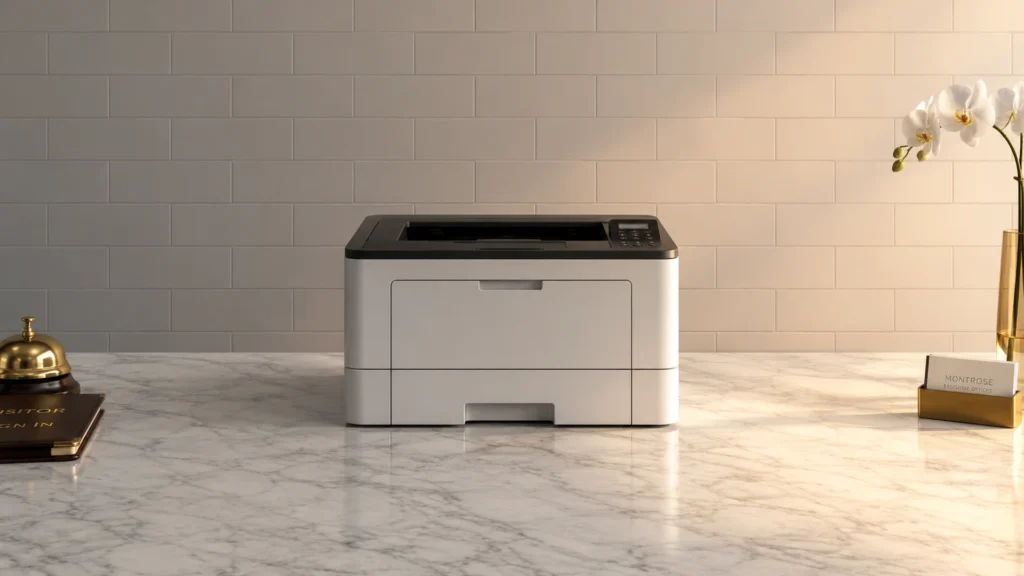
The 10 Best Monochrome Laser Printers in 2026

Transparency Note: This post contains affiliate links. As an Amazon Associate, we earn from qualifying purchases at no extra cost to you.

Monochrome laser printers print in black and white only. That matters because you are buying for crisp text, solid sharpness, and steady output on everyday documents. In this sub-category, you also need good duplex support, dependable paper feeding, and wireless options if multiple people share the printer.

Picking one model is hard because the trade-offs are real. Faster prints can cost more up front. Higher duty-cycle specs may still use costly replacement parts. Bigger paper input helps office workflows, but it often comes with a larger footprint. Connectivity also varies, and weak Wi-Fi can ruin the daily experience even when print quality looks good.

Use this guide to match your print pace, paper habits, and connection needs to the right monochrome laser model for your desk or small office, then make sure you also compare across the full category when you need broader options with different capabilities; Looking for all types? See our Best Laser Printers.

Quick Overview

Brother MFC-L2900DW Laser Printer
#1 Brother MFC-L2900DW Laser Printer
Brother HL-6210DW Laser Printer
#2 Brother HL-6210DW Laser Printer
Brother HL-L2460DW Laser Printer
#3 Brother HL-L2460DW Laser Printer
Canon imageCLASS MF462dw Laser Printer
#4 Canon imageCLASS MF462dw Laser Printer
Brother HL-L2405W Laser Printer
#5 Brother HL-L2405W Laser Printer
HP LaserJet Pro M404dn Laser Printer
#6 HP LaserJet Pro M404dn Laser Printer
HP LaserJet Pro M404dw Laser Printer
#7 HP LaserJet Pro M404dw Laser Printer
HP LaserJet Pro 4101fdw Laser Printer
#8 HP LaserJet Pro 4101fdw Laser Printer
Brother MFC-L2820DW Laser Printer
#9 Brother MFC-L2820DW Laser Printer
Brother DCP-L2640DW Laser Printer
#10 Brother DCP-L2640DW Laser Printer

Our Top Picks

#1. Brother MFC-L2900DW Laser Printer

Brother MFC-L2900DW Laser Printer
Our Score
8.4 / 10
hover for details
Performance
8.6
Print Quality
8.8
Paper Handling
8.1
Connectivity
8.1
Reliability
8
Value
8.2
BrandBrother
Output ColorMonochrome
Print Speed36 ppm
Max Resolution1200 x 1200 dpi
Monthly Duty Cycle35000 pages/month
Paper Capacity250 sheets
Duplex PrintingAutomatic
ConnectivityWi-Fi, Ethernet, USB
  • Consistently low jam rates
  • Reliable feeds across sizes
  • Fast, stable Wi‑Fi printing
  • Monochrome-only output

Brother MFC-L2900DW stands out in monochrome laser printing by focusing on dependable everyday output. With rated speeds up to 36 ppm and a 1200 x 1200 dpi maximum resolution, text stays sharp and readable for business documents. Just as important, users tend to see consistently low jam rates and reliable paper feeds across common paper sizes, so duplex prints and larger jobs do not turn into frequent interruptions.

The main trade-off is that it is monochrome only, so it will not work for anything that needs charts, logos, or forms in color. It is a strong fit for offices and home setups that print mostly black-and-white, want automatic duplex, and rely on stable Wi-Fi and Ethernet for regular printing from multiple devices.

→ Read full review

#2. Brother HL-6210DW Laser Printer

Brother HL-6210DW Laser Printer
Our Score
8.4 / 10
hover for details
Performance
8.6
Print Quality
8.7
Paper Handling
8.2
Connectivity
8.1
Reliability
8.1
Value
8.1
BrandBrother
Output ColorMonochrome
Print Speed50 ppm
First Page Out Time6.7 sec
Max Resolution1200 x 1200 dpi
Monthly Duty Cycle50000 pages/month
Paper Capacity620 sheets
Duplex PrintingAutomatic
ConnectivityEthernet, Wi-Fi
  • Snappy first page
  • Consistently low jam rates
  • Strong performance for price
  • Monochrome-only output

This Brother HL-6210DW stands out in the monochrome laser category for how quickly it starts printing and how steadily it keeps going. The first page drops in about 6.7 sec, and the printer is rated at up to 50 ppm, which makes it feel responsive for frequent, smaller print jobs. It also has a track record of low jam rates, so you spend less time clearing paper and more time printing.

The main trade-off is simple: it only prints in black and white. That makes it a strong pick for offices and home work setups focused on text documents, invoices, and reports, especially when you want automatic duplex printing. With Wi-Fi and Ethernet alongside USB, it is also a practical choice for shared networks where reliability matters.

→ Read full review

#3. Brother HL-L2460DW Laser Printer

Brother HL-L2460DW Laser Printer
Our Score
8.3 / 10
hover for details
Performance
8.3
Print Quality
8.7
Paper Handling
8
Connectivity
8.1
Reliability
8.2
Value
8.5
BrandBrother
Output ColorMonochrome
Print Speed36 ppm
Max Resolution1200 x 1200 dpi
Monthly Duty Cycle35000 pages/month
Paper Capacity250 sheets
Duplex PrintingAutomatic
ConnectivityWi-Fi, Ethernet, USB
  • Snappy first page
  • Fast, stable Wi‑Fi printing
  • Consistently low jam rates
  • Monochrome-only output

Brother HL-L2460DW stands out in monochrome laser printers for its fast, steady everyday output paired with strong network performance. It is rated up to 36 ppm, and it tends to feel quick to start, with a snappy first page. With Wi Fi and Ethernet, multi page jobs stay consistent instead of slowing down, and users commonly report low jam rates.

The trade-off is simple: it prints only in black and white. This makes it a good fit for home offices and small teams that mainly handle text documents, reports, and duplex copies. If you need charts in color or color labels, you will need a color laser instead.

#4. Canon imageCLASS MF462dw Laser Printer

Canon imageCLASS MF462dw Laser Printer
Our Score
8.3 / 10
hover for details
Performance
8.4
Print Quality
8.6
Paper Handling
8.2
Connectivity
8.3
Reliability
7.9
Value
8
BrandCanon
Output ColorMonochrome
Print Speed37 ppm
First Page Out Time5 sec
Max Resolution1200 x 1200 dpi
Paper Capacity900 sheets
Duplex PrintingAutomatic
  • Snappy first page
  • Automatic double-sided
  • Fast, stable Wi‑Fi printing
  • Monochrome-only output
  • Setup bulk concern

Canon imageCLASS MF462dw stands out in the monochrome laser category for feeling quick in day to day use. It delivers a snappy first page in about 5 sec, then keeps a steady pace at rated speeds up to 37 ppm. Automatic double sided printing helps it handle common office jobs without extra steps, and Wi Fi stays fast and stable once set up.

The main trade off is simple: this is monochrome only, so it is not for anyone who needs color. It also may take a bit of time to get ready if you plan to print in larger batches right away. This model fits best when you print mostly text, need dependable duplex output, and want a focused mono unit with strong everyday responsiveness.

→ Read full review

#5. Brother HL-L2405W Laser Printer

Brother HL-L2405W Laser Printer
Our Score
8.2 / 10
hover for details
Performance
8.1
Print Quality
8.6
Paper Handling
8.1
Connectivity
7.3
Reliability
8.1
Value
8.6
BrandBrother
Output ColorMonochrome
Print Speed30 ppm
Max Resolution1200 x 1200 dpi
Monthly Duty Cycle35000 pages/month
Paper Capacity250 sheets
ConnectivityWi-Fi, USB
  • Consistently low jam rates
  • Reliable feeds across sizes
  • Strong performance for price
  • Monochrome-only output
  • Sleep disconnects Wi-Fi
  • WPS connection failures

The Brother HL-L2405W stands out in monochrome laser use because it stays dependable while printing mostly text. Users typically report consistently low jam rates and solid feeding across different paper sizes. With a 30 ppm spec and 1200 x 1200 dpi resolution, it handles everyday document runs without feeling slow, which matters more for a basic black-and-white printer than extra print tricks.

The main trade-off is connectivity behavior over Wi-Fi. Some buyers report sleep causing Wi-Fi disconnects, and WPS can fail during setup. This makes it a better pick for people who can use USB regularly or who do not mind tweaking wireless settings. It is also monochrome-only, so it fits offices and homes that prioritize crisp text over anything graphic or color.

→ Read full review

#6. HP LaserJet Pro M404dn Laser Printer

HP LaserJet Pro M404dn Laser Printer
Our Score
8.2 / 10
hover for details
Performance
8.2
Print Quality
8.5
Paper Handling
8.3
Connectivity
7.1
Reliability
8.2
Value
8.3
BrandHP
Output ColorMonochrome
Print Speed40 ppm
First Page Out Time6.1 sec
Max Resolution1200 x 1200 dpi
Monthly Duty Cycle80000 pages/month
Paper Capacity250 sheets
Duplex PrintingAutomatic
ConnectivityEthernet
  • Snappy first page
  • Consistently low jam rates
  • Automatic double-sided
  • Limited connectivity
  • Toner cost sensitivity
  • Monochrome-only output

HP LaserJet Pro M404dn stands out in monochrome laser printers for its fast day-to-day pace and smooth duplex work. It turns in a snappy first page in about 6.1 sec and keeps output moving at up to 40 ppm. Automatic double-sided printing also helps when you need two-sided documents without babysitting the job, and user reports of consistently low jam rates make it feel dependable for regular office runs.

The main trade-off is connectivity. It leans on Ethernet rather than flexible wireless options, so it fits best where you can plug into a network. It is also toner cost sensitive, so it works better for users with predictable print volume who want steady monochrome text quality without frequent surprises. If you need reliable black-and-white output for business documents, this model is a practical pick.

→ Read full review

#7. HP LaserJet Pro M404dw Laser Printer

HP LaserJet Pro M404dw Laser Printer
Our Score
8.1 / 10
hover for details
Performance
8.3
Print Quality
8.3
Paper Handling
8.2
Connectivity
7.1
Reliability
8.1
Value
8.3
BrandHP
Output ColorMonochrome
Print Speed40 ppm
First Page Out Time6.3 sec
Monthly Duty Cycle80000 pages/month
Paper Capacity250 sheets
Duplex PrintingAutomatic
ConnectivityEthernet, Wi-Fi, Wi-Fi Direct
  • Consistently low jam rates
  • Automatic double-sided
  • Strong performance for price
  • Monochrome-only output

HP LaserJet Pro M404dw stands out in monochrome laser printing thanks to its dependable day to day speed and steadiness. It is rated up to 40 ppm, with a first page out time of about 6.3 sec, and it keeps moving well on duplex jobs using automatic double sided printing. Users also report consistently low jam rates, which matters when you print many pages each week.

The main trade-off is simple: it is monochrome only, so it is not for people who need color labels or color slides. This model fits best for busy home offices or small teams that want crisp black text, solid Ethernet or Wi-Fi Direct networking, and fewer interruptions than many entry laser printers.

#8. HP LaserJet Pro 4101fdw Laser Printer

HP LaserJet Pro 4101fdw Laser Printer
Our Score
8.1 / 10
hover for details
Performance
8.6
Print Quality
8.3
Paper Handling
8.2
Connectivity
7.4
Reliability
7.6
Value
7.8
BrandHP
Output ColorMonochrome
Print Speed42 ppm
First Page Out Time6.1 sec
Max Resolution1200 x 1200 dpi
Monthly Duty Cycle80000 pages/month
Duplex PrintingAutomatic
ConnectivityWi-Fi, Ethernet, Wi-Fi Direct, Bluetooth
  • Snappy first page
  • Even toner, clean edges
  • Reliable feeds across sizes
  • Monochrome-only output
  • Wireless setup hassle
  • Driver installation failures

This HP LaserJet Pro 4101fdw stands out in monochrome laser duty because it feels fast right away. The first page comes out in about 6.1 sec, and the printer rates at 42 ppm. Text stays crisp, with even toner and clean edges that make it easy to read on invoices, forms, and office docs. It also handles different paper sizes reliably, including duplex jobs, without the usual feed drama.

The trade-off is simple: it prints only in black and white. If your workflow needs color output, this will not fit. Setup can also be a bit fussy for some users, and driver installation failures have been reported, so plan time for setup if you are switching computers. For small offices that print mostly text and want dependable duplex output, it is a solid pick.

→ Read full review

#9. Brother MFC-L2820DW Laser Printer

Brother MFC-L2820DW Laser Printer
Our Score
8.1 / 10
hover for details
Performance
8.2
Print Quality
8.2
Paper Handling
8
Connectivity
8
Reliability
7.6
Value
8.2
BrandBrother
Output ColorMonochrome
Print Speed36 ppm
Max Resolution1200 x 1200 dpi
Monthly Duty Cycle10000 pages/month
Paper Capacity250 sheets
Duplex PrintingAutomatic
ConnectivityWi-Fi, Ethernet, USB
  • Fast, stable Wi‑Fi printing
  • Reliable feeds across sizes
  • Snappy first page
  • Monochrome-only output
  • Third-party toner lightprints

Brother MFC-L2820DW stands out in the monochrome laser space with a practical mix of speed and everyday connectivity. It is rated up to 36 ppm, and real-world use feels responsive, helped by stable Wi-Fi alongside USB and Ethernet. Text prints look sharp for office documents thanks to 1200 x 1200 dpi output, with consistent toner coverage for typical business pages.

The main trade-off is that it is monochrome only, so it will not work for anyone who needs color output. It also depends on toner quality in the real world, with some reports of third-party toner producing lighter prints, so sticking to compatible cartridges matters. Best fit: home offices and small teams that print mostly black text, run automatic duplex, and want reliable wireless performance.

#10. Brother DCP-L2640DW Laser Printer

Brother DCP-L2640DW Laser Printer
Our Score
8.0 / 10
hover for details
Performance
8
Print Quality
8.5
Paper Handling
8.1
Connectivity
7.1
Reliability
7.7
Value
8.3
BrandBrother
Output ColorMonochrome
Print Speed36 ppm
Max Resolution1200 x 1200 dpi
Monthly Duty Cycle30000 pages/month
Paper Capacity250 sheets
Duplex PrintingAutomatic
ConnectivityWi-Fi, Ethernet, USB
  • Snappy first page
  • Even toner, clean edges
  • Automatic duplex workflows
  • Monochrome-only output
  • Deep Sleep wake delay
  • WiFi reconfiguration required

For people shopping in monochrome laser printers, the Brother DCP-L2640DW stands out with fast, everyday output and solid text quality. It is rated at 36 ppm, and users get a snappy first page plus clean, even toner coverage with crisp edges. Automatic duplex printing keeps two sided documents moving without extra steps.

The main trade-off is simple: it is monochrome only, so it is not the choice for mixed color printing. It also has a deep sleep wake delay, which can slow the first print after being idle. Connectivity is good with Wi-Fi, Ethernet, and USB, but Wi-Fi can require reconfiguration if your network settings change.

What to Look For

Speed that matters on real jobs: Check print speed in ppm and, more importantly, first page out time. For quick documents, a shorter first-page time usually feels faster than a higher rated ppm. If you print duplex or over Wi-Fi often, prioritize models known for stable throughput.

Text quality and resolution: Look for clean, sharp text output at typical resolutions like 1200 x 1200 dpi. You want even toner coverage and consistent darkness, not faint characters or streaks. If your work includes small fonts, favor models with strong, consistent output rather than just higher paper specs.

Paper handling for your typical media: Verify the paper capacity in sheets and the presence of automatic duplex printing. If you print more than a few pages, larger input capacity means fewer refill interruptions. Also consider how well the printer feeds your common paper size and whether it keeps duplex reliable.

Connectivity you can trust: Prioritize USB plus at least one network option. Wi-Fi helps for shared spaces, while Ethernet offers steadier performance when wireless is crowded. Make sure the listed connection types fit how you actually print from laptops and phones.

Total cost and duty cycle fit: Compare the monthly duty cycle to your expected volume. A mismatch can lead to extra wear and faster part replacement. Also look at value signals like predictable reliability, since monochrome lasers live or die by low jam rates and reasonably priced maintenance for your usage level.

How We Picked

Products were identified through broad research across review sites and buyer forums, then filtered to only those that qualify as Monochrome Laser Printers. We focused on models that consistently meet the mono requirement and that are commonly considered for home offices and small teams.

Scoring used the same objective pillar framework as the main Laser Printers post, allowing direct comparison of products within this sub-category. We weighed Performance and Print Quality most heavily, then reviewed Paper Handling, Connectivity, Reliability, and Value to rank the printers for everyday black-and-white document printing.

Frequently Asked Questions

What is the main difference between monochrome and color laser printers?

Monochrome laser printers print only black and shades of gray. Color laser models add toner for colors like cyan and magenta. If you mostly print reports, forms, and text, monochrome usually costs less per page. It also tends to be faster and simpler to run.

Should I look for automatic duplex printing in a monochrome laser printer?

Yes, if you print double sided often. Automatic duplex printing saves paper and time. Manual duplex usually means you flip pages yourself. This can slow down big print jobs.

How do I choose between a basic monochrome laser and a model with more paper capacity?

Start with how many pages you print between refills. If you print frequently, higher paper capacity means fewer interruptions. It also helps when you print mixed sizes like letter and legal. Check the input tray size and whether the printer supports the paper types you use.

When is a monochrome laser printer not the best choice?

Skip monochrome if you often print charts, photos, or marketing materials that need color. In that case, a color printer fits better. Also consider laser only if you print regularly. If you print very rarely, inkjet or a multifunction device with low-cost color may be a better fit.

How does a monochrome laser compare to an inkjet for everyday text printing?

Monochrome laser printers usually produce sharper text and faster page output. They also resist smudging better on plain paper. Inkjet printers can be cheaper up front, but the cost per page can rise with heavy text use. Laser also works well for consistent multi page printing.

See Also

Share:
On Key
You Might Also Like