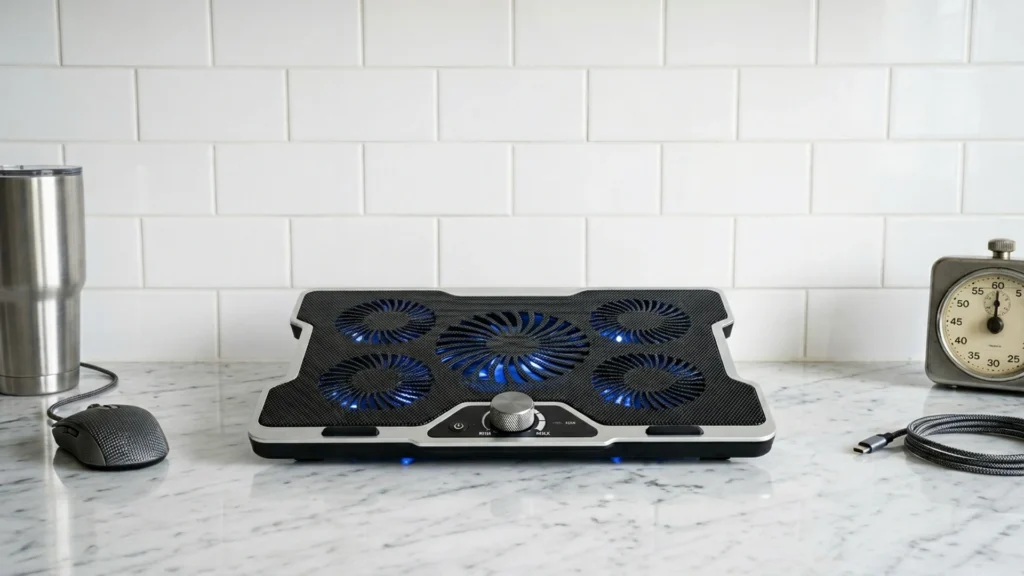
Adjustable-speed laptop cooling pads let you change fan power while you work, game, or browse. In this sub-category, what matters is real temperature drop across the laptop base, not just airflow in one spot. You also need a pad that holds your laptop steady at a usable viewing and typing angle.
Picking the right adjustable-speed pad is hard because cooling, noise, and ergonomics trade off. Higher fan speeds usually reduce heat more, but they also raise dB levels. Fan layout and laptop fit can create hot spots, even on multi-fan models. Adjustable height helps comfort, but cheap stands can wobble when you type.
Use this guide to compare the models that fit your laptop size and your noise tolerance before you buy. Looking for all types? See our Best Laptop Cooling Pads.
Quick Overview
Our Top Picks
#1. IETS GT500 13"-17.3" Cooling Pad

Specifications
| Brand | IETS |
|---|---|
| Supported Laptop Size | 13-17.3 in |
| Fan Speed | 5000 RPM |
| Noise Level | 65 dB |
| Weight | 3.5 lb |
Pros
- Consistent temperature drops
- Sturdy construction, clean fit
- Fits more laptops
Cons
- Noticeable fan hum
- Heavy for portability
- Uneven ramp noise
If you want an adjustable-speed laptop cooling pad for long gaming or heavy work sessions, the IETS GT500 is one of the few models that feels consistently effective. Users typically see clear temperature drops rather than only a brief cool-down. It also fits a wider laptop range, including 13 to 17.3 inch models, so you are less likely to run into edge coverage issues as your device size changes.
The trade-off is sound and portability. Expect a noticeable fan hum, and there is uneven ramp noise when the fan speed changes. At about 3.5 lb, it is not the easiest pad to toss into a backpack every day, but it does feel sturdy and stays cleanly in place during use.
#2. LIANGSTAR 6-Fan 12"-17" Cooling Pad

Specifications
| Brand | LIANGSTAR |
|---|---|
| Supported Laptop Size | 12-17.3 in |
| Number Of Fans | 6 |
| Fan Speed | 2100 RPM |
| Speed Settings | 0-max Settings |
| Adjustable Height Levels | 7 Levels |
| Dimensions | 1.1 x 14.2 x 10 in |
| Weight | 1.8 lb |
Pros
- Smart buy for power
- Adjustable fan control
- Improved laptop stability
Cons
- Max-speed noise noticeable
- Cooling may underperform
This LIANGSTAR pad stands out in the Adjustable-Speed Laptop Cooling Pads space thanks to its adjustable fan control and 7-level height setup. The 6-fan layout helps spread airflow under a 12-17.3 in laptop, and the speed dial lets you match cooling to what you are doing. In everyday work, you can keep it calmer, then raise airflow during longer gaming or heavy tasks.
The main trade-off is noise at max speed, which can become noticeable during focused sessions. Also, real cooling gains may feel more modest than expected if you run demanding loads for long stretches. It is a good pick if you want a stable, height-adjustable stand and prefer dialing fan speed instead of dealing with one fixed setting.
#3. llano V12 15.6"-19" Cooling Pad

Specifications
| Brand | llano |
|---|---|
| Supported Laptop Size | 15.6-19 in |
| Number Of Fans | 5 |
| Fan Speed | 2800 RPM |
| Speed Settings | 3 Settings |
| Adjustable Height Levels | 3 Levels |
| Dimensions | 2.8 x 16.9 x 13 in |
| Weight | 4 lb |
Pros
- Adjustable height
- Quiet low modes
- Intuitive controls
Cons
- Noticeable fan hum
- Noise under load
- Inconsistent thermal drops
The llano V12 cooling pad stands out for its adjustable height paired with 3 speed settings, so you can lift the front edge for better airflow under a 15.6-19 in laptop without changing your desk setup. In everyday use, the low modes feel controlled, and the controls are easy to reach and tweak while you work. With 5 fans and a peak speed of 2800 RPM, it has the hardware to push air across a wide base, though real temperature drops can feel uneven.
The trade-off is sound. A noticeable fan hum shows up, and noise under load can be distracting during gaming or long CPU-heavy sessions. If you want lift and simple speed control more than near-silent cooling, it is a solid pick, especially for users who swap between typing comfort and stronger airflow during busy workloads.
What to Look For
Cooling performance at sustained use: Look for meaningful temperature reduction during long loads, not just a quick drop. Multi-fan designs and good fan coverage matter more when your laptop stays hot for minutes at a time.
Fan speed control that you will actually use: Adjustable-speed pads should give you usable steps, such as 3 to 6 settings, so you can stay quieter for office work and ramp up for gaming. Avoid models where the lowest setting barely changes airflow.
Supported laptop size match: Start with your laptop size and pick a pad that covers it fully. If your laptop overhangs or sits partly off the fan area, you lose cooling where it counts.
Adjustable height levels with stable positioning: Select a pad with enough discrete height levels to find a comfortable angle. Stability matters at higher lift. If the stand rocks, cooling improvements will not help your comfort.
Noise level you can tolerate: Check the reported dB rating and think about your use. If you will write, attend calls, or study, pick a model that stays reasonably quiet at your most common speed setting.
How We Picked
Products were identified through broad research across review sites and buyer forums, then filtered to only those that qualify as Adjustable-Speed Laptop Cooling Pads. We kept models with real fan speed settings and adjustable height, since buyers in this sub-category need control over both cooling and comfort.
Scoring used the same objective pillar framework as the main Laptop Cooling Pads post, allowing direct comparison of products within this sub-category. Each pad was judged on Performance, Ergonomics, Build Quality, Noise, and Value using the most consistent product specs and reported real-world outcomes available.
Frequently Asked Questions
How do adjustable speed settings affect laptop cooling?
Higher speeds move more air, which helps lower CPU and GPU temperatures during long loads. Lower speeds usually feel quieter and work well for everyday browsing. If you game or run heavy apps, start on a higher setting for the first 10 to 20 minutes.
How many height levels should I look for in an adjustable speed cooling pad?
Aim for at least 3 height levels so you can find a comfortable typing angle. More levels can help fine tune fit for different desk setups. A stable base matters more than small angle changes.
Will a cooling pad cool a wider laptop, or do fan placement limits matter?
Fan placement matters because you want airflow under the intake area and vents. Many pads target common sizes like 15.6 in to 17 in, with some support up to about 19 in. If your laptop has side or bottom vents, make sure the fans align with those areas.
What is the easiest way to keep an adjustable speed cooling pad running well?
Wipe the surface and remove dust from the fan openings every few weeks. Use a soft brush or dry cloth and avoid getting liquids near the fan. If your pad has a detachable USB cable, keep the connection clean and dry.
When should I consider a different type of laptop cooling pad instead of an adjustable speed pad?
Choose a different type if your main goal is comfort more than cooling power. For example, some pads focus on an ergonomic lift for typing. Choose an adjustable speed pad when you want better temperature control for gaming or heavy work.
How do adjustable speed cooling pads compare to other cooling pads in noise level?
Adjustable speed models let you reduce fan noise during quiet tasks. Fixed speed pads can stay loud even when you do light work. If noise bothers you, pick a model with multiple speed settings and run it lower most of the time.