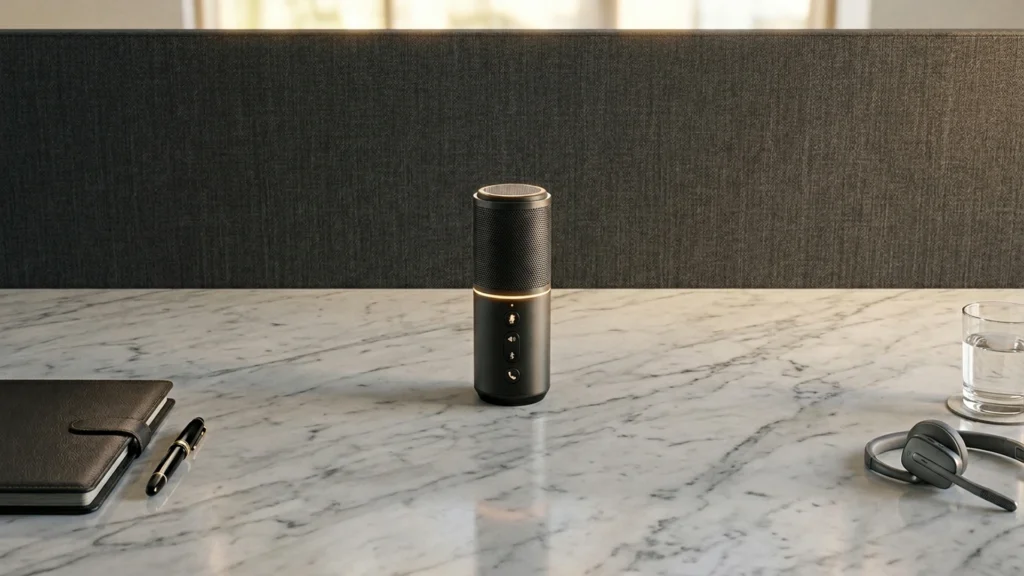
Conference call microphones focus on speech-first pickup, so meetings sound natural and easy to understand. Buyers in this category usually want clear voices in Zoom, Teams, and phone calls, plus simple setup for everyday use. The best picks also reject nearby noise so other people in the room do not get louder than the speaker.
Picking one is hard because the trade-offs are practical, not theoretical. Many models sound best at close range, but meetings often place speakers farther from the mic. Some options rely on USB and built-in echo control, while others work only with certain devices. You also trade portability for stronger room coverage, and you trade raw audio quality for easier use and lower cost.
Use the criteria below to match your room and call setup, then compare the three top options in this guide based on sound, daily usability, and value for money. Looking for all types? See our Best Microphones.
Quick Overview
Our Top Picks
#1. Jabra Speak 510 Microphone

Specifications
| Brand | Jabra |
|---|---|
| Connector Type | USB / Bluetooth |
| Frequency Response | 250 Hz - 14000 Hz |
Pros
- Balanced, detailed and clean
- Plug-and-play with stable mounting
- 360-degree pickup
Cons
- Low-volume stuck
- Restart workaround needed
- Narrow frequency response
The Jabra Speak 510 stands out in conference call rooms because it delivers clean, balanced speech with 360-degree pickup. That means fewer placement worries when people are around a table. The result is a voice sound that stays clear even when you are not sitting perfectly centered, which is a real win for group calls.
That said, it is not a full-range mic for every situation. The frequency response is narrow at 250 Hz - 14000 Hz, so it can sound less natural than mics meant for broader audio capture. Some users also report low-volume behavior that needs a restart workaround, so it is best for daily meetings where you can test settings once and then move on.
#2. Anker PowerConf Microphone

Specifications
| Brand | Anker |
|---|---|
| Connector Type | USB-C / Bluetooth |
| Power Source | Battery |
Pros
- Clear call intelligibility
- Strong noise reduction
- Works on locked-down devices
Cons
- Inconsistent AGC processing
- Mode-dependent audio issues
- Battery-limited operation
For conference calls, the Anker PowerConf stands out for how clearly it captures speech while keeping room noise low. The result is steady call intelligibility, even when the background gets a bit messy. It also works well with locked-down setups, since it connects over USB-C and can fall back to Bluetooth for situations where cables or permissions are limited. In practice, listeners tend to hear words rather than a mix of voice and noise.
The main trade-off is automation. Its AGC can feel inconsistent, so gain changes may not always match how you speak from moment to moment. Audio can also vary depending on which mode you are using, which means it is worth testing before you rely on it for interviews or team meetings. Battery-powered operation can be a concern for long sessions, so plan for charging or have a backup if you run back-to-back calls.
#3. TONOR TM20 Conference Microphone

Specifications
| Brand | TONOR |
|---|---|
| Microphone Type | Condenser |
| Form Factor | Desktop |
| Polar Pattern | Omnidirectional |
| Connector Type | USB |
| Power Source | USB Bus Power |
| Frequency Response | 20 Hz - 20000 Hz |
| Max Spl | 105 dB SPL |
Pros
- Strong bundle, worth every dollar
- Broad frequency response
- Clear speech intelligibility
Cons
- Struggles with loud sources
- Battery-limited operation
- Limited use cases, narrow range
This desktop condenser stands out for conference-call clarity, thanks to its broad 20 Hz to 20000 Hz range and clear speech intelligibility. In real meetings, it keeps voices understandable even when people speak at different distances. The omnidirectional pickup also makes it easier to work around a small round table, where shifting positions can happen during calls.
The trade-off is that it is not built for very loud speaking or chaotic rooms. It struggles with louder sources, and since it runs on USB bus power it depends on a stable USB setup for consistent use. Best fit: home offices, small teams, and users who want simple plug-in voice pickup for everyday calls rather than handling high volume or many different mic roles.
What to Look For
Speech clarity under room noise: Prioritize models that keep voices crisp and intelligible, especially when people speak at normal volume. If the mic sounds thin or hissy, you will hear it most in long meetings and quick Q and A sections.
Pickup pattern for your room: For conference calls, a tight pickup helps reduce distractions. If you sit near the mic, you can use a more focused pattern. If multiple people share one chair or table, you need more forgiving pickup so one person does not sound louder than everyone else.
Setup that works on day one: Look for plug-and-play behavior with the connector you already have. USB models reduce friction, while XLR setups may require an interface or mixer. Also check whether the included cable and mount support stable positioning for repeat meetings.
Background noise and echo handling: Conference calls fail when the mic picks up keyboard clicks and room reflections. Favor designs that control off-axis pickup and do not make background noise jump out during silence.
Value for meeting uptime: Spend based on how often you use the mic, not how many features are listed. A dependable model with clear speech and solid hardware usually beats a cheaper unit that requires constant repositioning or produces inconsistent audio.
How We Picked
Products were identified through broad research across review sites and buyer forums, then filtered to only those that qualify as Conference Call Microphones. We kept models aimed at spoken-word calls and meetings, not studio recording gear.
Scoring used the same objective pillar framework as the main Microphones post, allowing direct comparison of products within this sub-category. Sound Quality carried the most weight, followed by Build Quality, Versatility, Usability, and Value, so the final ranking reflects how these microphones perform in real conference call setups.
Frequently Asked Questions
What should I look for in a conference call microphone for clear speech?
Look for strong voice pickup and low background hiss. A focused pickup pattern helps keep audio clear when people talk around you. Also check for easy controls, like quick mute and gain adjustment.
Do conference call microphones use Bluetooth, USB, or XLR, and does it matter?
USB and 3.5 mm are common for plug and play with laptops. XLR usually fits more advanced mixers and room systems. Bluetooth can be convenient, but it may add delay or connect issues during calls.
How should I position a conference call microphone for best results?
Place it close to the speaker, typically within about 3 to 6 feet. Point the mic toward the person with the clearest voice. Avoid putting it behind monitors or under desks where it picks up more room noise.
How many people can one conference call microphone handle?
Many models work best with small groups in the same area. If you expect a large room, you may need a device with a wider pickup range or multiple microphones. For best results, place the mic in the center of the group.
When should I choose a different type of microphone instead of a conference call microphone?
Choose a dynamic or condenser microphone if you record vocals or stream with more control. Conference mics focus on speech clarity and noise rejection for rooms. If you need studio style sound or better music capture, switch to a recording focused mic.
How do conference call microphones compare to podcast microphones for sound quality?
Conference call microphones prioritize intelligible speech and strong noise filtering. Podcast microphones often sound richer and more detailed on trained voices. If you record in a treated room, a podcast mic usually gives a more natural tone.