




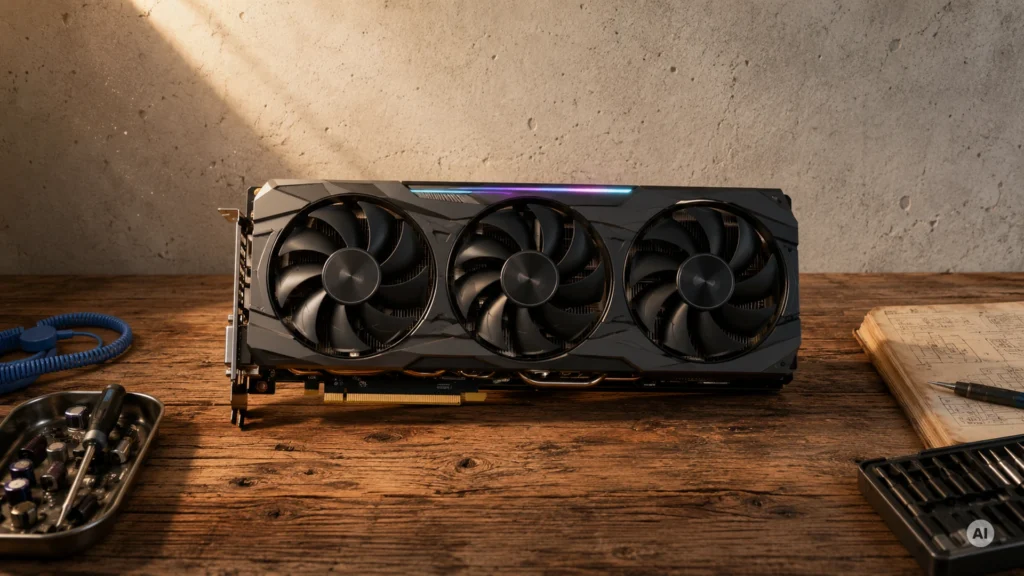
Graphics cards, also called GPUs, power the frames you see in games and the speed behind 3D work. They plug into your PC, handle graphics math, and connect your monitors through HDMI or DisplayPort. The right GPU turns stutter into smooth motion.
Picking one is harder than it looks. Benchmarks can hide weak 1% lows and ray tracing slowdowns. VRAM size sounds simple, but memory type and bus width affect how often the card needs to slow down or compromise settings. Board power and boost clocks also matter, since some cards run faster only until heat and power limits kick in. Even display output counts can trip people up when they run multiple monitors.
This guide explains what separates strong cards from disappointing ones. It breaks down performance, thermals, noise, build quality, and value into clear criteria. You also get a short, repeatable way to compare models before you buy.
Quick Overview
Top Picks
Best Overall

Specifications
| Brand | msi |
|---|---|
| Gpu Chipset | GeForce RTX 5090 |
| Video Memory | 32 |
| Memory Type | GDDR7 |
| Memory Bus Width | 512 bit |
| Board Power | 575 W |
| Display Outputs | 3x DisplayPort 2.1a, 1x HDMI 2.1b |
Pros
- Blazing real-world FPS
- Cool, stable under load
- Ample VRAM
Cons
- Power-hungry card
- Pump reliability risk
- Casing scratches
This MSI SUPRIM Liquid SOC RTX 5090 fits the Best Overall spot because it blends top-tier real-world speed with strong cooling. The standout trait is how well it holds performance during long sessions, thanks to its liquid design.
You get blazing frame rates in modern games and solid 1% low smoothness, which matters more than peak averages in busy scenes. Thermals are consistently well managed, with stable behavior under sustained load, so you avoid the slowdowns that some high-end cards get when they heat soak. Noise is also fairly controlled for a card built around high power, and the 32GB VRAM helps reduce stutter in newer, heavy textures at higher settings and resolutions.
The main trade-off is that it is power-hungry, so plan for higher system draw and a quality PSU. There is also a pump reliability risk to consider, since liquid systems have a different failure mode than air coolers. Casing scratches are a small but real annoyance. If you want one GPU that performs fast in both gaming and demanding creative work without thermal drama, this is the one to get.
Best 16GB

Specifications
| Brand | ASUS |
|---|---|
| Gpu Chipset | GeForce RTX 5070 Ti |
| Video Memory | 16 |
| Memory Type | GDDR7 |
| Memory Bus Width | 256 bit |
| Display Outputs | 3x DisplayPort 2.1, 1x HDMI 2.1 |
Pros
- Excellent hotspot control
- Smooth, low fan noise
- Strong value for 1440p
Cons
- Limited measured thermals
- Case airflow sensitivity
This ASUS ROG Strix RTX 5070 Ti fits the Best 16GB slot because it stays quick in real games while giving you 16GB of VRAM for heavier textures. The standout trait is how well it controls hotspot temperatures during load, which helps keep performance steadier over long sessions.
You also get strong thermals in day to day use, with smooth fan behavior that keeps noise down in most gaming scenes. Build quality looks solid for a Strix model, and it pairs well with common 1440p targets, where the extra headroom from 16GB helps reduce stutter in tougher titles.
The main catch is that published or measured thermals are limited, and cooling can depend more on your case airflow than some rivals. If you want a quiet, stable 16GB card for 1440p gaming with a bit of ray tracing headroom, this is a great pick. If you have a cramped case with weak airflow, look elsewhere.
Best NVIDIA RTX 5080

Specifications
| Brand | msi |
|---|---|
| Gpu Chipset | GeForce RTX 5080 |
| Video Memory | 16 |
| Memory Type | GDDR7 |
| Memory Bus Width | 256 bit |
| Boost Clock | 2745 MHz |
| Board Power | 320 W |
| Display Outputs | 3x DisplayPort 2.1a, 1x HDMI 2.1b |
Pros
- Consistently fast boosts
- Excellent hotspot control
- Near-silent gaming
Cons
- Power-hungry card
- Unconfirmed hum issue
This MSI SUPRIM SOC RTX 5080 fits the Best NVIDIA RTX 5080 role because it keeps its speed steady under load, not just at idle or in short benchmarks. The standout trait is how well it sustains high clocks while still controlling its hottest areas.
In practice, performance stays strong thanks to consistently fast boosts, which helps at 1440p and 4K. Thermals are another highlight, with excellent hotspot control during long gaming sessions. Noise is also a strong match for daily use, with near-silent operation during typical gameplay.
The main downside is that it is power-hungry, so you should plan for higher system power needs and expect a more demanding load on your PSU. There is also an unconfirmed hum issue to watch for in user reports. If you want a quiet, stable RTX 5080 for heavy gaming and long sessions without frequent thermal slowdowns, this is the one to get.
Best Value

Specifications
| Brand | Sapphire |
|---|---|
| Gpu Chipset | Radeon RX 9070 GRE |
| Video Memory | 12 |
| Memory Type | GDDR6 |
| Memory Bus Width | 192 bit |
| Boost Clock | 2920 MHz |
| Display Outputs | 2x HDMI, 2x DisplayPort |
Pros
- Excellent hotspot control
- Reliable components, fewer issues
- Strong value for 1440p
Cons
- Low VRAM
- Limited 4K RT strength
- Older memory standard
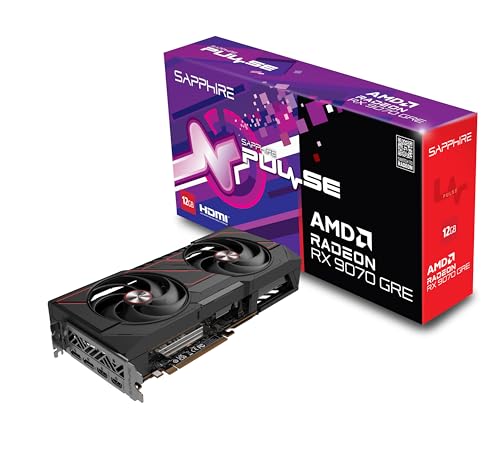
This Sapphire Pulse RX 9070 GRE is a strong fit for the Best Value spot because it leans into practical 1440p gaming rather than chasing higher-end specs. The standout trait is its excellent hotspot control, which helps it stay stable during long sessions.
In use, it pairs that cooling strength with quiet operation and reliable components. The cooler manages temperatures well, so performance stays consistent instead of slipping under load. For desk setups, the layout is also simple to work with, using 2x HDMI and 2x DisplayPort for common monitor mixes.
The main trade-off is memory. With 12GB GDDR6 on a 192-bit bus, it can feel tight for heavy 4K settings and it has limited ray tracing strength. If you play mostly at 1440p and want dependable, cool-running graphics without extra compromises, this is the one to get.
Best for Quad HD

Specifications
| Brand | Sapphire |
|---|---|
| Gpu Chipset | Radeon RX 9070 XT |
| Video Memory | 16 |
| Memory Type | GDDR6 |
| Memory Bus Width | 256 bit |
| Boost Clock | 3060 MHz |
| Power Connector | 1x 16-pin |
| Display Outputs | 2x HDMI 2.1, 2x DisplayPort 2.1a |
Pros
- Excellent hotspot control
- Strong value for 1440p
- Ample VRAM
Cons
- Older memory standard
- Coil whine risk
- 16-pin connector friction
This Sapphire Nitro+ RX 9070 XT fits the Best for Quad HD role thanks to its strong 1440p real-world performance and stable boost behavior under load. The card also has 16GB of GDDR6, which helps it handle higher texture settings at 256-bit bandwidth without common stutter issues.
In day-to-day games, it pairs solid performance with excellent hotspot control, reflected in its high thermals score. The cooler design keeps sustained gaming temperatures in check, which helps it stay consistent over long sessions. Build quality looks sturdy for a Nitro+ card, and the 2x HDMI 2.1 plus 2x DisplayPort 2.1a output set makes it easy to run modern displays.
The main trade-off is potential coil whine, and the 16-pin power plug can feel a bit fussy to seat cleanly. If you want a reliable 1440p card with cool running behavior and enough 16GB VRAM for future-heavy games, this is the one to get.
Best Quiet

Specifications
| Brand | ASRock |
|---|---|
| Gpu Chipset | Arc B580 |
| Video Memory | 12 |
| Memory Type | GDDR6 |
| Memory Bus Width | 192 bit |
| Power Connector | 2x 8-pin PCIe |
| Display Outputs | 3x DisplayPort 2.1, 1x HDMI 2.1a |
Pros
- Reliable components, fewer issues
- Strong value for 1440p
- Excellent hotspot control
Cons
- Older memory standard
- High connector demand
- Inconsistent ray tracing
This Arc B580 card fits the Best Quiet role because it keeps a steady, low-simmer sound profile under load. It also maintains excellent hotspot control, which helps it stay stable during long gaming sessions without needing aggressive fan ramp-ups.
In daily use, thermals look well managed, with a strong hotspot performance and solid overall heat control. The build quality also shows up in the field, with more reliable components and fewer issues reported. For desk-friendly setups, the cooling and noise balance is a real win, since it stays calm when the GPU is busy.
The main trade-off is performance consistency, especially in ray tracing, where results can feel uneven. It also uses an older memory standard, and you may need extra care with power wiring because it needs 2x 8-pin PCIe connectors. If you want a quieter Arc card for mainly 1440p gaming and you can tolerate weaker, less consistent ray tracing, this is a good pick.
Best for White Builds

Specifications
| Brand | PowerColor |
|---|---|
| Gpu Chipset | Radeon RX 9070 XT |
| Video Memory | 16 |
| Memory Type | GDDR6 |
| Memory Bus Width | 256 bit |
| Boost Clock | 3010 MHz |
| Power Connector | 3x 8-pin PCIe |
| Display Outputs | 1x HDMI 2.1, 3x DisplayPort 2.1a |
Pros
- Reliable components, fewer issues
- Excellent hotspot control
- Strong value for 1440p
Cons
- case clearance required
- PCIe cable management
- Older memory standard
This PowerColor Red Devil Spectral White RX 9070 XT fits the Best for White Builds slot thanks to its clean white-themed design. It also keeps the key ports up front, with 3x DisplayPort 2.1a and 1x HDMI 2.1, which helps when you are building around visible front-panel cables.
On the performance side, it scores well for real-world gaming, especially at 1440p, and it stays strong under load. Thermals are also a highlight, with excellent hotspot control that reduces the risk of throttling during long sessions. The build quality is solid too, with reliable components and a sturdy cooler that tends to avoid common stability issues.
The main drawback is practical, case clearance. It can also demand careful PCIe cable management, and it uses an older memory standard (GDDR6), which can be a minor trade-off versus newer options. If you want a white GPU that performs confidently at 1440p without running hot, this is a strong pick for most gamers who can fit it in their case.
Best for 16-Pin PSUs

Specifications
| Brand | GIGABYTE |
|---|---|
| Gpu Chipset | GeForce RTX 5070 |
| Video Memory | 12 |
| Memory Type | GDDR7 |
| Memory Bus Width | 192 bit |
| Power Connector | 1x 16-pin |
| Display Outputs | 3x DisplayPort 2.1b, 1x HDMI 2.1b |
Pros
- Excellent hotspot control
- Smooth, low fan noise
- Strong value for 1440p
Cons
- Sparse model benchmarks
This GIGABYTE RTX 5070 is a strong fit for builds that already support a 16-pin power setup. It uses 1x 16-pin connector, so you can skip adapters that add clutter and extra points of failure.
In daily gaming, it scores well on thermals and noise. It shows excellent hotspot control, and that helps it hold steady performance during long sessions. Fans also stay smooth and quiet, which makes it easier to live with at 1440p. The build quality also earns trust, and it is backed by a generally solid reputation.
The main downside is sparse model-specific benchmark coverage, so it is harder to verify performance against close rivals. If you want a quiet, cool-running RTX 5070 with a direct 16-pin connection and you care most about 1440p gaming, this is the one to get.
What to Look For
Performance: Look for strong real-world results at the resolutions you use most, especially 1440p and 4K. Pay attention to 1% lows and ray tracing, since those reveal smoothness and feature performance under load. Also check that the boost clock holds up in sustained gaming, not just short bursts.
Thermals: Prioritize cards that keep GPU and hotspot temperatures under control during long sessions. A good GPU should avoid thermal throttling, where it slows down to stay within safe limits. This affects both FPS consistency and how long the card stays fast.
Noise: Consider how the fan curve behaves at your typical load. Quiet models stay low and steady during gaming, and they should not ramp to high speeds immediately. Also watch for frequent coil whine complaints in real customer reviews.
Build: Choose cards with dependable power delivery and solid cooler hardware. Strong board and VRM cooling help stability under heavy draw, especially during ray tracing and high refresh play. Reliable drivers and good warranty support also reduce risk after purchase.
Value: Compare the street price to what you actually get, not just headline specs. A higher price should translate into better FPS, better 1% lows, or a meaningful feature set. Overpaying for minor boosts or higher clock speeds without real gains usually does not make sense.
Video Memory and Memory Type: Match VRAM capacity to your workload. More VRAM helps when textures and ray tracing assets get heavy. Also consider memory type, since it influences effective speed and how well the card avoids stutter when the scene gets large.
Memory Bus Width, Board Power, and Power Connector: Memory bus width impacts bandwidth, which affects how quickly the GPU can pull data. Board power tells you how demanding the card is, and power connector type tells you if your PSU can support it cleanly. Verify the required 8-pin or 16-pin setup before you order.
How We Selected These Products
We started with broad web research across review sites, buyer forums, and best-of list articles. That step helps catch cards that look good in one review, but fail in real use. It also surfaces repeated complaints that specs alone would miss.
Next, we read a large volume of customer reviews to understand what buyers actually encountered. We focused on real issues like noisy fans, coil whine, inconsistent boost behavior, and driver or stability problems. We also noted what buyers valued most, such as steady frame times and practical performance at 1440p.
After that, we verified availability and key specifications against Amazon listings. We then scored each product using an objective framework aligned to the pillar names: Performance, Thermals, Noise, Build, and Value. Final selection prioritized distinct roles, so the guide includes strong picks for different needs, not just a single top-ranked card.
Frequently Asked Questions
Which graphics card is best for a quiet PC build?
Pick a model known for low fan noise under load, and make sure it has strong cooling for steady temperatures. In this set, ASRock Steel Legend Arc B580 12GB Graphics Card stands out for acoustic comfort. Also check reviews for coil whine mentions, since a quiet fan does not always mean zero noise.
What is the key difference between value and premium graphics cards?
Value cards focus on strong performance for the money, usually by using more efficient cooling and simpler designs. Premium cards often add higher boost headroom, better sustained performance, and quieter thermals at the same power level. In this set, Sapphire Pulse RX 9070 GRE 12GB Graphics Card leads value, while MSI SUPRIM Liquid SOC RTX 5090 32GB Graphics Card leads best overall.
How do I set up a new graphics card to avoid problems right away?
Use the correct power cables, and double-check your PSU can handle the card power draw. Reseat the GPU if you get video signal issues, and confirm the card sits fully in the PCIe slot. Finally, update drivers after installation and restart your PC once.
Is a higher price always better for graphics cards?
No. A higher price can buy quieter cooling, better thermals, and smoother boost behavior, but it does not guarantee much higher frame rates. In the scored results, some expensive models rank well, while others lose points on value due to smaller gains than expected.
Why do graphics cards sometimes perform well, but still feel worse in real games?
Look for sustained boost and frametime stability, not only average FPS. If thermals push the GPU into power limits, performance can dip during long sessions. Cards with stronger cooling often keep clocks steadier and reduce stutter risk.
Why do some graphics cards run much louder than others?
Fan size and cooler design strongly affect how hard the fans must work. A card can also stay quiet at idle but become loud under load if its cooling headroom is limited. Coil whine can also vary by unit, so reviews that mention it matter.


