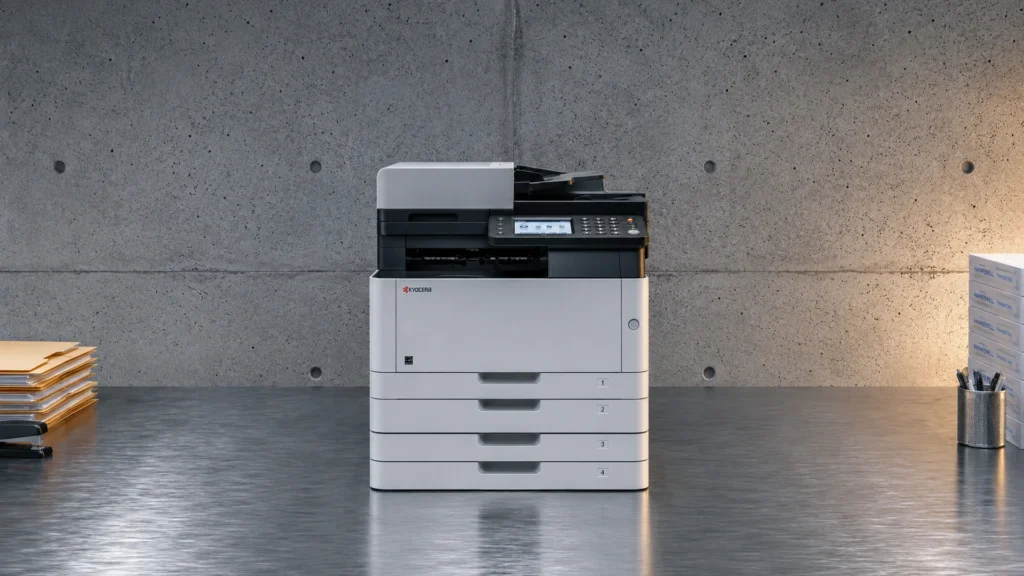
Laser printers use a laser to place toner onto a page, then heat it to make the print. They work best when you print often and need crisp text that stays readable on the next ream. They also tend to cost less per page than inkjet for higher volume.
Picking one is harder than it sounds. Many listings hide the real story behind confusing speed numbers and vague quality claims. You also have to watch total costs, not just the sticker price. Toner yield, replacement timing, and maintenance needs can shift the value a lot. Finally, features like duplex and Wi-Fi matter only if the printer keeps speed on real multi page jobs.
This guide sorts laser printers using practical criteria, then highlights models for distinct needs. You will learn what to check in the specs, what trade-offs to expect, and how to pick the right fit without guessing. By the end, you will have a short checklist and a clear comparison path.
Quick Overview
Top Picks
Best Overall

Specifications
| Brand | Brother |
|---|---|
| Output Color | Monochrome |
| Print Speed | 36 ppm |
| Max Resolution | 1200 x 1200 dpi |
| Monthly Duty Cycle | 35000 pages/month |
| Paper Capacity | 250 sheets |
| Duplex Printing | Automatic |
| Connectivity | Wi-Fi, Ethernet, USB |
Pros
- Consistently low jam rates
- Reliable feeds across sizes
- Fast, stable Wi‑Fi printing
Cons
- Monochrome-only output
This Brother MFC-L2900DW fits the Best Overall slot because it balances speed, steady duplex output, and dependable wireless printing. In daily use, it feels responsive and stays consistent on multi-page jobs, which matters more than rare peak performance.
On performance, it is rated up to 36 ppm, and the Wi-Fi connection stays stable for normal printing. Print quality is also strong for a monochrome laser, with crisp text and even toner coverage at up to 1200 x 1200 dpi. Paper handling is dependable too, with a 250-sheet input and consistently low jam rates, even across mixed paper sizes. Automatic duplex printing helps keep documents efficient without extra steps.
The main drawback is that it is monochrome only, so it cannot print in color. If you need fast black-and-white documents with reliable feeding and Wi-Fi, this is a solid choice for home offices and small teams that print often.
Also ranked #1 in: Monochrome Laser Printers · All-in-1 Laser Printers
Best Fast First Page

Specifications
| Brand | Brother |
|---|---|
| Output Color | Monochrome |
| Print Speed | 50 ppm |
| First Page Out Time | 6.7 sec |
| Max Resolution | 1200 x 1200 dpi |
| Monthly Duty Cycle | 50000 pages/month |
| Paper Capacity | 620 sheets |
| Duplex Printing | Automatic |
| Connectivity | Ethernet, Wi-Fi |
Pros
- Snappy first page
- Consistently low jam rates
- Strong performance for price
Cons
- Monochrome-only output
This Brother HL-6210DW fits the Best Fast First Page role because it turns the first sheet around quickly. Rated at about 6.7 sec first page out, it feels responsive when you print the occasional document or jump into a new job.
Speed stays strong once it is moving, with a 50 ppm print rate that helps longer runs keep pace. Paper handling is steady for a workgroup laser, supported by a 620-sheet input and automatic duplex printing. It also scores well for day to day use, with consistently low jam rates reported by buyers.
The main trade-off is that it is monochrome only, so you cannot print color text or graphics. If you want a fast, reliable black-and-white laser for frequent print jobs over Wi-Fi or Ethernet, this is the one to get.
Best High Capacity

Specifications
| Brand | Canon |
|---|---|
| Output Color | Monochrome |
| Print Speed | 37 ppm |
| First Page Out Time | 5 sec |
| Max Resolution | 1200 x 1200 dpi |
| Paper Capacity | 900 sheets |
| Duplex Printing | Automatic |
Pros
- Snappy first page
- Automatic double-sided
- Fast, stable Wi‑Fi printing
Cons
- Monochrome-only output
- Setup bulk concern
For a Best High Capacity setup, this Canon imageCLASS MF462dw leans on day-to-day throughput, not just paper size. The standout is its fast first page, taking about 5 sec, so your job starts quickly and keeps momentum.
In routine use, it feels responsive with rated speeds up to 37 ppm and steady results when printing over Wi-Fi. Text output looks sharp thanks to a 1200 x 1200 dpi laser engine, and toner coverage stays consistent for common office docs. Paper handling is strong for the class, with a 900-sheet capacity and automatic double-sided printing to cut turnaround time on multi-page reports.
The main drawback is that it prints monochrome only. It is also something to plan for during setup if your workflow requires bulk configuration. If you need high-volume black-and-white printing with fast starts and automatic duplex, this is a good fit.
Best Color

Specifications
| Brand | Canon |
|---|---|
| Output Color | Color |
| Print Speed | 26 ppm |
| First Page Out Time | 10.3 sec |
| Max Resolution | 1200 x 1200 dpi |
| Paper Capacity | 250 sheets |
| Duplex Printing | Automatic |
| Connectivity | Wi-Fi |
Pros
- Snappy first page
- Fast, stable Wi‑Fi printing
- Strong performance for price
Cons
- Higher toner costs
- Photo output limits
This Canon imageCLASS MF665Cdw fits the Best Color role for people who want dependable color output, not just basic color capability. The standout trait is how quickly it gets from sleep to first pages, with a snappy 10.3 second first page out time.
Day to day, it feels fast and steady. It runs at up to 26 ppm and holds its pace well over Wi-Fi, which helps on longer multi-page print jobs. Print quality is also strong for a color laser, with crisp text and clean graphics at up to 1200 x 1200 dpi. Automatic duplex printing makes two-sided documents simpler to produce without extra steps.
The main downside is ongoing color consumable cost, with higher toner costs than some alternatives. Photo output also has limits, so it is better for business documents than image heavy pages. If you need fast, sharp color laser prints for office use, this is a solid pick, especially when Wi-Fi speed matters.
Best Value

Specifications
| Brand | Brother |
|---|---|
| Output Color | Monochrome |
| Print Speed | 30 ppm |
| Max Resolution | 1200 x 1200 dpi |
| Monthly Duty Cycle | 35000 pages/month |
| Paper Capacity | 250 sheets |
| Connectivity | Wi-Fi, USB |
Pros
- Consistently low jam rates
- Reliable feeds across sizes
- Strong performance for price
Cons
- Monochrome-only output
- Sleep disconnects Wi-Fi
- WPS connection failures
This Brother HL-L2405W fits the Best Value lane for a simple reason, it delivers strong everyday speed and dependable feeding at the budget end of monochrome laser printing. If you want crisp text and fast output for office or study use, this is an easy match.
Day-to-day performance feels solid, with a rated 30 ppm output and a top-resolution of 1200 x 1200 dpi for sharp text. Print quality stays consistent for documents, with dark, readable characters that hold up across multi-page jobs. Paper handling is also a strong point, with low jam rates and reliable feeds across different paper sizes from its 250-sheet input.
Connectivity can be a weak spot, since it may sleep and disconnect Wi-Fi, and WPS pairing can fail on some networks. If you need dependable black-and-white laser prints for home or small office, and you can work around occasional Wi-Fi quirks, this is the one to get.
Best for High Volume

Specifications
| Brand | HP |
|---|---|
| Output Color | Monochrome |
| Print Speed | 40 ppm |
| First Page Out Time | 6.1 sec |
| Max Resolution | 1200 x 1200 dpi |
| Monthly Duty Cycle | 80000 pages/month |
| Paper Capacity | 250 sheets |
| Duplex Printing | Automatic |
| Connectivity | Ethernet |
Pros
- Snappy first page
- Consistently low jam rates
- Automatic double-sided
Cons
- Limited connectivity
- Toner cost sensitivity
- Monochrome-only output
This HP LaserJet Pro M404dn fits the Best for High Volume role because it keeps page output moving. It is rated at 40 ppm, with a fast 6.1 sec first page out time.
You feel that speed in real office use. Multi-page jobs stay steady, and the printer is known for consistently low jam rates. It also handles daily duplex work with automatic double-sided printing.
The main drawback is connectivity. It leans on Ethernet for network printing, and Wi-Fi is not a focus. If you run lots of black-and-white pages and you have a wired network, this is a strong pick. If you need easy wireless printing, look elsewhere.
Best NFC Tap-to-Print

Specifications
| Brand | Brother |
|---|---|
| Output Color | Color |
| Print Speed | 31 ppm |
| First Page Out Time | Less than 12.5 sec |
| Monthly Duty Cycle | 30000 pages/month |
| Paper Capacity | 280 sheets |
| Duplex Printing | Automatic |
| Connectivity | Mobile & Ethernet |
Pros
- Fast, stable Wi‑Fi printing
- Reliable feeds across sizes
- Strong performance for price
Cons
- Premature toner shutdown
- Toner value concerns
This Brother color laser is a strong match for the Best NFC Tap-to-Print role because it makes quick, close-range printing easy. Tap-to-print is handy when you want to send a job right from your phone without digging through menus. When you need fast turnarounds at a desk, that simplicity matters.
Everyday speed feels solid, with fast first-page output under 12.5 sec and up to 31 ppm. It also stays steady over Wi-Fi, and the automatic duplex printing helps keep multi-page documents moving. Paper handling is dependable, with a 280-sheet capacity that reduces refills for typical home or small-office use.
The main drawback is the toner shutdown behavior, which can cut off printing early even when you expect more life. If you want NFC tap-to-print plus reliable wireless color for regular document printing, this is a good pick. If your priority is uninterrupted toner use, look closely at how you manage toner remaining.
Best with Bluetooth

Specifications
| Brand | HP |
|---|---|
| Output Color | Monochrome |
| Print Speed | 42 ppm |
| First Page Out Time | 6.1 sec |
| Max Resolution | 1200 x 1200 dpi |
| Monthly Duty Cycle | 80000 pages/month |
| Duplex Printing | Automatic |
| Connectivity | Wi-Fi, Ethernet, Wi-Fi Direct, Bluetooth |
Pros
- Snappy first page
- Even toner, clean edges
- Reliable feeds across sizes
Cons
- Monochrome-only output
- Wireless setup hassle
- Driver installation failures
This HP LaserJet Pro 4101fdw fits the Best with Bluetooth role because it includes Bluetooth alongside Wi-Fi and Ethernet. That gives you an extra, simple way to print from nearby devices when Wi-Fi is not ideal. If you bounce between laptops, tablets, or phones, that added Bluetooth option can save time.
Day to day performance feels quick. It turns out the first page in about 6.1 seconds, and it is rated at 42 ppm. Text looks sharp, with even toner and clean edges, thanks to a 1200 x 1200 dpi max resolution. Paper handling also stays consistent, with reliable feeds across different sizes and automatic duplex printing for two sided jobs.
One common downside is wireless setup hassle, and some users report driver installation failures. If you want a fast monochrome laser with automatic duplex and Bluetooth as a backup connection, this is a strong pick. If your priority is trouble free Wi-Fi setup, plan on troubleshooting or consider Ethernet or USB first.
What to Look For
Performance: Start with print speed and first page out time. Look for strong pages per minute, but also pay attention to how quickly the printer wakes up and produces page one. For real work, you want stable throughput when printing multi page documents and when using duplex or Wi-Fi.
Print Quality: Prioritize max resolution and check that text looks sharp at small font sizes. Laser printers should deliver solid blacks and even toner coverage across the page. If you print charts or shaded graphics, scan for signs of banding or streaking in reviews.
Paper Handling: Confirm paper capacity and how reliably the printer feeds. Higher input capacity helps if you print batches. For everyday versatility, check that duplex printing works smoothly and that the printer does not struggle with thicker paper, envelopes, or labels when those are part of your routine.
Connectivity: Choose the connection methods you will actually use. USB is simple and dependable, Wi-Fi adds convenience, and Ethernet helps in busy offices. Look for reviews that mention stable wireless performance, easy setup, and smooth printing from phones or laptops.
Reliability: Laser printers are built for repeat use, but not all models run the same. Focus on jam rates, recurring error messages, and how often users report toner or drum related problems. Reliability also shows up in whether the printer keeps consistent output as consumables age.
Value: Compare the total cost of ownership, not just the purchase price. Pay attention to the monthly duty cycle to match your print volume. If toner yields and replacement costs look reasonable for your expected pages, the printer will stay affordable over time.
How We Selected These Products
We began by finding laser printer models through broad web searches across review sites, buyer forums, and best-of list pages. We did not rely on one publication because different reviewers focus on different use cases.
Next, we read a large number of real customer reviews to understand what buyers actually faced. We tracked common problems like slow wake up, messy duplex behavior, frequent jams, and weak wireless reliability, along with the features that users praised in daily printing.
After that, we verified availability and key specs directly against Amazon listings. Each model then got scored using the pillar framework from this guide, including Performance, Print Quality, Paper Handling, Connectivity, Reliability, and Value. Final picks favored printers that clearly fit different roles, such as high capacity, fast first page output, or color laser needs, rather than just the highest overall score.
Frequently Asked Questions
Which laser printer is best overall for a home office or small office?
Choose Brother MFC-L2900DW Laser Printer. It combines fast monochrome output with strong print quality, solid paper handling, and good connectivity options. It also scores best overall in this group, so it tends to feel smooth across daily jobs.
What is the main difference between budget and higher-priced laser printers?
Cheaper models often focus on print speed and basic wireless or USB, with fewer workflow features. Higher-priced models usually add features like automatic duplex printing, bigger paper capacity, and more network options such as Ethernet. You pay more for convenience during multi-page and two-sided work.
How do I keep a laser printer running well over time?
Use the recommended paper type and avoid overloading the tray. Replace consumables when the printer warns you, and keep the paper path clean of dust. Also, keep Wi-Fi stable, because some budget units disconnect after sleep.
Is a higher price always better for laser printers?
No. In this set, value-focused models can score just as well as more expensive ones. For example, Brother HL-L2405W Laser Printer has the top value score, even though it lacks duplex printing.
Why do some laser printers score lower for connectivity?
Lower connectivity scores often come from setup friction or wireless dropouts. Some users report Wi-Fi disconnects after sleep or difficulty printing from phones. Wired Ethernet usually avoids many of these issues.
What separates budget and premium laser printers when it comes to performance?
Premium units usually feel faster because they start quickly and handle multi-page duplex jobs more consistently. In this group, first page out time and rated ppm both matter for real responsiveness. Models like Brother HL-6210DW Laser Printer stand out because they post very fast first-page output.