




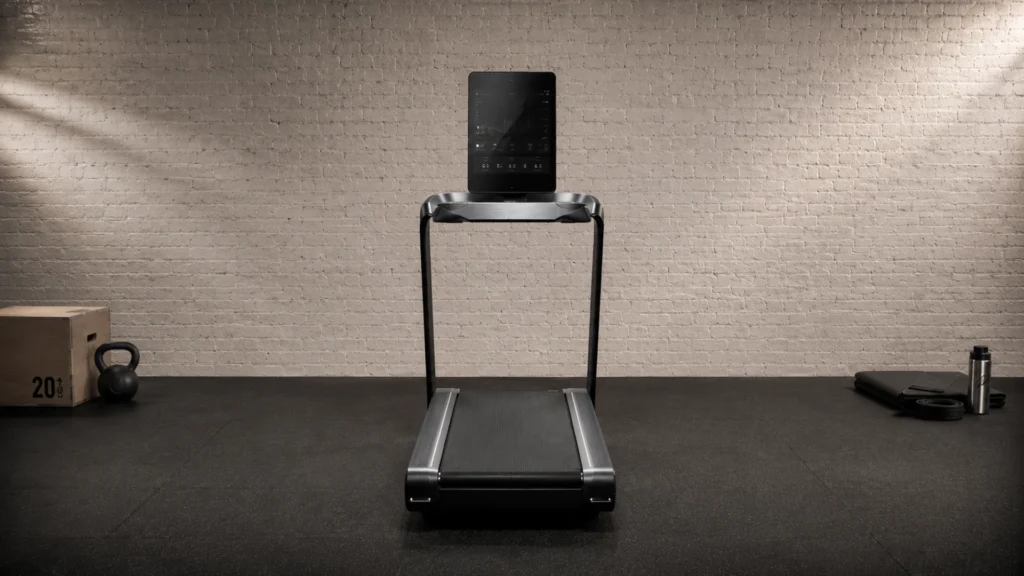
Touchscreen treadmills use a screen as the main control for speed, incline, and workout tracking. Buyers in this sub-category need controls that respond fast, show clear pace and incline data, and make it easy to start a workout without digging through menus.
The hard part is trade-offs. Bigger touchscreen consoles often mean higher cost. Some models focus on apps and features, but still run slower or bog down on incline. Others have solid motors but cramped decks, awkward buttons behind the screen, or storage that does not fit real spaces.
Looking for all types? See our Best Treadmills.
Quick Overview
Our Top Picks
#1. Matrix TF50 Treadmill

Specifications
| Brand | Matrix |
|---|---|
| Motor Power | 3.25 HP |
| Running Surface | 20 x 60 in |
| Max Speed | 12.5 mph |
| Incline Range | 0% to 15% |
| Max User Weight | 400 lb |
| Assembled Dimensions | 62 x 81 x 35 in |
| Foldable | Foldable |
| Display Type | Touchscreen |
Pros
- Sturdy frame, reliable
- Strong continuous motor
- Easy setup and storage
Cons
- Large footprint
- Service support risk
The Matrix TF50 stands out in the touchscreen treadmill crowd thanks to a strong, steady feel during real workouts. With a 3.25 HP continuous motor, it keeps speed consistent up to 12.5 mph, and incline ramps from 0% to 15% without bogging down. The 20 x 60 in belt and sturdy frame make it feel stable for walking, jogging, and longer sessions, which matters when you spend time watching pace and workout stats on the screen.
The main trade-off is living space. It is foldable, but it still has a large footprint, so it may not fit well in tight rooms. Also, there is some service support risk, so it is a better pick for buyers who are comfortable with a brand purchase and want dependable day-to-day performance over a compact setup.
#2. BowFlex T16 Treadmill

Specifications
| Brand | Bowflex |
|---|---|
| Motor Power | 3.5 HP |
| Running Surface | 22 x 60 in |
| Max Speed | 12 mph |
| Incline Range | 0% to 15% |
| Max User Weight | 375 lb |
| Assembled Dimensions | 67.6 x 77.2 x 37 in |
| Foldable | Foldable |
| Display Type | Touchscreen |
Pros
- Sturdy frame, reliable
- Plush deck with grip
- Strong continuous motor
Cons
- Large footprint
- Bulky folded footprint
- Pairing-dependent syncing
With its touchscreen console and a 3.5 HP continuous motor, the BowFlex T16 is a strong fit for people who want simple, direct workout control without feeling the treadmill strain during walking, jogging, or faster intervals. The deck feels plush but steady, and the belt motion is smooth, which makes the touchscreen programs easier to follow because your pace stays consistent.
The main trade-off is living space. It has a large footprint at 67.6 x 77.2 x 37 in, and its folded footprint is still bulky, so storage can be tough in smaller rooms. It can also depend on smooth syncing for the touchscreen experience, so it is best for buyers who are willing to set up devices once and then keep using the treadmill regularly.
#3. Matrix T50 Treadmill

Specifications
| Brand | Matrix |
|---|---|
| Running Surface | 20 x 60 in |
| Max Speed | 12.5 mph |
| Incline Range | 0% to 15% |
| Max User Weight | 400 lb |
| Foldable | Foldable |
| Display Type | Touchscreen |
Pros
- Sturdy frame, reliable
- High weight capacity
- Plush deck with grip
Cons
- Poor customer service
- Extended downtime
Matrix T50 stands out in the touchscreen treadmill set because the experience feels built for real training, not just easier controls. The touchscreen console matches a solid, stable frame and a plush, grippy deck for walking and jogging. With a 20 x 60 in belt and up to 12.5 mph, it feels roomy and smooth when you push the pace. Incline goes from 0% to 15%, which helps you vary workouts without the deck feeling like it is struggling.
The main trade-off is support. Reports point to poor customer service and extended downtime when problems come up. If you want a touchscreen treadmill for consistent use, the sturdy build and high weight capacity make it a strong match, but only if you are comfortable with the risk of longer waits for help.
#4. Aviron Victory Treadmill

Specifications
| Brand | Aviron |
|---|---|
| Motor Power | 3.5 CHP |
| Max Speed | 12.5 mph |
| Incline Range | 0% to 12% |
| Max User Weight | 400 lb |
| Display Type | Touchscreen |
Pros
- Smooth, responsive drive
- Sturdy frame, reliable
- Strong continuous motor
Cons
- Touchscreen wobble
- Louder operation
This touchscreen treadmill stands out for how well it feels during real workouts. The 3.5 CHP motor and smooth, responsive drive make walking, jogging, and faster intervals feel steady up to 12.5 mph. It also reaches 0% to 12% incline, which helps you use the screen for changing workouts without the belt fighting back.
The main trade-off is comfort and noise under load. Some users notice touchscreen console wobble, which can be distracting. It is also louder than many treadmills in this category, especially at higher speeds. If you want a stable, performance-first feel with a responsive screen interface, it fits well. If you need near-silent operation and a rock-solid console, you may want to look elsewhere.
#5. Echelon Stride-6 Treadmill

Specifications
| Brand | Echelon |
|---|---|
| Motor Power | 3 HP |
| Max Speed | 12.5 mph |
| Incline Range | 0% to 12% |
| Max User Weight | 300 lb |
| Assembled Dimensions | 57 x 64.3 x 32 in |
| Foldable | Foldable |
| Display Type | Touchscreen |
Pros
- Plush deck with grip
- Strong continuous motor
- High weight capacity
Cons
- Console wobble feel
- App dependency lock-in
For a touchscreen treadmill, the Echelon Stride-6 is notable for its solid running feel. The 3 HP motor delivers steady control up to 12.5 mph, and the deck combines a plush surface with grip underfoot. It also tops out at 0% to 12% incline, so incline walking does not feel like an on off switch. That balance matters when you are using the screen to follow intervals or pace targets.
The trade-off is stability and independence. Some users report a console wobble feel, which can be distracting during faster work. It also leans on the Echelon app, so touchscreen workouts can feel tied to that ecosystem. This treadmill fits best if you want a comfortable, high-capacity machine for regular training and are okay with app-based control.
What to Look For
Motor power that holds your pace: Choose a motor rated for continuous running, then confirm it supports your target max speed without noticeable slowing. With touchscreen models, also watch how quickly the belt and incline react when you change settings mid-workout.
Running surface size for your stride: Check the belt size for room to land and swing your arms. A narrow or short belt feels steady at a walk, then feels crowded when you jog or run on incline.
Incline range that does not feel weak: Look for a full incline span, then focus on whether the treadmill can sustain higher incline without belt slowdown. Touchscreen adjustments should feel smooth, with no lag between your taps and the incline change.
Console readability and control flow: A good touchscreen should make pace, incline, time, and distance easy to read at a glance. The fastest path matters too: start, adjust speed, and change incline should not require multiple screens or long loading.
Deck comfort for longer sessions: Since many touchscreen models draw in runners and walkers alike, compare cushioning and how firm the deck feels at your speed. If it feels harsh, even a great screen will not make daily use comfortable.
How We Picked
Products were identified through broad research across review sites and buyer forums, then filtered to only those that qualify as Touchscreen Treadmills.
Scoring used the same objective pillar framework as the main Treadmills post, allowing direct comparison of products within this sub-category.
Frequently Asked Questions
What should I look for in a touchscreen treadmill display?
Pick a screen that is easy to read while you walk. Look for simple buttons on the screen for speed and incline. Also check that the display stays bright in normal home lighting.
How do touchscreen treadmills differ from button-only treadmills during workouts?
Touchscreen models usually make it faster to start and change workouts. You can tap for speed and incline or load preset programs. Button-only models can feel quicker when you already know your settings.
Do touchscreen treadmill consoles need special cleaning or care?
Yes. Use a soft, dry cloth for the screen and avoid soaking the console. If you clean the frame, keep liquids away from vents and ports.
Should I choose a touchscreen treadmill if I mainly want walking instead of running?
Usually yes if you like guided workouts and easy program changes. For steady walking, focus on belt size and cushioning. Make sure the incline works smoothly because incline walking can feel demanding.
When should I choose a different type of treadmill over a touchscreen model?
Choose a non-touchscreen treadmill if you want the simplest controls and lowest tech to maintain. You may also prefer another type if you train in a very specific way and never use guided programs. Touchscreens can add cost and upgrades you might not need.
How do touchscreen treadmills compare to other treadmills for usability?
Touchscreen treadmills often score well for changing workouts quickly. You can preview programs and see stats clearly on one screen. Other treadmill types may feel better if you want physical controls that do not rely on taps.


