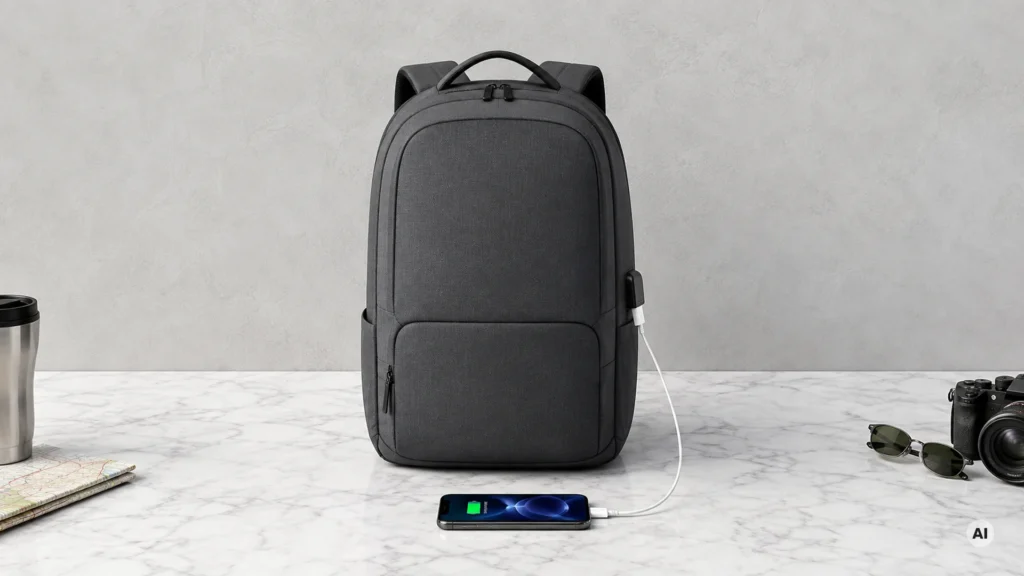
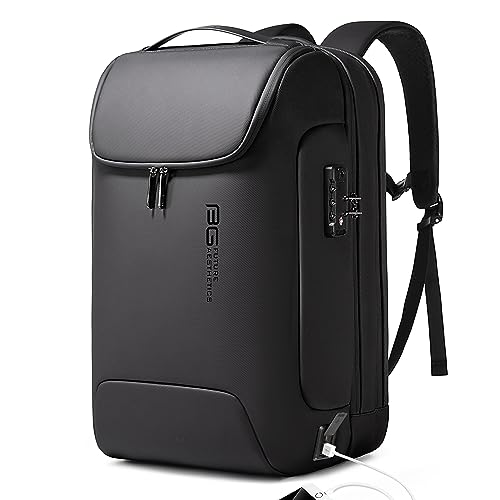
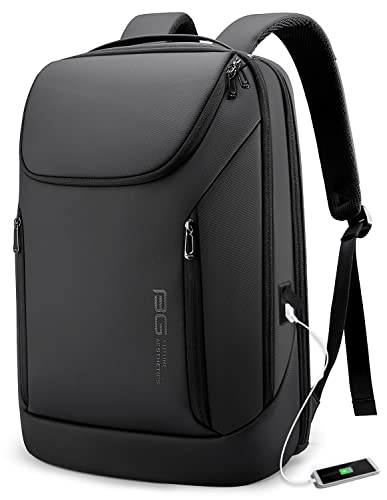
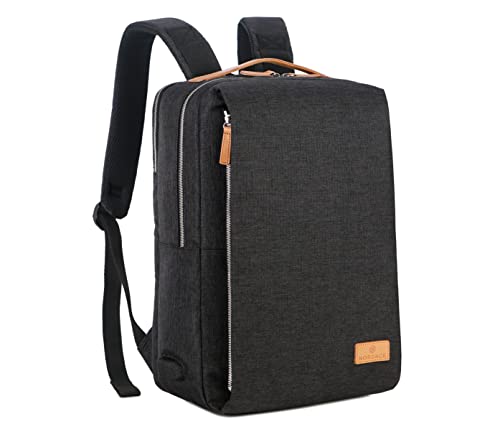
A Smart Backpack with a USB charging port includes a built-in battery and a USB output you can reach while the backpack sits on your back. In this sub-category, buyers need dependable power delivery, not just a random exterior USB jack. You should expect to plug in your phone or power-hungry devices and charge without fiddling every time you stop.
The hard part is trade-offs. A bigger battery usually means more weight. Better charging internals can raise the price. More padding and theft features can reduce usable space. And some backpacks use older ports or make the charging cable awkward to route, so daily use becomes clunky.
To compare your options across the full range of smart features, use this guide as your shortlist method, then move on with the rest of the lineup in the main post like this: Looking for all types? See our Best Smart Backpacks.
Quick Overview
Our Top Picks
#1. Duslang 17 Inch Laptop Backpack Smart Backpack

Specifications
| Brand | DUSLANG |
|---|---|
| Dimensions In | 19 x 6 x 12 in |
| Weight Lb | 1.7 lb |
| Laptop Size In | 17 in |
| Battery Capacity Mah | 26000 mAh |
| Material | Polyester |
| Water Resistance | Water Resistant |
Pros
- Two-laptop capacity
- Fits larger laptops
- Efficient pockets, easy packing
Cons
- Slow charging, minor hiccups
- Charging specs unclear
- Minor fit inconsistencies
This Duslang backpack stands out for people who need to move a 17-inch laptop and still keep a phone and power bank situation under control. A built-in 26000 mAh battery makes it a true on-the-go charging choice, and the layout supports two-laptop carry days without feeling like everything has to be stuffed together. If you commute with a larger laptop, the bag shape and pockets feel designed for daily packing, not just for a single device.
The main trade-off is the charging behavior. Charging feels slower than expected, and the charging specs are not clear, so you may have to test it on your own devices before relying on it for a full day. It is also worth trying the fit in person, since some buyers report minor consistency in how it sits on the back. Best for office and school commuters who prioritize laptop size and storage, and who want to carry power rather than just a charging cable.
#2. Duslang Travel Laptop Backpack 17" Smart Backpack

Specifications
| Brand | DUSLANG |
|---|---|
| Dimensions In | 17.7 x 6.3 x 12.2 in |
| Laptop Size In | 17 in |
| Battery Capacity Mah | 26000 mAh |
| Charging Port Type | USB-A |
| Material | Polyester |
| Water Resistance | Water Resistant |
Pros
- Fits larger laptops
- Strong power reserve
- Efficient pockets, easy packing
Cons
- Slow charging, minor hiccups
- USB-A only charging
The Duslang Travel Laptop Backpack 17 stands out for larger-laptop users who still want built-in charging. It supports up to a 17 in laptop and includes a 26000 mAh battery, so you get a strong power reserve for a full day of travel. The USB charging port is handy while you are on the move, and the pocket layout makes it easier to keep cables and chargers from turning into a knot.
The main trade-off is charging speed and the port type. Charging can be slow and it uses USB-A only, which may not match how many modern laptops and phones charge best. This is a good fit if you carry a bigger laptop and you are okay with USB-A charging, but you want reliable capacity more than fast top-ups.
#3. BANGE Anti-Theft Backpack 17.3" Smart Backpack

Specifications
| Brand | BANGE |
|---|---|
| Dimensions In | 17.9 x 12.6 x 5.3 in |
| Weight Lb | 2.5 lb |
| Laptop Size In | 17.3 in |
| Charging Port Type | USB-A |
| Material | Polyester |
| Water Resistance | Water Resistant |
Pros
- Reinforced seams and smooth zippers
- Fits larger laptops
- Smart tech, fair overall cost
Cons
- Slow charging, minor hiccups
- USB-A only charging
- Charging electronics unproven
This BANGE Anti-Theft Backpack stands out for pairing a USB-A charging setup with a roomy fit for large laptops up to 17.3 inches. The build feels solid, with reinforced seams and smooth zippers that matter when you carry it every day. A water-resistant polyester shell and anti-theft orientation also make it easier to use in busier settings.
The main trade-off is the charging experience. It uses USB-A only, and some users report slow charging or small hiccups from the built-in electronics. That makes it a better match for people who need a basic phone or tablet top-up on the go, rather than fast, dependable laptop charging every day.
#4. SwissGear ScanSmart 16" Smart Backpack

Specifications
| Brand | SwissGear |
|---|---|
| Capacity L | 31.4 L |
| Dimensions In | 18 x 7 x 11.5 in |
| Weight Lb | 3 lb |
| Laptop Size In | 16 in |
| Charging Port Type | USB-A |
Pros
- Fits larger laptops
- Roomy everyday carry
- Organized compartment layout
Cons
- Slow charging, minor hiccups
- Durability deterioration
- Heavy and bulky
The SwissGear ScanSmart 16 stands out as a smart backpack option when you want a USB charging port without giving up laptop space. It fits up to a 16 in laptop and uses a roomy 31.4 L layout for daily carry, with organized compartments that help keep tech, chargers, and smaller items easy to find. In day to day use, the built in USB-A charging port is the headline practical detail, since it lets you plug your power bank or cable in while you stay on the move.
The trade off is that the charging experience can be inconsistent. Some users notice slow charging and minor hiccups, so it is not the best pick if you rely on quick top ups. It is also heavier and a bit bulky, and durability may decline over time, so it fits travelers and office commuters who carry a full load, but not those who want the lightest or most rugged daily pack.
#5. Nordace Siena Pro 20L Smart Backpack

Specifications
| Brand | Nordace |
|---|---|
| Dimensions In | 16.5 x 7.1 x 11.2 in |
| Weight Lb | 2.4 lb |
| Laptop Size In | 16 in |
| Charging Port Type | USB-A |
| Water Resistance | Water Resistant |
Pros
- Fits larger laptops
- Lightweight carry
- Efficient pockets, easy packing
Cons
- Slow charging, minor hiccups
- USB-A only charging
The Nordace Siena Pro 20L stands out for its practical laptop size support and balanced daily carry feel in the smart backpack category. It fits up to a 16 in laptop and keeps the overall weight down to 2.4 lb, so you can bring more without it turning into a heavy load. The pocket layout also makes it easier to pack and grab essentials quickly, which matters when you use the backpack every day and need the charging setup to stay convenient.
The main trade-off is charging speed and the port type. USB-A charging can be slower, and reviewers note minor hiccups. This makes it a better fit for topping up small devices over time rather than expecting quick, consistent power like you would with USB-C. If you mainly want a simple, daily smart carry with room for a larger laptop, it fits the use case well.
#6. BANGE Business Smart Backpack 15.6" Smart Backpack

Specifications
| Brand | BANGE |
|---|---|
| Dimensions In | 12.2 x 5.5 x 18.9 in |
| Weight Lb | 2.65 lb |
| Laptop Size In | 15.6 in |
| Charging Port Type | USB-A |
| Material | Polyester |
| Water Resistance | Waterproof |
Pros
- Smart tech, fair overall cost
- Better rain protection
- Fits larger laptops
Cons
- Slow charging, minor hiccups
- USB-C absence
- Capacity confusion
This BANGE 15.6 inch smart backpack stands out for its USB-A charging port plus solid everyday protection. In this sub-category, where charging performance can be hit or miss, the integration feels built for daily carry. It also has better rain protection, which helps when you are charging outside or commuting between weather.
The trade-off is that charging can be slow and a little inconsistent, with minor hiccups that may frustrate you if you need quick top-ups. It also uses USB-A, not USB-C, so your cable choices matter. If you carry a 15.6 inch laptop and want a sturdier, more weather-tolerant pack for work and school, it is a reasonable option, as long as you plan charging timing ahead.
#7. Nordace Siena 19L Smart Backpack

Specifications
| Brand | Nordace |
|---|---|
| Capacity L | 19 L |
| Dimensions In | 16.5 x 6 x 11 in |
| Weight Lb | 1.9 lb |
| Laptop Size In | 15.6 in |
| Charging Port Type | USB-A |
| Material | Polyester |
Pros
- Efficient pockets, easy packing
- Lightweight carry
- Fits larger laptops
Cons
- Slow charging, minor hiccups
- USB-A only charging
- Powerbank not included
This Nordace Siena 19L stands out for pairing smart charging with a lighter, commuter-friendly design. It supports USB-A charging through an integrated port, and the layout is practical for daily packing. You also get room for a 15.6 in laptop, which fits well for work and school without turning the bag into a bulky load.
The main trade-off is charging speed and setup. Reviews note slow charging and occasional minor hiccups, and the port is USB-A only, not USB-C. It is a good pick if you want a simple way to route a cable from a power bank you already own. If you need faster or USB-C power, you may want to look higher in the lineup.
#8. Modoker Vintage Canvas Backpack 15.6" Smart Backpack

Specifications
| Brand | Modoker |
|---|---|
| Dimensions In | 11.5 x 4 x 17 in |
| Weight Lb | 2 lb |
| Laptop Size In | 15.6 in |
| Charging Port Type | USB-A |
| Material | Canvas |
| Water Resistance | Water Resistant |
Pros
- Lightweight carry
- Fits larger laptops
- Padded laptop compartment
Cons
- Unstable ports, weak battery
- USB-A only charging
- Limited smart features
This Modoker smart backpack stands out for its classic canvas look paired with a built-in USB-A charging port. At 2 lb and designed for a 15.6 in laptop, it feels easy to carry while still fitting larger school or work machines. A padded laptop compartment helps keep your device protected during daily commutes, while the light feel makes it less tiring than bulkier smart backpacks.
The main trade-off sits in the charging system. Reviews point to unstable ports and a weak battery, and the charging setup is USB-A only, which limits compatibility with many modern phones and accessories. If you want a smart backpack more for everyday organization and a vintage style than for reliable power, this is worth a look. If you rely on steady charging, you may want to choose a model with stronger, more dependable power delivery.
What to Look For
Charging reliability: Check whether the built-in battery and USB output work consistently after normal movement. Look for a charging port type that matches your devices, usually USB-C or USB-A. If a brand lists fast charging, still confirm the stated power and that it is meant for everyday phone charging.
Battery capacity that fits your routine: Use the listed battery capacity to estimate how long you can stay away from outlets. Higher mAh generally supports more charges, but heavier packs often come with larger batteries. Choose based on your longest typical day, not your best-case scenario.
Port placement and cable routing: The port should be easy to use without digging into the main compartment. You also want a layout that lets your cable reach your device while keeping the rest of your gear stable. If the port forces tight cable bends, charging becomes a hassle.
Durable build around the tech: The battery area sits near seams and stress points. Prioritize solid zippers, reinforced stitching, and a primary outer material like Nylon or Polyester. Water resistance matters too, since a wet backpack can stress electronics and connections.
Comfort with a loaded weight: Smart backpacks often carry both your gear and the battery. Focus on strap padding, back panel support, and weight balance, especially for 15 to 17 inch laptop loads. If the pack feels stiff or pushes pressure into your shoulders, you will feel it quickly.
How We Picked
Products were identified through broad research across review sites and buyer forums, then filtered to only those that qualify as Smart Backpacks with USB Charging Port. The filter includes backpacks with an internal battery and an accessible USB charging output you can use while wearing the bag.
Scoring used the same objective pillar framework as the main Smart Backpacks post, allowing direct comparison of products within this sub-category. Tech quality focused on the usefulness of the charging system, Build quality covered materials and zipper reliability, Comfort prioritized strap and back support for daily carry, Capacity evaluated how well the interior fits laptop gear, and Value judged price-to-performance for packs that actually charge in routine use.
Frequently Asked Questions
How do I use the built-in USB charging port on a smart backpack?
First, plug your power bank into the backpack’s internal battery pocket using the included cable. Then connect your phone or tablet to the outside USB port. Keep the zipper closed while charging to help protect the cable and port.
Will charging work in the real world, or is it just for show?
Charging only works well if the cable inside the bag stays secure and the port feels solid. Look for a USB-A or USB-C outside port plus a sturdy internal cable connection. Also check user feedback about slow charging and loose port fit.
What should I do to keep the USB port and cable from wearing out?
Avoid yanking the charging cable when the bag is on your back. Do not leave the power bank loose in the pocket. If water splashes get into the zipper area, wipe it down and let the bag dry fully before use.
How do I choose between USB-A and USB-C charging ports?
Pick USB-C if your devices and cables are mostly USB-C. Choose USB-A if you have older phones, earbuds, or power accessories using USB-A. Some backpacks offer USB-A and USB-C, which helps you charge more devices with one setup.
When should I choose a different type of smart backpack instead of one with USB charging?
Choose a different smart backpack if you need features beyond charging, like GPS tracking, built-in lights, or stronger anti-theft systems. Charging bags mainly help with power on the go. If you care more about safety or travel tech, look at other smart backpack types.
How does capacity change when a backpack adds a USB charging port and battery pocket?
Capacity stays practical, but part of the space goes to the battery pocket and cable path. Many models still fit a 15 to 17 inch laptop, plus daily gear. Compare the labeled liters and check that the laptop sleeve feels easy to access with the charging pocket.


