Skip to content

The 4 Best Gaming LED Light Strips in 2026

September 14, 2026-By The Top Zone

Transparency Note: This post contains affiliate links. As an Amazon Associate, we earn from qualifying purchases at no extra cost to you.

Gaming LED light strips add colored light behind desks, monitors, consoles, and wall panels. Buyers need steady brightness, smooth color changes, low flicker, and controls that respond quickly during play.

Choosing one involves real trade-offs. A strip may offer strong effects but weak white light, while a bright model may lack segment control or music sync. Adhesive strength, cable length, app reliability, and room coverage also affect the final setup.

We compare gaming-focused strips for performance, build quality, features, installation, and value, so you can match the light to your desk or room. Looking for all types? See our Best LED Light Strips.

Quick Overview

Govee Gaming Light Bars H6047 LED Light Strip
#1 Govee Gaming Light Bars H6047 LED Light Strip
Govee Gaming Light Bars Pro 16in LED Light Strip
#2 Govee Gaming Light Bars Pro 16in LED Light Strip
Govee RGBIC LED Neon Rope Lights 10ft LED Light Strip
#3 Govee RGBIC LED Neon Rope Lights 10ft LED Light Strip
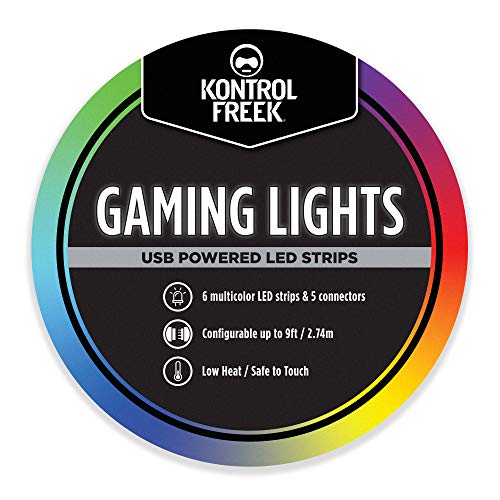
KontrolFreek Gaming Lights 9ft LED Light Strip
#4 KontrolFreek Gaming Lights 9ft LED Light Strip

Our Top Picks

#1. Govee Gaming Light Bars H6047 LED Light Strip

Govee Gaming Light Bars H6047 LED Light Strip
Our Score
8.1 / 10
hover for details
Performance
8.1
Build Quality
8.1
Features
8.2
Installation
8.1
Value
8
BrandGovee
Length16.7 in
Brightness1800 lm
Color ModeRGBIC
Wattage24 W
  • Consistent, flicker-free glow
  • Reliable soldering & connectors
  • High light output
  • Short coverage
  • Surface-prep dependent setup

Gaming setups benefit from light that stays smooth during long sessions, and this Govee bar delivers a consistent, flicker-free glow. Its 1800 lm output is strong for accent lighting behind a monitor or desk. RGBIC control adds moving color effects and separate zones, while the 24 W power rating supports its high output. Reliable soldering and connectors also make it feel more dependable than many basic gaming strips.

The main limit is coverage. At 16.7 in, it suits a monitor, shelf, or compact desk rather than a full wall or room. Installation is simple, but the adhesive needs a clean, dry surface to hold well. Choose it for focused gaming backlighting and vivid effects, not broad ambient coverage.

→ Read full review

#2. Govee Gaming Light Bars Pro 16in LED Light Strip

Govee Gaming Light Bars Pro 16in LED Light Strip
Our Score
7.8 / 10
hover for details
Performance
7.9
Build Quality
7.6
Features
8.1
Installation
7.2
Value
7.9
BrandGovee
Color ModeRGBIC
  • Controls work smoothly
  • Immersive sync effects
  • Easy initial setup
  • Adhesive mounting failure
  • Windows sync limitation

For gaming setups, the Govee Gaming Light Bars Pro stands out with smooth controls and immersive RGBIC sync effects. It can turn a desk or monitor area into a more active backdrop, with lighting that responds well during games and media. Initial setup is simple, and the controls feel dependable in daily use.

The main concern is mounting. The adhesive may fail, so use extra support on smooth or warm surfaces. Windows users should also note that sync support is limited. This is a strong pick for gamers who want lively scene effects and easy control, especially when they can secure the lights with clips or another mounting method.

#3. Govee RGBIC LED Neon Rope Lights 10ft LED Light Strip

Govee RGBIC LED Neon Rope Lights 10ft LED Light Strip
Our Score
7.5 / 10
hover for details
Performance
7.4
Build Quality
7.5
Features
7.6
Installation
7.3
Value
7.8
BrandGovee
Length10 ft
Led Count84 LEDs
Color ModeRGBIC
  • Glare-free diffusion
  • Easy smart app setup
  • Short coverage
  • Low LED density
  • No splicing option

For gaming setups, the Govee RGBIC Neon Rope Lights stand out for their glare-free diffusion. The 10-foot strip uses 84 LEDs inside a flexible neon-style cover, so colors look smoother around desks, shelves, and monitor walls. RGBIC control lets different sections show separate colors, while the Govee app makes setup and scene changes easy. That combination suits gamers who want clean ambient light without exposed LED hotspots.

The short length and low LED density limit larger rooms or wide wall layouts. The strip also cannot be spliced, so planning the route matters before mounting it. It is best for compact gaming desks and focused accent lighting, where soft diffusion and simple app control matter more than maximum coverage or custom installation.

#4. KontrolFreek Gaming Lights 9ft LED Light Strip

KontrolFreek Gaming Lights 9ft LED Light Strip
Our Score
7.2 / 10
hover for details
Performance
6.7
Build Quality
7.4
Features
6.9
Installation
7.3
Value
8.5
BrandKontrolFreek
Length9 ft
Color ModeMulticolor
  • Solid specs for the cost
  • Slight dimming at ends
  • Nice extras, some glitches

For gaming setups, the KontrolFreek Gaming Lights 9ft LED Light Strip stands out as a compact multicolor accent for desks, monitors, and shelving. Its solid specs cover the basics well, with useful lighting extras for changing the mood during play. The strip is easy to route around a typical gaming station, and its build feels more dependable than many low-cost decorative strips.

Brightness stays fairly consistent, though the ends dim slightly compared with the center. Some of the extra lighting modes can also glitch, so it suits gamers who want simple ambient color more than flawless advanced effects. Choose it for a tidy 9ft setup with flexible color control and practical installation.

What to Look For

Brightness and Coverage: Check the strip length, LED count, and stated brightness against your desk or wall area. More LEDs usually create smoother light, while weak output can disappear behind a monitor.

Color Control: RGBIC strips can show several colors at once, which suits games and animated scenes. RGB models cost less but usually display one color across the strip. Check whether the product also offers usable white light.

Gaming Features: Look for dependable app control, music sync, timers, presets, and voice support. Segment control matters when you want effects to move around a desk instead of changing everywhere at once.

Installation and Fit: Measure the route before buying. Confirm the voltage, power cable length, cut points, connectors, and adhesive quality. Indoor gaming strips usually need no waterproof coating, which can make them easier to bend and mount.

Build and Value: Favor flexible strips, secure connectors, reliable controllers, and power hardware sized for the full length. Compare the price with brightness, LED count, control features, and expected durability rather than length alone.

How We Picked

We identified products through broad research across review sites and buyer forums, then filtered the results to models that qualify as Gaming LED Light Strips. We focused on strips designed for desks, monitors, gaming rooms, and synchronized visual effects.

Scoring used the same objective pillar framework as the main LED Light Strips post. Performance, build quality, features, installation, and value were weighted consistently, allowing direct comparison among products in this sub-category.

Frequently Asked Questions

What makes a gaming LED light strip different from a regular LED strip?

Gaming strips focus on fast color effects, music sync, scene presets, and app control. Many also offer RGBIC effects, which show several colors along one strip. Regular strips may provide fewer effects and simpler controls.

What features matter most for gaming room lighting?

Look for smooth dimming, stable colors, music sync, timers, and reliable app control. RGBIC effects can add moving color patterns behind a desk or monitor. Strong adhesive and enough cable length also make setup easier.

How should I install and care for a gaming LED light strip?

Clean and dry the surface before applying the strip. Route the power cable away from foot traffic, and avoid sharp bends that can damage the strip. Use the included clips when possible, and keep indoor strips away from moisture.

Are gaming LED light strips bright enough for room lighting?

Most gaming strips work best as accent lighting behind desks, monitors, shelves, or TVs. They may not provide enough brightness for a whole room. Check the stated brightness and LED count if you want stronger light.

When should I choose another type of LED light strip?

Choose a standard strip if you only need simple, low-cost accent lighting. Consider a high-brightness or RGBW strip for stronger white light and better room illumination. Choose an outdoor-rated strip when you need protection from moisture.

See Also