




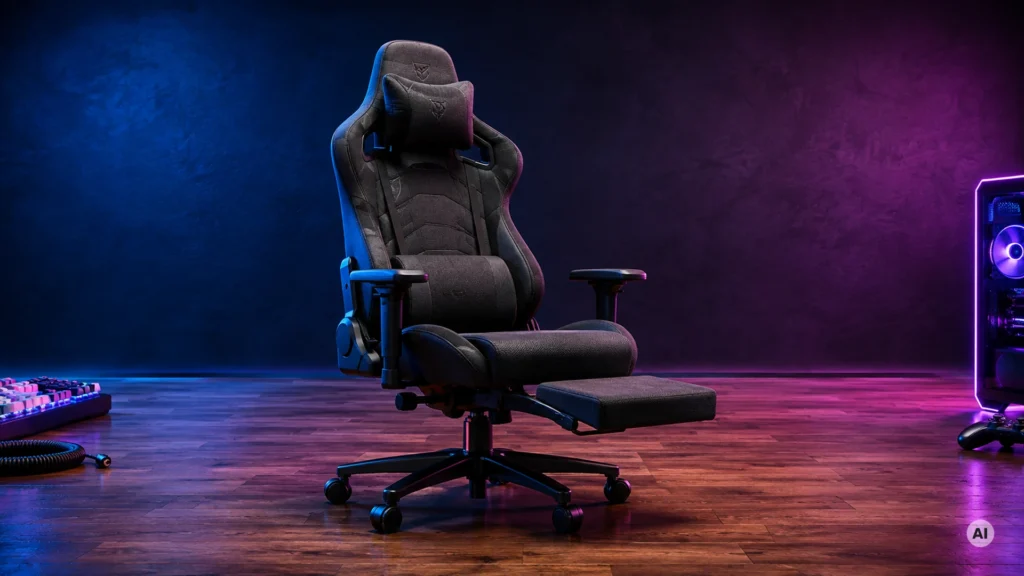
A gaming chair with a footrest adds a built-in place for your feet while you recline. In this sub-category, you should focus on how the footrest changes your seating position, not just on the extra panel. Buyers typically want less leg fatigue, a better screen angle, and support that holds up during longer sessions.
The hard part is that footrests often come with trade-offs. A deep recline can shift pressure to your lower back. Bigger footrest designs can raise the chair height or crowd your knees at a desk. Some chairs also use less supportive seat padding, which shows up as soreness after a few hours.
For more context across all chair styles, use this guide as your starting point and then move to the broader list in our main post. Looking for all types? See our Best Gaming Chairs.
Quick Overview
Our Top Picks
#1. GTPLAYER Big & Tall Gaming Chair

Specifications
| Brand | GTPLAYER |
|---|---|
| Upholstery Material | Fabric |
| Weight Capacity Lb | 350 lb |
| Overall Dimensions In | 51 x 19.7 x 26 in |
| Backrest Recline Deg | 90-125° |
| Lumbar Support | Built-in |
Pros
- High weight rating
- Supportive lumbar system
- Sturdy frame, smooth hardware
Cons
- Armrest height mismatch
This GTPLAYER chair stands out in the gaming chairs with footrest space thanks to its built-in lumbar support and high 350 lb weight rating. The recline range of 90-125 degrees helps you find a laid-back angle for longer sessions, and the sturdy frame with smooth hardware adds confidence when you lean back and extend your legs onto the footrest. For bigger builds, the lumbar system matters, because it keeps your lower back supported while you relax your posture instead of forcing you to sit upright.
The main trade-off is that armrest height feels mismatched. If you rely on raised armrests during desk and footrest play, you may need time to adjust your posture until the arms and torso feel aligned. This chair is best for tall or heavy users who prioritize lower-back support and overall stability over fine-tuned arm positioning.
#2. RESPAWN 110 Pro Gaming Chair

Specifications
| Brand | RESPAWN |
|---|---|
| Upholstery Material | PU Leather |
| Weight Capacity Lb | 275 lb |
| Overall Dimensions In | 51.2 x 28 x 26.4 in |
| Seat Height Range In | 18.5-21.3 in |
| Backrest Recline Deg | 90-155° |
| Lumbar Support | Built-in |
Pros
- Supportive lumbar system
- More height-adjustable fit
- Practical recline control
Cons
- Long-term durability is uncertain
- Armrest wobble risk
- Firm seat feel
In a sub-category where a footrest can mean more comfort or more bulk, the RESPAWN 110 Pro stays focused on posture support first. Its built-in lumbar system helps you keep your lower back in place during long sessions, and the recline range of 90-155 degrees makes it easier to find a relaxed angle. The seat height range of 18.5-21.3 inches also helps it fit more body types, which matters when you are trying to position your legs on a footrest without slouching.
The main trade-off is feel and consistency over time. The seat can come across as firm, so some people may need a cushion to match their comfort level. Also, there is some risk of armrest wobble, since arm adjustability details are unclear. This chair fits best if you prioritize lumbar support and a workable recline for desk gaming, and you are okay with a firmer seat while you test your ideal footrest position.
#3. RESPAWN 900 Gaming Chair

Specifications
| Brand | RESPAWN |
|---|---|
| Frame Material | Steel |
| Weight Capacity Lb | 275 lb |
| Overall Dimensions In | 44.9 x 35 x 30.7 in |
| Backrest Recline Deg | 135° |
| Lumbar Support | Built-in |
Pros
- Supportive lumbar system
- Strong metal frame
- Practical cup holder
Cons
- Mixed long-session comfort
- Firm padding feel
In the Gaming Chairs with Footrest category, the RESPawn 900 is notable mainly for how it pairs a recline-friendly gaming build with built-in lumbar support. The 135 degree recline works well for sinking back while your feet stay planted, which is the goal of many footrest chairs. It also uses a steel frame, so it feels steady when you shift positions during longer play or work sessions. A practical cup holder adds convenience for games that run long.
The trade-off is comfort over time. Several people may find the padding feels firm, and long sessions can turn mixed, especially if you prefer softer seat cushioning. The lumbar system helps, but this chair tends to fit best for users who like a more supportive, less plush feel and who benefit most from lower-back guidance rather than extra seat give.
#4. N-GEN GAMING Gaming Chair

Specifications
| Brand | N-GEN GAMING |
|---|---|
| Upholstery Material | PU Leather |
| Frame Material | Steel |
| Weight Capacity Lb | 300 lb |
| Backrest Recline Deg | 90-135° |
| Armrest Adjustability | 1D |
| Lumbar Support | Pillow |
Pros
- Strong performance, fair cost
- Strong metal frame
- High weight rating
Cons
- Backrest sinking risk
- Limited arm fine-tuning
This chair stands out in the Gaming Chairs with Footrest sub-category because its frame and stability support the full sit and stretch setup. With a steel frame and a 300 lb weight rating, it feels built for long sessions where you rely on recline and likely want the leg rest position to stay steady. The PU leather cover keeps the chair looking clean, and the 90 to 135 degree recline range helps you find a gaming or rest angle without fighting the mechanism.
The main trade-off is comfort over time. Some users may notice the backrest can sink, and the lumbar support uses a pillow approach instead of a more firm, built-in system. Arm adjustments are limited to 1D, so dialing in your best height and angle may be harder if you do not like the standard fit. This makes it a solid pick for people who prioritize stability and recline, and who do not need highly tuned arm positioning.
#5. Homall Gaming Chair

Specifications
| Brand | Homall |
|---|---|
| Upholstery Material | Fabric |
| Frame Material | Steel |
| Weight Capacity Lb | 308 lb |
| Overall Dimensions In | 50.4 x 18.5 x 20.9 in |
| Seat Height Range In | 14.3-17.5 in |
| Backrest Recline Deg | 90-180° |
| Lumbar Support | Pillow |
Pros
- Strong performance, fair cost
- Strong metal frame
- High weight rating
Cons
- Mostly durable, slight creaks
- Wobble concerns
- Finish wear
Homall is notable in the Gaming Chairs with Footrest niche because it leans hard on solid support. The steel frame and 308 lb weight rating give a more stable feel for long sessions. Recline runs from 90 to 180 degrees, so you can still rest comfortably when you use the footrest setup and want a deeper lean.
The main trade-off is comfort and stability over time. Comfort scores well, but build quality is not perfect, with slight creaks and some wobble concerns reported. The lumbar support uses a pillow style, so it can feel hit or miss depending on your lower back. This is a good pick if you want a sturdy chair for gaming or work, but you should expect minor noise and take time to dial in your posture.
#6. Dowinx Ergonomic Gaming Chair

Specifications
| Brand | Dowinx |
|---|---|
| Upholstery Material | Fabric |
| Frame Material | Wood |
| Weight Capacity Lb | 330 lb |
| Overall Dimensions In | 51.3 x 20 x 19.2 in |
| Backrest Recline Deg | 150° |
| Armrest Adjustability | 2D |
| Lumbar Support | Pillow |
Pros
- Strong performance, fair cost
- High weight rating
- Deeper recline
Cons
- Limited support for long sessions
- Weak plastic frame
- Seat height too low
In the gaming chairs with footrest category, the Dowinx Ergonomic Gaming Chair stands out for giving you a deeper recline to pair with your downtime. At up to 150 degrees, it lets you lean back far more than many chairs aimed at upright play, so the footrest style of resting feels more natural. It also uses fabric with a pillow-style lumbar support, which helps you find a baseline support point without extra parts.
The main trade-off is comfort over long sessions. The feedback points to limited support and a seat height that runs low, so you may feel pressure faster if you sit for hours. Build quality also shows some weak spots, with a plastic frame that does not inspire the same confidence as more rigid constructions. This chair fits best if you care more about recline and relaxing with a footrest than you do about all-day ergonomic refinement.
What to Look For
Footrest fit with your desk: Check whether the footrest folds away cleanly when you sit forward. If you game at a desk, you need enough knee and leg clearance so you are not forced into a cramped posture.
Seat and leg comfort under recline: Look for padding that does not bottom out when your weight shifts back. The footrest should keep your legs level enough to reduce pressure, not push you into a slouched angle.
Ergonomic back support for reclined use: A footrest often makes you recline more often. Make sure the chair keeps lumbar support firm and consistent, especially at the angle you actually use most.
Stability and build around the footrest: The footrest adds leverage, so you should expect a more solid build. Prioritize chairs that feel steady on the base and do not wobble when you move your legs onto the rest.
Adjustability that matches your body: A good chair should let you fine-tune your posture. Focus on seat height range, back recline range, and armrest adjustment style so you can reach your desk and keep your shoulders relaxed.
How We Picked
Products were identified through broad research across review sites and buyer forums, then filtered to only those that qualify as Gaming Chairs with Footrest.
Scoring used the same objective pillar framework as the main Gaming Chairs post, allowing direct comparison of products within this sub-category. Comfort, build quality, ergonomics, features, and value were weighted to reflect how well a chair performs when the footrest is part of your daily setup.
Frequently Asked Questions
Do gaming chairs with footrests feel awkward or cramped when you use the recline?
Most footrests are designed to stay out of the way during upright sitting. When you recline, you can extend your feet for a more relaxed position. If the footrest is too low or too short, it can feel awkward. Check the footrest height and how far it reaches before buying.
How do footrests affect posture and lower back comfort?
A footrest can reduce leg strain and help you keep your hips at a comfortable angle. That may take pressure off your lower back during long sessions. Look for a chair that still provides stable lumbar support. If the back feels unsupportive, the footrest alone will not fix it.
What is the usual setup and adjustment for a gaming chair with a footrest?
Most models require basic assembly for the base and backrest. Then you adjust seat height so your feet rest comfortably on the footrest. Many chairs also adjust arm height to match your desk. Follow the manual and test the recline and footrest movement before the first long session.
How do these chairs compare to gaming chairs without footrests for desk use?
Footrests add comfort when you recline or want your legs elevated. Without a footrest, your legs stay fully grounded or on the floor. If you mainly sit upright at a desk, a footrest may matter less. For relaxed gaming or longer breaks, the footrest can be a big benefit.
Should I choose a different type of gaming chair instead of a footrest model?
Consider a different type if you have a very tall desk setup or limited room for reclining. Some footrest chairs also use a different seat shape that may not suit every body type. If you mostly need strong lumbar adjustability or a more targeted support system, prioritize that first. Choose the chair that fits you best in height, arm position, and back support.


