




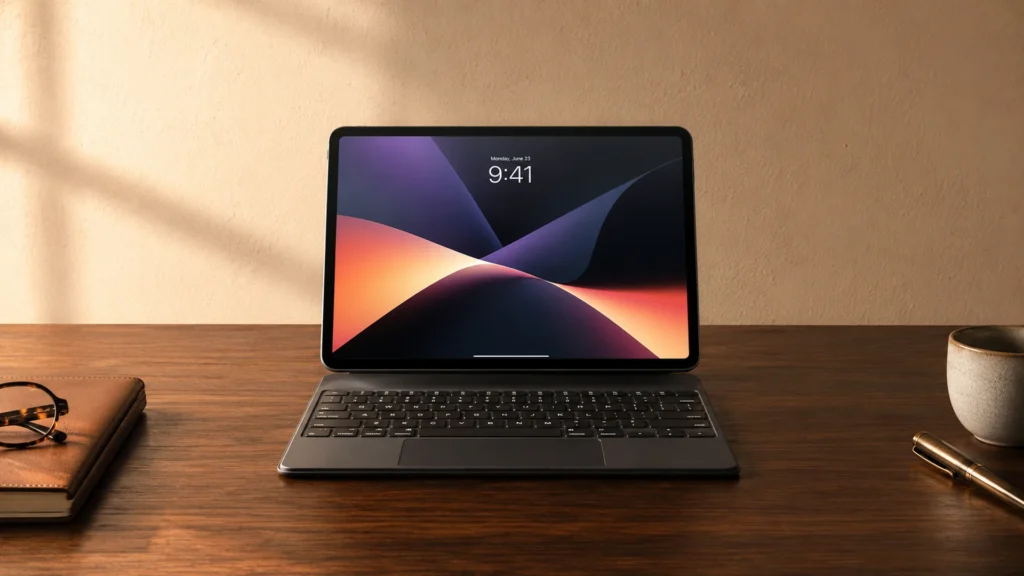
Detachable Keyboard Tablet Keyboards are keyboard cases that attach to a specific tablet size, then detach for faster handling. For most buyers, the goal is simple: type comfortably while keeping the tablet protected. In this sub-category, stability matters as much as key feel, because a loose hinge or poor fit ruins every typing session.
Picking one gets hard because the trade-offs show up fast. You often choose between a sturdier case and a lighter one. You also trade key travel and spacing for compact layouts. Finally, compatibility claims can be messy, so the right generation and cutout alignment decide whether the keyboard sits flat every time.
Use the picks below as a short list, then verify the tablet model before you buy. Looking for all types? See our Best Tablet Keyboards.
Quick Overview
Our Top Picks
#1. Logitech Combo Touch Keyboard Case

Specifications
| Brand | Logitech |
|---|---|
| Compatibility | iPad 10th Gen, iPad A16 |
| Form Factor | Keyboard Case |
| Connection Type | Smart Connector |
| Touchpad | Yes |
| Backlit Keys | Yes |
| Weight | 1.3 lb |
Pros
- Secure, reliable attachment
- Strong magnets and hinges
- Backlit keys included
Cons
- Keycap loosening concern
Logitech Combo Touch Keyboard Case stands out for detachable keyboard tablet use because it locks to compatible iPads through the Smart Connector. That means you do not deal with Bluetooth pairing or battery juggling, and the magnets and hinges keep the keyboard aligned while you type. Backlit keys help in darker rooms, and the built-in touchpad makes it easier to move through docs without reaching for a mouse. At about 1.3 lb, it stays portable for a keyboard case, while still feeling stable on a desk or in a lap.
The main trade-off is keycap stability. Some owners report that keycaps can loosen over time, so it is worth handling it carefully and keeping it clean. This is a strong fit if you have an iPad 10th Gen or an iPad A16 model and want a secure, tablet-like typing setup that snaps on reliably.
#2. ZAGG Rugged Book Pro 11" Keyboard Case

Specifications
| Brand | ZAGG |
|---|---|
| Compatibility | iPad Pro 11 in (M5), iPad Pro 11 in (M4) |
| Form Factor | Keyboard Case |
| Connection Type | Bluetooth |
| Touchpad | No |
| Backlit Keys | Yes |
| Weight | 2.5 |
Pros
- Secure, reliable attachment
- Strong magnets and hinges
- Useful shortcuts and stability
Cons
- Heavy keyboard
- No touchpad
The ZAGG Rugged Book Pro 11 stands out in detachable keyboard tablet cases because it keeps the iPad Pro 11 in (M5) and iPad Pro 11 in (M4) locked in with strong magnets and sturdy hinge points. You get stable typing while the case stays aligned, and the backlit keys help when light drops. It also includes practical shortcut keys, so you are not reaching for the screen as often.
The main trade-off is weight at 2.5 lb, which can feel like a lot for daily carry, especially once the tablet is attached. It also does not include a touchpad, so navigation will still depend on the iPad screen or a separate accessory if you prefer desk-like control.
#3. MoKo Touch Keyboard Case 11"

Specifications
| Brand | MoKo |
|---|---|
| Compatibility | iPad 10th Gen, iPad 11th Gen |
| Form Factor | Keyboard Case |
| Connection Type | Bluetooth |
| Keyboard Layout | QWERTY |
| Touchpad | Yes |
| Backlit Keys | Yes |
| Battery Life | 100 hr |
| Weight | 1.4 |
Pros
- Secure, reliable attachment
- Fair price, great typing
- Backlit keys included
Cons
- Port obstruction risk
- Button access blockage
MoKo Touch Keyboard Case 11 stands out for iPad users who want a true detachable keyboard case experience without fighting for placement. It targets iPad 10th Gen and iPad 11th Gen, then holds steady with a secure attachment. Typing feels solid for this category, with well-spaced keys and a built-in touchpad for quick cursor control. Backlit keys also help when you are working in darker rooms.
The main trade-off is access. Some buttons and ports can be harder to reach once the case is on. It also adds a bit of bulk, so it fits best for home, office, and study use rather than frequent in-and-out carrying. This is a good pick if you type often, want a touchpad, and prefer a stable case-style setup over a looser clip-on keyboard.
#4. ZAGG Rugged Book 11" Keyboard Case

Specifications
| Brand | ZAGG |
|---|---|
| Compatibility | iPad Pro 11 in (M5), iPad Pro 11 in (M4) |
| Form Factor | Keyboard Case |
| Connection Type | Bluetooth |
| Touchpad | No |
| Backlit Keys | Yes |
Pros
- Secure, reliable attachment
- Strong magnets and hinges
- Backlit keys included
Cons
- No touchpad
- Some added bulk
- Fit cutout uncertainty
ZAGG Rugged Book 11 stands out because it combines a protective keyboard case with a rock-solid physical connection. The magnets and hinges keep the tablet aligned while you type, and the backlit keys help when you work in low light. In the detachable keyboard case world, that secure fit matters as much as key feel, since a loose hinge can make typing slower and less accurate.
The main trade-off is the lack of a touchpad. If you want to ditch a mouse and do everything from the keyboard, this will feel limiting. It also adds some bulk, so it is best for people who carry it to school or work and leave it there often, rather than those who need the lightest portable option for daily trips.
What to Look For
Model specific compatibility: Confirm the keyboard case matches your exact tablet model name and generation, not just the screen size. Look for accurate camera and port cutouts and a secure latch so the tablet does not shift while you type.
Typing feel and key spacing: Prioritize keys that feel firm under your fingers and stay aligned across the row. If the keys feel mushy, wobble, or crowd the letters, you will type slower and make more mistakes.
Hinge and attachment strength: Check how the keyboard folds and how the tablet locks in. A strong hinge keeps the angle steady, and solid magnets or latches reduce frame flex over months of daily use.
Extras that you will actually use: If a keyboard includes a touchpad, test that it clicks and tracks smoothly. If it includes backlighting, verify that it is bright enough for indoor use and does not stay dim at common angles.
Travel size versus stability: Detachable means faster packing, but the case still adds weight. Compare the keyboard case weight and thickness so it stays easy to carry without making the setup feel shaky on your desk.
How We Picked
Products were identified through broad research across review sites and buyer forums, then filtered to only those that qualify as Detachable Keyboard Tablet Keyboards. I kept models that work as a keyboard case for the listed tablet sizes and that detach or fold as part of normal use.
Scoring used the same objective pillar framework as the main Tablet Keyboards post, allowing direct comparison of products within this sub-category. Compatibility, typing, build, features, portability, and value each contributed to the final ranking, with extra weight on fit quality and typing performance since those decide day to day satisfaction.
Frequently Asked Questions
Are detachable keyboard tablet keyboards safe to carry every day?
Yes, if the case locks well and keeps the tablet centered. Look for strong hinges and a firm magnet or latch. Also check how well the keyboard aligns when you snap it on.
Do detachable keyboard tablet keyboards work well for long typing sessions?
They can, but the key feel matters most. Focus on key travel, spacing, and keyboard stability on a table. If the keyboard flexes or wobbles, your typing speed usually drops.
What should I do if my detachable keyboard sometimes disconnects?
Start by fully charging the keyboard. Then turn Bluetooth off and back on, and re-pair it if needed. Keep the tablet and keyboard clean around the attachment points so the connection stays firm.
How do I choose between a detachable keyboard case and a keyboard cover type?
Choose a detachable keyboard case if you want better protection and a stable stand. A keyboard cover type often adds less protection and may feel less solid. If you work on the go, stability and hinge strength usually matter more than thinness.
When should I consider a different kind of tablet keyboard instead of detachable models?
Consider another type if you need the tablet to stay slim at all times. If you mainly type at a desk, a simpler stand or folio style may be easier. Also switch if you want longer battery life and fewer charging cycles.


