We’ve all been there. It’s 3:00 PM, you’re staring at a spreadsheet, and suddenly you realize your lower back feels like it’s being squeezed by a giant pair of pliers. You shift your weight, try to sit up straighter, and maybe even stand up for a minute, but the discomfort returns the moment you sit back down. If this sounds familiar, your chair isn’t just a piece of furniture—it’s a problem.
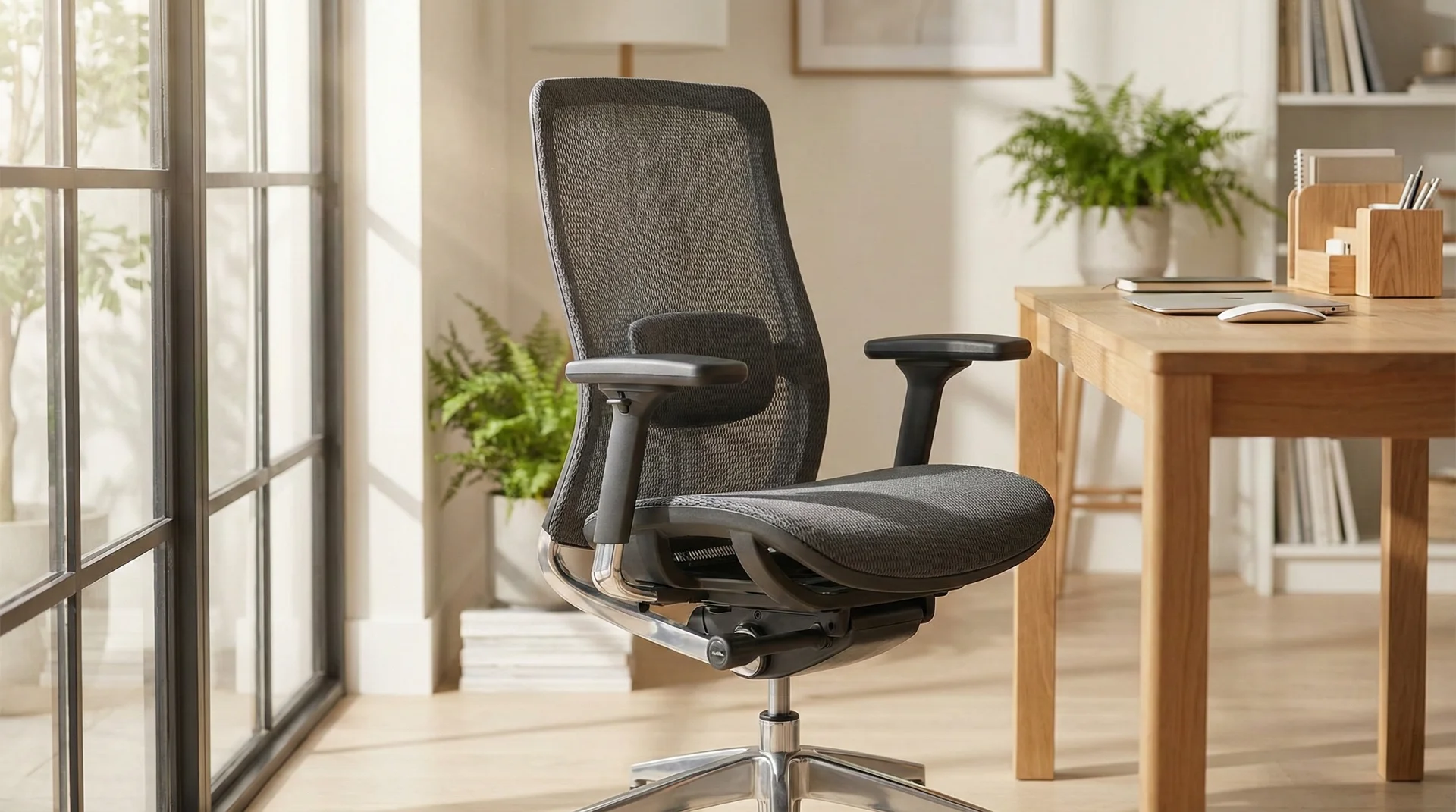
Choosing an ergonomic office chair is one of the most significant investments you can make for your long-term health and daily productivity. Given that most office professionals spend upwards of 2,000 hours a year sitting at a desk, the support beneath you matters more than the monitor in front of you. But with thousands of options ranging from fifty-dollar stools to two-thousand-dollar masterpieces of engineering, how do you actually find ‘the one’?
Why Ergonomics Actually Matters
Before we dive into the levers and knobs, let’s talk about why we’re doing this. Ergonomics isn’t just a buzzword used to mark up the price of office supplies; it’s the science of designing a workspace to fit the human body’s natural capabilities and limitations. When you sit in a chair that doesn’t support you, your muscles have to work overtime just to keep you upright. This leads to fatigue, reduced blood flow, and eventually, chronic pain.
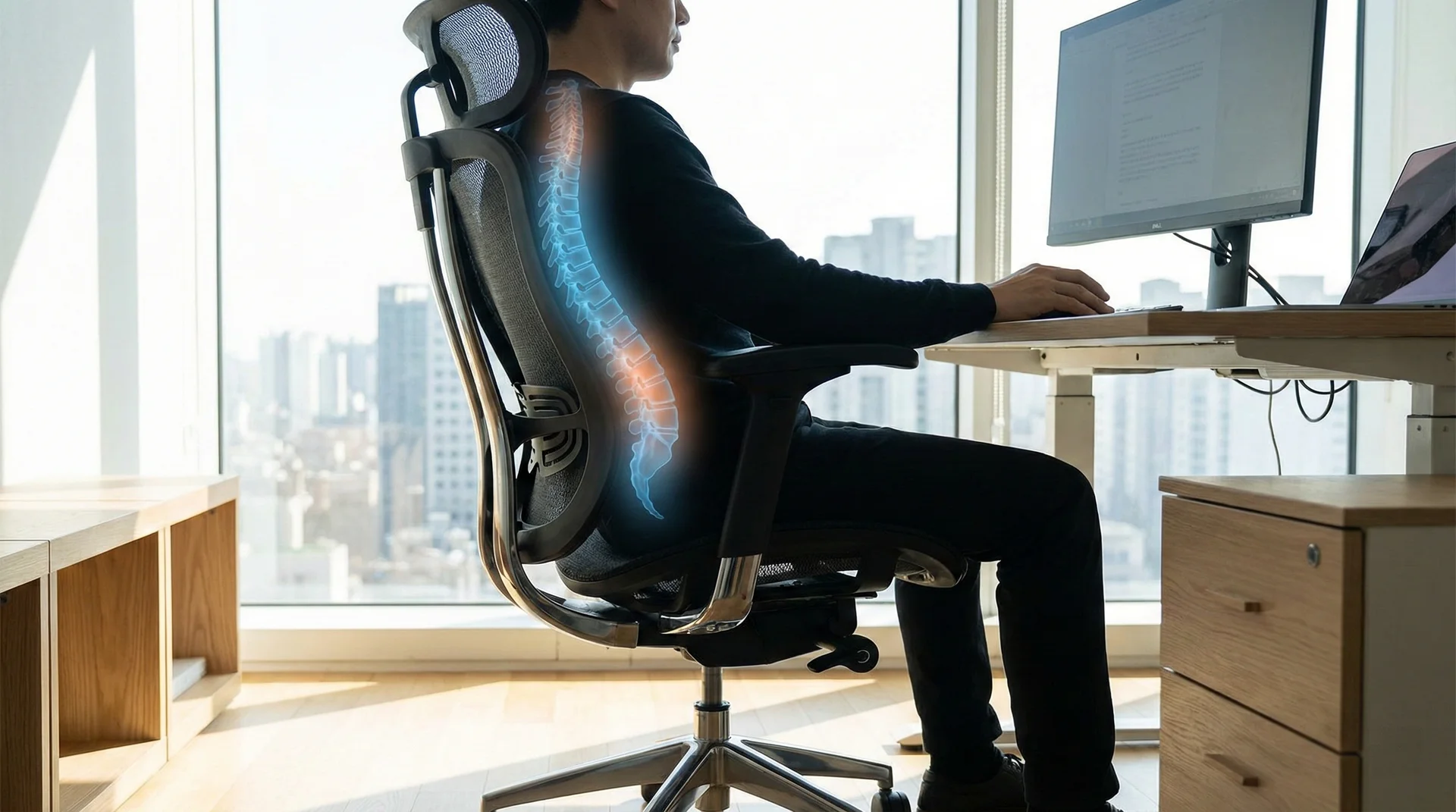
A proper ergonomic chair mimics the natural ‘S’ curve of your spine. It reduces the load on your intervertebral discs and keeps your joints in a neutral position. When your body is comfortable, your brain is free to focus on the task at hand rather than the nagging ache in your neck. This transition from ‘surviving the workday’ to ‘thriving during the workday’ is the core benefit of a high-quality seat.
The Foundation: Lumbar Support
If a chair doesn’t have adjustable lumbar support, keep looking. This is the single most important feature for spinal health. Your lower back has an inward curve, and sitting for long periods without support causes that curve to flatten or, worse, arch outward. This puts immense pressure on the lumbar discs.
When testing a chair, look for lumbar support that is adjustable in two ways: height and depth. You want the support to sit snugly in the small of your back. Some premium chairs use a dynamic system that moves with you as you shift, while others use a manual dial. The key is that it shouldn’t feel like a hard lump; it should feel like a firm, supportive hand pushing gently against your lower spine.
Seat Height and the 90-Degree Rule
Your chair’s height should be easily adjustable via a pneumatic adjustment lever. A good rule of thumb is that your feet should be flat on the floor, with your thighs horizontal and your arms even with the height of the desk. This creates a series of 90-degree angles at your knees, hips, and elbows.
If the chair is too high, you’ll end up dangling your feet, which cuts off circulation behind your knees. If it’s too low, your knees will be higher than your hips, putting extra weight on your sit-bones. Always check the range of the gas lift; if you are particularly tall or short, you might need a chair with a specialized cylinder.
Seat Depth and Width
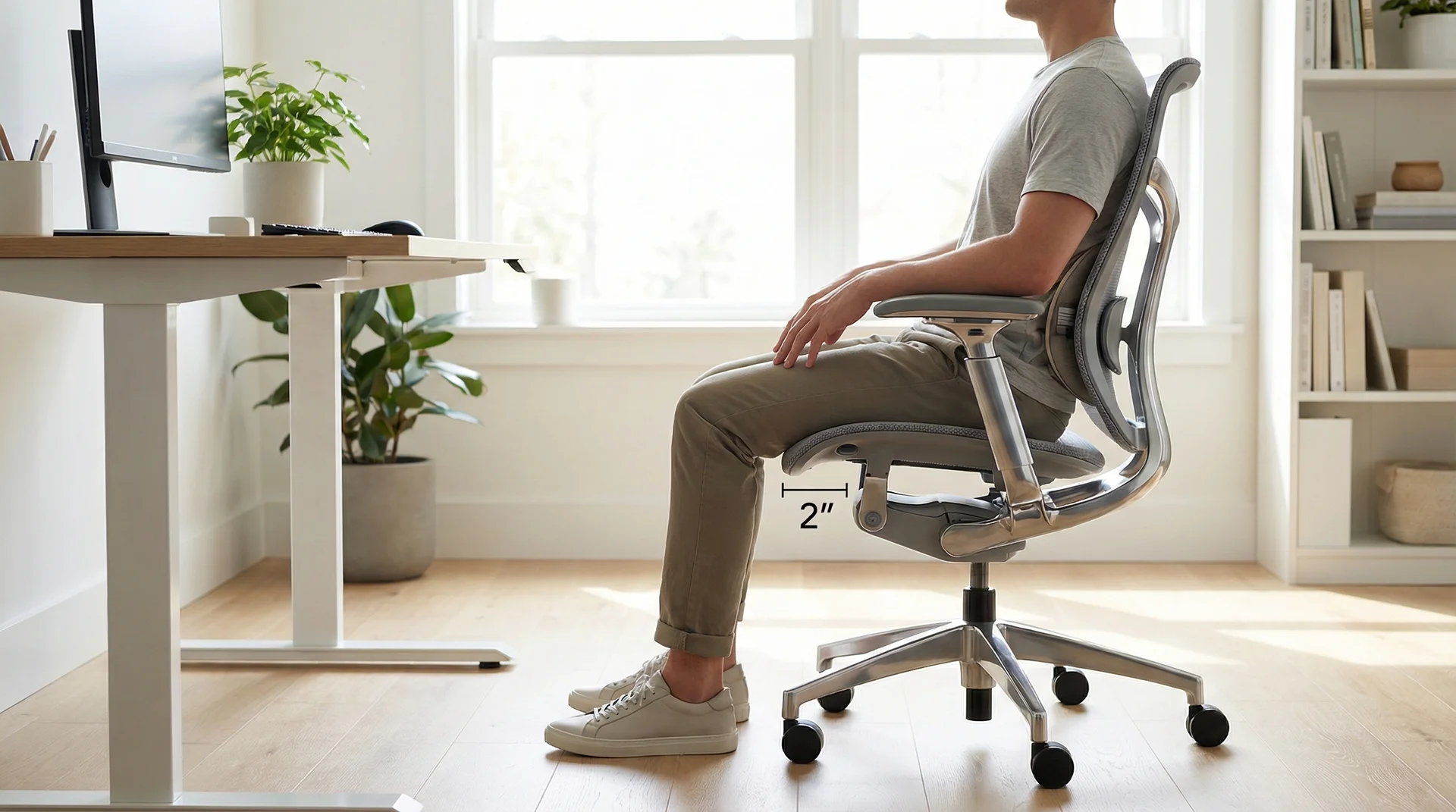
Most people overlook seat depth, but it’s crucial for leg comfort. When you sit with your back against the backrest, there should be a gap of about two to four inches (roughly a clenched fist) between the back of your knees and the edge of the seat. If the seat is too deep, it will press against the back of your knees and interfere with circulation. If it’s too shallow, you won’t have enough support for your thighs, making the chair feel unstable.
The Role of Armrests and Neck Support
Armrests aren’t just for lounging. Their primary job is to take the weight of your arms off your shoulders and neck. Look for ‘4D’ armrests, which can be adjusted for height, width, depth, and angle. When your arms are properly supported, your shoulders remain relaxed. If the armrests are too wide or too high, you’ll end up shrugging your shoulders all day, leading to tension headaches.
Neck support, or a headrest, is often a matter of preference. If you spend a lot of time in a reclined position—perhaps while reading documents or taking calls—a headrest is a godsend. However, if you are always leaning forward to type, a headrest might not even touch your head. If you choose a chair with a headrest, ensure it is height-adjustable so it hits the base of your skull rather than pushing your head forward.
Material Matters: Mesh, Leather, or Fabric?
The material of your chair affects both comfort and durability. Mesh is incredibly popular because it’s breathable. It allows air to circulate, keeping you cool during long summer days. However, low-quality mesh can lose its tension over time and start to sag. It can also be a bit abrasive on certain types of clothing.
Fabric is the traditional choice and offers the most variety in terms of padding and color. A high-quality fabric chair with high-density foam will retain its shape for years. The downside? It can trap heat and is susceptible to stains. Then there’s leather (or faux leather). It looks professional and is easy to wipe clean, but it can get ‘sweaty’ in warm environments and requires maintenance to prevent cracking.
Movement and Tilt Mechanisms
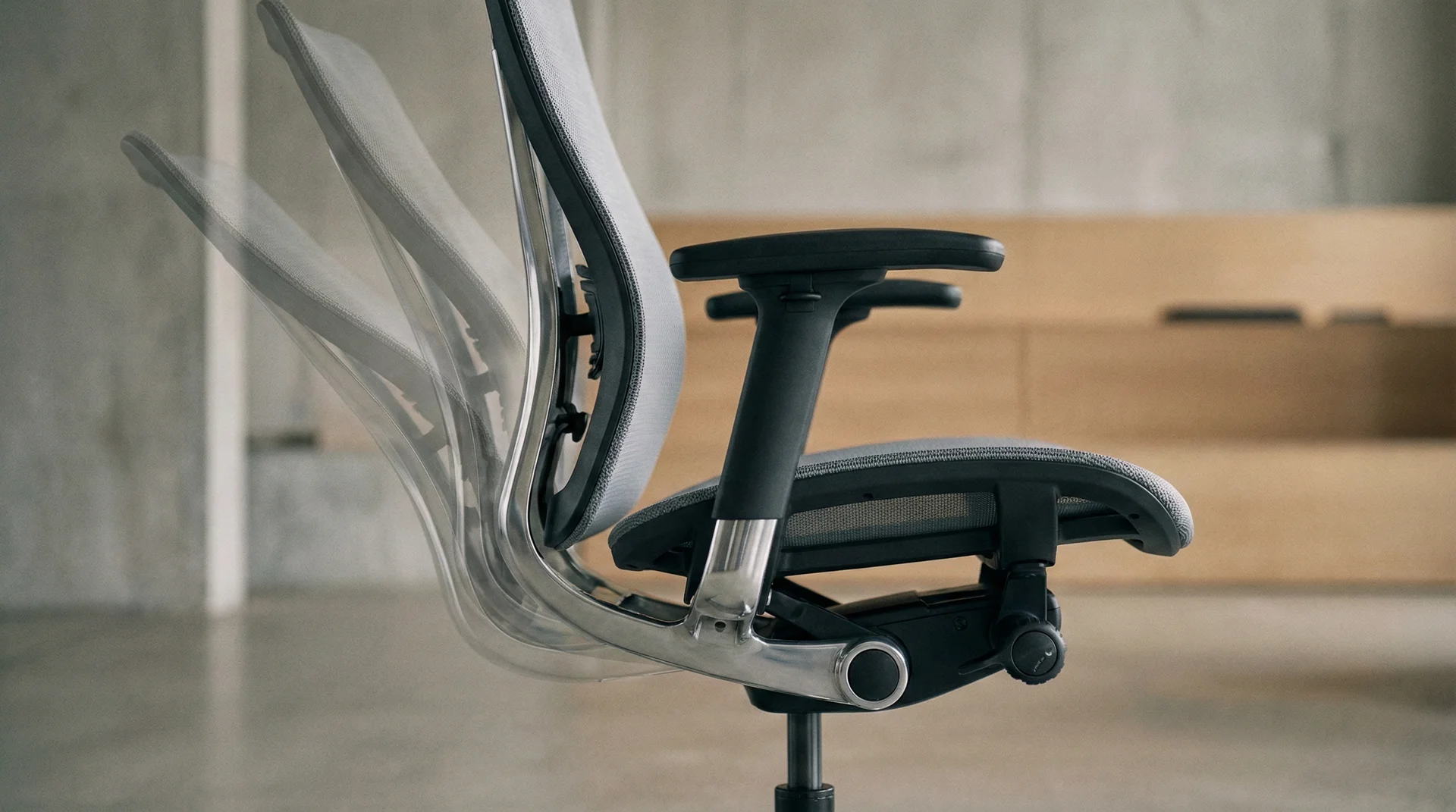
The human body was designed to move, not to sit still. A great ergonomic chair encourages ‘dynamic sitting.’ This is where the tilt mechanism comes in. Look for a chair with a ‘synchro-tilt’ mechanism. This allows the backrest to recline at a higher ratio than the seat (usually 2:1), which keeps your feet on the floor and your body opened up as you stretch back.
You should also look for adjustable tilt tension. This controls how much force is needed to recline. If it’s too loose, you’ll feel like you’re falling backward; if it’s too tight, you won’t be able to utilize the recline feature at all. Being able to lock the chair in different positions is also a plus for different tasks throughout the day.
How to Test a Chair Before Buying
If possible, never buy a chair without sitting in it first. While online reviews are helpful, everyone’s body is shaped differently. What feels like a cloud to one person might feel like a wooden bench to another. When you go to a showroom, don’t just sit for thirty seconds. Spend at least ten minutes in the chair. Bring your laptop or a notebook and simulate your actual work posture.
Check the controls. Are they easy to reach while sitting? Do they feel sturdy or flimsy? Listen for squeaks or rattles. A high-quality chair should feel like a solid, cohesive unit. If you must buy online, ensure the company has a generous return policy—ideally at least 30 days—so you can give the chair a real-world ‘stress test’ in your own home or office.
Budgeting for Your Back
It’s tempting to grab the $99 special from a big-box store, but in the world of office furniture, you generally get what you pay for. A cheap chair will often lose its cushion support within six months, and the plastic components are prone to snapping. Think of a high-quality ergonomic chair as a 10-year investment. If you spend $800 on a chair that lasts 10 years, it’s costing you about $0.30 per workday.
Mid-range chairs ($400-$700) often provide the best balance of features and durability. High-end brands like Herman Miller or Steelcase offer chairs in the $1,000+ range, but they also come with 12-year warranties and incredible resale value. If the price tag is too high, look for refurbished office furniture dealers; you can often find premium chairs for 50% off their retail price.
Maximizing Your New Setup
Once you’ve found the perfect chair, you need to use it correctly. Even the best chair won’t save you if you’re slouching or leaning to one side. Position your monitor so the top third of the screen is at eye level. This prevents you from tilting your head down. Keep your keyboard and mouse close enough that you don’t have to reach for them.
Finally, remember that the best posture is your next posture. No matter how ergonomic your chair is, you should still stand up, stretch, and walk around for five minutes every hour. Use your chair’s features to change your position throughout the day—recline during a call, sit upright for deep work, and adjust the armrests as needed. Your body will thank you.

Final Thoughts
Finding the right ergonomic office chair requires a bit of research and a fair amount of ‘test-driving,’ but the payoff is immense. By focusing on lumbar support, adjustability, and quality materials, you aren’t just buying a place to sit; you’re protecting your health and enhancing your ability to do great work. Don’t settle for ‘good enough’ when it comes to your spine. Take the time to find the chair that fits you perfectly, and your 3:00 PM self will be much happier.