




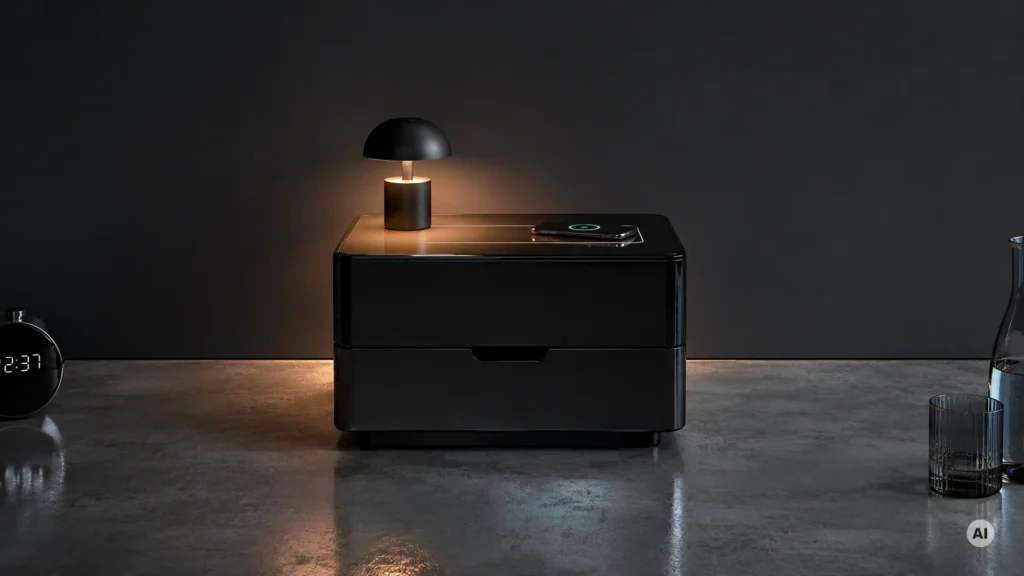
Nightstands with Charging Station are nightstands with built-in power for phones and other small devices. In this sub-category, you are not just buying a place for a lamp. You are also buying a charging setup you will reach for morning and night, without fishing for extension cords.
This category is harder than it looks. Charging adds complexity, so you often trade off against build strength, drawer usefulness, or clean cable management. Some units place ports in awkward spots, and others use cheaper hardware that does not feel stable once the drawer starts getting daily use.
Looking for all types? See our Best Nightstands.
Quick Overview
Our Top Picks
#1. Huuger Charger Station Nightstand

Specifications
| Brand | Huuger |
|---|---|
| Overall Dimensions | 19.7 x 15.7 x 23.6 in |
| Product Weight | 71 lb |
| Material | Particle Board |
| Number Of Drawers | 2 |
| Storage Configuration | Drawer |
| Charging Features | USB Port + AC Outlet |
Pros
- Built-in charging
- Easy bedside fit
- More organized storage
Cons
- Chipboard-prone construction
- Speed-built build
This nightstand stands out for its built-in charging setup right at the bedside, combining a USB port with an AC outlet so you can power a phone and a lamp without extra adapters. It is sized to work well in tighter room layouts too, with compact overall dimensions of 19.7 x 15.7 x 23.6 in, and it keeps daily items tucked away in two drawers for a cleaner nightstand surface.
The main trade-off is construction. It uses particle board, and the build can feel more like quick assembly than a long-term heirloom. This makes it best for everyday, light-to-moderate use, and for people who mainly want practical bedside storage plus charging in a small footprint.
#2. Huuger 3-Drawer Charger Station Nightstand

Specifications
| Brand | Huuger |
|---|---|
| Overall Dimensions | 23.6 x 15.8 x 23.6 in |
| Product Weight | 82.5 lb |
| Material | Engineered Wood |
| Number Of Drawers | 3 |
| Storage Configuration | Drawer |
| Charging Features | USB Port + AC Outlet |
Pros
- Built-in charging
- Sturdy and stable
- More organized storage
Cons
- Engineered wood limits durability
- Finish chipping uncertainty
- Speed-built craftsmanship
This Huuger nightstand stands out in the charging-station category because the power is built in where you actually sit and reach. You get a USB port plus an AC outlet right on the top area, which helps keep a bedside setup from turning into a cord mess. The 3-drawer layout also makes day-to-day items easier to sort, so you can stash chargers, remotes, and small essentials without digging through open space.
The main trade-off is long-term durability. It uses engineered wood, so it will not feel as rugged as solid-wood options, and the finish chipping risk is something to keep in mind, especially if the drawers get bumped often. It is also a bit of a heavier piece at 82.5 lb, so moving it for cleaning or rearranging may take planning.
#3. Huuger Charging Station Nightstand

Specifications
| Brand | Huuger |
|---|---|
| Overall Dimensions | 19.7 x 15.7 x 23.6 in |
| Material | Particle Board |
| Number Of Drawers | 3 |
| Storage Configuration | Drawer |
| Charging Features | USB Port + AC Outlet |
Pros
- Strong features, fair cost
- More organized storage
- Built-in charging
Cons
- Chipboard-prone construction
- Assembly overwhelming
- Drawer fabric sag risk
This Huuger nightstand stands out in the charging-nightstand crowd thanks to its built-in USB Port + AC Outlet. You can plug in a lamp and charge a phone at the same time, without running a separate power strip across the room. The storage is also more practical than many charging-focused designs, with three drawers that help keep small items like chargers and nighttime essentials from cluttering the top.
The main trade-off is durability. The unit uses particle board, so it may be less forgiving if you push, lean, or load the drawers heavily. Assembly can also feel like a lot, and some buyers note a risk of drawer fabric sag over time. This is best for shoppers who want bedside charging convenience and organized drawers, but handle the furniture gently and are willing to put in careful assembly time.
#4. WAMPAT 3-Drawer Nightstand

Specifications
| Brand | WAMPAT |
|---|---|
| Overall Dimensions | 15.7 x 30.9 x 33.9 in |
| Product Weight | 78 lb |
| Material | MDF |
| Number Of Drawers | 3 |
| Storage Configuration | Drawer |
| Top Weight Capacity | 88 lb |
| Charging Features | USB Port + AC Outlet |
Pros
- Built-in charging
- Holds heavier items
- Sturdy and stable
Cons
- Ports work, sometimes finicky
This WAMPAT nightstand stands out in the nightstands with charging station category because it combines a drawer nightstand with built-in charging: a USB port plus an AC outlet on the top. With 15.7 x 30.9 x 33.9 in overall size and a top weight capacity of 88 lb, it also feels like a practical bedside surface, not just a place to plug in devices. The 3-drawer layout is useful for keeping chargers, remotes, and small items from spreading across the nightstand.
The main trade-off is charging reliability. Some users report the ports can be finicky, so it may take a careful connection to keep devices charging consistently. This is a good pick if you want stronger, stable storage along with onboard charging, and you do not mind occasionally adjusting a cable.
#5. GIANTEX 2-Drawer Nightstand

Specifications
| Brand | GIANTEX |
|---|---|
| Product Weight | 33 lb |
| Material | Wood |
| Number Of Drawers | 2 |
| Storage Configuration | Drawer |
| Top Weight Capacity | 44 lb |
| Charging Features | USB Port + AC Outlet |
Pros
- Built-in charging
- More organized storage
- Strong features, fair cost
Cons
- Ports work, sometimes finicky
- Low top capacity
This GIANTEX nightstand stands out for its built-in charging setup. It includes a USB port plus an AC outlet, so you can plug in a phone and a lamp on the same side without hunting for extension cords. The two drawers also help keep bedtime items contained, which matters when you are trying to reduce clutter around a charging cable.
The main trade-off is reliability. Some users find the charging ports finicky, so you may need to adjust a plug once or twice for a steady connection. Also, the top space is not huge, so heavier items like larger lamps and trays may feel tight. It is a solid pick for bedrooms where you want charging built in and prefer drawer storage over open surfaces.
What to Look For
Charging features that fit your routine: Check whether the unit offers USB ports, an AC outlet, wireless charging, or a combination. Pick based on what you actually use beside the bed, not what you might use sometimes, and make sure the charging area sits where you can plug in without leaning awkwardly.
Reliability and access of the ports: Ports should be easy to reach when your phone is on the nightstand. Look for designs where charging sits on the top or a clearly defined charging zone, so cords do not fall behind the nightstand and the connector stays firmly seated.
Storage that matches real items: With a charging station, space gets tight. Prefer nightstands with properly sized drawers or a clear drawer plus shelf layout so you can store chargers, books, and small daily essentials without making everything spill into open clutter.
Drawer glide and hardware feel: Drawer slide type matters because it affects daily smoothness and how long the drawer stays aligned. Prioritize options with sturdier glide types and avoid designs that feel loose when you pull and push the drawer.
Build quality for daily use: A charging station nightstand should not wobble under the weight of a phone, lamp, and a few books. Look for a solid frame and consistent finish so the charging cutouts and drawer hardware do not show gaps or wear quickly.
How We Picked
Products were identified through broad research across review sites and buyer forums, then filtered to only those that qualify as Nightstands with Charging Station.
Scoring used the same objective pillar framework as the main Nightstands post, allowing direct comparison of products within this sub-category.
Frequently Asked Questions
What charging options should I look for in a nightstand with a charging station?
Look for USB ports if you use phone cords most days. Choose AC outlets if you need to plug in a lamp, phone charger, or a small device. Some models also add wireless charging on top for quick, cord-free use.
How can I reduce cord clutter with a charging nightstand?
Use shorter charging cables when possible. Route the cable down the back gap, then bring it to the charging area. Keep the top clear so the charging station stays easy to reach.
Do I need to do any special care for the built-in charging parts?
Avoid spills on the charging panel and keep liquids off the ports. Wipe the surface with a dry or slightly damp cloth, then dry it well. Do not press hard into the USB ports or force the wireless charging area.
How do I choose between a 2-drawer and a 3-drawer charging nightstand?
Pick 3 drawers if you want more organized storage for items like chargers, glasses, and spare batteries. Choose 2 drawers if you prefer more open space on top for your lamp and phone. Both types can work well, but drawer space often decides day to day convenience.
When should I consider a different type of nightstand instead of one with charging?
Consider a basic nightstand if you already have outlets near the bed and hate built-in electronics. You might also skip charging if you want simpler maintenance or a lighter look. If you charge multiple devices nightly, a built-in station is usually worth it.
How do nightstands with charging stations usually compare in size to standard nightstands?
They often have a similar footprint, but the charging top space can make the usable top feel tighter. Check the overall width and depth so you do not block access to the bed. Also match the height to your mattress so the charging panel stays within easy reach.


