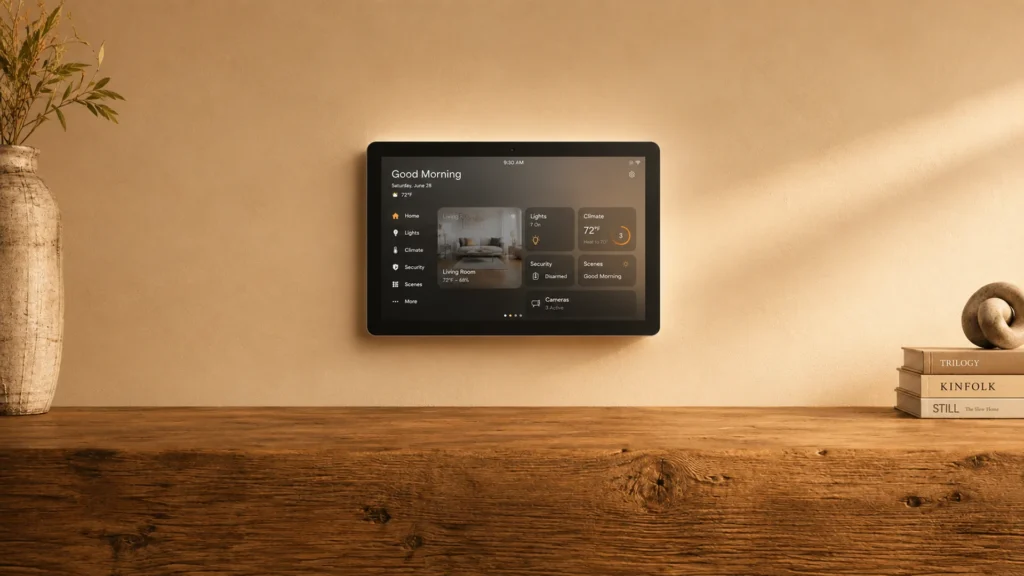
Google Assistant Smart Home Assistants are the Google Nest Hub and Nest Mini devices that run on Google Assistant. Buyers typically need reliable voice control for lights, thermostats, and routines, plus day-to-day help like timers, reminders, and quick status checks on a home screen.
The hard part is picking the right mix of voice performance, smart home setup, and on-device features. You also have to decide if you need a display for at-a-glance controls, or if an audio-first device fits your rooms better. Spend more for a larger display only when you will use it daily.
Looking for all types? See our Best Smart Home Assistants.
Quick Overview
Our Top Picks
#1. Google Nest Hub Max 10" Smart Home Assistant

Specifications
| Brand | |
|---|---|
| Voice Assistant Platform | Google Assistant |
| Connectivity | Wi-Fi, Bluetooth |
| Display Size | 10 in |
| Display Resolution | 1280 x 800 px |
| Speaker Output Power | 30 W |
| Dimensions | 4 x 4 x 4 in |
Pros
- Crisp audio, low distortion
- Responsive touch controls
- Larger, more usable screen
Cons
- Weak privacy controls
- Few smart protocols supported
- Wi-Fi dropouts
The Nest Hub Max 10 stands out in Google Assistant smart home setups thanks to its bigger, easier-to-read 10 in touchscreen paired with clear, low-distortion audio. It is especially handy for everyday control and glanceable routines, like checking timers, viewing cameras, or tapping smart home scenes without asking again. The 30 W speaker also makes voice responses and media easier to hear around the room.
The main trade-off is smart home flexibility. Device control depends heavily on Google Assistant and Wi-Fi, and there are reports of Wi-Fi dropouts. If you want wider protocol support, or you have a hub-heavy Zigbee or Thread setup, you may find it less smooth than alternatives. This is best for homes centered on Google Assistant and Wi-Fi reliability, where the screen and sound do most of the work.
#2. Google Nest Hub 7" Smart Home Assistant

Specifications
| Brand | |
|---|---|
| Voice Assistant Platform | Google Assistant |
| Connectivity | Bluetooth, Wi-Fi |
| Display Size | 7 in |
| Display Resolution | 1024 x 600 px |
| Microphone Count | 3 |
Pros
- Price matches performance
- Seamless setup
- Voice Match personalization
Cons
- Few smart protocols supported
- Low-resolution display
- Occasional slow responses
The Google Nest Hub 7 stands out for people who want a smart home assistant that feels personal and natural day to day. Voice Match personalization helps it react more consistently to the right person, and Google Assistant handling of spoken questions stays strong for common routines like lights, timers, and quick home checks. The 7 in display also makes requests easier to follow, with a straightforward touch interface for media and smart home controls.
The main trade-off is smart home breadth. Support for smart home protocols is limited compared with hubs that back more wireless standards, so device compatibility depends more on what you already use. The screen is also lower resolution at 1024 x 600 px, and while responses are generally quick, there are occasional slow moments when you make more complex requests.
#3. Google Nest Hub 1st Gen Smart Home Assistant

Specifications
| Brand | |
|---|---|
| Voice Assistant Platform | Google Assistant |
| Connectivity | Wi-Fi, Bluetooth |
| Display Size | 7 in |
| Display Resolution | 1024 x 600 px |
| Dimensions | 7.02 x 2.65 x 4.65 in |
Pros
- Price matches performance
- Camera-free privacy
- Google Home reliability
Cons
- Few smart protocols supported
- Low-resolution display
- Occasional connectivity issues
Google’s first Nest Hub stands out for pairing a solid Google Assistant experience with strong privacy defaults. You get a built-in display for quick at-a-glance controls, plus a camera-free design for home use where you do not want an always-on view. In day-to-day smart home tasks, it stays dependable with typical Google Home commands and routines, and the audio is clear enough for voice control and media in a living room or kitchen.
The main trade-off is smart home reach. Its support for smart protocols is limited, so some device types may need extra bridges or may not integrate as cleanly as with hubs that cover more standards. The 7 in screen runs at 1024 x 600 px, so it can feel a bit low-res for detailed visuals, and occasional connectivity hiccups can interrupt automations.
#4. Google Nest Mini (2nd Gen) Smart Home Assistant

Specifications
| Brand | |
|---|---|
| Voice Assistant Platform | Google Assistant |
| Connectivity | Wi-Fi, Bluetooth |
| Microphone Count | 3 |
Pros
- Price matches performance
- 360-degree audio
- Mic mute switch
Cons
- Weak privacy controls
- Few smart protocols supported
- Setup friction
Google Nest Mini (2nd Gen) stands out in the Google Assistant smart home assistant crowd for its 360-degree audio and reliable far-field listening. Three microphones help pick up commands from across a room, and the speaker output stays clear enough for timers, voice responses, and simple home controls. A physical mic mute switch also makes it easier to control when the device listens.
Still, it has some smart home limits compared with higher-end hubs. Protocol support is limited, so some setups may require workarounds, especially if your devices use newer standards. Setup can also feel a bit fiddly at first, so this is best for people who already use Google Assistant and want straightforward voice control more than broad device compatibility.
What to Look For
Voice accuracy and follow-ups: Test how often the assistant understands common commands. Also check whether it can handle follow-up questions without you repeating details, especially when multiple people use the home.
Smart home protocol support: Prefer models that fit your existing setup. If you use Matter devices, make sure the assistant supports Matter. If you rely on Zigbee or Thread devices, check whether you already have a hub path for those devices.
Device control stability: Routines should not randomly fail after setup. Look for a model line with consistent pairing and dependable day-to-day control, not ones that only work after repeated re-linking.
Display usefulness for daily control: For Nest Hub models, size and resolution matter. A larger screen helps with media, camera feeds, and quick control tiles. A smaller screen can still work well for clocks, timers, and basic status.
Room coverage for voice pickup and audio: In this sub-category, the Mini is for voice-only rooms, while the Hub models add speaker audio and a screen. Consider far-field microphone count and how loud you need announcements to be for your layout.
How We Picked
Products were identified through broad research across review sites and buyer forums, then filtered to only those that qualify as Google Assistant Smart Home Assistants. That means each pick must function as a Google Assistant hub device for smart home control, using the Nest Hub or Nest Mini line.
Scoring used the same objective pillar framework as the main Smart Home Assistants post, allowing direct comparison of products within this sub-category. Voice, smart home support, audio, display, trust, and value all influenced the final ranking, with extra weight on reliable day-to-day Google Assistant control.
Frequently Asked Questions
Do Google Assistant smart displays handle smart home routines reliably?
They usually do. Routines run through your Google account, so they can start lights, plugs, and thermostats on a schedule. Still, always test your routine once after setup, especially for new devices.
What is the main difference between a smart display and a smart speaker for Google Assistant control?
A smart display gives you a screen for quick status and visual controls. A smart speaker relies mostly on voice, so you may not see device states as easily. If you want at a glance room control, a display is usually better.
How do I set up Google Assistant for a smart home the first time?
Start in the Google Home app and sign in. Add your smart devices, then link them to the correct rooms. After that, enable any needed permissions and test voice commands like Turn on the living room lights.
Which smart home protocol should I check before buying devices for Google Assistant?
Check whether your devices support Matter, Zigbee, or Thread, if you use those ecosystems. Protocol support affects pairing and stability. If your devices are Wi-Fi only, pairing is often simpler but can be less power efficient.
Should I choose Google Assistant smart home assistants, or another type, like a hub system?
Consider a hub system if you want more control over devices that do not use Wi-Fi. Google Assistant works best when your devices connect easily and stay online. If you have many Zigbee or Thread devices, a dedicated hub may help with reliability.
How does a Google Assistant smart home assistant compare with other smart assistant types for voice control?
Google Assistant typically does strong language understanding for everyday questions. Response speed depends on your internet and device connection quality. Many people also prefer Google for quick follow ups when you ask about rooms and routines.


