




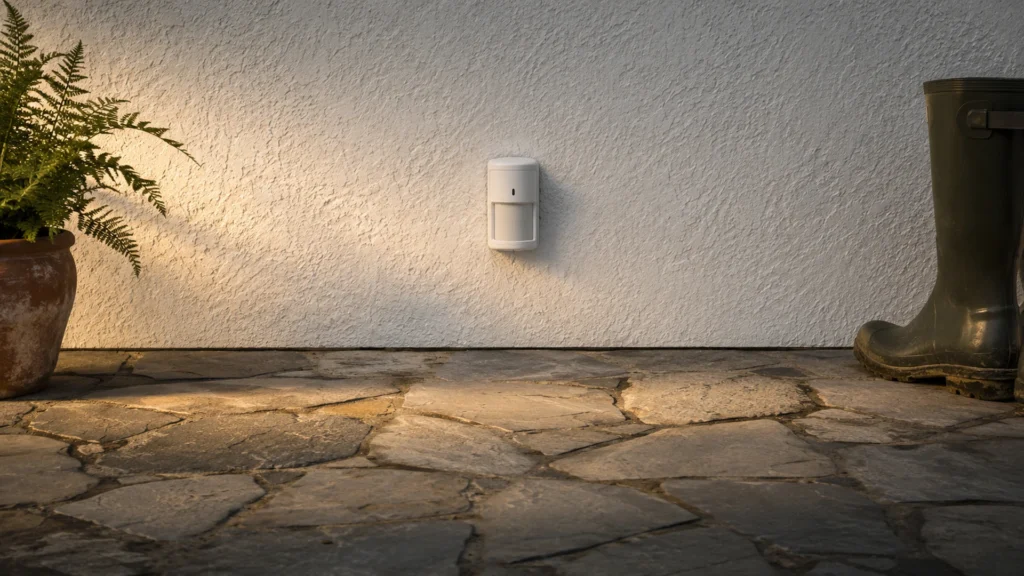
Zigbee motion sensors send motion events to your smart home over Zigbee, not Wi-Fi. Buyers in this sub-category usually want reliable detection for lights and automations. They also want pairing that works without extra hubs. For many homes, Zigbee is the easiest way to keep devices local and fast.
Picking the right unit is not simple. You trade range and coverage for sensitivity and fewer false triggers. You also trade installation speed for setup choices like mounting position and alert behavior. Finally, Zigbee compatibility matters. A sensor that pairs well with one hub can behave differently on another.
Use this guide to match sensor behavior to your rooms and your Zigbee setup. Looking for all types? See our Best Motion Sensors.
Quick Overview
Our Top Picks
#1. Aqara FP300 Presence Motion Sensor

Specifications
| Brand | Aqara |
|---|---|
| Sensing Technology | mmWave |
| Detection Range | 20 ft |
| Detection Angle | 120 deg |
| Power Source | Battery |
| Connectivity | Thread, Zigbee, Matter |
| Mounting Type | Wall |
Pros
- Consistent triggers, low false alarms
- Smart automation works flawlessly
- Wide coverage, quick
Cons
- Battery-powered maintenance
If you want a Zigbee motion sensor that feels dependable day to day, the Aqara FP300 Presence Motion Sensor is a standout. It uses mmWave sensing and covers up to 20 ft with a 120 deg field of view, so it can detect movement quickly and with fewer false triggers. In real home automations, that means lights and routines tend to start when you expect them to, not after a delay or with random activations.
The main trade-off is battery power. You will need periodic maintenance, so this is best for people who can handle occasional battery checks and prefer a clean, no-wiring install. If you already build your smart home around Thread or Zigbee, it also fits well into common automation setups and works reliably once set.
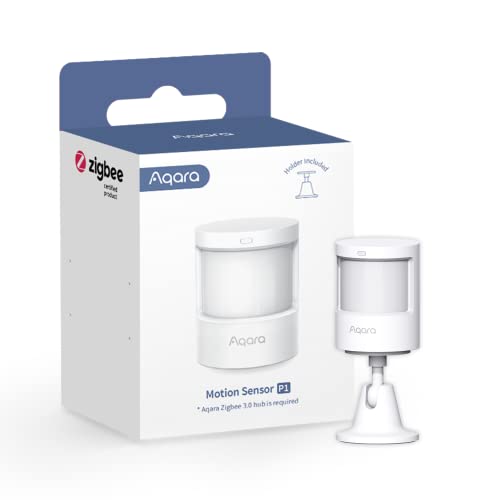
#2. Aqara Zigbee 3.0 Motion Sensor P1 Motion Sensor

Specifications
| Brand | Aqara |
|---|---|
| Detection Range | 4 to 7 ft |
| Detection Angle | 150 to 170 deg |
| Power Source | Battery |
| Connectivity | Zigbee |
| Mounting Type | Wall |
| Operating Temperature | 14 to 131 °F |
Pros
- Consistent triggers, low false alarms
- Wide coverage, quick
- Useful sensitivity and timers
Cons
- Dark-object miss-detection
- Battery-powered maintenance
- Hub-dependent integration
This Aqara Zigbee 3.0 motion sensor stands out for steady, quick triggers in a typical Zigbee setup. It covers about 4 to 7 ft with a wide 150 to 170 deg view, so you can catch movement across a hallway or room without constant re-positioning. In day to day use, it keeps false alerts low, and the sensitivity and motion timer settings help you dial it in for different spaces.
The main trade-off is that it is battery powered, so it is not a set and forget install. It can also miss movement when the target is dark, which matters for low light or when you want to detect subtle motion near the sensor. Finally, it is hub dependent for smart automations, so it is best for buyers who already run Aqara or another compatible Zigbee hub.
#3. SONOFF SenseGuard Motion Sensor

Specifications
| Brand | SONOFF |
|---|---|
| Sensing Technology | PIR |
| Detection Range | 6-meter detection range |
| Detection Angle | 120 deg |
| Power Source | Battery |
| Connectivity | Zigbee |
| Use Location | Indoor |
Pros
- Price matches the performance
- Broad protocol support
Cons
- Generally responsive, sometimes misses
- Occasional nuisance activations
- Short detection range
In a Zigbee motion sensor lineup, the SONOFF SenseGuard stands out for being an indoor PIR sensor that still aims for quick, consistent alerts using Zigbee connectivity. With a 120 deg field of view and a stated 6-meter detection range, it is practical for rooms, hallways, and open areas where you want reliable triggers for automations.
The trade-off is that real-world detection can be hit or miss at the edges. Some setups report occasional missed motion and occasional nuisance activations, so placement matters. If you can mount it centrally and keep it away from drafty corners or direct light sources, it is a solid pick for typical home automations, especially when you want Zigbee integration without going overboard on range.
#4. Sengled Zigbee Motion Sensor

Specifications
| Brand | Sengled |
|---|---|
| Detection Range | 30 ft |
| Detection Angle | 120 deg |
| Connectivity | Zigbee |
| Use Location | Outdoor |
Pros
- Broad protocol support
- Works indoors and outdoors
Cons
- Occasional nuisance activations
- Generally responsive, sometimes misses
- Okay build, flimsy plastics
What makes this Sengled sensor stand out in a Zigbee motion setup is that it is meant for both indoor and outdoor use, while still staying in the Zigbee ecosystem. The 120 deg field of view and 30 ft detection range give it practical coverage for hallways, driveways, and entry paths, and the pairing process is typically straightforward for Zigbee hubs. In day to day use it is usually quick to react, which is important when you want lights to turn on fast.
The main trade off is consistency. Expect occasional nuisance activations, and it sometimes misses motion, especially when people move less clearly or stay near the edge of its range. Build quality feels a bit light, so it is a better fit for covered outdoor spots or indoor areas where it will not take rough handling.
What to Look For
Detection Range and Coverage: Start with the stated feet range and place the sensor so people move across its view. Zigbee motion sensors can drop in performance near the edge of their range, especially for small or slow movement.
Detection Angle (Field of View): Use the angle rating to plan where to mount. Wider angles cover more walking paths, while narrow angles work better for hallways or specific corners. If you plan to mount high, double check the angle.
Sensitivity and False Alarm Behavior: Look for adjustable sensitivity or settings that help reduce unwanted triggers. In real rooms, you want consistent detection for people while minimizing events from pets, curtains, or heat sources.
Reliability With Your Zigbee Hub: Zigbee sensors live or die by stable pairing and steady event updates. Favor models with a reputation for consistent triggers over long use, and check for hub compatibility before you commit.
Installation Fit and Mounting Type: Confirm the intended mount style, like wall or ceiling, and make sure the included hardware works for your surface. Zigbee sensors often require careful placement to avoid dead zones and to keep the sensor aligned with movement patterns.
How We Picked
Products were identified through broad research across review sites and buyer forums, then filtered to only those that qualify as Zigbee Motion Sensors. Each candidate needed to be a motion-detecting sensor that communicates over Zigbee for smart home automations.
Scoring used the same objective pillar framework as the main Motion Sensors post, allowing direct comparison of products within this sub-category. We weighted performance, reliability, installation, features, build, and value. The goal was simple: pick Zigbee motion sensors that keep triggering correctly after setup, not just right out of the box.
Frequently Asked Questions
Do Zigbee motion sensors need a hub to work?
Yes, most Zigbee motion sensors need a Zigbee hub or Zigbee gateway. They use Zigbee to send motion alerts to your smart home system. Without a hub, you usually only get limited standalone behavior.
What is the best placement for Zigbee motion sensors?
Mount them on a wall about 6 to 7 feet high for many indoor spaces. Aim them across the path of movement, not straight at it. Avoid aiming at heat sources like vents, fireplaces, or direct sunlight.
How do I stop false alerts with Zigbee motion sensors?
Start by setting a lower sensitivity if your sensor supports it. Then adjust where you mount it so it does not see moving curtains or fans. If the sensor supports pet settings, enable that for smaller animals.
Should I choose a Zigbee motion sensor or a battery-free wired sensor instead?
Choose Zigbee if you want easy placement and no wiring. Choose wired sensors if you need the most stable power and want to avoid battery swaps. If you plan to place many sensors, wired can reduce long term maintenance.
How do Zigbee motion sensors compare with Wi-Fi motion sensors?
Zigbee sensors usually use less power, so batteries last longer. Zigbee also tends to handle many devices better in a single home. Wi-Fi can be simpler, but it may drain batteries faster.


