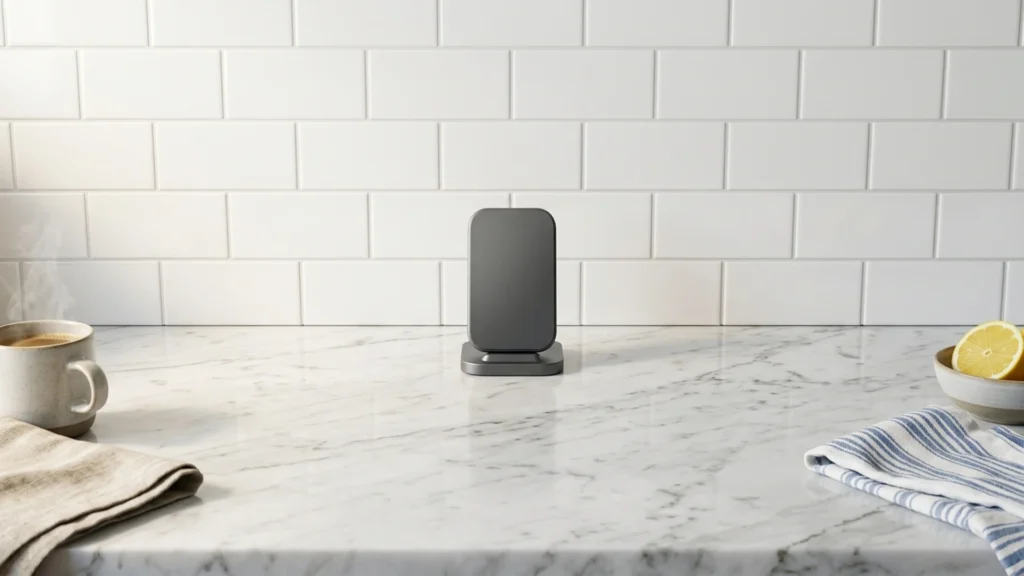
Stand wireless chargers hold your phone upright instead of flat on a pad. That choice matters because placement and coil alignment affect how fast you charge and how often the charger cuts out.
Picking one is harder than it looks. You must trade off max wattage versus real stability, and you must check compatibility for your phone model, case thickness, and whether you want MagSafe-style magnet alignment.
For more context on the full category and how prices compare, use the quick reference here: Looking for all types? See our Best Wireless Chargers.
Quick Overview
Our Top Picks
#1. Belkin BoostCharge Pro Convertible Wireless Charger Stand

Specifications
| Brand | Belkin |
|---|---|
| Charging Standard | Qi2 |
| Max Wireless Output | 15 W |
| Form Factor | Stand |
| Input Power | 20 W |
| Dimensions | 3.1 x 6.1 x 4.6 in |
| Weight | 0.7 lb |
Pros
- Strong alignment across devices
- Sturdy base, no wobble
- Faster charging
Cons
- Port stress issue
This Belkin BoostCharge Pro Convertible Wireless Charger Stand stands out because it keeps your phone aligned for steady charging in a stand setup. The base feels solid and does not wobble, so the phone stays put during longer sessions. It also delivers faster charging in real use, hitting up to 15 W on Qi2 while maintaining good contact. In a sub-category where stand stability can make or break the experience, this one stays dependable.
The main trade-off is a reported port stress issue. That matters most if you move the charger often or bend the cable near the plug. If you mostly leave it on your desk or nightstand and handle the cable gently, it is a strong choice for daily charging. If you are rough with cords or frequently unplug it, consider a model with a more forgiving build around the input connection.
#2. Anker MagGo Wireless Charger Stand

Specifications
| Brand | Anker |
|---|---|
| Charging Standard | Qi2 |
| Max Wireless Output | 15 W |
| Form Factor | Stand |
| Weight | 0.6 lb |
Pros
- Reliable wattage delivery
- Sturdy base, no wobble
- Easy, secure device hold
Cons
- Audible buzzing
- Watch band instability
- Dust-attracting surface
This Anker MagGo stand stands out for one simple reason: it stays put while charging. The base feels solid, with no wobble when you set your phone in place. In real use, it delivers steady wireless power up to 15 W on Qi2 devices, and the phone holds securely without constant readjusting. It is a strong match for the stand category, where stability matters as much as charging speed.
The main trade-off is comfort and quietness. Some users report an audible buzzing, and a watch band can shift the way the phone sits on the stand. Also, the surface seems to attract dust, so it can look less clean over time. This is best for people who want a dependable MagGo-style stand setup and do not mind dealing with minor noise or cleaning.
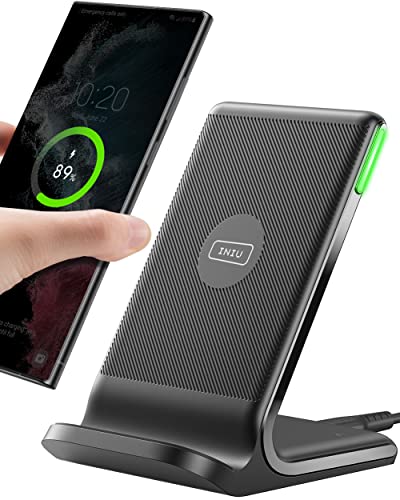
#3. INIU 15W Wireless Charger Stand

Specifications
| Brand | INIU |
|---|---|
| Charging Standard | Qi2 |
| Max Wireless Output | 15 W |
| Form Factor | Stand |
| Dimensions | 4.2 x 2.9 x 3.4 in |
| Weight | 0.4 lb |
Pros
- Great performance, fair cost
- Faster charging
- Better compatibility
Cons
- Chirping sound
- Intermittent charging
- Month-limited reliability
This INIU 15W wireless charger stand stands out in the stand category for its practical combo of speed and day-to-day usability. It targets Qi2 at up to 15W, and it keeps a solid hold while you leave your phone upright for longer sessions. Compatibility is also a strong point, with reliable performance across supported Qi2 devices, so you do not have to constantly re-seat your phone to get charging to start.
The main trade-off is reliability over time. Some users report chirping sound, intermittent charging, and month-limited reliability. If you need a stand for occasional top-ups, it can be a good fit. If you rely on wireless charging every night, you may want to look at models known for more consistent long-term behavior.
#4. ESR HaloLock Wireless Charger with Kickstand

Specifications
| Brand | ESR |
|---|---|
| Charging Standard | MagSafe |
| Max Wireless Output | 15 W |
| Form Factor | Stand |
| Input Port | USB-C |
| Weight | 0.3 lb |
Pros
- Sturdy base, no wobble
- Great performance, fair cost
- Faster charging
Cons
- Kickstand usability mismatch
- Limited MagSafe animation
This ESR HaloLock stand stands out because it stays steady once you place your phone. The base has no wobble, and the kickstand keeps your screen at a useful angle for quick checks. Charging is also one of its better traits for a stand charger, with reliable, fairly fast power delivery up to 15 W for compatible devices. If you use your phone while it charges, the stability makes day to day use feel smoother than many flimsy stand designs.
The main trade-off is alignment behavior. The kickstand can feel like it does not match every viewing angle need, and the MagSafe experience is not as consistent as some alternatives, so animations may be more limited. This is best for people who want a solid stand that does not shift, and who mainly care about steady charging more than perfect MagSafe responsiveness.
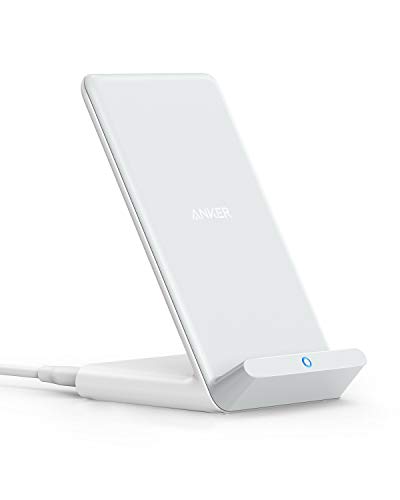
#5. Anker 313 Wireless Charger Stand

Specifications
| Brand | Anker |
|---|---|
| Charging Standard | Qi |
| Max Wireless Output | 10 W |
| Form Factor | Stand |
| Input Port | Micro-USB |
| Dimensions | 4.5 x 3.1 x 2.7 in |
| Weight | 0.2 lb |
Pros
- Easy, secure device hold
- Great performance, fair cost
Cons
- Outdated input port
- Setup-dependent performance
This stand type charger stands out with a very secure phone hold and solid day-to-day use. With up to 10 W output under Qi, it tends to stay aligned and stable, so your phone does not drift off the coil during longer sessions. It also makes the stand format practical for desk use, since you can glance at the screen while it charges.
The main trade-off is that setup can change results. Use the phone in the sweet spot, and charging stays smooth. Miss the alignment and performance drops. Also, the input uses Micro-USB, so you may need an older cable or a specific adapter if your desk setup runs mostly on newer ports.
#6. CASETiFY PowerThru 2-in-1 Wireless Charger

Specifications
| Brand | CASETiFY |
|---|---|
| Charging Standard | Qi2 |
| Number Of Devices | 2 |
| Form Factor | Stand |
| Weight | 1.5 lb |
Pros
- Sturdy base, no wobble
- Easy, secure device hold
- Better compatibility
Cons
- Limited dual-phone support
- Heavy and bulky
- Underwhelming wireless speed
This CASETiFY stand is notable for its physical stability and secure grip. The base feels solid and does not wobble, so the phone stays put during longer charging sessions. Device placement also feels straightforward, with a steadier hold than many taller, lighter stands. It uses Qi2, which helps with more consistent behavior on newer Android phones and many Qi2-friendly cases.
The trade-off is speed and multi-device usefulness. Wireless output feels underwhelming compared with faster stand models, so it is not the best choice if you want quick top-ups. Also, the dual-phone setup is limited, so it works best for one primary phone rather than a true two-phone daily routine.
#7. yootech Wireless Charger Stand

Specifications
| Brand | yootech |
|---|---|
| Charging Standard | Qi |
| Max Wireless Output | 10 W |
| Number Of Devices | 1 |
| Form Factor | Stand |
| Input Port | USB-C |
| Dimensions | 4.5 x 3.2 x 3.6 in |
| Weight | 0.3 lb |
Pros
- Great performance, fair cost
- Hands-free design
- Modern USB-C input
Cons
- Slow, sometimes drops
- Single-device only
- Case-removal friction
This Yootech wireless charger stand stands out for its simple hands-free setup and modern USB-C input. It is a single-device Qi stand built for desk or nightstand use, keeping your phone upright while you scroll or work. The build feels steady, and the convenience is real when you can just drop your phone on the pad.
The main trade-off is speed and consistency. With a max 10 W rating, real-world charging can feel slow, and some users see it drop or disconnect at times. It also takes a bit of effort to remove thick or grippy cases, which can add friction to daily use. If you want an everyday stand for one phone and you can manage alignment, it is a workable choice. If you need fast, trouble-free charging through cases, you may want to look higher in the list.
What to Look For
Charging standard: Choose Qi for broad compatibility, Qi2 for improved alignment, or MagSafe if you use iPhone magnets. If your phone is not supported well, you will see slower charging or repeated reconnects.
Max wireless output: Look at the listed wattage, then expect your real speed to depend on your phone and case. If a stand claims high wattage, it should still hold the charge without heating up and throttling during longer sessions.
Case tolerance and alignment: Stands are unforgiving when alignment is off. Test how your specific case affects charging, especially for thicker cases, wallet cases, or any case that shifts the phone away from the coil.
Build and stability: A stand should feel solid at the base. Hinges, kickstands, and cable connections should not wobble, and the charger should not tip when you tap the screen or adjust your grip.
Daily usability: Choose a viewing angle that works for notifications and calls. A good indicator light helps you see if charging is active without guessing, and the base should be easy to place with one hand.
How We Picked
Products were identified through broad research across review sites and buyer forums, then filtered to only those that qualify as Stand Wireless Chargers.
Scoring used the same objective pillar framework as the main Wireless Chargers post, allowing direct comparison of products within this sub-category.
Frequently Asked Questions
Do stand wireless chargers charge while I use my phone, like for calls or video?
Yes, stands help you keep your phone upright. That makes it easier to watch videos, follow maps, or take calls. For best results, use a case that does not block wireless charging and keep the phone centered.
How do I know if a stand charger will work with my phone and case?
First, check the charging standard it supports, like Qi, Qi2, or MagSafe. Next, check how strong the alignment is for your phone model. If your case is thick or made of metal, you may need to remove the case.
What is the main difference between a simple stand and a convertible or kickstand style stand?
A simple stand keeps one fixed angle for charging. A convertible or kickstand design lets you adjust the viewing angle for hands free use. If you care about reading, calls, or video, adjustable angles are usually more convenient.
Do stand wireless chargers require special cleaning or maintenance?
You should keep the top surface clean and dry so the phone sits correctly. Wipe it with a soft, slightly damp cloth if it gets dusty. Avoid getting liquids near the cable connection.
When should I choose a different type of wireless charger instead of a stand?
Choose a pad if you do not need a specific angle. Choose a 3-in-1 or multi-device charger if you want phone and earbuds in one spot. Choose a car mount if you charge while driving and need a vibration safe setup.
How do stand wireless chargers compare to flat wireless charging pads for everyday use?
Stands are easier for daily tasks because your phone stays upright. Pads can be faster to place and more flexible for guests. If you often glance at your screen while charging, a stand usually feels better.


