




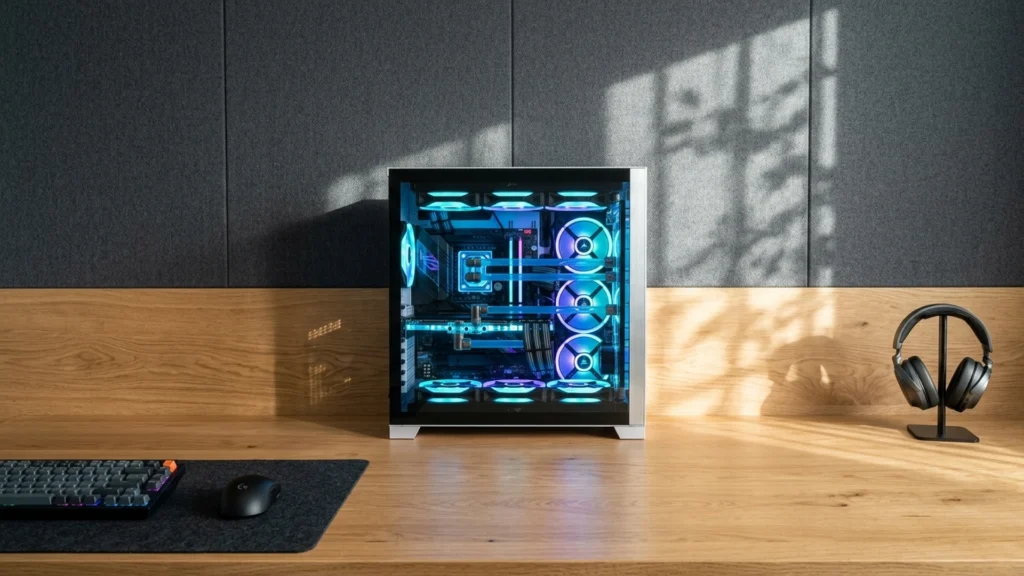
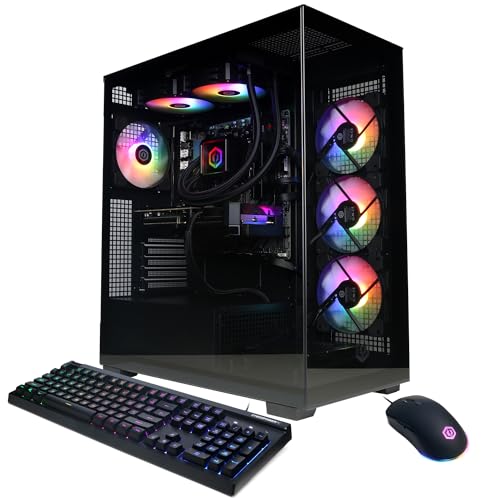
GeForce RTX 5070 Gaming PCs target high, steady frame rates for modern games, usually at 1440p. Buyers in this sub-category need a strong GPU with a good CPU match, plus memory and storage that keep loading times and stutter under control.
The hard part is trade-offs. Some systems prioritize the RTX 5070 but pair it with a weaker CPU, which can cap FPS in CPU-heavy games. Others skimp on cooling, so the GPU may throttle during long sessions. You also need to watch for uneven value, like paying extra for a premium case while storage or RAM falls short.
To help you narrow it down fast, use the buying criteria below and compare the top ranked picks within this exact RTX 5070 tier. Looking for all types? See our Best Gaming PCs.
Quick Overview
Our Top Picks
#1. ASUS ROG G700 Gaming PC

Specifications
| Brand | ASUS |
|---|---|
| Processor | Intel Core Ultra 7 265F |
| Graphics Card | NVIDIA GeForce RTX 5070 |
| Memory | 32 GB |
| Storage | 1 TB SSD |
| Power Supply | 850 W |
| Operating System | Windows 11 Pro |
| Dimensions | 18.9 x 9.4 x 20.1 in |
| Weight | 40.4 lb |
Pros
- Smooth, stable frame pacing
- Solid build with reliable parts
- Strong gaming for the cost
Cons
- Rear USB-C malfunction
- Audible fan ramp-up
- Value tradeoff concerns
With the NVIDIA GeForce RTX 5070 at the center of the build, this ASUS ROG G700 is one of the smoothest options in the GeForce RTX 5070 Gaming PCs tier. Real play tends to feel fast and stable, with solid frame pacing that helps games stay responsive, even when scenes get busy. The Intel Core Ultra 7 265F and 32 GB of RAM keep the system balanced for modern titles, and the 1 TB SSD helps games and apps start quickly. Build quality also stands out, with a reliable part mix and a sturdy feel during everyday use.
The main drawbacks are practical, not performance based. Some users report a rear USB-C malfunction, and the fans can ramp up enough to be noticeable during longer sessions. This makes the system best for players who want dependable RTX 5070 gaming first, and who can tolerate a few setup quirks or plan around them when using rear ports.
#2. Skytech Azure 3 Gaming PC

Specifications
| Brand | Skytech Gaming |
|---|---|
| Processor | AMD Ryzen 7 7700X |
| Graphics Card | NVIDIA GeForce RTX 5070 |
| Memory | 32 GB |
| Storage | 1 TB Gen4 NVMe SSD |
| Power Supply | 850 W |
| Operating System | Windows 11 Home |
| Dimensions | 17.8 x 17.2 x 9.1 in |
| Weight | 34.1 lb |
Pros
- Strong gaming for the cost
- High-end gaming CPU
- Powerful dedicated GPU
Cons
- Limited benchmark evidence
- Config variance risk
Skytech Azure 3 Gaming PC stands out in the GeForce RTX 5070 PC group thanks to its strong overall balance: an AMD Ryzen 7 7700X paired with a GeForce RTX 5070, along with 32 GB of RAM. That combo targets smooth play at high settings without forcing you into CPU bottleneck territory. The 1 TB Gen4 NVMe SSD also helps games load quickly, which matters when you switch between titles often.
The main trade-off is uncertainty around consistency. There is limited published benchmark detail, and Skytech configs can vary slightly, so results may depend on the exact parts used in a given build. This is best for buyers who want a mainstream RTX 5070 gaming setup with a capable high-end CPU, and who are comfortable doing a quick check of the final spec list before ordering.
#3. CyberPowerPC Gamer Xtreme Gaming PC

Specifications
| Brand | CyberpowerPC |
|---|---|
| Processor | AMD Ryzen 9 9900X |
| Graphics Card | NVIDIA GeForce RTX 5070 |
| Memory | 32 GB |
| Storage | 1 TB SSD |
| Power Supply | 600 W |
| Operating System | Windows 11 Home |
Pros
- High-end gaming CPU
- Plenty of RAM
- Large SSD game drive
Cons
- Underpowered PSU
- Warms up during long sessions
- Limited expansion, tight clearance
This CyberPowerPC Gamer Xtreme stands out in the GeForce RTX 5070 gaming PC lineup thanks to its strong CPU pairing: the Ryzen 9 9900X with 32 GB of RAM. That balance matters for high frame rates, especially in newer games that can lean on both the GPU and the CPU. With a 1 TB SSD, load times should stay snappy across a big game library, not just one main title.
The main trade-off is less about the gaming parts and more about sustained comfort and future flexibility. The system runs warmer during long sessions, and it also uses a 600 W power supply that may feel tight when you add new drives or upgrades later. Clearance is also limited, so upgrading the inside can be more of a chore than with a more spacious case. This is a good pick for players who want strong 1440p or 4K performance now, and who do not plan on frequent hardware changes.
#4. Corsair ONE i500 Gaming PC

Specifications
| Brand | Corsair |
|---|---|
| Processor | Intel Core i9-14900F |
| Graphics Card | NVIDIA GeForce RTX 5070 |
| Memory | 32 GB |
| Storage | 1 TB M.2 SSD |
| Power Supply | 1000 W |
| Operating System | Windows 11 Home |
| Dimensions | 15.3 x 11.8 x 7.6 in |
| Weight | 27.1 lb |
Pros
- High-end gaming CPU
- Plenty of RAM
- Large SSD game drive
Cons
- Throttling performance drops
- Loud under load
- Warms up during long sessions
The Corsair ONE i500 stands out among GeForce RTX 5070 gaming PCs thanks to its high-end Intel Core i9-14900F paired with 32 GB of RAM and a 1 TB M.2 SSD. That CPU and memory mix targets smooth play in modern, CPU-heavy games, plus it helps reduce stutter when you are tabbing between action and background tasks. In day to day use for RTX 5070 class gaming, it feels built for high frame rates and responsive performance, not just running benchmarks.
The trade-off is sustained load behavior. Reports point to throttling performance drops, louder noise under load, and warmth during long sessions. If you like longer gaming marathons or want near silent operation, this setup may require extra attention to cooling and airflow habits. It is best for players who prioritize top tier CPU muscle for demanding titles and are willing to tolerate noise and heat when the system is pushed.
#5. Alienware Aurora Gaming PC

Specifications
| Brand | Alienware |
|---|---|
| Processor | Intel Core Ultra 7 265F |
| Graphics Card | NVIDIA GeForce RTX 5070 |
| Memory | 32 GB |
| Storage | 1 TB SSD |
| Power Supply | 1000 W |
| Operating System | Windows 11 Home |
| Dimensions | 16.5 x 18.1 x 7.8 in |
| Weight | 33.9 lb |
Pros
- Powerful dedicated GPU
- Plenty of RAM
- Large SSD game drive
Cons
- Warms up during long sessions
- Limited expansion, tight clearance
The Alienware Aurora is notable in the GeForce RTX 5070 Gaming PCs space because it pairs that dedicated RTX 5070 GPU with 32 GB of RAM and a 1 TB SSD for a smooth, modern gaming setup. In real use, it is the kind of system that should handle high-detail play without constant slowdowns, since the CPU and GPU work together well for typical 1440p and beyond gaming sessions.
The main trade-off is heat and room to work on the inside. It tends to warm up during long sessions, and its limited expansion and tight clearance can make upgrades or deeper cleaning harder than on more open cases. This makes it a better fit for buyers who plan to keep the build mostly as-is, rather than people who expect frequent part swaps.
What to Look For
CPU and GPU balance for 1440p FPS: Check that the CPU can keep up with the RTX 5070 in your main games. If the system uses a lower-end CPU in the same price range, you may see lower frame rates and worse frame pacing.
Cooling that sustains boost clocks: Look for reviews or reports that mention stable temps during extended gameplay. The RTX 5070 should not need to throttle to stay within safe limits, and fan noise should stay reasonable under load.
RAM capacity and speed for modern titles: Aim for at least 16 GB, with 32 GB preferred if you play newer games, run background apps, or want less memory pressure over time. More RAM helps reduce hitching during heavy scenes.
SSD space that matches your library: Prefer 1 TB SSD or more if you install multiple AAA games. Small SSD setups force faster uninstall and reinstall cycles, and that interrupts your play routine.
Power supply headroom and system stability: Choose a configuration with a solid PSU wattage for the full build, not just the GPU. Enough power headroom helps the system stay stable during spikes in demanding games.
How We Picked
Products were identified through broad research across review sites and buyer forums, then filtered to only those that qualify as GeForce RTX 5070 Gaming PCs.
Scoring used the same objective pillar framework as the main Gaming PCs post, allowing direct comparison of products within this sub-category.
Frequently Asked Questions
What resolution and frame rate can I expect from GeForce RTX 5070 gaming PCs?
Most RTX 5070 gaming PCs target 1440p for smooth, high settings. You can often reach high refresh rates in esports titles. For heavier AAA games, expect to tweak settings for steadier performance.
How do these GeForce RTX 5070 PCs differ from each other when everything says RTX 5070?
The GPU is only one part of the picture. Models can differ in CPU choice, RAM speed and amount, and storage type. Cooling quality also changes how stable performance feels during long sessions.
Do I need to worry about cooling or noise with an RTX 5070 PC?
Yes, cooling matters most during long gaming nights. Look for good airflow and reviews that mention low fan noise under load. If the system runs hot, it may throttle and lower FPS.
Can I upgrade an RTX 5070 gaming PC later?
Most upgrades are easiest if the case has standard parts and clear access. Check for free RAM slots, extra SSD slots, and a power supply with enough headroom. Also confirm GPU clearance if you plan to change graphics cards.
When should I choose a different type of Gaming PC instead of an RTX 5070 build?
Choose a lower tier GPU if you mainly play older games or prefer 1080p. Choose a higher tier system if you want maximum ray tracing or higher 4K targets. If you play competitive esports only, you may also get better value with a CPU focused build.
How do GeForce RTX 5070 gaming PCs compare to other Gaming PCs in terms of value?
An RTX 5070 PC usually offers a strong balance of speed and cost at 1440p. Value depends on what you pair it with, like the CPU and the SSD size. A cheaper PC with weak parts can feel slower even with the same GPU.


