




The 4 Best webOS Televisions in 2026

Transparency Note: This post contains affiliate links. As an Amazon Associate, we earn from qualifying purchases at no extra cost to you.

webOS Televisions in this guide are LG-branded TVs that run LG webOS as their main smart platform. For buyers, that matters because your daily experience comes from webOS menus, search, app loading, and casting or device control.

The hard part is that the best webOS TV on paper may not match your room and viewing habits. Higher-end models often cost more for better HDR results, stronger processing, and smoother motion handling. Mid-range options can feel just as fast in webOS, while picture performance depends more on the exact panel tier and processing.

Use this guide to match picture quality, gaming and motion needs, and webOS usability to a model size and price you can live with. Looking for all types? See our Best Televisions.

Quick Overview

LG OLED65G5WUA.AUSZ Television
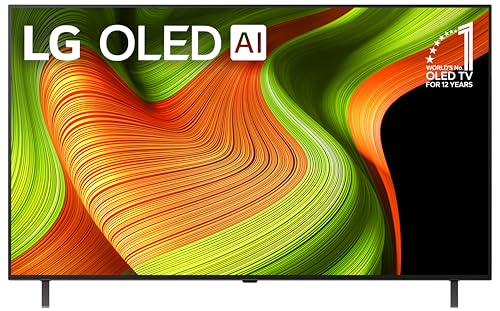
#1 LG OLED65G5WUA.AUSZ Television
LG OLED77C5PUA.AUSZ Television
#2 LG OLED77C5PUA.AUSZ Television
LG E1LGOLED65C2PUARB Television
#3 LG E1LGOLED65C2PUARB Television
LG OLED55B5PUA.AUSZ Television
#4 LG OLED55B5PUA.AUSZ Television

Our Top Picks

#1. LG OLED65G5WUA.AUSZ Television

LG OLED65G5WUA.AUSZ Television
Our Score
8.4 / 10
hover for details
Picture
8.7
Motion
8.9
Smart Features
8.6
Design
8.1
Audio
7.8
Value
7.9
BrandLG
Screen Size65 in
Resolution4K UHD
Display TypeOLED
Refresh Rate120 Hz
Hdr FormatsDolby Vision, HDR10
Smart PlatformwebOS
Hdmi Ports4 ports
  • Deep blacks, vivid color
  • Smooth motion, low lag
  • Advanced HDR support
  • Audio needs setup
  • Rivals audio advantage

This 65-inch LG OLED uses webOS to deliver a top tier viewing experience, and the picture is the main reason it ranks first. OLED creates deep blacks with vivid color, so dark scenes stay detailed instead of looking gray. With Dolby Vision and HDR10, bright highlights also pop without washing out surrounding tones. Motion looks steady for sports and fast edits, and the set keeps lag low for gaming thanks to a 120 Hz panel and smooth motion handling.

Audio is the main trade-off. The built-in speakers can sound a bit thin unless you set them up carefully or add a soundbar. If you want strong sound from the TV alone, some rivals pull ahead, but for most webOS TV buyers who care most about picture and responsiveness, this is an easy pick.

#2. LG OLED77C5PUA.AUSZ Television

LG OLED77C5PUA.AUSZ Television
Our Score
8.4 / 10
hover for details
Picture
9.1
Motion
8.7
Smart Features
8.3
Design
8
Audio
7.1
Value
8
BrandLG
Screen Size77 in
Resolution4K UHD
Display TypeOLED
Refresh Rate144 Hz
Hdr FormatsDolby Vision, HDR10
Smart PlatformwebOS
Hdmi Ports4 ports
Dimensions44.9 x 38.6 x 1.9 in
  • Stunning HDR pop
  • Smooth motion, low lag
  • Strong features at price
  • Weak built-in speakers

This 77 in LG OLED stands out in the webOS TVs list for its mix of top picture quality and fast, responsive everyday use. The OLED panel delivers deep blacks and strong HDR pop, and motion stays smooth with a 144 Hz refresh rate and low lag for sports and gaming. webOS also keeps things easy to manage, with quick app access and simple controls when you switch between inputs.

The main trade-off is audio. Built-in speakers sound fine for casual viewing, but they lack power and fullness for room-filling sound. If you pair it with a soundbar or AV receiver, this OLED becomes a much better all-around media TV for movie nights and game days.

#3. LG E1LGOLED65C2PUARB Television

LG E1LGOLED65C2PUARB Television
Our Score
8.1 / 10
hover for details
Picture
9
Motion
7.3
Smart Features
8.2
Design
8.3
Audio
6.6
Value
8
BrandLG
Screen Size65 in
Resolution4K UHD
Display TypeOLED
Refresh Rate120 Hz
Hdr FormatsDolby Vision
Smart PlatformwebOS
Hdmi Ports4 ports
Dimensions34.6 x 9.1 x 56.7 in
  • Stunning HDR pop
  • Smooth fast motion
  • Low input lag
  • A bit thin and harsh
  • Audio needs configuration
  • Non-handsfree Alexa variants

With webOS at the center of the experience, the LG E1LGOLED65C2PUARB stands out for its OLED picture paired with a fast, easy TV interface. The 65 in 4K OLED panel delivers deep blacks and strong HDR impact, so movies and HDR streams look punchy without obvious blooming. On top of that, the TV keeps up well with quick scenes thanks to a 120 Hz panel, and it stays responsive for gaming with low input lag.

The main trade-off is audio. Built-in sound can come off a bit thin and harsh unless you take time to tune settings. Motion is generally smooth, but the sound and tuning needs mean this is best for people who plan to calibrate or use a soundbar, and who value webOS navigation as much as picture quality.

#4. LG OLED55B5PUA.AUSZ Television

LG OLED55B5PUA.AUSZ Television
Our Score
8.1 / 10
hover for details
Picture
8.7
Motion
8
Smart Features
8.1
Design
7
Audio
7.2
Value
8.2
BrandLG
Screen Size55 in
Resolution4K UHD
Display TypeOLED
Refresh Rate120 Hz
Hdr FormatsDolby Vision, HDR10
Smart PlatformwebOS
Hdmi Ports4 ports
Dimensions30.4 x 9.3 x 48.3 in
  • Deep blacks, vivid color
  • Smooth motion, low lag
  • Strong features at price
  • Variant Wi-Fi uncertainty

This LG OLED55B5PUA.AUSZ is a strong fit for webOS TV shoppers who want picture first. OLED delivers deep blacks and vivid color, and it keeps contrast stable in dark scenes. On top of that, the 120 Hz panel helps fast action look smooth, with low lag for game play. webOS navigation stays straightforward, so switching between apps, live TV, and settings feels quick and familiar.

The main catch is Wi-Fi uncertainty on this specific variant. If your home network is tricky, plan to test signal strength early or use Ethernet. Otherwise, this model suits viewers who watch a mix of movies, sports, and gaming, and want webOS without giving up OLED performance.

What to Look For

Picture for your room: Pick based on real scene performance, not just peak brightness numbers. In bright rooms, you want strong contrast and good color volume. In dark scenes, you want clean black levels without washed-out shadow detail.

HDR formats that match your sources: Check whether the TV supports the HDR types you watch. webOS TVs in this list commonly focus on HDR10, HDR10+, and Dolby Vision style support patterns, so confirm the formats used by your streaming services and discs.

Motion clarity for sports and fast action: Look for smooth 60 Hz style motion handling that stays clear during camera pans. If you game, also verify VRR and low-lag support so fast scenes do not stutter or tear.

webOS speed where you feel it: webOS should feel responsive when you switch inputs, open streaming apps, and run search. Prioritize models that keep the interface quick and stable, especially if you switch channels often or use lots of apps.

HDMI ports and setup convenience: Count your devices first. A webOS TV with enough HDMI ports helps you avoid constant unplugging. Also check for easy cable routing and stable stand placement if you plan to use it on furniture.

How We Picked

Products were identified through broad research across review sites and buyer forums, then filtered to only those that qualify as webOS Televisions. The final shortlist focuses on LG models where webOS drives the smart experience, so the recommendations stay relevant to daily use.

Scoring used the same objective pillar framework as the main Televisions post, allowing direct comparison of products within this sub-category. Picture, motion, smart features, design, audio, and value each contribute to the final ranking, so the top picks fit different room conditions and use cases rather than only price or screen size.

Frequently Asked Questions

What makes a webOS TV feel fast day to day?

webOS TVs focus on quick navigation and smooth app switching. You should get fast access to live TV, streaming apps, and search. Updates also help keep the interface stable over time. If you want less lag, choose a model with a higher smart score in reviews.

How do webOS TV models differ for picture quality?

webOS models vary mainly by display class, brightness, and color performance. OLED models usually produce deeper blacks and very strong contrast. Some models handle motion and HDR highlights differently, which changes the look during sports and night scenes. Check the HDR formats supported if you watch Dolby Vision content.

Do webOS TVs need any special care to avoid screen issues?

OLED screens need normal care, not special cleaning routines. Avoid leaving static menus or gaming hud elements on for many hours. Use screen dimming settings when available and vary what you watch. For best results, run updates and follow the built-in care prompts.

When should I choose a non-webOS TV instead?

Choose a non-webOS TV if you already use a different ecosystem and prefer its remote and voice control. Also switch if your favorite streaming apps work better on another platform. If your budget is tight, compare overall picture and motion first. The best platform only matters if the TV performs well in your viewing habits.

How do webOS TVs compare to other TVs for smart features?

webOS TVs often rank well for search, app organization, and simple menus. They usually make it easy to find what to watch across live TV and streaming. Some rival platforms can feel faster on certain devices, but webOS is known for a clean layout. If you care about voice search and casting, check those options before buying.

See Also

Share:
On Key
You Might Also Like