




The 9 Best Computer Desks in 2026

Transparency Note: This post contains affiliate links. As an Amazon Associate, we earn from qualifying purchases at no extra cost to you.

Computer desks are work surfaces built for a monitor, keyboard, and day to day tasks. They come in fixed styles and in height adjustable versions that support standing and sitting. In this guide, the focus stays on the parts that affect comfort and workflow, not just the look.

Picking one can get messy fast. Many listings hide the real trade-offs, like cramped leg space, a top that feels thin, or cheap legs that wobble under load. Specs can also mislead, especially weight capacity, drawer usefulness, and cable management. A cord grommet is helpful, but it does not replace decent routing space under the desk.

This guide compares the best computer desks for common home office and gaming needs. You will see what each desk type is best at, what matters for daily use, and which features are worth paying for. Use the criteria below to match a desk to your height, desk setup, and equipment.

Quick Overview

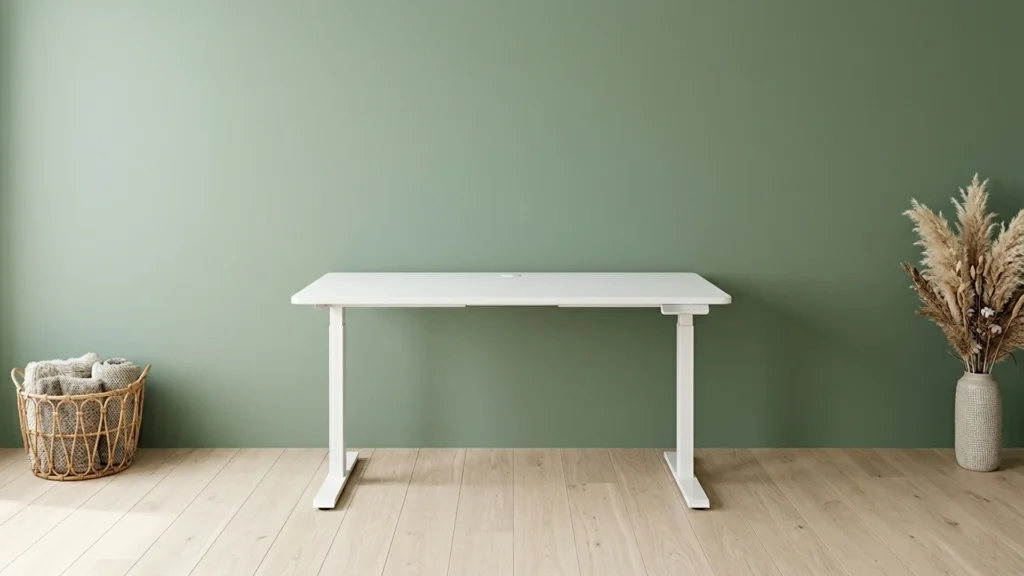
Secretlab 3MAGE-B17B Standing Computer Desk
Best Overall Secretlab 3MAGE-B17B Standing Computer Desk
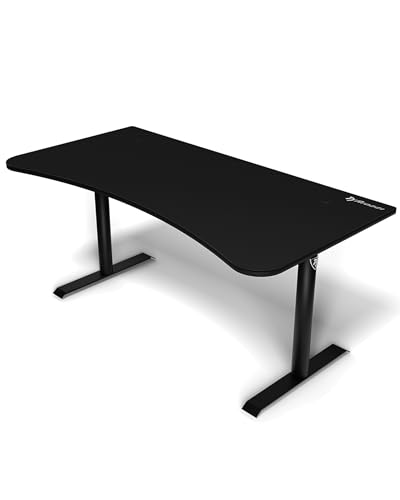
Arozzi ARENA-NA-PURE-BLACK Arena Gaming Computer Desk
Best Gaming Arozzi ARENA-NA-PURE-BLACK Arena Gaming Computer Desk
Monomi Electric Standing Computer Desk
Best for Quiet Operation Monomi Electric Standing Computer Desk
OffiGo Electric L-Shaped Standing Computer Desk
Best L-Shaped OffiGo Electric L-Shaped Standing Computer Desk
DeskShow SD03-060-BK Electric Standing Computer Desk
Best for Heavy Loads DeskShow SD03-060-BK Electric Standing Computer Desk
AODK Electric Standing Computer Desk
Best with USB Ports AODK Electric Standing Computer Desk
BONTEC MWS03 Mobile Standing Computer Desk
Best for Mobility BONTEC MWS03 Mobile Standing Computer Desk
Monarch Specialties I 7205 Computer Desk
Best for Small Spaces Monarch Specialties I 7205 Computer Desk
Homall GD21 L-Shaped Gaming Computer Desk
Best Value Homall GD21 L-Shaped Gaming Computer Desk

Top Picks

Best Overall

Secretlab 3MAGE-B17B Standing Computer Desk
Our Score
8.1 / 10
hover for details
Build Quality
8.3
Ergonomics
7.8
Functionality
8.6
Design
7.8
Value
7.6
BrandSecretlab
Desk TypeStanding Desk
Overall Dimensions28.3 x 25.2 x 70 in
Height Range28.3-46.1 in
Cable ManagementCable Tray,Built-In Outlet
  • Sturdy, wobble-free
  • Wide height adjustability
  • Helps keep cords organized
  • Very long delivery times
  • Limited model-specific feedback

This Secretlab standing desk fits the Best Overall slot because it nails the core day-to-day need: smooth sit-stand use over a wide range. Height adjustment spans 28.3-46.1 in, so it can work for many users without forcing awkward keyboard angles.

Build quality is a strong point. It feels sturdy and resists wobble during typing and gaming sessions, with a solid setup that scores well for long-term durability. Functionality is also practical, thanks to a cable tray and a built-in outlet for cleaner routing of power and devices.

The main downside is logistics. Delivery can take a very long time, and there is limited model-specific feedback to judge long-term quirks. If you want a dependable standing desk with reliable stability and straightforward cable control, this is a smart pick.

Also ranked #1 in: Computer Desks with Electric Height Adjustment · Computer Desks with Power Outlets · Computer Desks with Cable Management

Best Gaming

Arozzi ARENA-NA-PURE-BLACK Arena Gaming Computer Desk
Our Score
7.8 / 10
hover for details
Build Quality
8.2
Ergonomics
6.7
Functionality
8.1
Design
8.1
Value
7.9
BrandArozzi
Desk TypeGaming Desk
Overall Dimensions63 x 32.3 x 71-81 in
Height Range27.95-31.88 in
MaterialMDF
Weight Capacity176 lb
Cable ManagementCable Cutout
  • Sturdy, wobble-free
  • Wide height adjustability
  • Clean cable routing
  • Limited legroom
  • Limited evidence durability

For a Best Gaming setup, this Arozzi Arena desk stands out for its wide height adjustability. The range from about 27.95 to 31.88 in helps you match the desk to your chair and screen height, which matters during long sessions.

It feels solid in daily use, with low wobble and a strong overall build quality score. Setup also supports cleaner workflow thanks to a Cable Cutout, which helps route cords out of the way instead of letting them spill across the desk.

The main downside is limited legroom, so taller users may feel cramped. There is also limited evidence on long-term durability. If you want a height-adjustable gaming desk that stays stable and keeps cables controlled, this is a good pick for most desk setups, just not for those who need lots of knee space.

→ See full ranking

Best for Quiet Operation

Monomi Electric Standing Computer Desk
Our Score
7.7 / 10
hover for details
Build Quality
7.8
Ergonomics
7.5
Functionality
7.6
Design
7.4
Value
8.1
BrandMonomi
Desk TypeStanding Desk
Overall Dimensions46 x 23.6 x 47.2 in
Height Range28.35-46.46 in
MaterialEngineered Wood
Weight Capacity176 lb
  • Worth every dollar
  • Wide height adjustability
  • Quiet motor operation
  • Minimal or no cable help
  • No drawers for storage
  • No shelf storage

This standing desk fits the “Best for Quiet Operation” role because its height adjustment uses a quiet electric motor. You can raise and lower your setup during work calls without it turning into background noise.

Across the key pillars, the desk feels sturdy for its size, helping keep your workspace stable as you switch heights. The height range is also strong, going from 28.35 to 46.46 inches, so you can find a comfortable position for keyboard and monitor use. The surface uses engineered wood, and the desk does not feel like it is built for constant wobble.

Where it falls short is organization. There is minimal cable help, and you also get no drawers or shelf storage. If you want smooth, quiet sit-stand movement and you already have your own storage and cable setup, this is the one to get.

Best L-Shaped

OffiGo Electric L-Shaped Standing Computer Desk
Our Score
7.6 / 10
hover for details
Build Quality
7.5
Ergonomics
7.7
Functionality
7.6
Design
7.4
Value
7.9
BrandOffiGo
Desk TypeL-Shaped Desk
Overall Dimensions30.7 x 31.5 x 63 in
Height Range29.9-46.1 in
Number Of Drawers4
Cable ManagementCable Tray
  • Wide height adjustability
  • Helps keep cords organized
  • More desk storage drawers
  • Potential wobble concerns
  • Small desk footprint
  • Limited finish evidence

This standing L-shaped desk fits the Best L-Shaped role because it uses a corner layout and keeps your workstation organized while you alternate between sitting and standing. The big win is wide height adjustability, from about 29.9 to 46.1 in, so the desk can match different users and monitor setups without changing the whole footprint.

Day-to-day use feels practical thanks to the cable tray and four drawers for office items. The L shape also gives you a natural separation between a main work area and a side zone for a keyboard, notes, or a second screen. In the scoring, it lands in the high range for ergonomics and functionality, with solid ergonomics for long sessions and enough storage to reduce clutter near the desk edges.

One thing to watch is potential wobble, especially if you lean hard or push heavy loads across the L-shaped span. Its other downside is limited evidence on the finish and how it holds up over time. If you want an adjustable corner workstation with drawers and cord control, and you can live with a bit of movement, this is a good fit.

Also ranked #1 in: Computer Desks with Drawers

→ See full ranking

Best for Heavy Loads

DeskShow SD03-060-BK Electric Standing Computer Desk
Our Score
7.6 / 10
hover for details
Build Quality
8.1
Ergonomics
6.9
Functionality
7.6
Design
7.1
Value
8
BrandDeskShow
Desk TypeStanding Desk
Overall Dimensions29 x 28 x 60 in
Height Range27.95-45.67 in
Weight Capacity220 lb
  • Sturdy, wobble-free
  • Worth every dollar
  • Wide height adjustability
  • Limited legroom

This standing desk fits the "Best for Heavy Loads" role because it stays solid when you work at different heights. The standout trait is its stability, described as sturdy and wobble-free even as the desk moves. That makes it a practical choice for people who want standing comfort without the frame feeling loose.

Build quality scores well for long-term durability, and user feedback backs it up with a wobble-free feel. Height adjustment runs from 27.95 to 45.67 inches, giving more options for different setups and users. With a 220 lb weight capacity, it is also easier to trust with heavier monitors or multi-device arrangements.

The main downside is limited legroom, which can feel tight for taller users or people who like to pull the chair in close. If you want a height-adjustable standing desk that holds steady for heavier loads, this is a strong pick, but only if you can live with the tighter space under the tabletop.

Best with USB Ports

AODK Electric Standing Computer Desk
Our Score
7.5 / 10
hover for details
Build Quality
7.6
Ergonomics
7.1
Functionality
7.9
Design
7
Value
8
BrandAODK
Desk TypeStanding Desk
Overall Dimensions30.9 x 21.2 x 55 in
Height Range29.9-46.1 in
Weight Capacity176.4 lb
Number Of Drawers2
Cable ManagementCable Tray, Hidden Wire Routing
  • Worth every dollar
  • Wide height adjustability
  • Helps keep cords organized
  • Low weight capacity
  • No shelf storage
  • Limited dual-monitor space

This standing desk fits the "Best with USB Ports" role because it is built around power access while you work. With a desk that includes USB support, it keeps your most-used gear close at hand, so charging does not depend on wall outlets behind the setup.

Height adjustment is a major win here, with a range from 29.9 to 46.1 in. That helps you match your keyboard and monitor to your body. The cable setup is also practical, using a cable tray plus hidden wire routing to keep cords from dangling across your legs. For day-to-day use, the ergonomics and workflow hold up, helped by the desk staying stable enough for typical office and study tasks.

The main trade-off is weight capacity at 176.4 lb, so heavy monitors and accessories need careful balancing. It also lacks shelf storage and has limited dual-monitor room. If you want an adjustable standing desk with USB-friendly power access, and your setup stays light and simple, this is the one to get.

Best for Mobility

BONTEC MWS03 Mobile Standing Computer Desk
Our Score
7.2 / 10
hover for details
Build Quality
7.1
Ergonomics
7.1
Functionality
7.4
Design
6.6
Value
8.1
BrandBONTEC
Desk TypeStanding Desk
Overall Dimensions65 x 45 x null in
Height Range28.9-43.6 in
MaterialEngineered Wood
Weight Capacity33 lb
  • Worth every dollar
  • Wide height adjustability
  • Back-pain relief
  • Low weight capacity
  • Minimal or no cable help
  • Cosmetic discoloration

This standing desk fits the Best for Mobility slot because it has a built-in rhythm for changing positions during the day. The standout trait is its wide height range from 28.9 to 43.6 in, which makes it easier to adjust as your needs change across sitting and standing.

In day-to-day use, it hits a strong balance of comfort and stability. Height adjustment is smooth enough for regular use, and users report back-pain relief from being able to stand more often. It also stays reasonably functional for its size, with a simple desktop layout and the engineered wood top.

The main trade-off is the low weight capacity at 33 lb, so it is not a good pick for heavy multi-monitor setups. It also has minimal cable help, so you may want to plan your own cord management. If you need a height-adjustable desk for frequent sit-stand changes and lighter gear, this one is worth considering.

Best for Small Spaces

Monarch Specialties I 7205 Computer Desk
Our Score
7.0 / 10
hover for details
Build Quality
7.1
Ergonomics
6.3
Functionality
7.2
Design
7.3
Value
7.9
BrandMonarch Specialties
Desk TypeComputer Desk
Overall Dimensions47 x 24 x 30 in
MaterialMetal
  • Sturdy metal construction
  • Small-space suitability
  • Minimalist appearance
  • Limited legroom
  • No storage features
  • Assembly required

This desk fits the Best for Small Spaces role because its footprint stays compact, and the design stays visually light. At 47 x 24 x 30 in, it works well in tight offices, bedrooms, and study corners where bigger desks feel crowded. The minimalist metal frame also helps it blend in without taking over the room.

For build quality, the steel construction feels sturdy, and it should hold up better than desks that rely on thin boards. Functionally, it stays simple, which can be a win when you want a clean work area. In day-to-day use, the layout supports typical keyboard and monitor placement, and the desk looks sharp in both home office and student setups.

The main trade-off is comfort. Legroom is limited, and there is no storage to clear away items like notebooks, chargers, or office supplies. Assembly is also required. If you need a solid, compact computer desk for basic work and you can live without extra storage or wide seating space, this is a strong pick.

Best Value

Homall GD21 L-Shaped Gaming Computer Desk
Our Score
7.0 / 10
hover for details
Build Quality
6.6
Ergonomics
6.3
Functionality
7.4
Design
7.6
Value
8.4
BrandHomall
Desk TypeGaming Desk
Overall Dimensions50.4 x 17 x 27.5 in
MaterialEngineered Wood
Weight Capacity220 lb
Number Of Shelves2
  • Worth every dollar
  • Adds useful shelving space
  • Corner-space optimization
  • Limited legroom
  • Some flex noted
  • Unclear cable routing

This L-Shaped gaming desk fits the Best Value role because it makes smart use of corner space. The Homall GD21 turns a tight layout into a real workstation, with two shelves that help keep your desk area from turning into a storage pile.

Functionality scores well because the extra shelf space matters day to day, especially for books, collectibles, or game accessories. Design also scores high for an understated look that works in both bedrooms and home offices. Build quality lands midrange, with some flex noted, but the desk still supports a typical gaming setup thanks to its 220 lb capacity.

The main drawback is ergonomic, with limited legroom in the corner layout. Cable routing is also unclear, so you may need to add your own organizers to keep cords from tangling. If you want a corner workstation with extra shelf space and a clean look, choose this; if you need lots of knee room or easy under-desk wiring, look for a more open layout.

What to Look For

Build Quality: Check for a solid frame and stable legs that do not rock when you type. Look for sturdy joints and hardware that feels tight, not easily loose. If the top is thin, you may see sag over time, especially with dual monitor setups.

Ergonomics: Aim for a height that puts your keyboard and mouse at a comfortable angle without hunching. For adjustable desks, verify the full height range and how smoothly the desk moves. Also check knee clearance so your chair can slide in without hitting the frame.

Functionality: Storage should match your habits. Decide whether you need drawers for small items, shelves for books or parts, or open space for a monitor and laptop. If you plan to game or multitask, prioritize room for your gear and easy reach to frequently used tools.

Design: Choose a desk style that fits the room and your setup size. For corner and L shaped desks, confirm that the work zones do not feel cramped. A clean finish matters, but proportions matter more, since a mismatched depth can force you closer to the screen.

Value: Compare what you get to the price, not the headline features. A higher cost is only worth it if the desk feels solid, offers real storage, and supports your cable setup. Avoid paying extra for features that do not change daily comfort.

Desk Type and Layout: Start with the form factor that matches your space. Use a Computer Desk for most setups, an L-Shaped Desk for two work zones, and a smaller desk type only if your monitor size and chair clearance still work.

Cable Management: Prefer at least one practical option like a Grommet, Cable Tray, or Cable Cutout. Look for space under the top to route power bricks and monitor cables without pinching. Built-in outlets can help, but only if the placement keeps cords tidy and reachable.

How We Selected These Products

We found products through broad web searches across review sites, buyer forums, and best-of lists. Then we read a large volume of real customer reviews to understand the issues buyers actually hit, like wobble, uneven height adjustment, drawer problems, and messy cable routing.

Next, we verified availability and core specs directly against Amazon listings. Each desk was scored using an objective framework across the five pillars: Build Quality, Ergonomics, Functionality, Design, and Value. Final selection focused on desks that clearly fit distinct roles, rather than simply ranking the highest scores overall.

Frequently Asked Questions

Which computer desk is best for gaming setups?

For gaming, choose a desk with a wide surface and stable feel. Arozzi ARENA-NA-PURE-BLACK Arena Gaming Computer Desk stands out for its large workspace and built-in mousepad-style setup. If you use heavy monitor arms, stability matters most, since wobble can get distracting during long sessions.

What is the difference between budget and premium computer desks?

Budget desks often use engineered wood and simpler hardware. Premium options usually focus on sturdier frames, thicker tops, or better lift systems. In this set, the biggest jump shows up in stability and daily usability for electric or heavier setups.

Do I need an electric standing desk, or is a fixed desk fine?

A fixed desk can be great for simple home office use. An electric standing desk helps if you plan to switch postures often or share the space with different users. In this list, electric models like Secretlab 3MAGE-B17B Standing Computer Desk and DeskShow SD03-060-BK Electric Standing Computer Desk make sit-stand changes easier, while fixed desks like Monarch Specialties I 7205 Computer Desk rely on correct chair height instead.

Is a higher price always better for computer desks?

Not always. Some mid-priced desks score very well on value because they add useful features like memory presets, power outlets, or strong cable routing. For example, Homall GD21 L-Shaped Gaming Computer Desk ranks as Best Value, even though its total score is below the top pick.

Why do some computer desks feel wobbly, even when the frame looks sturdy?

Wobble often comes from frame flex, uneven placement, or a heavy monitor setup that adds leverage. Several electric desks in this data face stability limits when users add multi-monitor arms or load the desk heavily. Start by leveling the desk and tightening all hardware after assembly.

How important is cable management for daily desk use?

Cable management strongly affects how clean and comfortable your workstation feels. Desks with built-in power or cable routing help you keep wires out of your legs and reduce messy reach. In this set, Secretlab 3MAGE-B17B Standing Computer Desk and AODK Electric Standing Computer Desk earn strong functionality scores largely due to power and cable organization features.

Share:
On Key
You Might Also Like