Standalone VR headsets run games inside the headset. Buyers in this sub-category care about image quality, reliable inside-out tracking, and a setup that works right away. You do not want to rely on a gaming PC. You also want controllers that stay responsive as you turn and duck in real scenes.
Choosing one is mostly trade-offs. Higher resolution and refresh rates can push costs up. Better lenses can still feel weak if the headset has a small sweet spot. Strong tracking depends on controller tracking quality and how well the headset handles occlusion. Comfort matters too, because a front-heavy fit turns long sessions into strain.
If you want guidance across every VR setup type, including tethered options, see our Best VR Headsets.
Quick Overview
Our Top Picks
#1. Meta Quest 3S

Specifications
| Brand | Meta |
|---|---|
| Platform Compatibility | Standalone |
| Resolution Per Eye | 1832 x 1920 pixels |
| Refresh Rate | 120 Hz |
| Field Of View | 96 degrees |
| Tracking System | Inside-out |
| Battery Life | 2+ hr |
| Weight | 17.6 oz |
Pros
- Low-latency, stable tracking
- Higher refresh stability
- Great value for the specs
Cons
- Short battery runtime
- Narrow field of view
- Occasional black screen
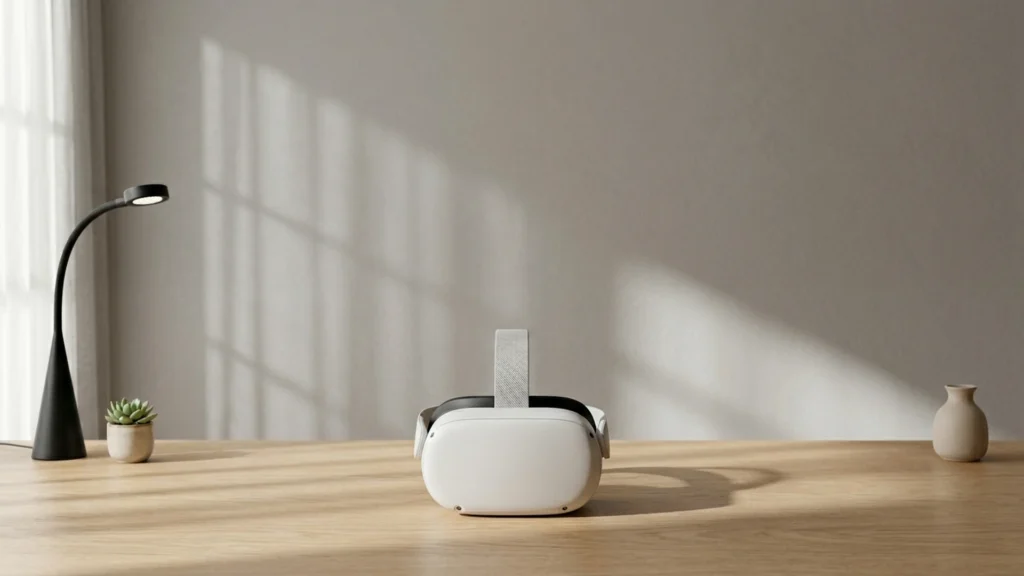
Meta Quest 3S stands out in standalone VR because it stays dependable when you turn your head fast. Inside-out tracking feels low-latency and stable, and it holds up during busy action games. The 120 Hz refresh rate also helps motion feel smoother, which matters a lot when you do not have a PC tether. You get solid clarity at 1832 x 1920 pixels per eye, and it is easier to keep the view clean thanks to a workable 96-degree field of view.
The main trade-off is time in the headset. Battery life is only 2+ hr, so longer sessions may need a break or an external power plan. Visual immersion also has limits, since the field of view is narrower than some competitors, and occasional black screen moments can interrupt the experience. This is a great pick for people who want reliable standalone play day to day, not for those who insist on the widest view or the longest uninterrupted sessions.
#2. PICO 4 Enterprise

Specifications
| Brand | PICO |
|---|---|
| Platform Compatibility | Standalone |
| Resolution Per Eye | 2160 x 2160 pixels |
| Refresh Rate | 90 Hz |
| Field Of View | 89 degrees |
| Weight | 20.9 oz |
Pros
- High per-eye resolution
Cons
- Plastics feel a bit flimsy
- Narrow field of view
The PICO 4 Enterprise stands out in standalone VR because the visuals feel unusually sharp for the class. With 2160 x 2160 pixels per eye and a 90 Hz refresh rate, text and fine details look cleaner during everyday use. Tracking also holds up well as you turn your head and swing the controllers, which matters most when you are not tethered.
The main trade-off is immersion. The field of view is rated at 89 degrees, so the edges can feel less open than some rivals. Comfort is solid for many sessions, but the plastics feel a bit flimsy, so long-term durability will depend on how carefully you treat the headset. This is a strong pick for people who want a clearer standalone picture and reliable tracking, and who can live with a narrower view.
#3. Meta Quest Pro
Specifications
| Brand | Meta |
|---|---|
| Platform Compatibility | Standalone / PC VR |
| Display Type | Mini-LED LCD |
| Refresh Rate | 90 Hz |
| Field Of View | 106 degrees |
| Weight | 30.4 oz |
Pros
- Low-latency, stable tracking
- Cushioned and easy to wear
- Wider field of view
Cons
- Heavy and tiring
- LCD with lower contrast
- Menu bugs
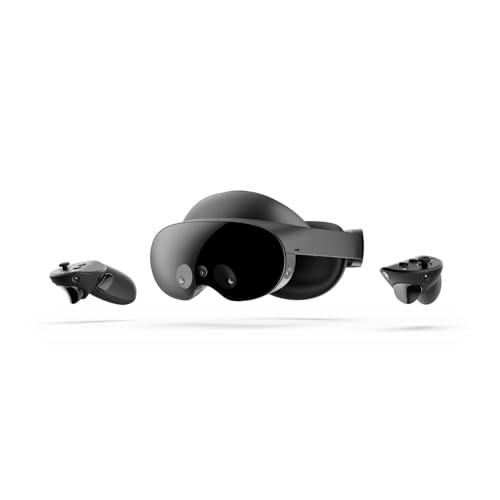
Meta Quest Pro stands out in the standalone VR space with very stable, low-latency tracking. Head and controller motion feel locked in, even during fast turns or when you swing your arms near the edge of the play space. The wider field of view also helps scenes feel less cramped, which matters more in standalone play where you move around more.
The trade-off is comfort and display character. At 30.4 oz, it can feel heavy over long sessions, even with the cushioned fit. Its Mini-LED LCD has good brightness, but the contrast is lower than you get on true OLED, so blacks do not look as deep. Software can also be a weak spot, with occasional menu bugs that interrupt smooth use.
#4. HTC Vive Focus Vision

Specifications
| Brand | HTC |
|---|---|
| Platform Compatibility | Standalone / PC VR |
| Resolution Per Eye | 2448 x 2448 pixels |
| Refresh Rate | 90 Hz |
| Field Of View | 120 degrees |
Pros
- High per-eye resolution
- Wider field of view
- Multi-platform flexibility
Cons
- Low refresh causes blur
- Standalone near unusable
- Cumbersome account verification
HTC Vive Focus Vision stands out in the Standalone VR Headsets space for its high per-eye resolution (2448 x 2448 pixels) and a wider 120 degree field of view. In day-to-day use, that combination helps text feel clearer and scenes feel more open. Motion looks steadier than many standalone rivals, but the 90 Hz refresh still leaves some blur when you move fast.
This is a better pick for people who mainly want a headset that can work on its own and also pair with a PC VR setup. It is not ideal for everyone, though. Standalone use feels limited, and the account verification step can get in the way. Expect solid comfort and tracking enough for most play, but software friction may matter more than the visuals if you just want to jump in and play.
#5. HTC Vive XR Elite

Specifications
| Brand | HTC |
|---|---|
| Platform Compatibility | Standalone / PC VR |
| Resolution Per Eye | 1920 x 1920 pixels |
| Refresh Rate | 90 Hz |
| Field Of View | 110 degrees |
| Tracking System | Inside-out |
| Battery Life | 2 hr |
| Weight | 64 oz |
Pros
- Wider field of view
- Inside-out convenience
- Multi-platform flexibility
Cons
- Low per-eye resolution
- Low refresh causes blur
- Short battery runtime
HTC Vive XR Elite stands out in the Standalone VR Headsets set because it stays flexible. You can run it as a standalone headset with inside-out tracking, then switch to PC VR when you want more power. The field of view is also a bright spot at about 110 degrees, which helps the world feel less boxed in during games and videos.
The trade-off is that image sharpness and smoothness do not match the best in class. At 1920 x 1920 per eye and 90 Hz, text can look soft and fast motion can blur. Comfort is solid for shorter sessions, but battery life is only about 2 hr, so longer play needs planning. This is a good pick for people who want one headset that can travel and still link to a PC, even if you accept weaker visuals on the spec sheet.
What to Look For
Lens clarity and motion smoothness: Prioritize headsets with sharper optics and a large usable sweet spot. Look for fewer edge blur and less glare. If the headset supports higher refresh rates, use them for smoother head movement.
Inside-out tracking stability: Confirm the tracking system stays consistent during fast head turns and when controllers briefly leave the cameras view. Check for stable controller tracking and low drift, especially in darker rooms.
Fit, weight, and heat: Choose the model that sits evenly and does not press hard on your cheeks or forehead. Plan for longer sessions. Look for balanced straps and comfortable facial interface padding, plus decent heat management.
Standalone software reliability: Count how much time you will spend in the store, menus, and updates. A smooth interface and dependable firmware matter for daily use. Also check that the headset supports the games you actually play without extra steps.
Value in the box: Compare what you get for the price. Some workplace or business models bundle differently than consumer ones. Do not pay extra later for core accessories if your use case needs them.
How We Picked
Products were identified through broad research across review sites and buyer forums, then filtered to only those that qualify as Standalone VR Headsets.
Scoring used the same objective pillar framework as the main VR Headsets post, allowing direct comparison of products within this sub-category.
Frequently Asked Questions
What should I check first when buying a standalone VR headset?
Start with tracking quality and comfort. Look for stable inside-out tracking, so the headset keeps up during fast head turns. Also check how the weight sits on your face after 30 to 60 minutes.
Do standalone headsets need a gaming PC to work?
No. Standalone models run games from built-in storage and chips. Some can also connect to a PC for extra games, but you can still use them without one.
How do I keep a standalone VR headset working well over time?
Clean the lenses with a microfiber cloth made for optics. Avoid harsh cleaners and wipe gently. Store the headset in a cool, dry place, and keep the sensors on the headset clear.
How do standalone VR headsets differ from each other in real use?
Most differences show up in visuals, tracking, and software polish. Some have sharper clarity and smoother motion, while others focus on comfort and long sessions. Software support also matters because updates can fix bugs and add features.
When should I choose a different VR headset type instead of a standalone model?
Choose another type if you want the best possible graphics or the lowest latency. Tethered PC VR often delivers higher visual quality and more consistent performance. Standalone is best when you want easy setup and play without cables.
How do standalone VR headsets compare to PC VR for immersion and image quality?
Standalone headsets can look great, but they usually have lower image quality than a strong PC setup. PC VR can push higher rendering quality and more demanding games. If you care most about convenience, standalone wins.