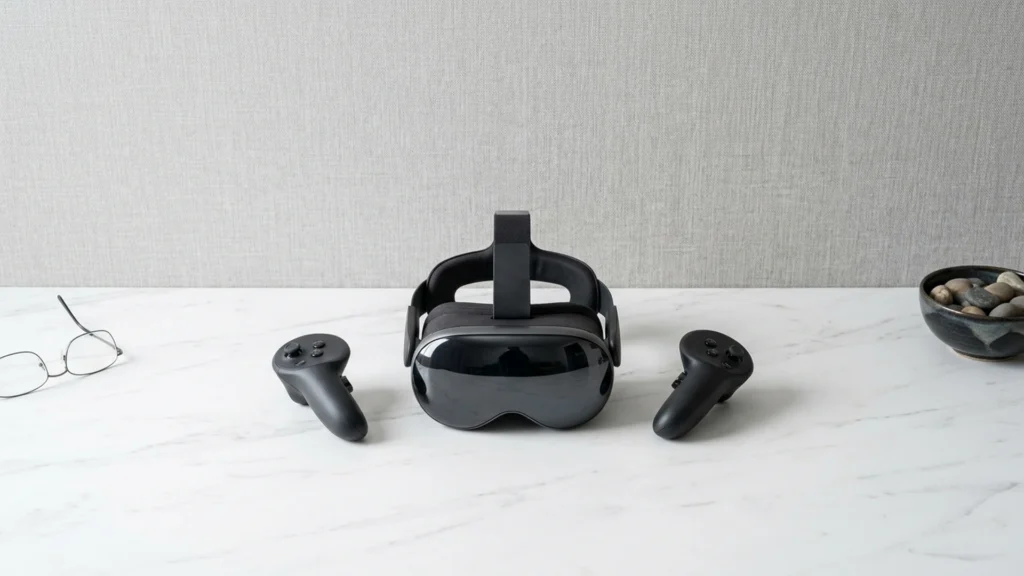
Inside-out tracking VR headsets use cameras on the headset to track your head and controllers. Buyers in this sub-category should focus on how well those cameras keep lock during real play, not just whether tracking works in a quiet demo room.
The choice gets hard fast. Better tracking often needs good lighting and clean controller visibility. Stronger optics and higher refresh can also raise cost and heat, which affects comfort over long sessions.
Start with your room conditions and your tolerance for setup friction, then match that to the headset scoring below. Looking for all types? See our Best VR Headsets.
Quick Overview
Our Top Picks
#1. Meta Quest 3S

Specifications
| Brand | Meta |
|---|---|
| Platform Compatibility | Standalone |
| Resolution Per Eye | 1832 x 1920 pixels |
| Refresh Rate | 120 Hz |
| Field Of View | 96 degrees |
| Tracking System | Inside-out |
| Battery Life | 2+ hr |
| Weight | 17.6 oz |
Pros
- Low-latency, stable tracking
- Higher refresh stability
- Great value for the specs
Cons
- Short battery runtime
- Narrow field of view
- Occasional black screen
Meta Quest 3S stands out in inside-out tracking VR because it keeps motion stable without needing external sensors. Its camera based tracking handles fast head turns and controller movement with low latency, and it stays reliable even when your play space has mixed lighting. For most people, that means fewer moments where the headset hesitates or loses your position, which is the main pain inside-out systems can have during active games.
The main trade-off is not tracking, but session length and view comfort. Expect about 2+ hours of battery, so longer play may need breaks or a power solution. The field of view is narrower at around 96 degrees, and some users report occasional black screen moments. This makes it a strong pick for active, cable-free VR play, especially if you care more about consistent inside-out tracking than maximum immersion or long sessions.
#2. Pimax Crystal

Specifications
| Brand | Pimax |
|---|---|
| Platform Compatibility | PC VR |
| Display Type | QLED+MiniLED |
| Resolution Per Eye | 3840 x 3840 pixels |
| Refresh Rate | 72 Hz / 90 Hz |
| Field Of View | 140 degrees |
| Tracking System | Inside-out |
| Battery Life | 8 hr |
Pros
- High per-eye resolution
- Wider field of view
- Inside-out convenience
Cons
- Eye-calibration failures
- Low refresh causes blur
- Firmware update bugs
Pimax Crystal stands out in the Inside-Out Tracking VR Headsets category thanks to its unusually high per-eye resolution (3840 x 3840 pixels) and wide 140-degree field of view. With inside-out tracking, you do not need base stations to get moving right away. In practice, the sharper image helps when you turn your head quickly, since fine details stay clearer at the edges of your view.
The main trade-off is reliability. Eye calibration can fail, and firmware updates have had bugs that can interrupt setup. Also, its 72 Hz option can show blur during fast motion, while the 90 Hz mode feels more stable. This headset fits best for PC VR users who like dialing in settings and can deal with occasional software hiccups.
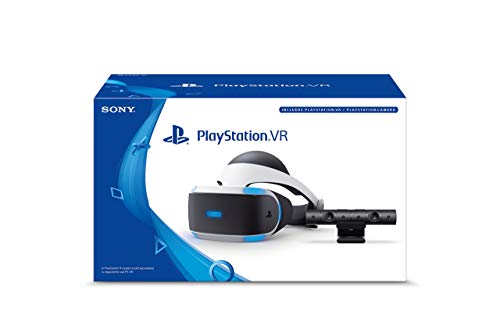
#3. Sony PlayStation VR
Specifications
| Brand | Sony |
|---|---|
| Platform Compatibility | PlayStation VR |
| Display Type | OLED |
| Resolution Per Eye | 2000 x 2040 pixels |
| Refresh Rate | 120 Hz, 90 Hz |
| Field Of View | 110 degrees |
| Tracking System | Inside-out |
| Weight | 91.5 oz |
Pros
- Great value for the specs
- High per-eye resolution
- Inside-out convenience
Cons
- Heavy and tiring
- Limited to one platform
- Some bugs in menus
Inside-out tracking makes this headset easy to set up, since you do not need base stations or external sensors. Sony PlayStation VR also targets the common in-the-living-room use case with a straightforward camera based tracking setup and a bright OLED experience (2000 x 2040 pixels per eye) at up to 120 Hz or 90 Hz. In practice, motion stays mostly stable, and controller movement feels reliable enough for most VR games in this category.
The main trade-off is comfort and platform limits. At 91.5 oz, it can feel heavy and tiring for longer sessions, and the fit can press while you stay active. Software is tied to PlayStation VR, so buyers who want a broader library or cross platform use may feel boxed in. If you are mostly playing on a PlayStation, it is a solid inside-out option, but expect some menu bugs to work around.
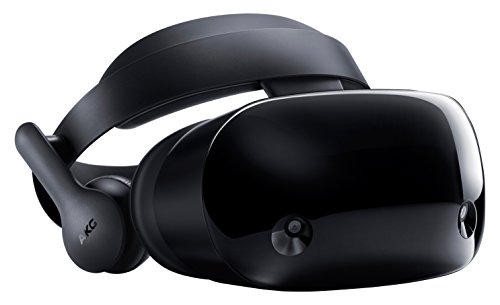
#4. Samsung XR
Specifications
| Brand | Samsung |
|---|---|
| Platform Compatibility | PC VR |
| Display Type | Micro-OLED |
| Resolution Per Eye | 3552 x 3840 pixels |
| Refresh Rate | 100 Hz |
| Field Of View | 109 degrees |
| Tracking System | Inside-out |
| Battery Life | 2 hr |
| Weight | 22.4 oz |
Pros
- OLED/Micro-OLED clarity
- High per-eye resolution
- Wider field of view
Cons
- Low refresh causes blur
- Short battery runtime
- Some bugs in menus
Samsung XR stands out in the inside-out tracking group for its display quality. The Micro-OLED panels hit 3552 x 3840 pixels per eye, and the 109-degree field of view helps scenes feel wide without much edge blur. Motion also looks cleaner than many rivals at the same tracking style, even though the 100 Hz refresh rate can still show smearing during fast movement.
The main trade-off for inside-out use is endurance. Battery life is about 2 hr, so longer sessions often end mid-game. Tracking itself stays solid for head and controller movement, but menu bugs can interrupt flow. This is a good fit for people who want high clarity from an inside-out setup and mainly play on PC VR, but who are willing to manage battery and occasional software rough spots.
#5. HTC Vive XR Elite

Specifications
| Brand | HTC |
|---|---|
| Platform Compatibility | Standalone / PC VR |
| Resolution Per Eye | 1920 x 1920 pixels |
| Refresh Rate | 90 Hz |
| Field Of View | 110 degrees |
| Tracking System | Inside-out |
| Battery Life | 2 hr |
| Weight | 64 oz |
Pros
- Wider field of view
- Inside-out convenience
- Multi-platform flexibility
Cons
- Low per-eye resolution
- Low refresh causes blur
- Short battery runtime
HTC Vive XR Elite stands out in the inside-out tracking VR space with its multi-platform flexibility, covering both standalone use and PC VR. That means you can set it up without base stations, then switch to a wired PC workflow when you want bigger games. It also pairs that inside-out convenience with a wider field of view at about 110 degrees, which helps make room-scale movement feel less boxed in.
The trade-off is image clarity and motion smoothness. With 1920 x 1920 pixels per eye and a 90 Hz refresh rate, fast scenes can show more blur, and the per-eye resolution leaves less detail than higher-resolution headsets. Comfort and tracking are solid for most sessions, but the short battery life around 2 hr means longer play may require charging or PC power. This is a good pick if you want inside-out tracking that stays flexible across standalone and PC, and you can live with lower sharpness and shorter untethered time.
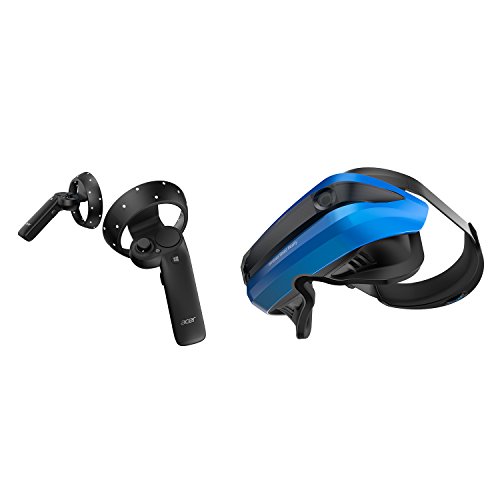
#6. Acer VR Headset
Specifications
| Brand | acer |
|---|---|
| Resolution Per Eye | 1440 x 1440 pixels |
| Refresh Rate | 90 Hz |
| Field Of View | 95 degrees |
| Tracking System | Inside-out |
| Weight | 30.4 oz |
Pros
- Great value for the specs
- Inside-out convenience
- Lightweight ergonomics
Cons
- Low refresh causes blur
- Heavy and tiring
- Slight pressure on forehead
Acer VR Headset stands out in the inside-out tracking category thanks to its setup convenience. No external sensors are needed, so you can play without room calibration. Tracking feels stable for everyday movements, and the headset is light at 30.4 oz, which helps when you turn your head often. Visuals land in the middle of the pack with 1440 x 1440 per eye and a 95 degree field of view, but motion can look less crisp because the refresh rate tops out at 90 Hz.
Comfort is the main compromise. The headset can get tiring during longer sessions, with slight pressure on the forehead. If you want a simple inside-out setup and you do shorter play sessions, this is a practical pick. If you are sensitive to blur in fast movement or you dislike forehead pressure, you may want to look higher on the list.
What to Look For
Tracking stability in motion: Test how consistently the headset tracks when you move quickly, turn your head fast, or occlude controllers with your hands. Inside-out systems can lose tracking more easily than base station setups, so prioritize models that keep tracking steady during active play.
Lighting tolerance: Check the manufacturer guidance for minimum lighting and try to match it to your space. If your play area is dim or light changes often, you should expect more tracking glitches.
Visual clarity and motion smoothness: Look for a sharp lens picture with a usable sweet spot. Higher refresh rate helps reduce blur during head turns, but only if the headset can hold performance in the games you play.
Perceived comfort for longer sessions: Inside-out headsets still need a front-heavy balance. Favor models with lighter weight, easy fit adjustments, and padding that does not press hard on your forehead or cheeks.
Inside-out software reliability: Setup and tracking calibration should not turn into a recurring chore. Choose headsets with stable firmware and a clean in headset experience so tracking and controller behavior stay consistent over time.
How We Picked
Products were identified through broad research across review sites and buyer forums, then filtered to only those that qualify as Inside-Out Tracking VR Headsets.
Scoring used the same objective pillar framework as the main VR Headsets post, allowing direct comparison of products within this sub-category.
Frequently Asked Questions
What do inside-out tracking cameras do during setup?
Inside-out headsets use cameras on the headset to track your head and controllers. You do not need base stations. During setup, you just follow the on screen steps and make sure the room has decent lighting.
Will inside-out tracking work if my controllers get partially blocked?
It usually works best when controllers stay in view of the headset cameras. If you swing your arms behind your back or near a wall, tracking can briefly wobble. Good lighting and avoiding reflective surfaces helps keep it steady.
How can I reduce tracking drift or jitter over time?
Start by cleaning the tracking cameras and the controller tracking rings or sensors. Then re calibrate if the system prompts you. Also keep firmware updated, since fixes often improve tracking stability.
What is the main difference between top inside-out headsets and cheaper ones?
Higher tier models usually track with fewer hiccups during fast motion. They also tend to have better lens clarity and a larger sweet spot. Software quality matters too, because smoother menus and more stable updates improve the full experience.
Should I choose inside-out tracking or a different VR headset type for my use?
Choose inside-out tracking if you want easy setup and you play in different rooms. Choose base station tracking if you do high precision, room scale action and want the most consistent tracking. If you want the simplest plug and play for one space, inside-out is often the better fit.
How do inside-out tracking headsets compare to other VR headsets for controller accuracy?
Inside-out tracking feels great for everyday games and most room scale play. Base station systems can be more consistent during extreme occlusion. However, inside-out headsets are usually more convenient because you skip extra hardware.