




The 6 Best Dual Port USB Flash Drives in 2026

Transparency Note: This post contains affiliate links. As an Amazon Associate, we earn from qualifying purchases at no extra cost to you.

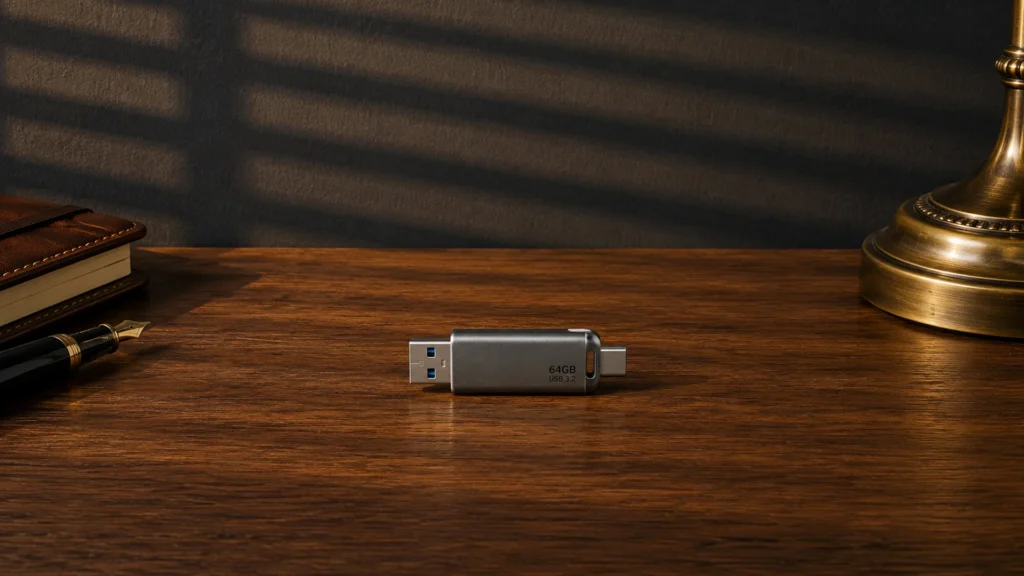
Dual port USB flash drives have two physical connectors, usually one USB-A and one USB-C. That matters when you jump between a laptop with only USB-A, a newer phone or tablet with USB-C, or a desktop in the office. In this sub-category, buyers care about daily plug-and-play ease plus real file transfer speed across long moves, like photo folders and backups.

Picking the right one is harder than it sounds. You trade compatibility against size and durability. You also trade price against sustained write speed, since some drives run fast in short tests but slow down after the buffer fills. Storage capacity choices can also get messy if a product cuts corners on memory quality.

We narrow options to dual port models that fit these real use cases, then rank them by the same practical factors you care about at checkout. Looking for all types? See our Best USB Flash Drives.

Quick Overview

SanDisk Extreme PRO Dual Drive 1TB USB Flash Drive
#1 SanDisk Extreme PRO Dual Drive 1TB USB Flash Drive
Patriot Supersonic Rage Prime 250GB USB Flash Drive
#2 Patriot Supersonic Rage Prime 250GB USB Flash Drive
Lexar D40E 128GB USB Flash Drive
#3 Lexar D40E 128GB USB Flash Drive
Amazon Basics Dual 128GB USB Flash Drive
#4 Amazon Basics Dual 128GB USB Flash Drive
SSK Dual USB C 256GB USB Flash Drive
#5 SSK Dual USB C 256GB USB Flash Drive
SanDisk Ultra Dual Drive Go 128GB USB Flash Drive
#6 SanDisk Ultra Dual Drive Go 128GB USB Flash Drive

Our Top Picks

#1. SanDisk Extreme PRO Dual Drive 1TB USB Flash Drive

SanDisk Extreme PRO Dual Drive 1TB USB Flash Drive
Our Score
8.0 / 10
hover for details
Performance
8.3
Capacity
8.6
Build Quality
8
Design
8.3
Security
6.3
Value
7.6
BrandSandisk
Storage Capacity1000 GB
Read Speed1000 MB/s
Connector TypeDual USB-A/C
Security FeaturesHardware Encryption
  • Consistently fast large-file transfers
  • Plenty of usable space delivered
  • Easy to insert and remove
  • Clunky security setup

The SanDisk Extreme PRO Dual Drive 1TB stands out in dual port USB flash drives thanks to its straightforward USB-A and USB-C dual connector setup, which makes it easy to move files between older laptops and newer phones or tablets. In day to day use, it stays consistently quick on large transfers, so it is practical for moving big photo libraries, video files, and backup folders without long slowdowns.

The main trade off is the security side. Hardware encryption is built in, but the setup process feels clunky compared to simpler password locks, so it is better for people who need protected storage and do not mind spending a little extra time getting it running. If you want a dual port drive for heavy transfers and you can tolerate a more involved security workflow, this one is a strong fit.

→ Read full review

#2. Patriot Supersonic Rage Prime 250GB USB Flash Drive

Patriot Supersonic Rage Prime 250GB USB Flash Drive
Our Score
7.7 / 10
hover for details
Performance
8.1
Capacity
8.3
Build Quality
7.1
Design
8.2
Security
5.9
Value
8.1
BrandPatriot Memory
Storage Capacity250 GB
Usb StandardUSB 3.2 Gen 2
Read Speed442 MB/s
Connector TypeDual USB-A/C
Form FactorCapless
Dimensions0.4 x 0.8 x 2.1 in
  • Consistently fast large-file transfers
  • Plenty of usable space delivered
  • Fair price, solid day-to-day performance
  • Security features are buggy
  • No data encryption

In the dual-port USB flash drive category, the standout trait here is the combination of USB-A and USB-C in a capless body with strong speed on large files. The Patriot Supersonic Rage Prime reads up to 442 MB/s, and in real transfers it stays consistently fast rather than slowing down hard mid-copy. That makes it a practical fit for moving video libraries, disk images, and big backup folders between laptops and phones that have different ports.

The main trade-off is security. Reported security tools can be buggy, and there is no data encryption listed. If you mainly care about quick, reliable file copying and easy plug-in between ports, it is a solid choice. If you need protected storage for sensitive files, plan on using external encryption on your device instead.

→ Read full review

#3. Lexar D40E 128GB USB Flash Drive

Lexar D40E 128GB USB Flash Drive
Our Score
7.7 / 10
hover for details
Performance
7.4
Capacity
8.1
Build Quality
7.8
Design
8.1
Security
6.6
Value
8.3
BrandLexar
Storage Capacity128 GB
Usb StandardUSB 3.2 Gen 1
Read Speed100 MB/s
Write Speed100 MB/s
Connector TypeDual USB-A/C
Form FactorSwivel
Security FeaturesHardware Encryption
  • High capacity
  • High write speed
  • Strong security
  • Clunky security workflow
  • Heating during use

The Lexar D40E stands out among dual port USB flash drives because it mixes a dual USB-A/C connector with hardware encryption, all in a simple swivel body. That makes it practical when you bounce between older PCs and newer phones or tablets. With USB 3.2 Gen 1 speeds rated around 100 MB/s for both read and write, it suits quick file moves like office docs and shared media.

The main trade-off is the security workflow. It can feel clunky to use day to day, especially if you unlock often. Some users also report heating during longer transfers, so it is best for normal bursts rather than hours of sustained backup writing.

→ Read full review

#4. Amazon Basics Dual 128GB USB Flash Drive

Amazon Basics Dual 128GB USB Flash Drive
Our Score
7.5 / 10
hover for details
Performance
7.8
Capacity
7.2
Build Quality
7.7
Design
8.1
Security
5.2
Value
8
BrandAmazon Basics
Storage Capacity128 GB
Usb StandardUSB 3.2 Gen 1
Connector TypeDual USB-A/C
Form FactorRetractable
  • Fair price, solid day-to-day performance
  • High capacity
  • Capless secure design
  • Security features are buggy

This Dual USB-A/C flash drive stands out for one simple reason: the connector is easy to match with both older laptops and newer phones and tablets. The retractable, capless body helps prevent lost covers, and the 128 GB size makes it practical for moving documents, photos, and small backups without needing multiple drives.

The main trade-off is security. The secure mode and controls can be buggy, so do not rely on it for important, locked files unless you test it on your devices first. If you mainly want a dependable dual-port transfer drive for everyday use, it is a solid choice.

#5. SSK Dual USB C 256GB USB Flash Drive

SSK Dual USB C 256GB USB Flash Drive
Our Score
7.3 / 10
hover for details
Performance
7.4
Capacity
7.9
Build Quality
7.2
Design
7.7
Security
5.1
Value
7.9
BrandSSK
Storage Capacity256 GB
Usb StandardUSB 3.2 Gen 2
Read Speed550 MB/s
Write Speed500 MB/s
Connector TypeDual USB-A/C
Form FactorSwivel
Dimensions0.3 x 3.1 x 0.8 in
  • High capacity
  • High read speed
  • Security features are buggy

This SSK dual port flash drive stands out because it targets both USB-A and USB-C users without an adapter. In this dual interface category, that means fewer connection headaches when you move files between older laptops and newer phones. With up to 550 MB/s read and 500 MB/s write, it is a solid choice for quick transfers of large photo libraries, mixed media folders, or project files.

The main downside is security. Reports point to buggy security behavior, so it is not a great pick if you need reliable password or lock-style protection. If you mostly want fast, convenient transfers and do not rely on the drive for protection, this swivel dual connector design is an easy fit.

#6. SanDisk Ultra Dual Drive Go 128GB USB Flash Drive

SanDisk Ultra Dual Drive Go 128GB USB Flash Drive
Our Score
7.2 / 10
hover for details
Performance
6.7
Capacity
8.3
Build Quality
7.1
Design
7.7
Security
5
Value
8.2
BrandSandisk
Storage Capacity128 GB
Usb StandardUSB 3.2 Gen 1
Read Speed150 MB/s
Connector TypeDual USB-A/C
Form FactorSwivel
  • Fair price, solid day-to-day performance
  • Plenty of usable space delivered
  • Fast USB standard
  • Writes slow after cache fills
  • Security features are buggy
  • Fragile swivel joint

The SanDisk Ultra Dual Drive Go 128GB stands out in dual port USB flash drives because it mixes USB-A and USB-C in one compact swivel body. That makes it easier to share files between older laptops and newer phones or tablets. The drive also matches the common USB 3.2 Gen 1 class, with read speeds rated at 150 MB/s, so large files start moving quickly for everyday transfers.

The main trade-off is sustained writing. Reviews point to writes slowing down after the initial cache fills, which makes long video uploads and full backup runs take longer than the first few seconds suggest. It also has security features that can be buggy, so this is a better fit for people who mainly need simple, fast-enough file transfer rather than strong, hassle-free lock options. The swivel joint is handy, but it is reported as fragile, so handle it gently if you plug and unplug often.

What to Look For

Sustained transfer speed: Dual port drives should not just post high read and write scores. You want stable performance when you copy a folder, not only when you move a small test file.

Right capacity for how you work: Choose a capacity that matches your typical file size, like 128GB for mixed photo and work files or 256GB and up for video and backups. Avoid deals that look off for the storage you get.

Build that survives constant plugging: Dual port models often get used across different devices. Look for a solid shell and a connector that feels tight, not loose. If a design has a cap, slide, or swivel, check that it locks securely and does not wear quickly.

Connector fit and port blocking: The whole point is switching devices fast. Make sure the body does not block nearby ports, and confirm you get the exact connector mix you need for your gear, such as USB-A plus USB-C.

Security that actually works: If you need protection, prioritize drives with built-in security labels like hardware encryption or PIN protection. Skip vague “protected” claims that rely on clunky software steps.

How We Picked

Products were identified through broad research across review sites and buyer forums, then filtered to only those that qualify as Dual Port USB Flash Drives.

Scoring used the same objective pillar framework as the main USB Flash Drives post, allowing direct comparison of products within this sub-category.

Frequently Asked Questions

What does a dual port USB flash drive actually solve?

It lets you plug the same drive into two different devices without an adapter. Most dual port models support USB-A plus USB-C. This helps when you move files between laptops, desktops, tablets, or phones.

Do dual port drives have different speeds on USB-A and USB-C?

Yes, often they do. USB-C might run faster if the drive uses newer USB modes on that side. USB-A usually works fine, but it may reach lower speeds depending on the drive design and your port.

How should I format a dual port drive for the best compatibility?

For Windows and macOS use, format as exFAT. It handles large files better than FAT32. After formatting, eject the drive safely before unplugging to avoid file corruption.

Will dual port USB flash drives still work if I plug into older computers?

Usually yes, but speeds can drop. An older USB 2.0 or USB 3.0 port will limit the drive to what that port can handle. Your files still transfer, just more slowly for big videos or backups.

When should I choose a different type of USB flash drive instead?

Choose a single-port USB drive if you never need USB-A and USB-C on the same device. It can cost less and sometimes delivers steadier speeds. Choose a dual port drive when you switch between USB-A desktops and USB-C laptops often.

How do dual port USB flash drives compare to regular USB flash drives for portability?

They are usually about the same size, but they may feel slightly bulkier. The tradeoff is convenience since you avoid adapters. If you travel light, dual port can save space in your bag.

See Also

Share:
On Key
You Might Also Like