




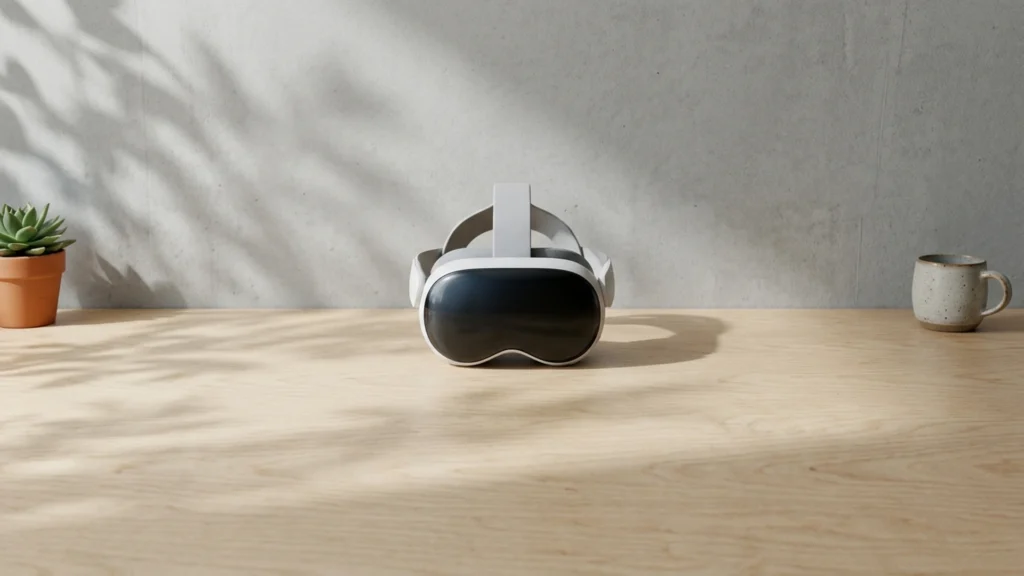
Wide field-of-view VR headsets aim to show more of the world at once. For buyers, that means a larger horizontal view, a stable sweet spot, and fewer edge distortions during head turns. It also means motion stays smooth enough that you do not feel the view pull away when you move fast.
Picking one is hard because wide views often trade against other basics. You may see more glare or weaker image corners. Comfort can suffer if the headset body pushes forward or the optics sit farther from your eyes. Tracking can also matter more, since fast head motion makes any jitter stand out.
If you want coverage beyond wide-view models, start with the larger guide here: Looking for all types? See our Best VR Headsets.
Quick Overview
Our Top Picks
#1. Valve Index

Specifications
| Brand | Valve Index |
|---|---|
| Platform Compatibility | PC VR |
| Display Type | LCD |
| Resolution Per Eye | 1440 x 1600 pixels |
| Refresh Rate | 144 Hz |
| Field Of View | 130 degrees |
| Weight | 28.5 oz |
Pros
- Low-latency, stable tracking
- Bright, immersive visuals
- Durable strap and hinges
Cons
- Controller bricking
- Troubleshooting burden
- Fit-dependent comfort
Valve Index is notable in wide field-of-view VR because it pairs a 130-degree view with sharp, bright visuals and smooth motion at up to 144 Hz. The result feels more natural for looking around in action and social VR, with less tunnel effect than headsets that run narrower. Tracking also stays stable during fast turns, so your view motion and controller motion line up without noticeable lag.
The main trade-off is fit. Comfort can vary, since the headset pressure depends on how it sits on your forehead and cheeks. It also comes with a real troubleshooting burden, including reports of controller bricking, which matters if you want a low-maintenance setup.
#2. HTC Vive Pro 2

Specifications
| Brand | HTC |
|---|---|
| Display Type | LCD |
| Resolution Per Eye | 2448 x 2448 pixels |
| Refresh Rate | 120 Hz |
| Field Of View | 120 degrees |
Pros
- Low-latency, stable tracking
- High per-eye resolution
- Higher refresh stability
Cons
- LCD with lower contrast
- God rays artifacts
- Edge blur perception
For wide field-of-view seekers who also want crisp detail, the HTC Vive Pro 2 stands out with its 120-degree FOV paired with very high per-eye resolution (2448 x 2448 pixels). That combination helps large, fast scenes feel more immersive, with less blur during motion and a steadier sense of presence. In practice, tracking stays stable at speed, which matters when your head moves across the wider view.
The trade-off is visual. The LCD panel does not deliver the deep blacks you get from OLED, and you may notice god rays. Edge clarity also takes a hit, with some edge blur that becomes more noticeable when you look around the full 120 degrees. This makes it a better pick for PC VR users who prioritize resolution and tracking stability, and who can tolerate slightly imperfect contrast and edge softness.
#3. Pimax Crystal

Specifications
| Brand | Pimax |
|---|---|
| Platform Compatibility | PC VR |
| Display Type | QLED+MiniLED |
| Resolution Per Eye | 3840 x 3840 pixels |
| Refresh Rate | 72 Hz / 90 Hz |
| Field Of View | 140 degrees |
| Tracking System | Inside-out |
| Battery Life | 8 hr |
Pros
- High per-eye resolution
- Wider field of view
- Inside-out convenience
Cons
- Eye-calibration failures
- Low refresh causes blur
- Firmware update bugs
Pimax Crystal stands out for VR with wide field of view thanks to its 140 degree FOV and high per-eye resolution of 3840 x 3840 pixels. That wide view helps motion and cockpit-style scenes feel less boxed in. Images stay sharp enough to make the extra screen space feel useful, especially in PC VR games where you can maintain smooth motion.
The trade-off is reliability. Eye calibration can fail for some setups, and the 72 Hz mode can introduce blur if you are sensitive to motion smear. Firmware updates have also been known to cause bugs, so it works best for people who are comfortable troubleshooting and tuning their headset settings.
#4. HTC Vive Focus Vision

Specifications
| Brand | HTC |
|---|---|
| Platform Compatibility | Standalone / PC VR |
| Resolution Per Eye | 2448 x 2448 pixels |
| Refresh Rate | 90 Hz |
| Field Of View | 120 degrees |
Pros
- High per-eye resolution
- Wider field of view
- Multi-platform flexibility
Cons
- Low refresh causes blur
- Standalone near unusable
- Cumbersome account verification
HTC Vive Focus Vision stands out in the wide field-of-view crowd thanks to its 120-degree field of view. Paired with 2448 x 2448 per-eye resolution and a 90 Hz refresh rate, it can feel more immersive than headsets that rely on narrower views. The clarity helps reduce the sense of tunnel vision, especially during movement where your peripheral area matters.
The trade-off is motion smoothness. At 90 Hz, fast scenes can show blur, which undercuts the wide-view benefit for action-heavy VR. It is also not ideal as a standalone headset, since that mode is described as near unusable, and account verification can be cumbersome. This is a better pick if you plan to use it with PC VR and you prioritize wide viewing over handheld comfort on longer standalone sessions.
What to Look For
Field of View that stays usable: Check published field-of-view numbers and then read reviews for real edge behavior. Wide FOV only helps if the edges stay clear when you glance around or look down.
Lenses and clarity across the sweet spot: Favor headsets that keep the center sharp and reduce blur near the edges. If reviewers mention god rays, haze, or heavy screen-door effect, that can erase the point of a wide view.
Refresh rate for motion stability: Look for 90 Hz or higher when the headset supports it. High refresh reduces smear during quick turns, which helps wide FOV feel consistent instead of drifting.
Inside-out vs base station tracking fit: Wide-view sessions usually involve fast head movement. Base stations tend to stay steady during quick motion, while inside-out can vary by room lighting and occlusions.
Comfort with a wider eye box: Wider optics and larger views can change how the headset sits. Prioritize good head strap adjustment and weight balance, especially if you wear glasses. Long sessions expose hotspots on the forehead or cheeks.
How We Picked
Products were identified through broad research across review sites and buyer forums, then filtered to only those that qualify as VR Headsets with Wide Field-of-View.
Scoring used the same objective pillar framework as the main VR Headsets post, allowing direct comparison of products within this sub-category.
Frequently Asked Questions
What field of view number should I look for in a wide FOV VR headset?
Look for about 100 degrees or higher for a wider, more open view. Higher numbers usually reduce the tunnel feeling during fast movement. Still, lens quality matters too, so pay attention to blur at the edges.
Do wide FOV headsets feel heavy or uncomfortable during long play sessions?
They can, especially if the headset pulls forward on your forehead. A better fit spreads weight across the head and face pads. Choose one with easy strap adjustments and a stable sweet spot so you do not keep tightening it.
Will wide FOV headsets be harder to set up and fine tune?
Usually they are similar to other headsets, but fit tuning matters more. You may need to adjust the IPD and headset position to reach the sharpest area. If you wear glasses, check the eye relief and spacing before you buy.
How do wide FOV headsets differ from standard VR headsets in tracking?
Wide FOV headsets often use the same inside out camera tracking approach, but the view gets wider. That can help your head and controller stay “visible” during big moves. Still, tracking can drop if controllers get hidden behind your hands or the headset frame.
When should I choose a different type of VR headset instead of a wide FOV model?
Choose another type if you care more about the easiest setup or the longest wireless play. Wide FOV models may need more tuning for comfort and clarity. Also consider switching if you want the best battery life for untethered sessions.
Are wide FOV headsets better than others for motion heavy games?
They can feel better for fast movement because you see more around you. That can improve immersion in racing, flying, and action games. However, refresh rate and smooth tracking matter just as much as field of view.


