




In 120Hz VR headsets, the number matters because motion feels smoother when the display can hold high refresh rates. For buyers, this means you need a headset that stays at 120Hz often enough for games that support it, not just on paper.
Picking the right one gets tricky fast. You trade refresh rate for display clarity, field of view, and sometimes headset weight. Tracking also matters more at 120Hz because small jitters show up during fast head turns and quick controller moves.
Looking for all types? See our Best VR Headsets. If you stay in the 120Hz lane, the rest of this guide will narrow your choices to what you will actually feel in motion.
Quick Overview
Our Top Picks
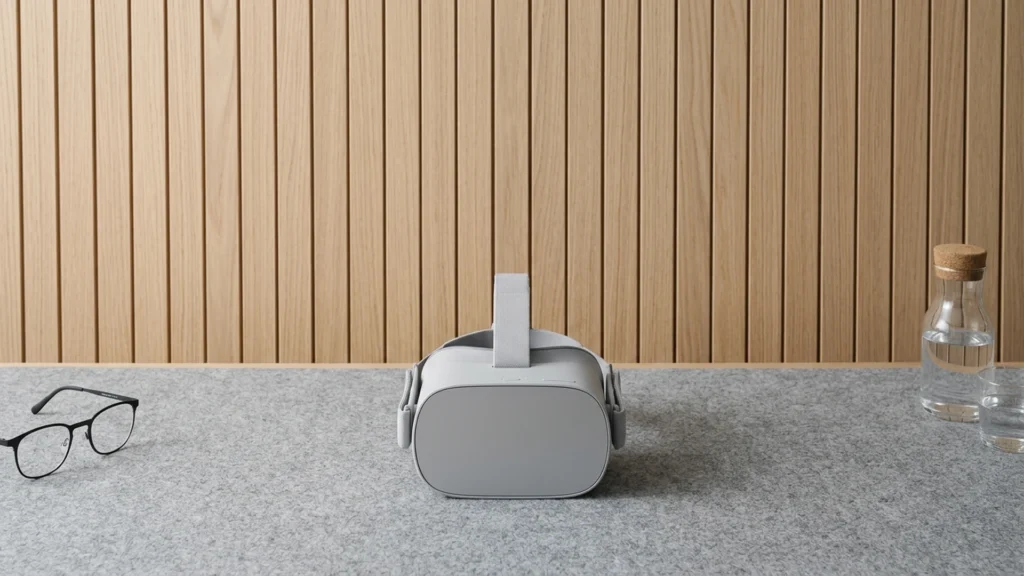
#1. Meta Quest 3S

Specifications
| Brand | Meta |
|---|---|
| Platform Compatibility | Standalone |
| Resolution Per Eye | 1832 x 1920 pixels |
| Refresh Rate | 120 Hz |
| Field Of View | 96 degrees |
| Tracking System | Inside-out |
| Battery Life | 2+ hr |
| Weight | 17.6 oz |
Pros
- Low-latency, stable tracking
- Higher refresh stability
- Great value for the specs
Cons
- Short battery runtime
- Narrow field of view
- Occasional black screen
For people shopping in the 120Hz VR Headsets space, Meta Quest 3S stands out because it keeps motion smooth with stable 120Hz performance. Inside-out tracking stays steady during fast head turns and controller movement, which matters most when high refresh rates are the whole point. The 1832 x 1920 pixels per eye panel also looks crisp enough to make the extra smoothness feel real, not just a number. Overall, it is a dependable way to enjoy lower blur and better motion clarity than many 90Hz-only options.
The main trade-off is comfort and session time. At about 2+ hr of battery life, you may need breaks for longer play, and the comfort score reflects typical pressure from a front-facing headset design. Visual immersion is also held back by a narrower 96-degree field of view and an occasional black screen. This is best for standalone users who want reliable 120Hz gameplay and stable tracking more than a wide, always-on visual experience.
#2. HTC Vive Pro 2

Specifications
| Brand | HTC |
|---|---|
| Display Type | LCD |
| Resolution Per Eye | 2448 x 2448 pixels |
| Refresh Rate | 120 Hz |
| Field Of View | 120 degrees |
Pros
- Low-latency, stable tracking
- High per-eye resolution
- Higher refresh stability
Cons
- LCD with lower contrast
- God rays artifacts
- Edge blur perception
The HTC Vive Pro 2 stands out in the 120Hz VR headset group with its combination of 120 Hz refresh and sharp per-eye resolution at 2448 x 2448. Motion feels steady because tracking stays low-latency and consistent, even during fast head turns and active controller play. In well-lit PC VR sessions, the higher refresh rate helps reduce perceived blur, making quick movement feel cleaner and more controlled than many 90Hz setups.
The main trade-off is image style. Its LCD panel has lower contrast than OLED options, so dark scenes can look a bit flatter. You may also notice god rays, plus some edge blur depending on your fit and sweet spot. This headset is best for PC VR players who value smooth, stable motion at 120Hz and do not mind dialing in the headset position for the clearest edges.
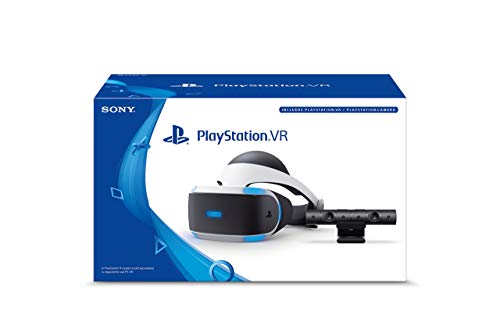
#3. Sony PlayStation VR

Specifications
| Brand | Sony |
|---|---|
| Platform Compatibility | PlayStation VR |
| Display Type | OLED |
| Resolution Per Eye | 2000 x 2040 pixels |
| Refresh Rate | 120 Hz, 90 Hz |
| Field Of View | 110 degrees |
| Tracking System | Inside-out |
| Weight | 91.5 oz |
Pros
- Great value for the specs
- High per-eye resolution
- Inside-out convenience
Cons
- Heavy and tiring
- Limited to one platform
- Some bugs in menus
With a 120 Hz option and OLED panels (2000 x 2040 per eye), this headset stands out in the 120Hz VR Headsets list for smoother motion than many older PlayStation-era options. The 110 degree field of view helps fast games feel more immersive, and inside-out tracking keeps setup simple without external base stations.
The main downside is comfort. At 91.5 oz, it can feel heavy and tiring for long sessions, so breaks matter. It also stays tied to PlayStation VR, and some menu bugs can slow you down. If you want the 120 Hz feel without extra setup and you mainly play on PlayStation, it is a strong pick at this spot in the rankings.
What to Look For
True 120Hz support in your games: Confirm the headset can run at 120Hz with the apps you play. Some headsets drop to lower rates depending on resolution settings, rendering load, or wireless vs tethered mode.
Motion clarity from the display: 120Hz only helps if the image stays sharp during movement. Look for strong lens clarity and a wide sweet spot to reduce edge blur, plus good contrast to keep dark scenes readable.
Tracking stability at speed: Fast play exposes tracking problems. Favor inside-out systems that hold steady during rapid head turns and keep controller tracking reliable when controllers pass near the headset or face occlusion happens.
Comfort for long sessions: At higher refresh rates, play sessions often get longer. Choose a headset with good weight balance, easy fit adjustments, and padding that does not press hard on the forehead or cheeks.
Software that stays stable: Setup and firmware reliability affect whether you actually reach 120Hz. Prioritize a clean setup flow, a dependable PC VR or standalone pipeline, and fewer freezes or reboots during active play.
How We Picked
Products were identified through broad research across review sites and buyer forums, then filtered to only those that qualify as 120Hz VR Headsets.
Scoring used the same objective pillar framework as the main VR Headsets post, allowing direct comparison of products within this sub-category.
Frequently Asked Questions
Do 120Hz VR headsets always run at 120Hz in every game?
No. Many headsets only hit 120Hz when the system can keep up. If the game is heavy or the frame rate drops, the headset may use a lower refresh rate. This helps keep motion smooth.
What settings matter most to get smoother motion at 120Hz?
Use a performance focused graphics setting. Lower shadows and effects can help a lot. Also keep your play space clear so tracking stays stable. Stable tracking helps reduce jitter during fast head turns.
Will running 120Hz reduce battery life or comfort?
It can, especially for standalone models. Higher refresh usually means more power use. Comfort also depends on fit and weight distribution. Make small strap and lens spacing tweaks before longer sessions.
How do 120Hz headsets compare to lower refresh VR headsets for motion blur?
Higher refresh can reduce perceived blur during head movement. Motion feels steadier during fast turns and quick actions. The difference is most noticeable in games that already run at high frame rates. You still need good visuals and stable tracking to feel the full benefit.
When should you skip a 120Hz headset and choose a different VR headset instead?
Choose a different option if your main goal is the best resolution and clarity, not refresh. Also consider it if your PC or console cannot reliably reach high frame rates. If you mainly play slower experiences, 90Hz may feel good enough. Budget can also matter more than chasing 120Hz.


