




OLED televisions use self-lit pixels, so they can turn off completely for near perfect blacks and sharp contrast. For OLED buyers, the key needs are strong HDR tone mapping, accurate color, and fewer visual issues like blooming or washed-out dark scenes.
Picking the right OLED is hard because picture quality lives in the details. Brightness limits can matter in sunny rooms. Motion handling varies across models, especially for sports and fast gaming. Also, smart platform speed and HDMI port count can decide whether the TV feels easy or annoying after setup.
We narrowed this list to the OLED models that make the biggest difference in real viewing, not spec-sheet quirks. Looking for all types? See our Best Televisions.
Quick Overview
Our Top Picks
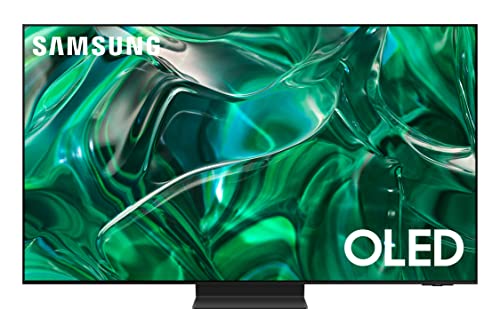
#1. Samsung QN65S95FAFXZA Television

Specifications
| Brand | Samsung |
|---|---|
| Screen Size | 65 in |
| Resolution | 4K UHD |
| Display Type | OLED |
| Refresh Rate | 164 Hz |
| Hdr Formats | HDR10, HDR10+, HLG |
| Dimensions | 35.2 x 10.5 x 56.8 in |
Pros
- Stunning HDR pop
- Smooth motion, low lag
- Full sound with solid bass
Cons
- Limited/unclear smart OS
This Samsung OLED is notable in the OLED Televisions sub-category for its standout HDR look and responsive feel. Black levels stay truly deep, while highlights pop in bright HDR scenes. The result is strong contrast without the washed-out look that some TVs can have when the content gets intense. Motion also stays clean, with a 164 Hz refresh rate that helps fast sports and action scenes look smooth rather than smeary. For gaming, low lag and steady motion make it easier to track movement and aim.
The main trade-off is the smart experience. The smart OS can feel limited or unclear compared with better organized platforms. If you stream a lot of apps and rely on easy search, you may want to test it first. This set is still a great fit for OLED buyers who care most about picture performance and smooth motion, and who are willing to use external devices for the rest.
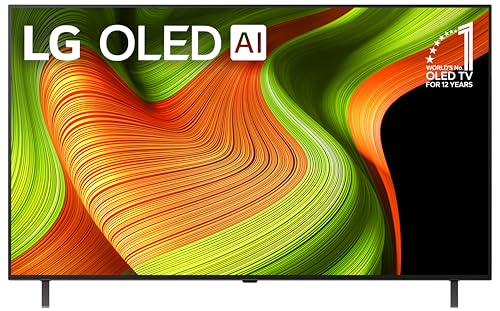
#2. LG OLED65G5WUA.AUSZ Television

Specifications
| Brand | LG |
|---|---|
| Screen Size | 65 in |
| Resolution | 4K UHD |
| Display Type | OLED |
| Refresh Rate | 120 Hz |
| Hdr Formats | Dolby Vision, HDR10 |
| Smart Platform | webOS |
| Hdmi Ports | 4 ports |
Pros
- Deep blacks, vivid color
- Smooth motion, low lag
- Advanced HDR support
Cons
- Audio needs setup
- Rivals audio advantage
This 65 in LG OLED G5 stands out for picture quality that stays clean in both dark and bright scenes. OLED self-lighting delivers deep blacks and vivid color, and HDR content looks especially strong with Dolby Vision and HDR10. Motion stays steady too, helped by a 120 Hz panel and low lag for gaming and sports. If you watch movies in a dim room or play fast-paced games, it is easy to see why it ranks near the top among OLED TVs.
The main drawback is audio. Built-in sound needs setup to reach its best clarity, and rivals often sound more full without extra help. That is a common trade-off for thin OLED models, so it is best if you plan to use a soundbar or AV receiver. webOS is responsive for streaming and browsing, and the TV includes four HDMI ports for common devices.
#3. LG OLED77C5PUA.AUSZ Television

Specifications
| Brand | LG |
|---|---|
| Screen Size | 77 in |
| Resolution | 4K UHD |
| Display Type | OLED |
| Refresh Rate | 144 Hz |
| Hdr Formats | Dolby Vision, HDR10 |
| Smart Platform | webOS |
| Hdmi Ports | 4 ports |
| Dimensions | 44.9 x 38.6 x 1.9 in |
Pros
- Stunning HDR pop
- Smooth motion, low lag
- Strong features at price
Cons
- Weak built-in speakers
LG OLED77C5PUA is a top pick in OLED televisions for its mix of deep OLED contrast and strong HDR impact. In dark scenes, it keeps shadow detail without the blooming you can see on some other types of TVs. HDR content looks vivid and punchy, and the 77 in 4K OLED panel stays clean from a wide viewing angle.
Motion handling is also a strong match for sports and fast games, helped by the 144 Hz panel and low lag. webOS is responsive and easy to navigate, with 4 HDMI ports for modern setups. The main downside is built-in audio, which stays thin for louder viewing, so a soundbar is a smart add-on if you care about dialogue and bass.
#4. Samsung QN55S95CAFXZA Television

Specifications
| Brand | Samsung |
|---|---|
| Screen Size | 55 in |
| Resolution | 4K UHD |
| Display Type | OLED |
| Refresh Rate | 120 Hz |
| Hdr Formats | HDR10, HDR10+, HLG |
| Smart Platform | Tizen |
| Dimensions | 30.4 x 10.5 x 48.2 in |
Pros
- Stunning HDR pop
- Premium contrast panel
- Smooth fast motion
Cons
- Missing Dolby Vision
This Samsung QN55S95CAFXZA stands out in the OLED TV group for its HDR punch and deep contrast feel. Blacks look rich and clean, and highlights pop without turning cloudy. With a 120 Hz panel, fast scenes also stay smooth, which helps for sports and action movies. Color and upscaling look strong enough that non-4K content still feels watchable from typical living room angles.
The main trade-off is format support. It does not include Dolby Vision, so some streaming titles may look less consistent than on Dolby Vision OLEDs. Motion is smooth, but it is not a slam dunk for every gaming setup, so double check your VRR and input expectations. If you mainly watch HDR10 or HDR10+ and value contrast and smooth motion, it is an easy OLED pick.
#5. Samsung QN77S95DAFXZA Television

Specifications
| Brand | Samsung |
|---|---|
| Screen Size | 77 in |
| Resolution | 4K UHD |
| Display Type | OLED |
| Refresh Rate | 144 Hz |
| Smart Platform | Tizen |
| Dimensions | 38.7 x 0.4 x 67.60 in |
Pros
- Deep blacks, vivid color
- Smooth motion, low lag
- Strong smart TV OS
Cons
- Not enough HDMI ports
- Limited HDR formats
- Glare sensitivity
This Samsung 77 in OLED stands out in the OLED TVs space for its near-perfect contrast and deep blacks. In dark scenes, it keeps shadow detail without the blooming some brighter TVs can show. Colors also look vivid and clean, with a strong sense of depth. Motion is another bright spot, helped by its 144 Hz refresh rate for clearer fast action and responsive gameplay, with low input lag.
The main trade-offs are practical. You get fewer HDMI options than many buyers want, so you may need a switch if you use a lot of devices. HDR support looks limited, which can reduce punch on some HDR streams. It also tends to be more glare sensitive than non-OLED options, so consider room lighting. This is a strong pick for movie nights and gaming fans who want OLED-level contrast, and who can manage ports and HDR expectations.
#6. LG E1LGOLED65C2PUARB Television

Specifications
| Brand | LG |
|---|---|
| Screen Size | 65 in |
| Resolution | 4K UHD |
| Display Type | OLED |
| Refresh Rate | 120 Hz |
| Hdr Formats | Dolby Vision |
| Smart Platform | webOS |
| Hdmi Ports | 4 ports |
| Dimensions | 34.6 x 9.1 x 56.7 in |
Pros
- Stunning HDR pop
- Smooth fast motion
- Low input lag
Cons
- A bit thin and harsh
- Audio needs configuration
- Non-handsfree Alexa variants
This LG 65" OLED earns its place in the OLED TVs lineup with outstanding HDR contrast. Blacks stay truly black, and highlights have a strong pop without obvious blooming. Motion also feels clean, with a 120 Hz panel and low input lag that suits sports and gaming. In day-to-day use, Dolby Vision content looks punchy, with good color depth and steady detail in dark scenes.
The main trade-offs are audio and thin build feel. The speakers can sound a bit harsh unless you tune them, so many people will want a soundbar. Also, voice control depends on the specific Alexa variant, since it is not fully hands-free in every setup. If you care most about picture and can pair the TV with better audio, this model fits well.
#7. LG OLED55B5PUA.AUSZ Television

Specifications
| Brand | LG |
|---|---|
| Screen Size | 55 in |
| Resolution | 4K UHD |
| Display Type | OLED |
| Refresh Rate | 120 Hz |
| Hdr Formats | Dolby Vision, HDR10 |
| Smart Platform | webOS |
| Hdmi Ports | 4 ports |
| Dimensions | 30.4 x 9.3 x 48.3 in |
Pros
- Deep blacks, vivid color
- Smooth motion, low lag
- Strong features at price
Cons
- Variant Wi-Fi uncertainty
This 55 in LG OLED uses OLED self-lit pixels for deep blacks and vivid color, so dark scenes stay truly dark. With 4K UHD at 120 Hz plus Dolby Vision and HDR10, highlights look clean instead of washed out. Motion also stays steady, with low lag that helps for fast sports and smooth gaming.
The main catch is the “B5” variant Wi-Fi setup can be uncertain depending on region. If your Wi-Fi coverage is solid and you do not mind double-checking the connection method, webOS with its app search and casting is a comfortable daily driver. If you rely heavily on wireless, verify connectivity details before buying.
#8. Samsung E1SAMQN77S90CARB Television

Specifications
| Brand | Samsung |
|---|---|
| Screen Size | 77 in |
| Resolution | 4K UHD |
| Display Type | OLED |
| Refresh Rate | 120 Hz |
| Smart Platform | Tizen |
| Dimensions | 41.1 x 14.2 x 67.7 in |
Pros
- Deep blacks, vivid color
- Crisp 4K clarity
Cons
- Some blur in motion
- Limited HDR formats
- Not enough HDMI ports
This Samsung OLED stands out for picture quality, especially the contrast. It delivers deep blacks and vivid color, which is the core strength of OLED TVs. The 77 in 4K screen also brings crisp detail, so sports, streaming shows, and movies tend to look sharp without the haze you can get on less controlled panels.
The main trade-off is motion handling. You may notice some blur during fast action, even with a 120 Hz refresh rate. HDR support also feels limited, so some HDR content may not pop as much as on OLED models with wider format coverage. Finally, it has not enough HDMI ports, which can be annoying if you use a soundbar plus multiple game consoles or streamers.
What to Look For
Black levels and contrast: OLED should keep shadows clean without crushed blacks. Look for good dark scene detail and smooth gradients so dark skies and night games do not band.
HDR handling: Check for support of HDR10 and Dolby Vision, then focus on how HDR looks in dim and dark content. Strong OLED HDR should keep highlight detail without turning bright scenes into a harsh white haze.
Motion clarity: For sports and action games, prioritize TVs with strong upscaling and smooth refresh behavior. Also confirm gaming support like VRR and ALLM if you play on consoles or a PC.
Smart platform speed: Choose an OLED with a responsive interface for searching and switching between apps. A laggy menu is a daily friction point, and OLED owners tend to use the TV often.
Everyday connectivity: Before you buy, count HDMI ports and match them to your gear. More ports reduce cable swapping, which matters when you have a console, streaming box, and sound system.
How We Picked
Products were identified through broad research across review sites and buyer forums, then filtered to only those that qualify as OLED televisions. We kept models that show up consistently in long term user feedback, not just one time announcements.
Scoring used the same objective pillar framework as the main Televisions post, allowing direct comparison of products within this sub-category. Picture quality, motion, smart features, design, audio, and value all feed into the final rank, so the top picks are the ones that stay consistent across real content.
Frequently Asked Questions
Do OLED TVs have issues with screen burn-in?
OLED screens can keep images longer if you show the same static content for many hours. Most modern OLED TVs add protection features like pixel shifting and automatic dimming to reduce risk. You can lower the chance further by using a screen saver and avoiding long, unchanging menus.
What makes OLED picture quality look better than other TV types?
OLED pixels turn fully on or off, which creates near-perfect black levels. That usually improves contrast and helps HDR scenes look more detailed. Colors also look more accurate because the set does not rely on a bright backlight.
How bright are OLED TVs in a bright living room?
OLED TVs are great for home viewing, but they may not match the peak brightness of top LED and Mini-LED sets. In bright rooms, glare can matter more than the TV spec. Choose strong anti-glare coverage and use curtains if your light hits the screen directly.
Is OLED a good choice for gaming?
OLED TVs tend to respond very fast, so motion looks smooth for sports and gaming. Many models support features like VRR and low-lag modes, which help reduce stutter and tearing. If you game often, confirm your console or PC works with the TV refresh rate and VRR settings.
When should I choose an OLED TV instead of a different TV type?
Pick OLED if you care most about contrast, black levels, and picture depth. Choose LED or Mini-LED if you watch in very bright rooms or want higher peak brightness. Also consider your habits: if you leave static channels or menu screens on for long stretches, you may prefer a TV type with different risk behavior.
How does OLED compare to LED or Mini-LED for HDR?
OLED HDR often looks excellent because blacks stay dark and details pop in dark scenes. LED and Mini-LED sets can reach higher peak brightness for very bright highlights. The best HDR result depends on your room lighting and whether your content has bright bursts or darker gradients.


